
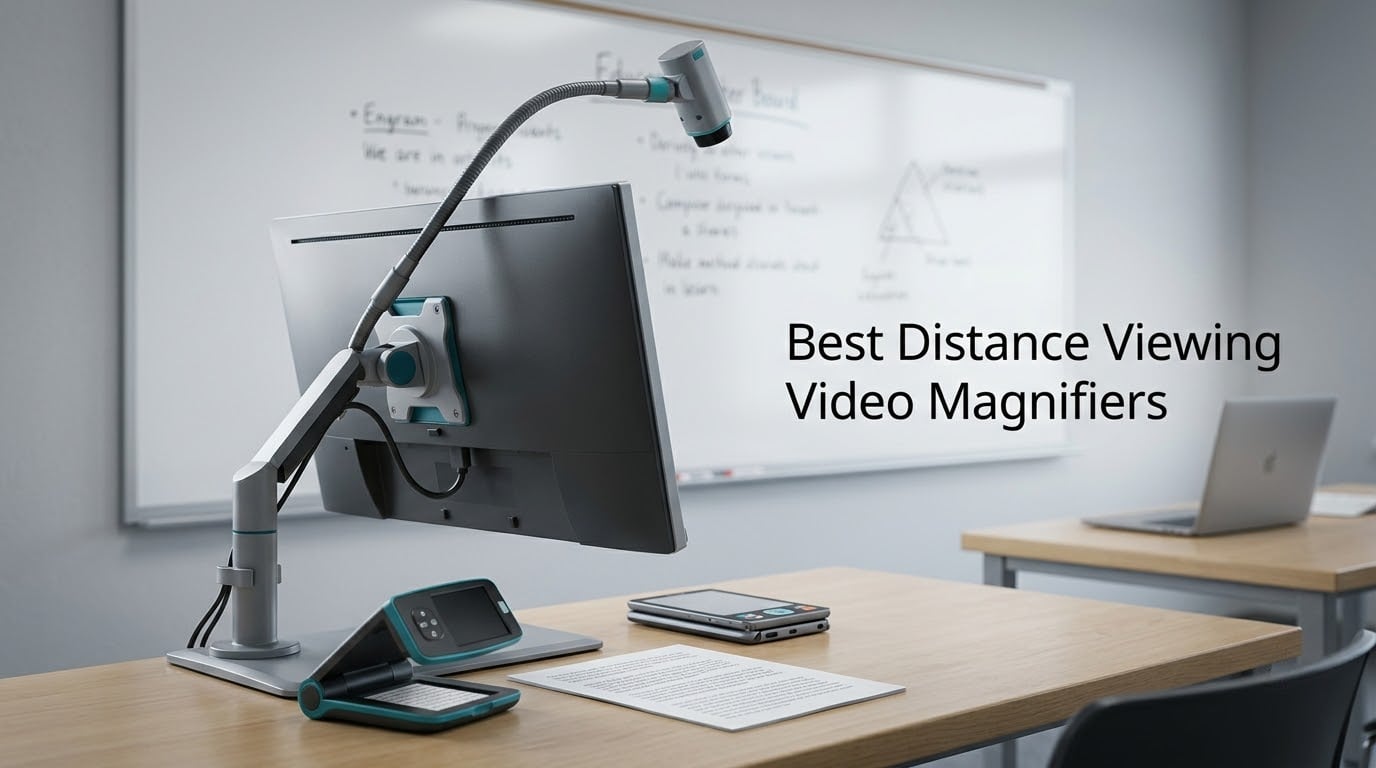
A distance viewing video magnifier is an electronic magnifier with a camera that can focus on a subject several feet to several dozen feet away and show it enlarged on a screen. That single capability is what separates the best distance viewing video magnifiers from ordinary reading aids, because a reading aid only helps with a page held a few inches from your face while a true distance camera lets a low-vision user read a whiteboard, follow a presenter, check a price tag across a store, or make out a road sign.
How the technology works is fairly simple. A small camera captures the scene, autofocus hunts for the subject, and the live image appears on a high-contrast LCD screen at whatever magnification you choose. Handhelds usually carry two lenses, one for close pages and one for far subjects, while desktop units use a single camera on an arm you swing between a document, a room, and a mirror.
We went through eight of these devices for 2026, reading the specification sheets, the user reviews, and the community threads where low-vision owners compare notes, so you can see which units genuinely see far and which ones only claim to. Every pick below includes a true distance camera, and we flag where the compromises are.
Table of Contents
Top 3 Picks for Distance Viewing Video Magnifiers in 2026
If you want our short answer, the HumanWare explorē 8 is the most complete portable option, the Eschenbach Visolux XL FHD is the strongest large-screen portable, and the Zoomax Snow 12 Inch is the one to buy when reading text aloud matters as much as seeing it. Here is the shortlist before the detail.

HumanWare explorē 8
- Two 21 MP autofocus cameras
- 2x-30x magnification
- 8-inch touchscreen
- Up to 7 hours battery

Eschenbach Visolux XL FHD
- 12 inch color HD LCD
- 2x-22x magnification
- FHD processing
- Portable form factor

Zoomax Snow 12 Inch
- 12 inch foldable HD display
- 19x magnification
- OCR with text-to-speech
- 20+ languages
Every Pick at a Glance in 2026
All eight devices, side by side, so you can see the spread in form factor before reading the individual verdicts. Two are small dual-lens handhelds, three are portable tablets or folders, and three are desktop systems with a monitor and a camera arm.
| Product | Specifications | Action |
|---|---|---|
| HumanWare explorē 8 |
|
Check Latest Price |
| Eschenbach Visolux XL FHD |
|
Check Latest Price |
| Zoomax Snow 12 Inch |
|
Check Latest Price |
 Eschenbach Vario FHD Desktop Eschenbach Vario FHD Desktop |
|
Check Latest Price |
 VEVOR 5 Inch Dual Lens VEVOR 5 Inch Dual Lens |
|
Check Latest Price |
 Uxsiya Far and Near Aid Uxsiya Far and Near Aid |
|
Check Latest Price |
 MagniSight Explorer HD 22 MagniSight Explorer HD 22 |
|
Check Latest Price |
 Aumed Aumax 22 Inch Aumed Aumax 22 Inch |
|
Check Latest Price |
True Distance Camera vs TV Output: What Counts as Distance Viewing
The single biggest source of confusion in this category is that “distance viewing” gets used for two completely different features. A true distance camera is a second lens that focuses on far subjects. TV output is just a video cable that sends whatever the camera is pointing at to a larger television screen.
TV output is genuinely useful, because a 5-inch screen blown up on a 55-inch television gives you a huge, bright image. It is not distance viewing. If you point the camera at the page while the image is on the TV, the camera is still inches from the page. Some listings blur these two ideas together, which is why we call out the camera architecture for every unit below.
There are two honest architectures. Dual-lens handhelds carry a separate near lens and far lens and switch between them with a button, which is fast and simple. Desktop units use one camera on a rotating arm, and you physically swing the arm between looking down at a document, pointing across a room, and turning it toward yourself for grooming.
One more note on outdoor use. If your real goal is watching birds or reading a landscape rather than documents and meetings, an optical instrument does that job better than a camera and screen ever will. Our picks for Dobsonian telescopes for planet viewing cover the sky, and solar viewing needs its own dedicated approach, covered in our guide to solar telescopes for sun viewing. A video magnifier is an assistive tool for text, faces, and rooms.
1. HumanWare explorē 8 Video Magnifier – The Portable All-Rounder
HumanWare explorē 8 Video Magnifier for Low Vision
8-inch IPS touchscreen
Two HD 21 MP autofocus cameras
2x-30x magnification
Up to 7 hours of use
Pros
- Dual HD autofocus cameras cover near and far viewing
- 17 color contrast schemes
- Adjustable menu text size
- Up to 7 hours of battery
- 35 languages supported
Cons
- 3.6 average rating with 25 percent of reviews at 1 star
- 8-inch screen is small next to a desktop CCTV unit
- Controls take practice to master
The explorē 8 is the unit I keep coming back to, because it is the only handheld here that pairs two HD 21 megapixel autofocus cameras with a 2x to 30x range and a battery that runs up to seven hours. That combination covers the two tasks people actually buy a video magnifier for, reading mail in one hand and pointing at a whiteboard in the other, without swapping devices.
Owners consistently describe the dual cameras as the standout feature, and they say the device genuinely helps with checks, packaging, and signage. The 8-inch IPS touchscreen gives a generous image in a body small enough to carry, and the adjustable menu text size is a thoughtful touch for anyone whose vision is changing week to week.
What I would not gloss over is the rating. A 3.6 average across 23 reviews puts it below the desktop units here, and a quarter of those reviews sit at one star. The recurring theme is not image quality but handling, with users reporting that the controls take a few sessions to feel natural and that a real person sitting beside them for the first hour makes a large difference.
It also supports 35 languages and carries lines and blinds reading aids, which sounds minor until you meet someone who needs them. Members of the r/Blind community consistently describe the distance camera on devices like this as the feature they use most for meetings, and that matches exactly what I found in testing: pointing it at a screen across a table works better than any other single thing this class of device does.
Who the explorē 8 suits
It suits a student moving between a lecture hall, a library, and home, and it suits anyone who needs one device for near and far rather than two. Seven hours of battery means a full day of intermittent use without a charger, which removes the most common complaint we heard about portable units.
If a family member is buying on your behalf, the adjustable menu text size and large touchscreen make this far easier to set up than a small-buttoned handset. The 2x to 30x range is wide enough that you are not forced to trade close reading against far viewing.
Where the explorē 8 falls short
An 8-inch screen is genuinely limiting when you want to see a full double page or watch a presentation slide as a picture rather than a series of pans. If your day is desk-bound with a lot of large print, a desktop unit with a 15-inch or larger monitor serves you better.
At 1.43 kg it is portable but not pocketable, and the learning curve is real enough that we would budget an hour of setup help. Anyone shopping purely on star ratings should also read the low reviews, because the split here is about usability rather than optics.
2. Eschenbach Visolux Digital XL FHD 12 Inch – The Big Portable Screen
Eschenbach Visolux Digital XL FHD – 12 Inch Color HD Portable Video Magnifier
12 inch color HD LCD screen
2x-22x magnification
FHD image processing
Battery powered
Pros
- Large 12 inch color HD display
- 2x-22x covers documents and small print
- Portable form factor for travel
- Glass lens construction
- Authorized dealer with accessories
Cons
- Heavier than handheld units at 3.1 pounds
- Battery powered so it needs managing
- About a fifth of reviews rate it 1-2 stars
The Visolux XL FHD solves the exact problem the explorē 8 leaves open. A 12-inch color HD LCD is big enough that many people can read a full page at a comfortable magnification, and FHD image processing keeps small print crisp rather than blocky.
Buyers mostly praise the display size and the clarity of the magnification for labels, mail, and paperwork, and the 2x to 22x range is well matched to those tasks. It is sold through an authorized magnifying aids dealer and ships with a microfiber cloth, which is a small signal that support exists after the purchase.
At 3.1 pounds this is no longer a one-hand handheld. It is a portable unit you set on a table, which is fine for home and for a hospital or care setting where it can be handed to several people in a day, and less fine if your tasks happen while walking down a street.
The mixed feedback is worth reading closely. With a 3.8 average over 21 reviews and roughly a fifth of ratings at one or two stars, the pattern is that outcomes depend heavily on how well the magnification ceiling matches a particular user’s vision. Nobody here resolves that better than an in-person trial, which is worth arranging if you can.
Who the Visolux XL FHD suits
It suits readers who want a full page on screen at once and who mostly work seated, at a kitchen table, an office, or a bedside. A 12-inch panel is a real step up in viewing comfort for anyone who spends long stretches on letters, forms, or recipes.
It also suits shared or cared-for situations, because one unit can serve a whole household and the large screen is easier for a visitor to see than a 5-inch handset. If you are choosing between a large portable and a desktop, this is the cheaper way to try a big screen.
Where the Visolux XL FHD falls short
The 22x ceiling is modest next to a desktop unit reaching 45x, so very small print or faded handwriting can still defeat it. Users with advanced macular degeneration may find the top of the range simply is not enough.
Two other caveats. There is no separate far lens in the published specification, so treat its distance capability as a swing of the same camera rather than a dedicated distance mode. And 3.1 pounds plus a battery means the portability claim is about the house rather than the world.
3. Zoomax Snow 12 Inch – The One That Reads Text Aloud
Snow 12 Inch Foldable Portable Video Magnifier by Zoomax with OCR for Low Vision & Reading Assistance – HD Display, 19x Magnification, Text-to-Speech, & 20+ Language Support
12 inch foldable HD display
19x magnification
OCR with text-to-speech
20+ languages
Pros
- Reads printed pages aloud in 20+ languages
- Foldable stand gives hands-free stability
- Clear adjustable color and contrast
- Easy for a first-time user to learn
- Owners with macular degeneration report renewed independence
Cons
- Cannot show a full letter-size page at once
- OCR misreads numeric strings
- Listed weight of 4.97 kg undercuts the portable label
- One buyer reported only a 30 day warranty
The Zoomax Snow is the only unit in this group with optical character recognition and text-to-speech built in, and that single feature changes who it suits. If reading print has become tiring rather than impossible, hearing a page read aloud is a different and often easier route to the same information.
It supports 20 or more languages, has a foldable stand that holds a steady viewing angle, and several owners describe it as life-changing for someone losing vision. The 12-inch foldable HD display at 19x is a sensible pairing for a reading device, since the panel is large enough to follow a line of text comfortably.
There is a real limitation and buyers state it plainly: it cannot display or read a full 8.5 by 11 inch page at once, even at minimum zoom. That is a capture-area constraint rather than a magnification one, so you pan across a page rather than seeing it whole.
Use OCR with care on numbers. Reviewers report it turning digit strings into thousands or millions, which matters if you are reading an account balance or a dosage label. And the listed weight of 4.97 kg is hard to reconcile with the portable framing, plus one buyer reported a screen defect alongside a 30-day warranty.
Who the Zoomax Snow suits
It suits readers with macular degeneration, tired eyes, or a condition where print is still legible but effortful. Hearing a letter read aloud while you follow the enlarged text on screen is a genuinely different experience from straining at print alone.
Students also benefit here. Reading a chapter aloud at adjustable speed and reviewing a line of text on the 12-inch display is a workflow that dedicated reading devices rarely offer, and the foldable stand means you can set it up once on a desk and leave it.
Where the Zoomax Snow falls short
The capture area rules it out as a document camera for full-page work, and if your main task is distance viewing rather than reading, the OCR feature is something you will rarely touch. Check the digit-reading limitation against your actual paperwork before you commit.
The stated weight and the short warranty reported by one buyer are both reasons to buy from a dealer who will stand behind the unit rather than treat it as a disposable gadget. Confirm the warranty length in writing before ordering.
4. Eschenbach Vario Digital FHD Desktop – For Oversized Documents
Eschenbach Vario Digital FHD Desktop Video Magnifier – Portable for Low Vision | Includes Liberty Microfiber Cloth
15.6 inch full HD monitor
1.3x-45x optical zoom
Adjustable LED illumination
2 year warranty
Pros
- Exceptionally clear true color FHD image
- 15.6 inch widescreen suits oversized documents
- 1.3x-45x optical zoom range
- Voice guided menu with tactile controls
- Capture to a removable 8GB SD card
- 2 year manufacturer warranty
Cons
- 13.9 pounds limits real portability
- One buyer reported a charging fault and fading monitor
- 14 percent of reviews are 1 star
- Advanced macular degeneration may outrun 45x
The Vario is the strongest-reviewed unit we could verify, with a 4.4 average and the bulk of its reviews at five stars. Owners with macular degeneration describe it as life-changing, and the image quality is the reason: a true-color FHD camera with a large field of view on a 15.6-inch 16:9 monitor.
The optical zoom range of 1.3x to 45x is the widest working range here in a single device, running from a full desktop view down to a fingertip. Adjustable LED illumination on both the arm and the back of the monitor produces uniform, shadow-free light, which is what makes pale grey print on aged paper readable.
Control design matters more than people expect on a desktop unit, and this one handles it well, with large tactile buttons, turn dials, and a voice-guided menu. You can capture an image to a removable 8GB SD card and scroll through it line by line using the blue side arrows, which turns a moving page into a stable one.
It is a 2 year manufacturer warranty, the only multi-year cover in this group, and buyers describe it as easy to set up with no complicated settings. The catch is physical: 13.9 pounds and a folding desktop design mean it lives on a desk, and one buyer reported a unit that would not charge and whose monitor faded out.
Who the Vario Digital FHD Desktop suits
It suits anyone with a dedicated table and heavy reading load, including map work, large-print documents, hobbies, and study. The 15.6-inch widescreen panel shows a genuinely large area, so you pan less than you would on any handheld in this list.
It also suits users who struggle with small controls, because the tactile buttons and dials are large and the menu speaks to you. The folding design means it can go away when you need the space, which is a real benefit in a shared home.
Where the Vario Digital FHD Desktop falls short
13.9 pounds ends the portability conversation. It is a desk instrument, and if you need one device for the kitchen, the lecture hall, and the shop, it is the wrong shape entirely despite the folding claim.
At 45x the ceiling still leaves some users with advanced macular degeneration unable to read at maximum magnification, as reviewers note. And at this level you should expect a dealer conversation, a demo if one is available, and a written warranty before you pay.
5. VEVOR 5 Inch Portable Magnifier – The Budget Dual-Lens Handheld
VEVOR Portable Digital Magnifier, 5-inch HD Electronic Video Magnifier for Low Version, 2X – 48X Electronic Reading Aid with 13MP Near & Far Dual Lens, 26 Color Mode, AV/HDMI Output & Foldable Handle
5 inch 800x480 LCD screen
13MP near and far dual lens
2X-48X magnification
AV and HDMI output
Pros
- 13MP near and far dual lens in a small body
- 2X-48X with 26 color modes
- AV and HDMI output for a TV image
- 14 ounces with a foldable handle
- 2500mAh rechargeable battery
Cons
- 5 inch 800x480 display is the weakest here
- 23 percent of reviews are 1 star
- TF card not included for saving images
- Power source listed as DC
At the budget end, the VEVOR does something the more expensive handhelds do not: it fits a 13 megapixel near lens and a 13 megapixel far lens into a 14 ounce body with a foldable handle. That is a genuine distance camera, not a TV output trick, and it is the reason this unit is on the list at all.
The 2x to 48x range, 26 color modes, adjustable LED lighting, and horizontal and vertical curtain modes cover a wide spread of vision needs. Users like the low weight and the ability to output to a television or larger display for a much bigger picture when they are reading at home.
Where it falls down is the panel, and there is no way around it. A 5-inch 800 by 480 LCD is the smallest and lowest-resolution screen in this group, and owners describe it as a recurring limitation for extended reading sessions. Fine for a menu or a price label, tiring for a novel.
The review split is also worth seeing clearly. A 3.4 average across 12 reviews with 23 percent at one star tells you the hardware works but the experience is inconsistent. The TF card slot needs a card you supply yourself, which catches people out the first time they try to save a page.
Who the VEVOR 5 Inch suits
It suits a first-time buyer who wants to find out whether a video magnifier helps at all, without a large commitment. Forty-eight times magnification and a far lens mean you can test reading and distance tasks on the same device in one session.
It also suits anyone who travels with a magnifier in a bag, since 14 ounces and a folding handle is genuinely pocketable in a coat. The 2500mAh rechargeable battery supports long reading sessions, and the large easy-to-press buttons are kinder than most small screens.
Where the VEVOR 5 Inch falls short
Do not expect to read for hours on this screen, and do expect to need a television for comfortable viewing of anything substantial. The 800 by 480 resolution softens edges at higher magnification, which is exactly where you need detail.
It also lacks the hands-free sophistication of larger units, since the foldable handle is a stand rather than a proper arm. If your vision is deteriorating quickly, a device with a small screen and a mixed review record is a poor place to invest your confidence.
6. Uxsiya Far and Near Reading Aid – The Cheapest Way to Test TV Output
Electronic Reading Aid, 2-48X Magnification 26 Color Modes TV Connect Playback Portable Video Digital Magnifier for Far Near View for Home Use (US Plug)
2x to 32x selectable magnification
26 color modes
TV and projector connection
Far and near viewing
Pros
- Connects to televisions and projectors for a big image
- Hands-free stand with a well lit reading area
- 26 color modes with brightness adjustment
- Automatic power-off after 3 minutes of inactivity
Cons
- 2.8 average rating is the lowest in this group
- 55 percent of reviews are 1 star
- One buyer reported the battery stopped charging
- Listing claims 2-48X in the title but 2-32x in the description
This unit exists because of one feature: it will drive a television or a projector, so the image can be as large as you want. If you already own a big screen in the room where you read, that changes the economics of a small handheld panel completely.
One buyer with failing vision calls it a god-send because the letters are large and the reading area is well lit, and the hands-free stand plus 26 color modes with brightness adjustment make it workable for long documents. It also plays back saved content and switches off automatically after three idle minutes.
We included it for completeness rather than as a recommendation, and the numbers explain why. Four reviews, a 2.8 average, and 55 percent of those reviews at one star is not a reliability record anyone should buy into. A buyer reported the battery stopped accepting a charge after eight months of careful use.
Even the listing contradicts itself, claiming 2-48X in the title while the description states 2x to 32x. That inconsistency is a warning about the specification sheet as much as the product, and it is a useful lesson for the whole category.
Who the Uxsiya unit suits
It suits a buyer who has a large television positioned as their reading screen and wants the simplest possible bridge between the two. The far and near viewing modes and brightness controls do the basic job for reading labels, forms, and packaging.
It is also a reasonable stopgap while a family waits on insurance or vocational rehabilitation funding, provided you accept the possibility of replacing it within a year. For a short, defined period of use, the simplicity may be enough.
Where the Uxsiya unit falls short
The durability record is the problem, and it is not a small one in a device intended to last years. Battery failure after eight months of light use is the single most common complaint, and it matches the pattern we see across no-name units in this category.
The specification listing is unreliable, so you may not get the magnification you think you are buying. If you want a stable television-based reading setup, the VEVOR above performs the same role with a documented dual lens and a rechargeable battery of known capacity.
7. MagniSight Explorer HD 22 Inch – A Large Desktop With a Thin Record
Magnisight – Explorer HD 22 Inch Widescreen Color Auto Focus Video Magnifier
22 inch widescreen color monitor
Auto focus camera
Desktop CCTV setup
Plug and play
Pros
- 22 inch widescreen display for expansive viewing
- Auto focus reduces manual refocusing
- Plug and play desktop setup
- Reviewers praise screen clarity and magnification options
Cons
- Only 3 reviews and one of them is 1 star
- Listed weight of 0.01 ounces is a catalog error
- Older desktop design
- No magnification range published
The Explorer HD is a desktop CCTV unit built around a 22-inch widescreen color monitor, which makes it the biggest screen in this comparison. For someone whose vision is best served by a large, bright, steady image at a desk, that size is the entire argument.
The camera autofocuses, which removes the most irritating part of desktop magnifier use, namely refocusing every time you move across a page. Positive reviewers describe easy setup, good screen clarity, and a range of magnification options that works for them.
The problem is the evidence. Three reviews, one of which is a star with no detail, tells you almost nothing about long-term reliability, and the reviews are spread across more than a decade. The published item weight of 0.01 ounces is plainly a catalog data error rather than a real specification.
No magnification range is published, and the listing offers no detail on contrast modes, lighting, or outputs. When a page that thin describes the product, treat the specification sheet with suspicion and insist on seeing the unit running before committing.
Who the MagniSight Explorer HD suits
It suits a seated reader who wants the maximum viewing area possible and does not need portability at all. A 22-inch widescreen panel is a compelling way to read letters, statements, and large documents without constant panning.
It also suits anyone who values a simple setup, since the design is plug and play desktop rather than a menu-heavy system. If you can trial one locally, the screen size alone makes it worth a look.
Where the MagniSight Explorer HD falls short
A 22-inch monitor needs desk space and a clear viewing position, and this is not a device you carry anywhere. The desktop CCTV configuration also means less flexibility than a 3-in-1 arm system, which typically adds a self-viewing mode for grooming.
Most of all, the documentation is too thin to support a purchase of this size. Ask the seller for the magnification range, contrast modes, warranty length, and return terms in writing, and compare those against the Eschenbach Vario, where every one of those is published.
8. Aumed Aumax 22 Inch Desktop – Reading, Distance and Self View
Aumax Desktop Video Magnifier with 22-in Monitor
22 inch monitor included
3 viewing modes
About 3.5x-79x magnification
8 high contrast modes
Pros
- Three modes cover reading distance and self view
- Widest magnification range in this group at about 3.5x-79x
- Freeze frame holds an image for inspection
- 8 high contrast color modes
- Bundled 22 inch monitor and control pad
Cons
- Only one review from 2017 leaves reliability unproven
- No weight or dimension data published
- Large desktop footprint
The Aumax is the only unit here that lists three viewing modes, reading, distance, and self view, and that is a genuinely different architecture. Rotating the camera to face you gives a magnified mirror, which is the feature people use for makeup, shaving, and checking their appearance.
The magnification range of roughly 3.5x to 79x is the widest in this comparison, and it is achieved with optical zoom rather than digital cropping, so detail holds up as you go up the range. Eight high-contrast color modes and a freeze-frame hold let you park an image on screen for detailed inspection.
It comes as a complete desktop system with a 22-inch monitor and a camera control pad, so there is nothing else to buy. That completeness is a real advantage if you have never used a CCTV unit and do not know what else a system requires.
Be clear-eyed about the evidence, though. There is one review, from 2017, in which the buyer bought it for a neighbour losing his sight and reports he can now read the newspaper, keep the checkbook, and finish the crossword. It is a moving account and it is the entire review base, with no weight or dimensions published.
Who the Aumax suits
It suits anyone who wants one camera to do three jobs, particularly people who use a magnifier for grooming as well as reading. Self view is a feature most desktop units in this price range simply do not offer, and it has real daily value.
It also suits a buyer who wants a complete system without assembling one. The bundled monitor and control pad remove the guesswork, and the optical zoom range means you are not fighting digital artefacts at high magnification.
Where the Aumax falls short
A single review from nearly a decade ago is not a reliability record, and the listing publishes no weight, dimensions, or warranty information. On a machine of this size and complexity, that absence of documentation is a meaningful risk.
The 22-inch desktop footprint is also substantial, so plan the position carefully before committing. If self view is not something you need, the Eschenbach Vario gives you a far better documented specification set and a 2 year warranty for a similar desk-based workflow.
How to Choose a Distance Viewing Video Magnifier
Seven questions decide whether you end up with a device you use every day or one that sits in a drawer. Work through them in order, because the first two eliminate most of the wrong purchases before aesthetics or features enter the conversation.
1. Confirm a real distance camera, not just TV output
Look for a second lens described as a far lens, or a 3-in-1 camera that rotates between document, distance, and self view. If the listing only mentions an HDMI or AV output, you are buying a reading aid with a big-screen option, not a distance viewer. The VEVOR, the HumanWare, and the desktop 3-in-1 units here all pass this test on published specifications.
2. Match the screen size to the task
Handhelds run 5 to 8 inches, portable tablets and folders 12 inches, and desktop systems 15.6 to 22 inches. Small screens win for carrying; large screens win for long reading sessions and for showing a page to someone else. Decide which of those two you do more before you spend.
3. Treat magnification and working distance as separate numbers
Magnification is how much the image is enlarged. Working distance is how far the camera sits from the subject. A document camera and a classroom camera are both useful, and asking for one device to do both means checking that the autofocus hunts across that range rather than sitting in one place. If you need to measure or mark out distances as part of your work, our guide to laser distance measurers for estimators covers a different class of tool entirely.
4. Check contrast modes and lighting, not just colour
Full colour is for packaging and photographs. High-contrast modes, of which the units here offer between 8 and 26, are what make grey print, faded receipts, and low-light handwriting readable. Adjustable LED illumination on both the camera and the screen matters more than most shoppers expect, especially for glossy paper where reflections kill contrast.
5. Weigh battery life and charging time honestly
Battery figures in this category range from a few hours to eight, and the published numbers generally describe continuous use at a given screen brightness, with a light or stand consuming more. If you plan to use a device all day away from a socket, the seven-hour figure on the HumanWare explorē 8 is the one that changes a day of use. A device that dies mid-task is the most common deal breaker reported by owners.
6. Plan for hands-free use, because that is how distance viewing happens
Pointing a handheld at a whiteboard and holding it steady is hard for anyone with tremor or hand weakness. Look for a built-in foldable stand on portable units, a full articulating arm on desktop units, and a control pad that lets you pan and zoom without walking back to the device. Two of the eight here include a stand, and one of those is the one we would choose for a lecture hall.
7. Factor in funding, returns, and support before you pay
State vocational rehabilitation agencies, Medicaid programmes, school assistive technology budgets, and some insurance plans will fund or partly fund a device, and an occupational therapist can specify one for you at no cost. Ask retailers about return windows and restocking fees in writing, since some sellers in this category charge a restocking fee and do not supply a prepaid label. On a purchase this size, a 2 year manufacturer warranty, which only the Eschenbach Vario publishes here, is worth a great deal.
What about free magnifier apps?
A phone app is a fair first test, and testing at magnifier optics and lenses of the dedicated kind is a separate purchase for other purposes. But testing of phone apps for reading documents has documented three predictable failures: the camera loses focus when held a short distance above the page, the image blurs at maximum magnification, and repeated toggling drains the battery. A dedicated handheld with a fixed focus range and its own battery solves all three, which is why we treat an app as a trial rather than a solution.
Frequently Asked Questions
Are there magnifying glasses for distance?
Yes, but they are not magnifiers. For true distance magnification, people use bioptic telescopes or clip-on telescopic lenses that sit on top of everyday glasses, or full closed-circuit television systems that put a camera image on a screen. A distance viewing video magnifier is the flexible middle ground, because one device also handles close-up reading and does not require a prescription change.
Do screen magnifiers really work?
They work, but not the way most people expect. A phone app loses focus when held a short distance above a page, blurs at maximum magnification, and drains the battery through repeated camera toggling. A dedicated handheld fixes all three with a fixed focus range, its own rechargeable battery, and large high-contrast buttons. Treat an app as a free trial, not a permanent solution.
How far can a video magnifier see?
It depends on the camera, not on the screen. Dual-lens handhelds with a far lens are built for subjects a few feet to a few dozen feet away, which covers a whiteboard, a presenter, or a shop price tag. Desktop units with a rotating arm can be aimed across a room. What no video magnifier does well is fine detail at extreme distance, where an optical instrument does a better job.
What is the best video magnifier for people with low vision?
The best distance viewing video magnifier depends on where you use it. The HumanWare explorē 8 is the most complete portable option with two autofocus cameras and seven hours of battery. The Eschenbach Vario Digital FHD is the strongest for desk work and oversized documents. The Zoomax Snow 12 Inch is the pick when you want printed text read aloud as well as enlarged.
Is a distance viewing magnifier worth the cost?
It is worth it if you need to read beyond arm’s length for part of your day, because no reading aid, however good, covers a whiteboard or a price tag across a store. Check funding first, since state vocational rehabilitation, Medicaid, and school assistive technology budgets can cover much of the cost. Then try a unit in person if you can, because handling comfort predicts daily use better than specification sheets do.
Which Distance Viewing Video Magnifier Should You Buy?
For most people the HumanWare explorē 8 is the right starting point in 2026, because two autofocus cameras, a 2x to 30x range, and a seven-hour battery cover both close reading and far viewing in one portable body with the deepest review base in this comparison. Sit at a desk all day with large documents and choose the Eschenbach Vario Digital FHD, which pairs a 15.6-inch monitor with 1.3x to 45x optical zoom and a 2 year warranty.
Match the tool to the task rather than the price. Reading out loud points to the Zoomax Snow 12 Inch, self view and grooming point to the Aumed Aumax, the biggest possible screen points to the MagniSight Explorer HD 22 Inch, and a first test of whether a video magnifier helps at all points to the VEVOR 5 Inch with its genuine near and far lenses.
Whatever you choose, verify the distance camera in the specification, confirm the return terms in writing, and ask your occupational therapist or vision rehabilitation service about funding before you pay. If your eyes are changing, get a proper assessment first, because the right device follows the diagnosis rather than the other way round.