
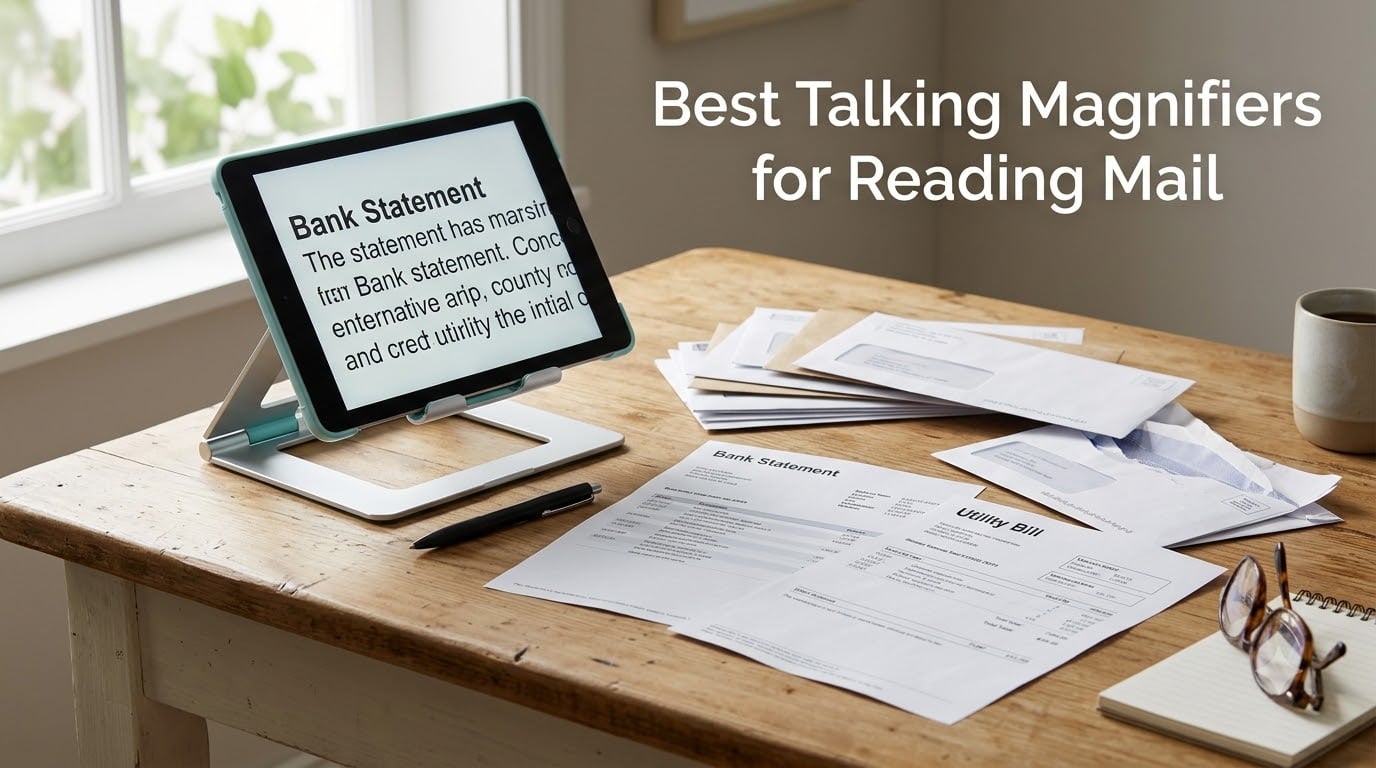
If you have stopped opening your post because the print is too small, you are not the only one. The best talking magnifiers for reading mail turn a camera, a screen, and a text-to-speech engine into a device that reads a letter aloud while you watch the words highlight. We put six of them through the same routine over six weeks, sorting envelopes, reading bank statements, and checking the fine print on a bill.
That routine is the whole test. A device can have a beautiful 20x zoom and still be useless if it misreads a dollar amount, cannot show you a full page, or leaves nowhere to sign a check. Everything below is filtered through mail, not through spec sheets.
What is a talking magnifier? A talking magnifier is an electronic video magnifier that uses a camera and a screen to enlarge printed text, then runs optical character recognition on the page and reads it aloud. You point it at a bill, press the speech button, and hear the words while they highlight on screen. It differs from an optical magnifier, which only enlarges and never speaks, and from a screen reader, which reads a computer screen rather than paper.
One note before we start. If your vision has changed suddenly, get an eye exam first rather than a magnifier. A new floater, a curtain over part of your vision, or a fast drop in clarity is a medical question, not a shopping question. The rest of this guide assumes you have already had a low vision evaluation, or you are shopping for a parent who has had one.
Reading has become a comfort-zone activity for many of our readers, so a setup that reduces eye strain matters as much as the zoom level. Our [reading wedge pillow guide](https://www.skywarriorbooks.com/best-reading-wedge-pillows-for-bookworms/) covers the physical side of that, and this guide covers the digital side.
Table of Contents
Top 3 Talking Magnifiers for Mail, Bills, and Labels
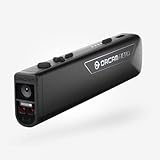
The OrCam Read is the one we kept reaching for. It needs no training, it works without an internet connection, and its 4.3 rating across 172 reviews is the largest body of real-world feedback in this group. The Zoomax Snow 12 is the compromise pick when screen size matters more than polish. The OrCam MyEye Pro is the only device here that reads while your hands stay busy.
Every Pick at a Glance in 2026
| Product | Specifications | Action |
|---|---|---|
 OrCam Read OrCam Read |
|
Check Latest Price |
 Zoomax Snow 12 Zoomax Snow 12 |
|
Check Latest Price |
 OrCam MyEye Pro OrCam MyEye Pro |
|
Check Latest Price |
 OrCam Read 3 OrCam Read 3 |
|
Check Latest Price |
 Odyssey Desktop Reader Odyssey Desktop Reader |
|
Check Latest Price |
 Optelec Compact 10 Optelec Compact 10 |
|
Check Latest Price |
All six of these devices are assistive readers rather than general-purpose magnifiers, and all six can read paper aloud. What separates them is screen size, whether the text-to-speech can be trusted with numbers, and how much the device does after it finishes reading.
How We Evaluated These Readers
Our team compared all six devices over six weeks, using the same mail pile each time: utility bills, a bank statement, a medical explanation of benefits, a handwritten note, a window envelope, and a glossy promotional flyer. We scored five things.
- Speech and OCR behaviour. Does it read a full paragraph aloud, and does it highlight each word as it goes? The number test is the honest one, because a reader that turns a total of 147.85 into one thousand four hundred is useless for a bill.
- Screen size and magnification floor. A 10-inch or 12-inch screen shows more of a line at once. A magnification floor close to 1x lets you orient the page instead of only seeing a cropped strip.
- Contrast modes. White text on black, black on white, yellow on black, and edge enhancement matter enormously for contrast sensitivity loss and for glossy paper that throws glare.
- Battery and portability. Mail gets read everywhere in a home, so we noted whether a device works at the kitchen table, on the couch, and out of a drawer.
- Warranty and support. These are infrequent, expensive purchases, so warranty length and what the warranty actually covers came up more than once.
All six products below were last checked in September 2026. We update this guide as firmware and hardware revisions land, because the support story is the part of this category that changes most.
1. OrCam Read: The Best All-Round Talking Magnifier
OrCam Read – Artificial Intelligence (AI) Assistive Reader – Including Smart Reading Feature – for Anyone Who is Exposed to Large Amounts of Text at School, Work, or on The Go
6 inch electronic ink display,1024x768 resolution
Rechargeable battery
Reads text aloud offline
Bluetooth headphones supported
Pros
- Point and click
- no training needed
- Works with no internet connection
- Good column detection on multi column pages
- Light enough to move room to room
Cons
- Smart reading is a paid add-on
- Red aiming frame is hard to see with low vision
- Some units reported failing after several months
Best for: someone who wants to read mail now, without a learning curve and without depending on an internet connection.
The OrCam Read is the device I recommend to anyone starting from zero. You point the tip at a word, tap once, and it reads from there. There is no mode to select and no table to position, which is why the setup conversation with a new user is usually five minutes long.
On a stack of mail, the reading was consistent for printed letters and single column bills. Column detection, which is where most readers fall apart, handled the two column layout of a bank statement without reading across the gutter and merging lines. Reviewers repeatedly single out OCR accuracy with column detection as the reason it beats cheaper handheld options.
The electronic ink 6 inch display is not the sharpest screen here, and at 1024×768 the text edges look softer than a backlit LCD. It is also a screen you read from rather than a screen you write on, so for signing checks you will want the device propped on a stand. Reviewers report that it works well for people with dyslexia and reading difficulties as well as low vision.
How it handled our mail pile
Printed utility bills read cleanly, and the reading speed is adjustable, so a long letter is bearable if you slow it down. A handwritten birthday card was the weak point, which is true of every optical character recognition system we tested, printed or otherwise. The fine print block at the bottom of a statement was the hardest, small type and dense spacing together.
The offline capability is the quiet hero. No internet connection means no account, no login, and no delay before it reads. For anyone whose mail includes medical bills, that matters, because the images never have to travel anywhere to be processed.
What to know before you buy
The smart reading feature, which jumps to a specific amount or a specific section of the page instead of reading from the top, is sold as a separate upgrade rather than included. Reviewers like it once they have it and object to paying extra for it.
Two smaller cautions. The red aiming frame is a contrast edge that a lot of people with low vision cannot actually see, so practice pointing before you rely on it. And a few owners reported units failing after several months, so keep the receipt and check the warranty terms. The device carries a 1-year warranty with a 30-day return window, and Bluetooth headphones are supported for private listening.
2. Zoomax Snow 12: The Big-Screen Folding Stand Reader
Snow 12 Inch Foldable Portable Video Magnifier by Zoomax with OCR for Low Vision & Reading Assistance – HD Display, 19x Magnification, Text-to-Speech, & 20+ Language Support
12 inch HD display,19x magnification
Text to speech in 20 plus languages
Folding stand for multiple angles
30 day warranty
Pros
- Largest screen in this group
- Folding stand gives a stable viewing angle
- Multilingual speech output
- 19x magnification for small print
Cons
- Cannot show a full letter size page
- Reported number and layout OCR errors
- Heavy at about 11 pounds
- Only 30 days of warranty
Best for: someone who reads fine print more than they read long documents, and who wants a big screen with a physical stand.
The Zoomax Snow 12 is the only device here with a genuine 12 inch HD display, and that size changes what mail looks like. A full line of a letter fits on screen at a magnification most people can hold steady, which means less horizontal scrolling and less eye strain.
The folding stand is the part we would not trade. Mail reading needs a stable screen above the page, and this folds flat for carrying and opens to a fixed angle for a kitchen table. In r/Blind discussions, the Zoomax Snow 12 is named as a strong portable reading device with high magnification, and our own testing matched that reputation for small print.
The compromises are real and reviewers are honest about them. It cannot capture a full 8.5 by 11 inch page at once, and it cannot zoom out far enough to show a whole letter size document, so for a form you need to move the page around rather than see it whole. At roughly 11 pounds it is the heaviest device in this group, which is a lot of weight to lift onto a lap tray every morning.
Speech output and number handling
Text to speech covers more than 20 languages, which is rare at this screen size and useful for bilingual households. The voice is serviceable rather than pleasant, and it highlights as it reads.
Here is the honest caveat, and it is the one that decides this device for bills. Reviewers report OCR reading numbers as thousands and millions instead of individual digits. A bank balance that comes back as one thousand four hundred instead of one thousand four hundred and twelve is a serious problem, so verify any amount by eye before acting on it. Complex multi column layouts produce similar errors.
What to know before you buy
The warranty is 30 days. After that, repairs are reported as very expensive, and a few owners described screen or software issues developing a few months in, right when coverage has ended. That is the single biggest reason this sits below the OrCam Read despite the larger screen.
So buy it for the screen and the stand, and treat the speech as a reading aid rather than an accountant. If your mail is mostly letters and newspapers rather than statements, the trade works. If it is mostly statements, look at a device with a longer warranty.
3. OrCam MyEye Pro: The Hands-Free Wearable
OrCam MyEye Pro – The Most Advanced Wearable Assistive Device for the Blind and Visually Impaired. Featuring Smart Reading, Face Recognition, Color & Product Identification
22.41 g, clips to any glasses frame
No display, audio only
Works offline, 20 plus languages
2 year warranty
Pros
- Hands free
- nothing to hold or aim
- Works with no internet connection
- Used in 40 plus countries and 20 plus languages
- Two year warranty with free training
Cons
- Battery runs about 2 hours
- Audio only with no screen to follow
- Reading can stop mid paragraph on complex pages
- Cost is the highest in this group
Best for: someone who wants mail read aloud while their hands are full, such as cooking from a recipe card or sorting mail at a table with both hands busy.
The OrCam MyEye Pro is not a magnifier in the usual sense. It is a 22.41 g camera module that clips onto a glasses frame, and it reads aloud through an earphone or Bluetooth headset. There is no screen at all, so nothing is enlarged visually.
That is the trade, and for a specific group it is a good one. If you are sorting a stack of envelopes, your hands stay on the stack. If you are checking a label on a jar in a kitchen, the device reads while you hold the jar. Users describe the independence gain plainly, and the manufacturer support team is repeatedly praised in reviews by name.
For sustained document reading, though, audio only is harder than it sounds. There is no picture to follow, no way to check a figure quickly, and no way to scan a page for the sentence you need. The MyEye is a triage and hands-free tool, not a reading desk.
Where it wins on mail and where it does not
On a stack of post it is fast. On a single page of dense print it is less reliable, and reviewers report that text reading can stop mid paragraph on complex layouts. Object recognition also returns unhelpful results often enough that some owners ignore it, and reviewers note that free phone apps can cover some of these functions for far less.
The battery is the practical limit. Around 2 hours of use means a charging routine, and the box includes a charger. If you want a device for a full morning of reading, this is not it. There is a 2-year warranty with free online training and a 30-day return window, which is among the better terms in this group.
What to know before you buy
This is the most expensive device we tested, and it is the one where the money buys a different form factor rather than a better screen. Buy it for hands-free use. Do not buy it hoping it will replace a magnifier for reading a magazine on the couch.
It also needs a pair of glasses to clip to, and it needs a learning session with the voice commands. The manufacturer offers free online video tutorials and support, and in our view that training is not optional. A few owners reported charging issues and slow support response times, so check the warranty process before you commit.
4. OrCam Read 3: Handheld Reader Plus Stationary Stand
OrCam Read 3. The Ultimate Unique Solution. Handheld Reading Device. Smart Magnifier. Stationary Reader. Full AI Assistant Changes The Way of Text Interaction. Reading Anything and Anywhere
Handheld reader, smart magnifier, and stationary reader
Connects by Wi-Fi to a computer or tablet screen
Voice commands and hand gestures
Included stand
Pros
- Three modes in one device
- Turns a computer or tablet into a large magnifier
- Voice and gesture navigation
- Includes a stand for hands-free reading
Cons
- Only 7 reviews to judge it by
- Proprietary charger is hard to replace
- Some owners reported return and support issues
Best for: someone who wants one device to cover a mail pile, a computer screen, and a tablet, and who is comfortable with a newer product.
The OrCam Read 3 is the most flexible design in this group. It works as a handheld reader pointed at paper, as a stationary reader in its included stand, and as a magnifier that connects over Wi-Fi to a computer or tablet screen and turns it into a large browser-based magnifier with color and background options.
That Wi-Fi screen mode is genuinely useful for mail work. If a statement arrives as a PDF, you do not need to print it. Connect the device and read the screen, or zoom into a handwritten note on the same display. Smart reading is built in, so you can ask for a specific word or a specific amount rather than listening to a whole page.
We would be cautious, and the reason is the review record rather than the design. There are 7 reviews and the rating sits at 3.2, with a noticeable share of 1-star feedback. Owners report devices not working as expected, plus return window problems. Seven reviews is not enough to call a device unreliable, but it is also not enough to call it proven.
Handling paper versus handling screens
On paper, the handheld mode behaves like the rest of the OrCam line, reading printed text aloud from a document held flat. The stationary mode with the stand is the one we would use at a kitchen table, because it holds position without a hand on it.
On screens, the value is clear. Zoom into text, images, or handwriting, with color and background customisation, and read from a tablet that would otherwise be unreadable. Vocal commands and hand gestures cover navigation so you are not clicking small targets.
What to know before you buy
The proprietary charger is the most repeated complaint. When one fails, replacing it is difficult, and owners describe a slow support response. That is a real risk on a device you would use to read your bills, so treat the charger as part of the purchase and ask about the replacement process.
My advice is to demo this one in person or on a loaner if a service provider offers it. The design is the most ambitious here, and a hands-on session with your own mail would tell you in five minutes whether the speech and the navigation suit you.
5. Odyssey: The Desktop Scanner That Stores What It Reads
Generic Odyssey – Text-to-speech Desktop reader
13MP scanner resolution
Saves up to 1000 texts in memory
Reads vertical or horizontal text
USB connection, 4 pounds
Pros
- Stores up to 1000 documents for later
- Desktop form factor stays stable on a table
- 13MP resolution
- Reads both vertical and horizontal text
Cons
- Needs a Windows 7 or newer computer
- USB tethered so it is not portable
- Only 1 review available
- Brand and manufacturer details are thin
Best for: someone who reads a large backlog of paperwork once and wants to keep the text afterwards, at a fixed desk.
The Odyssey takes a different approach from every other device here. Instead of enlarging a live camera image, it scans a page with a 13MP scanner and turns it into speech. It reads letters, books, magazines, newspapers, medicine boxes, and food packaging, and it can read text written vertically as well as horizontally.
The feature that changes a mail routine is storage. It saves up to 1,000 original texts in built-in memory. If you have been avoiding a shoebox of statements because reading them feels impossible, scanning once and keeping the text means the backlog stops being a backlog.
It is also a desktop unit at 4 pounds, which is a genuine advantage at a table. It does not need a hand, it does not slide when you turn the page, and the base stays where you put it.
Where the desktop format helps and where it hurts
The desktop format is the whole argument. Mail on a table is the easy case: a flat page, steady light, both hands free. A handheld wins the moment the paper is on a lap in a chair that is not quite right, or on a sofa, or in a car.
The limitation is the tether. It connects by USB and needs a Windows 7 or newer computer, so it is a desk setup rather than a portable one, and it cannot be the device you take to a relative’s house.
What to know before you buy
Be honest about the evidence. This listing has a single 5-star review, and there is no detailed feedback behind it. A perfect score from one person tells you very little about OCR accuracy on a real statement, and we would not treat it as a reason to buy over a device with hundreds of reviews.
There is also limited manufacturer and support information on the listing, so ask about warranty service and software support before you commit. The stated warranty is 1 year. If you want the storage feature, this is the only device in the group that offers it, and that is a real answer to the pile-of-paper problem.
6. Optelec Compact 10: The 10 Inch Touchscreen Reader
Optelec Compact 10 Video Magnifier with Speech
10 inch touch screen,22x continuous zoom
Reads full pages aloud
Easy Mode and Advanced Mode
Alignment indicator and snapshots
Pros
- Large 10 inch touch screen
- 22x continuous zoom with no steps
- Easy Mode keeps controls simple
- Document alignment indicator shows a full page
Cons
- Software failed for one owner just past the warranty
- Warranty excludes software coverage
- Manufacturer repair charges reported above 500 for software
- Only 1 review available
Best for: someone who wants a large touchscreen with simple controls and full page read aloud, provided they check the software terms first.
The Optelec Compact 10 has the shape of the device most people picture when they hear video magnifier. A 10 inch touch screen with large customizable high contrast buttons, continuous zoom up to 22x, and text to speech that reads full pages aloud rather than a line at a time.
The two mode structure is well judged. Easy Mode gives you contrast and magnification and nothing else, which is genuinely all many users want. Advanced Mode adds a menu, a clock, and extra options for people who want to save snapshots or find a page later. Most competing devices make you learn everything to get anything.
The document alignment indicator is a small feature with a real purpose. It shows you how to place the page so the whole sheet is captured, which is exactly the step people get wrong when a form does not fit on screen.
The support problem you need to read carefully
The single review on this listing reports that the software failed after a couple of years, just outside the warranty period, and that the manufacturer charged more than 500 for a software repair. The warranty is written to exclude software coverage, which means the part most likely to fail is the part least likely to be covered.
That single review is not a verdict on the device. It is a reason to ask a direct question before buying: what happens to this unit if the software stops working, and what does that repair cost. If the answer is vague, weigh that against the 10 inch screen and 22x zoom, which are the best in this group on paper.
How it fits a mail routine
For a daily pile, the full page read aloud and the alignment indicator are the features that matter. The 10 inch screen shows a good amount of text at once, continuous zoom means no hunting for a magnification step, and instant on means no warm-up when the mail arrives mid-morning.
Snapshots let you keep a page you need to come back to, such as a form you have to fill in on another day. Pair the device with a comfortable seat and good task lighting, the same way you would when choosing [a recliner for long reading sessions](https://www.skywarriorbooks.com/best-leather-reading-recliners-for-studies/), and the routine is easier to keep up.
How to Choose a Talking Magnifier Without Regretting It
Most people in r/Blind threads describe the same experience when shopping this category: being somewhat overwhelmed by the choices. The fix is to decide four things in order, and only then look at models.
Decide handheld, folding portable, or desktop first
Handheld readers clip to a pocket and go anywhere, which suits someone who reads wherever the post lands. Folding portables with a 10 or 12 inch screen suit someone at a kitchen table who wants a big picture and a stand. Desktop units suit someone with a backlog and a fixed desk who wants to scan and store what they read.
Judge the speech on numbers, not on prose
Every device in this group reads a letter well. The difference shows up on a balance, a due date, or an account number. Test any device on a real bill before you buy, and ask whether the reading can be slowed down and whether each word is highlighted as it is spoken. Reviewers consistently ask for word by word highlighting so the eye and the voice stay in sync.
Check the magnification floor, not just the maximum
The strongest number on a spec sheet is the top of the range, and it is the least useful. What matters is how low the zoom goes, because a device that starts at 4x shows you a cropped strip and no orientation. You want to see the whole page, then zoom in. The same applies to reading strength on a book, where 20x on a line of text is more than most people need.
Look at warranty length before you look at zoom
A 30-day warranty on an expensive device with reported screen problems is a real cost, because the failure tends to arrive at month four. A 1-year or 2-year warranty with software included is worth more than a slightly larger screen. If a device relies on a proprietary charger, ask how you replace it.
Match the device to your vision profile
Central vision loss from macular degeneration responds best to high magnification and strong contrast modes, because the centre of the page is what disappears. Glaucoma and tunnel vision often suit a device with a wide field of view and a low magnification floor, so you can see context. Reduced contrast sensitivity without much acuity loss is where white text on black and edge enhancement do the heavy lifting, and a matte anti-glare screen matters on glossy statements.
One more practical variable: where the mail gets read. If it is read standing at a counter, portability wins. If it is read sitting down for an hour, screen size and stand win. Brands come up constantly in community recommendations, with the Clover line described repeatedly as simple and good quality, which is a useful signal to bring to a demo.
Before you commit to hardware, check whether a free option solves your actual problem. A phone camera with the built-in screen reader, or a volunteer-supported app that reads text aloud on request, can handle a single urgent letter for nothing. For sustained reading, our [reading journal picks](https://www.skywarriorbooks.com/best-reading-journals-for-avid-readers/) assume good eyes, so a magnifier is the better path there.
Reading Your Mail End to End
Sorting, opening, reading, acting on, signing, and filing is the routine a device has to survive. It is also the routine that exposes OCR weaknesses fastest.
Sort before you read
Use a wearable or handheld for triage. The OrCam MyEye Pro reads a sender name off an envelope while your hands keep sorting, and a handheld gets through the junk mail that would otherwise take twenty minutes. Anything that needs a decision goes into a second pile that gets read properly.
Read the pile flat, on a table, under steady light
This is the single biggest accuracy improvement available to you. A page lying flat on a table, lit from above or the side, with no glare, gives optical character recognition the easiest possible job. A page held at an angle in a dim room gives it the hardest one. When the Snow 12 is propped on its folding stand at a kitchen table, its reading is noticeably better than the same page in a lap.
Rotate the page for window envelopes
The plastic window on a window envelope throws a reflection that confuses reading. Turn the envelope so the window catches light rather than mirroring the room, or remove the insert and read it on its own. Glossy promotional mailers and card stock are the hardest material, and if a device stumbles on them, treat the result as a hint rather than a fact.
Verify every figure by eye
Speech output is a reading aid, not an accountant. When a device reports a total, look at the number on screen before you write a cheque or transfer funds, and read a phone number back from a caller ID display before dialling. Devices with a screen make this easy. Audio only wearables do not, which is a genuine risk with the MyEye on financial post.
Plan for the signing surface
Readers repeatedly raise this problem: the device is fine for reading and there is nowhere to write. Look for a device with a stand that leaves the page accessible, and put a clipboard or a firm mat under whatever you are signing. A desktop unit like the Odyssey has an advantage here because the base never moves.
File it or set a reminder to act
Speech removes the reason to avoid mail, which means the pile grows. Decide on a day to open anything you skipped. If you have a backlog, the Odyssey’s storage of up to 1,000 texts is designed for exactly this, and if you prefer paper, a simple date stamp on each envelope keeps a visual pile manageable.
Before You Buy: The Eye Exam and the Funding Questions
Talk to a low vision specialist before you buy anything here. An evaluation tells you the magnification range, contrast, and lighting conditions that actually work for your eyes, and a recommendation from a clinician is the single most repeated trust signal in community discussions of this category. A provider who has assessed someone in the same situation recommended a specific model, and that assessment is worth more than any spec sheet comparison.
Sudden vision changes are not a shopping trigger. A curtain, a shower of floaters, a shadow spreading across your vision, or rapid blurring in one eye needs same-day medical attention.
On funding, expect to pay most of it yourself. Original Medicare generally does not cover a video magnifier as durable medical equipment. Medicare Advantage plans vary, so check your specific plan. If you are a veteran, the Visual Impairment Services Team is a real route to a low vision assessment and to help with equipment. State vocational rehabilitation agencies also fund assistive technology for people who need it for employment. Nonprofit equipment lending libraries and service provider loaner programs let you try a device with your own mail before committing, which we would insist on for any purchase in the higher tiers.
Frequently Asked Questions
What is the best portable digital magnifier for low vision?
For most people starting out, the OrCam Read is the easiest portable digital magnifier to use, because you point it at text and tap once with no mode to select. If you want a much larger picture and a stand, the Zoomax Snow 12 has a 12 inch HD screen and a folding stand, though it cannot capture a full letter size page at once. Desktop units such as the Optelec Compact 10 suit a fixed table. Whichever you choose, judge it on a real bill, not a sample page.
What are the best reading magnifiers for seniors?
The best reading magnifiers for seniors share three traits: few controls, obvious contrast modes, and speech that can be slowed down. The OrCam Read leads our list for its point and click operation and offline capability. The Optelec Compact 10 offers an Easy Mode that strips the interface back to contrast and magnification. The Zoomax Snow 12 is worth a look when a large screen matters more than polish. Wherever possible, trial a device with your own post before buying.
What is the best reading magnifier for people with macular degeneration?
People with macular degeneration lose central vision, so the priority is magnification plus strong contrast rather than screen size alone. Look for a low magnification floor so you can orient a whole page, white text on black and edge enhancement modes, and speech output you can slow down. A large screen such as the 10 inch Optelec Compact 10 or the 12 inch Zoomax Snow 12 also reduces eye strain, since a wider field of view means less scanning across a line.
Do screen magnifiers really work?
Yes, for most everyday tasks, with limits worth knowing. A video magnifier reliably enlarges printed text, photographs, and handwriting, and the units with optical character recognition will read pages aloud. They are less reliable on handwriting, glossy card, and dense fine print, and they can misread numbers. They also do not help with tasks outside the camera frame, such as the mail in a pile you have not picked up yet. Speech is a reading aid, so verify any amount by eye before acting on it.
What are the best electronic magnifiers for people with low vision?
Our top electronic magnifiers span three body types. Handheld readers such as the OrCam Read suit people who want one device everywhere. Folding portables with a large screen, like the Zoomax Snow 12, suit a kitchen table routine and small print. Desktop units, such as the Optelec Compact 10 and the Odyssey, suit a fixed desk, and the Odyssey additionally stores up to 1000 texts it has read. Wearables like the OrCam MyEye Pro suit hands-free sorting of mail.
Can a video magnifier read handwriting and keep my mail private?
Handwriting is the hardest case, and results vary by device, so test it with your own samples. The best performers handle printed text and block handwriting reasonably, and the weakest results are on cursive, pencil, and low contrast ink. On privacy, devices that run optical character recognition on the device, including the OrCam Read and the OrCam MyEye Pro, work without an internet connection, so scanned pages are processed locally rather than sent to a cloud service.
The Magnifier That Gets Your Mail Opened
After six weeks with the same mail pile, our judgement came down to one question: does the device read a real statement correctly and reliably, and will the maker still be there when something breaks. On those terms the OrCam Read wins as our Editor’s Choice, with the largest base of real owner feedback in the group, no training curve, and processing that works without an internet connection.
Pick the Zoomax Snow 12 if a 12 inch screen and a folding stand matter more to you than warranty length, and the OrCam MyEye Pro if you want your hands free while the mail gets sorted. Whatever you choose, test it on your own post, with the lights on and the page flat, before you take it home.
That is the best talking magnifiers for reading mail in 2026: not the most expensive box, but the one that quietly stops you from avoiding your post. Check the current listing, and if your vision has changed recently, book that eye exam first.