
An electronics kit for teens is a boxed set of components — a microcontroller, sensors, motors, LEDs and a breadboard or snap-together grid — that lets a teenager build working circuits and program them, usually with dozens of guided projects and no soldering required. That definition matters, because a “STEM kit” can be anything from a snap-together light show to a full sensor bench.
We spent 2026‘s spring testing electronics kits aimed at the 11-to-18 age band, checking what actually arrives in the box, how long it takes to reach a first working build, and whether a teen is still interested three months later. The honest answer is that the best electronics kits for teens split into three very different tiers, and buying the wrong one is the single most common mistake parents make.
The first tier teaches circuit concepts with no code at all. The second tier puts a real microcontroller on the table and teaches Arduino C++. The third tier assumes the teen already codes and hands them sensors, wireless boards and enough loose parts to fill a robotics bench. Our picks below cover all three, and we flag where a kit is really a parts bin rather than a course.
If you want the short version, jump to the best electronics starter kits for makers roundup, which focuses on the adult side of the same spectrum. The rest of this page is built for teenagers and the adults buying for them.
Table of Contents
Top 3 Electronics Kits for Teens in 2026

Snap Circuits Classic SC-300
- 300+ snap-together projects
- No tools or soldering
- Ages 8 and up

ELEGOO UNO R3 Super Starter Kit
- 22+ guided Arduino lessons
- Sensors
- servo and stepper motor
- Pre-soldered LCD1602

ELEGOO Mega 2560 Complete Kit
- 200+ components
- 35+ guided projects
- 54 digital I-O pins
- Storage case
All 12 Electronics Kits Compared Side by Side in 2026
| Product | Specifications | Action |
|---|---|---|
| Snap Circuits Classic SC-300 |
|
Check Latest Price |
| ELEGOO UNO R3 Super Starter Kit |
|
Check Latest Price |
| ELEGOO Mega 2560 Complete Kit |
|
Check Latest Price |
 Official Arduino Starter Kit K000007 Official Arduino Starter Kit K000007 |
|
Check Latest Price |
 ELEGOO Smart Robot Car Kit V4 ELEGOO Smart Robot Car Kit V4 |
|
Check Latest Price |
 DIY Bluetooth Speaker Kit DIY Bluetooth Speaker Kit |
|
Check Latest Price |
 REXQualis UNO R3 Super Starter Kit REXQualis UNO R3 Super Starter Kit |
|
Check Latest Price |
 National Geographic Circuit Kit National Geographic Circuit Kit |
|
Check Latest Price |
 SunFounder Elite Explorer Kit SunFounder Elite Explorer Kit |
|
Check Latest Price |
 MicroKits Theremin Kit MicroKits Theremin Kit |
|
Check Latest Price |
 REXQualis Basic Electronics Kit REXQualis Basic Electronics Kit |
|
Check Latest Price |
 DIY FM Radio Kit DIY FM Radio Kit |
|
Check Latest Price |
1. Snap Circuits Classic SC-300 — The Best Electronics Kit for Teens Starting From Zero
SNAP CIRCUITS Classic SC-300 STEM Electronics Kit, 300+ Projects, Ages 8+
300+ projects
32 electrical parts
No tools or soldering
Ages 8 and up
Pros
- Over 300 projects in one box
- Color-coded parts snap onto a numbered grid
- No soldering or tools needed
- Thorough manuals with clear objectives
- Free replacement parts from the maker
Cons
- Small snap connectors can crack with heavy repeated use
- Manuals show how to build but not always why it works
- Large box with no sturdy carrying case
The Snap Circuits Classic SC-300 is the kit we recommend to almost anyone starting out, and it is the strongest combination of rating and review volume in this roundup. It carries a 4.8 rating across more than 29,000 reviews, which tells you something important about long-term satisfaction: this is a kit people finish, not a kit that ends up in a closet.
Everything mounts to a numbered plastic grid. There is no solder joint, no breadboard hole spacing to fight, and no polarity to get wrong, so a 12-year-old can open the box and be running a working circuit inside an hour. For a teen who has never touched a resistor, that removes every barrier that would otherwise stall the first session.
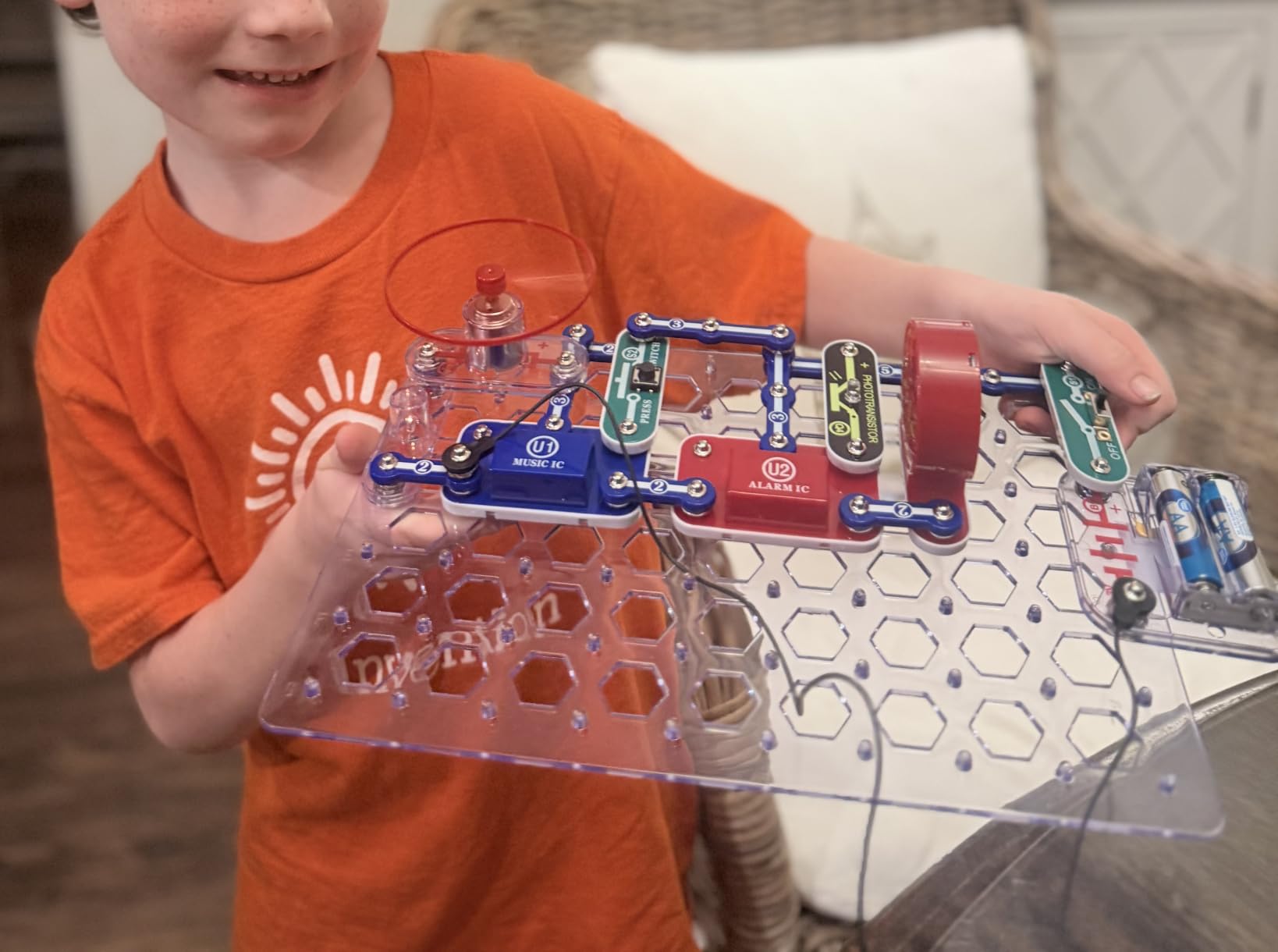
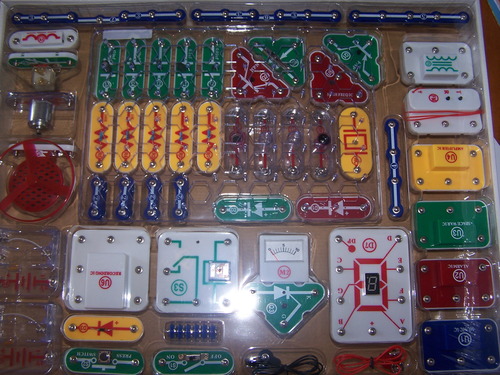
What surprised me most is how far the project list stretches. The box includes 32 electrical parts and two project manuals covering more than 300 circuits, from simple LED and buzzer combinations to AM radio reception, burglar alarms, doorbells, sound effects and electronic games. The 15.5 x 12 x 2.5 inch footprint is large, and at 2.5 pounds it is a genuine desk project rather than a travel toy.
The engineering value is real but narrower than a microcontroller kit. Nothing here is programmable in the Arduino IDE sense, so a teen who already writes Python will find the ceiling quickly. What they gain instead is genuine fluency with series and parallel circuits, current paths and component function, which is the foundation everything else sits on.
How long a Snap Circuits project takes to build
Plan on 20 to 40 minutes for the early guided circuits and closer to an hour once the builds chain several components together. Because there is no firmware step, that time is all hands-on, and a teen can finish a meaningful build in a single sitting rather than across several evenings.
The real ceiling is engagement duration. Some teens power through 40 projects in a month and then ask what is next, which is exactly the moment to move up a tier rather than buying another snap kit.
Where this kit falls short for older teens
At 15 or 16, the “why” explanations thin out. The manuals tell a builder which part goes where, and only occasionally explain the principle underneath, so a teen who wants to understand voltage, current and polarity will need a book or a video alongside it.
Reviewers also flag the small snap connectors as the weak point under heavy repeated use, and the box itself has no integrated carrying case, so it does not travel well to a robotics club. Neither is a dealbreaker, but both are reasons to pair it with a board that can do real work once the concepts land.
2. ELEGOO UNO R3 Project Super Starter Kit — The Best Value Pick for Teens Learning Arduino
ELEGOO UNO R3 Project Super Starter Kit with PDF Tutorial for Beginners
22+ guided lessons
UNO R3 board
Pre-soldered LCD1602
1.2 pounds
Pros
- Huge component count in one organized package
- Step-by-step tutorial suits complete beginners
- Pre-soldered modules remove the hard part of first builds
- Good component quality for the money
Cons
- Documentation focuses on Windows and leaves Mac setup vague
- A few example programs contain minor coding errors
- Limited pin count for larger builds
The ELEGOO UNO R3 Project Super Starter Kit is the most sensible first microcontroller purchase for a teenager, and it earns the best value badge here on component count alone. It carries a 4.7 rating from more than 16,500 reviews, and forum builders consistently describe ELEGOO as the strongest ratio of quality to cost in the Arduino space.
The controller is an Atmel-based UNO R3 running at 16 MHz with 2 KB of SRAM, and the kit arrives with an LCD1602 module that already has its pin header soldered on. That single detail saves an hour of frustration and removes the need for a soldering iron on day one, which matters for a teen working alone.
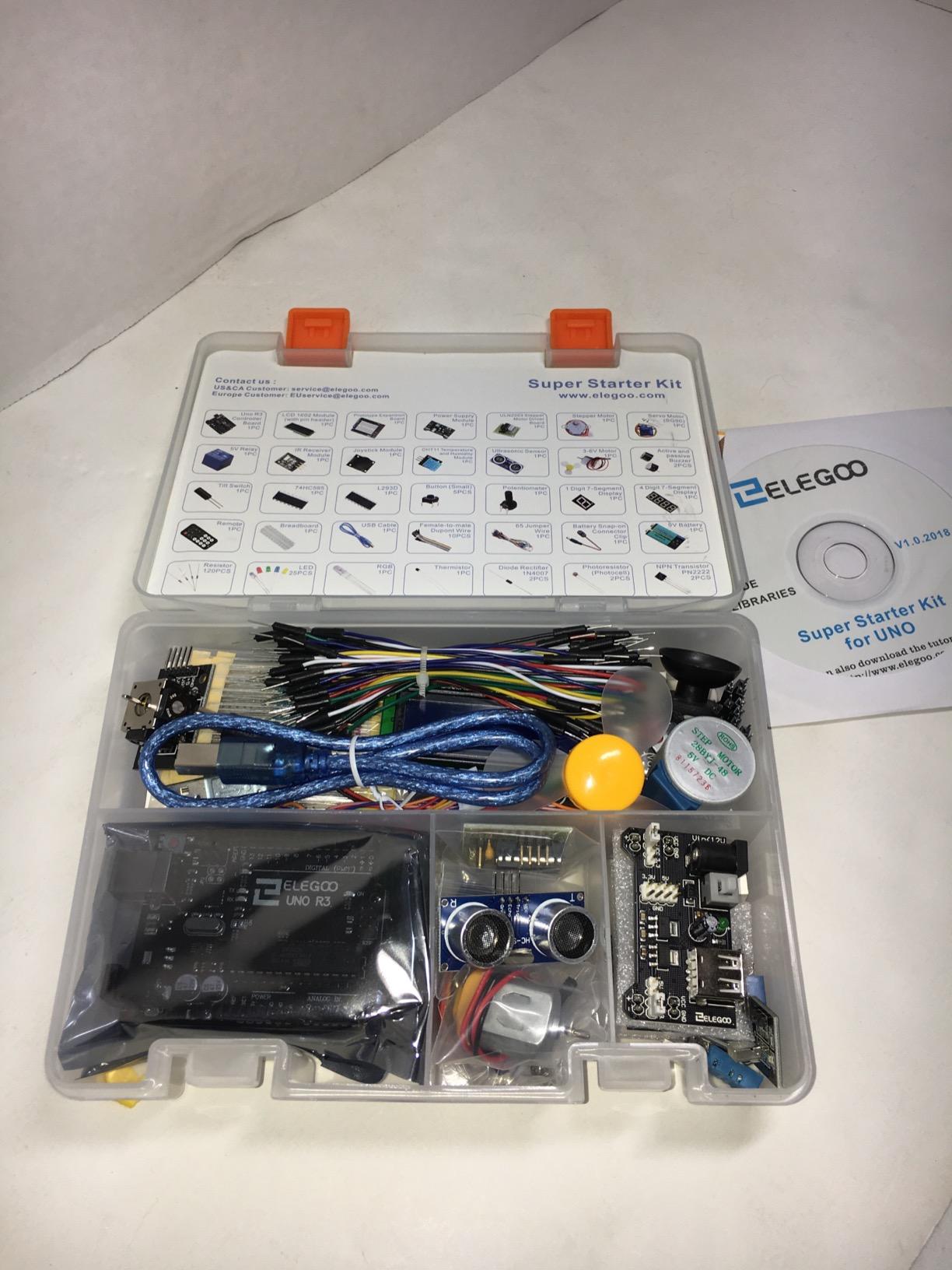
The parts list is long enough to keep a curious teen busy for months: an ultrasonic sensor, a DHT11 temperature sensor, an SG90 servo, a stepper motor with a ULN2003 driver, a 130 DC motor and fan blade, a joystick, an IR receiver and remote, a 5V relay, a 7-segment display, a buzzer, transistors, ICs, LEDs, resistors, 65 jumper wires and a breadboard with its own power supply module. Twenty-two guided lessons with example code walk through LEDs, temperature sensing, distance measurement, motor control and displays.
A 9V battery and DC connector come in the box, which is a nicer touch than most kits of this size, and the whole package weighs 1.2 pounds and measures 8.3 by 5.5 by 1.97 inches. That footprint matters more than it sounds, because a compact kit is far easier to keep on a desk for a semester.
What a teen can build in the first week
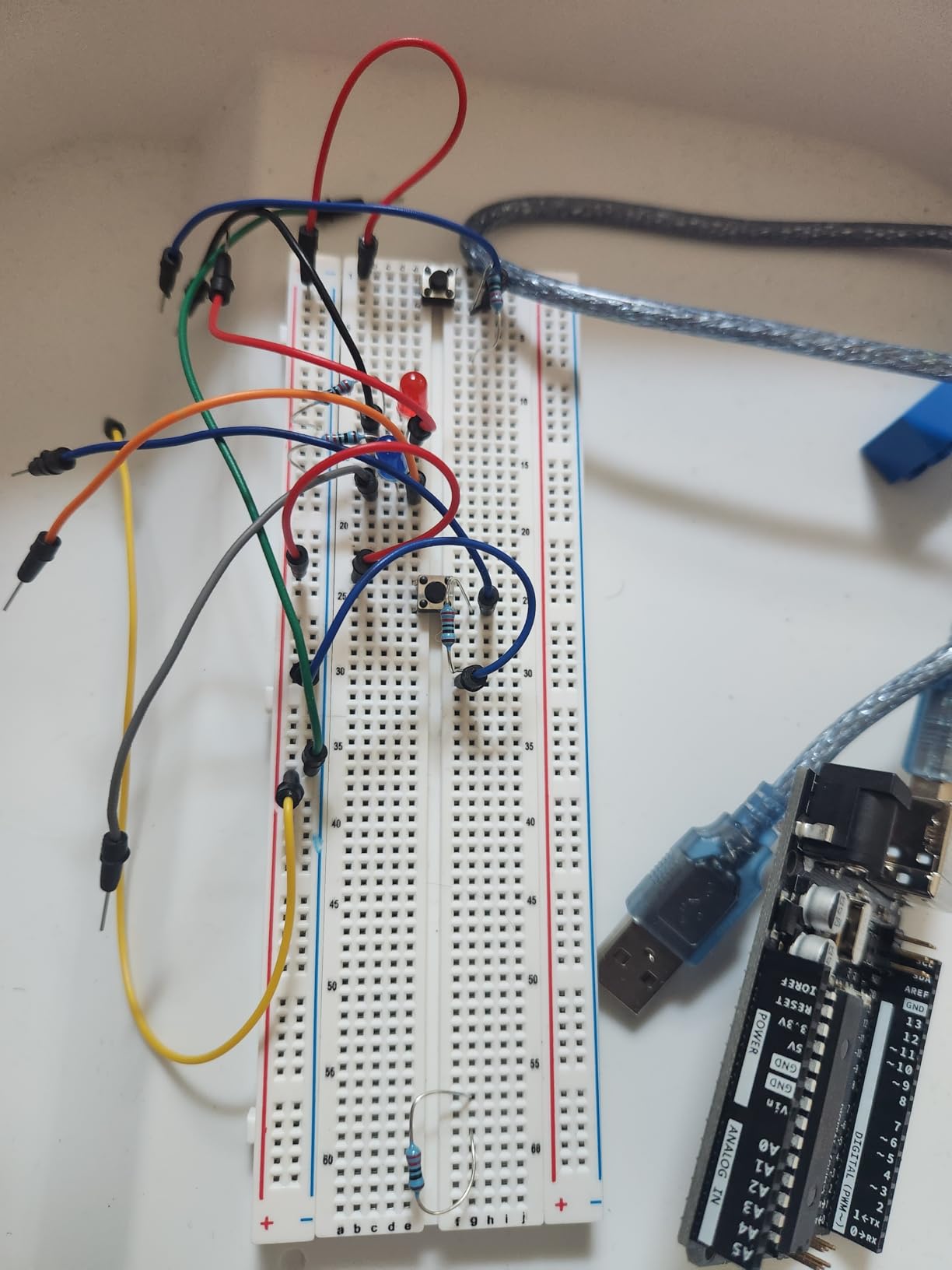
Budget two to three sessions before anything clever happens. The first evening is IDE setup and a blinking LED, the second is a pushbutton input and a buzzer, and by the third session most teens have an ultrasonic distance alarm running. Every one of those builds works with the sample code as shipped, which removes the most common early frustration.
Beyond Arduino C++, a teen who prefers Python can drive the same UNO board through MicroPython on a separate board later. The kit itself teaches one language well, and that is the right trade at this stage.
When a teen should move past this kit
The UNO’s pin count is the honest limit. Once a project needs several sensors, a display and more than one motor driver, the board runs out of digital and analog inputs, and the fix is a bigger controller rather than a bigger box of parts.
Documentation is the other soft spot. Reviewers repeatedly mention vague Mac setup steps and the occasional typo in an example program, so plan to spend an evening fixing the first lesson properly before judging the kit. The hardware is reliable; the paperwork is the part that needs patience.
3. ELEGOO Mega 2560 Project Complete Kit — Best for Teens Who Want Sensor Breadth
ELEGOO Mega 2560 R3 Project The Most Complete Starter Kit with Tutorial
200+ components
54 digital I-O pins
35+ guided projects
Storage case
Pros
- 200+ components covering sensors
- displays
- motors and RFID
- Mega 2560 offers far more I-O and memory than the UNO
- Labeled storage case cuts setup time between projects
- Clear progression from LEDs to access systems
Cons
- Component volume can overwhelm a builder who skips the lesson order
- Much of the value sits in modules a beginner will not touch early
The ELEGOO Mega 2560 kit is the right answer to the most common complaint we heard from parents: that a first Arduino kit is abandoned after three projects. With 35 guided lessons and 200-plus components, the runway here is long enough to hold most teenagers through a full school year.
The board is the reason to spend the extra money. The Mega 2560 R3 exposes 54 digital I/O pins, 15 PWM outputs, 16 analog inputs and four hardware serial ports, backed by 256 KB of flash. A teen who has already blown through the UNO’s pin limits will feel that difference on the first build that needs a servo, a display and a sensor at the same time.
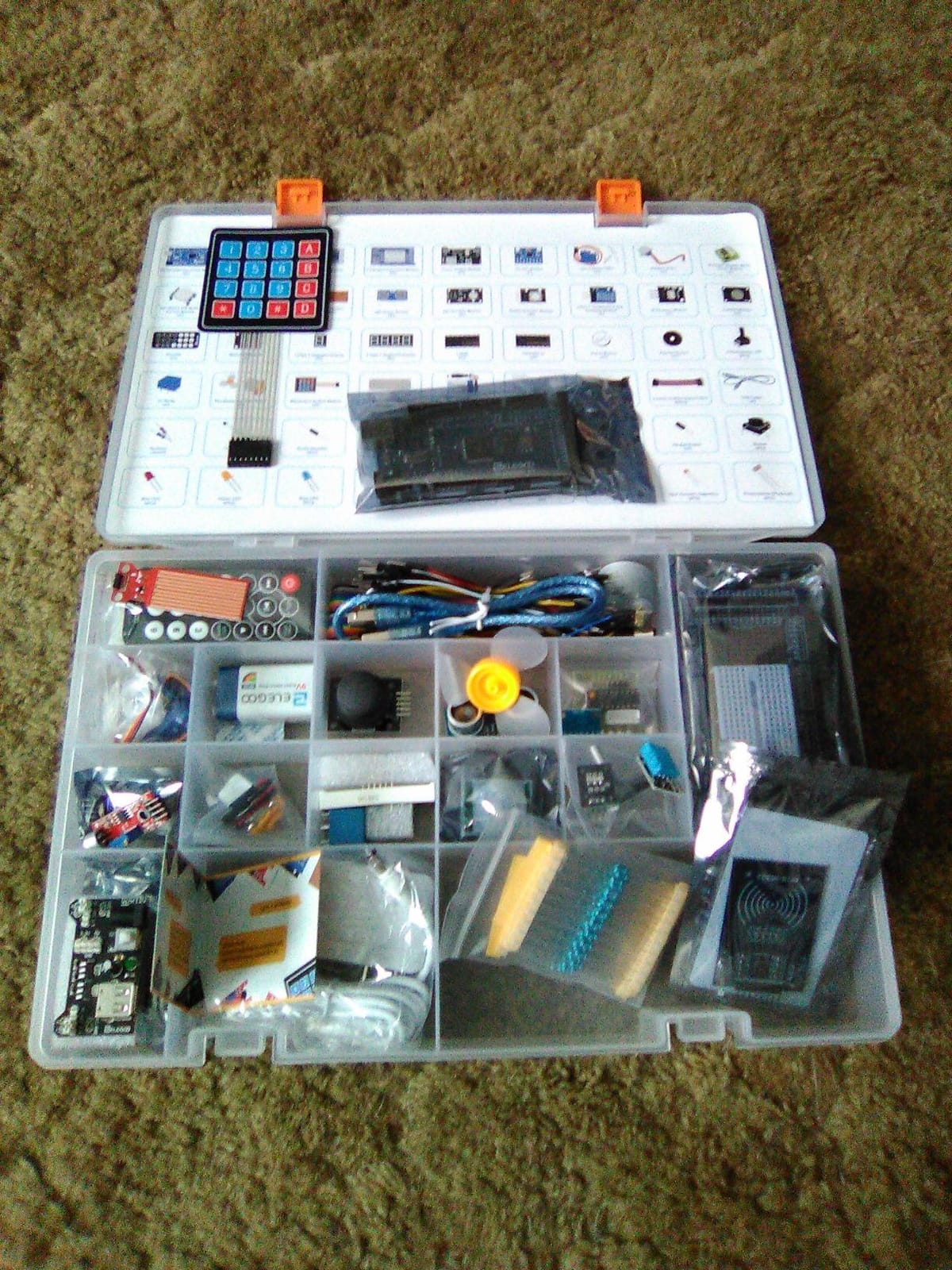
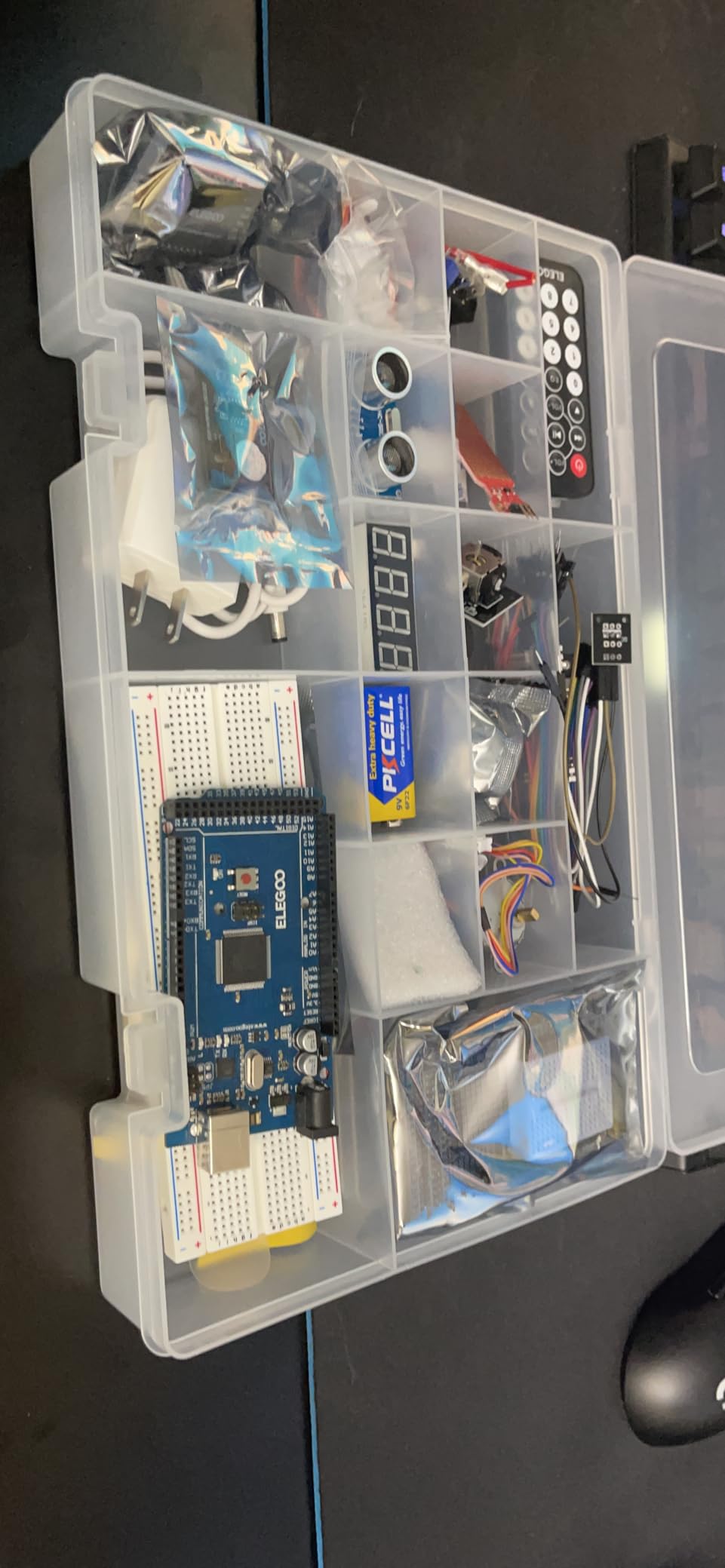
Sensor variety is the standout. The box includes an RC522 RFID module, a real-time clock, DHT11 and HC-SR501 PIR sensors, ultrasonic and water-level sensors, a GY-521 accelerometer, a MAX7219 LED driver, a keypad, a rotary encoder, a relay, an SG90 servo, stepper motors and DC motors, plus a breadboard, 65 jumper wires and a full resistor assortment. The manufacturer lists it for ages 13 and up, which lines up with our own read on who it suits.
It is also the only kit here that ships with a proper storage case and a small-parts box. On a 13.7 by 8.4 by 1.85 inch package weighing 2.2 pounds, that organization is not cosmetic, because a kit this size becomes unusable within a week if every resistor lives loose in the lid.
Whether this kit is too much for a first build
It can be, and that is the main risk. Reviewers consistently report that the volume of parts feels overwhelming unless the builder works through the lessons in order, so if your teen likes to open a box and improvise, start with the UNO kit instead and add sensors later.
Worked properly, the curriculum front-loads easy wins: LEDs and buttons first, then displays, then RFID access control, PIR alarms and distance sensing. That sequence matters, because a teenager who builds an RFID door lock in week one without understanding the simpler circuits will not learn the skill the project is supposed to teach.
4. Official Arduino Starter Kit K000007 — Best Documentation of Any Kit We Tested
Official Arduino Starter Kit [K000007] – 12 DIY Projects with Electronic Components & English Projects Book – Original Kit from Italy
12 guided projects
Genuine Italian components
Project book with schematics
836 grams
Pros
- Genuine Arduino components with reliable compatibility
- Exceptionally clear project manual with diagrams and schematics
- Neatly packaged in labeled boxes
- Projects build on each other logically
- Wooden base gives a stable mounting platform
Cons
- Highest price point among beginner Arduino kits
- Small print in the project book is hard to read
- Resistor color bands are hard to judge without a multimeter
- 9V battery needed for several projects but not included
The official Arduino Starter Kit K000007 is the best-written electronics kit in this roundup, and on documentation alone it beats everything else. The English project book explains what each component does, why the circuit is arranged that way and how the code controls it, with schematics that a teenager can actually follow.
On forum.arduino.cc the consistent advice is to buy the genuine official kit and treat it like a course, working through it page by page rather than jumping into a bag of loose components. We agree with that framing. The 12 hands-on projects here are fewer than the ELEGOO kits offer, but each one teaches a concept that the next one depends on.
![Official Arduino Starter Kit [K000007] - 12 DIY Projects with Electronic Components & English Projects Book - Original Kit from Italy customer photo 1](https://www.skywarriorbooks.com/wp-content/uploads/2026/10/B009UKZV0A_customer_1.jpg)
Everything inside is genuine Arduino hardware sourced from Italy, which matters less for performance than for compatibility and for a teenager who later buys their own boards and shields. It arrives in labeled boxes with a wooden mounting base for the Uno and breadboard, and the whole package weighs 836 grams in a 6.3 by 9.06 by 1.77 inch footprint. Coverage includes a DC motor, a servo motor, a tilt sensor and LEDs across the project set.
It carries a 4.6 rating from more than 3,700 reviews, and the star distribution clusters hard at five stars, which usually signals a kit people feel good about rather than one they feel neutral about.
![Official Arduino Starter Kit [K000007] - 12 DIY Projects with Electronic Components & English Projects Book - Original Kit from Italy customer photo 2](https://www.skywarriorbooks.com/wp-content/uploads/2026/10/B009UKZV0A_customer_2.jpg)
Whether the official kit is worth the higher price
For a parent co-building with a younger teen, yes. The manual removes the need to explain concepts out loud, and the wooden base makes the board stable on a kitchen table. For a self-directed 15-year-old who already codes, the 12 projects will feel thin quickly and the same money buys far more hardware elsewhere.
Two practical notes before you commit. The projects are listed from ages 0 to 12 by the manufacturer, which tells you the material assumes a younger reader than most teens, and a 9V battery is required for several projects but is not included, so budget for that separately.
5. ELEGOO Smart Robot Car Kit V4 — Best for Teens Who Want a Finished Robot
ELEGOO UNO R3 Smart Robot Car Kit V4 with Camera, Compatible with Arduino
UNO R3 plus ESP32 camera module
Line tracking and avoidance
2000 mAh battery
Ages 12 and up
Pros
- Illustrated assembly guide and most builders finish in about an hour
- Comes pre-programmed so it runs right after assembly
- Camera
- line tracking and obstacle avoidance all perform well
- Sturdy chassis plates and well-labeled parts bags
Cons
- Bundled app is basic and lacks motor speed ramping
- Battery power switch does not actually cut power
- Only one expansion connector for extra sensors
- ESP32 module needs a USB-C cable that is not included
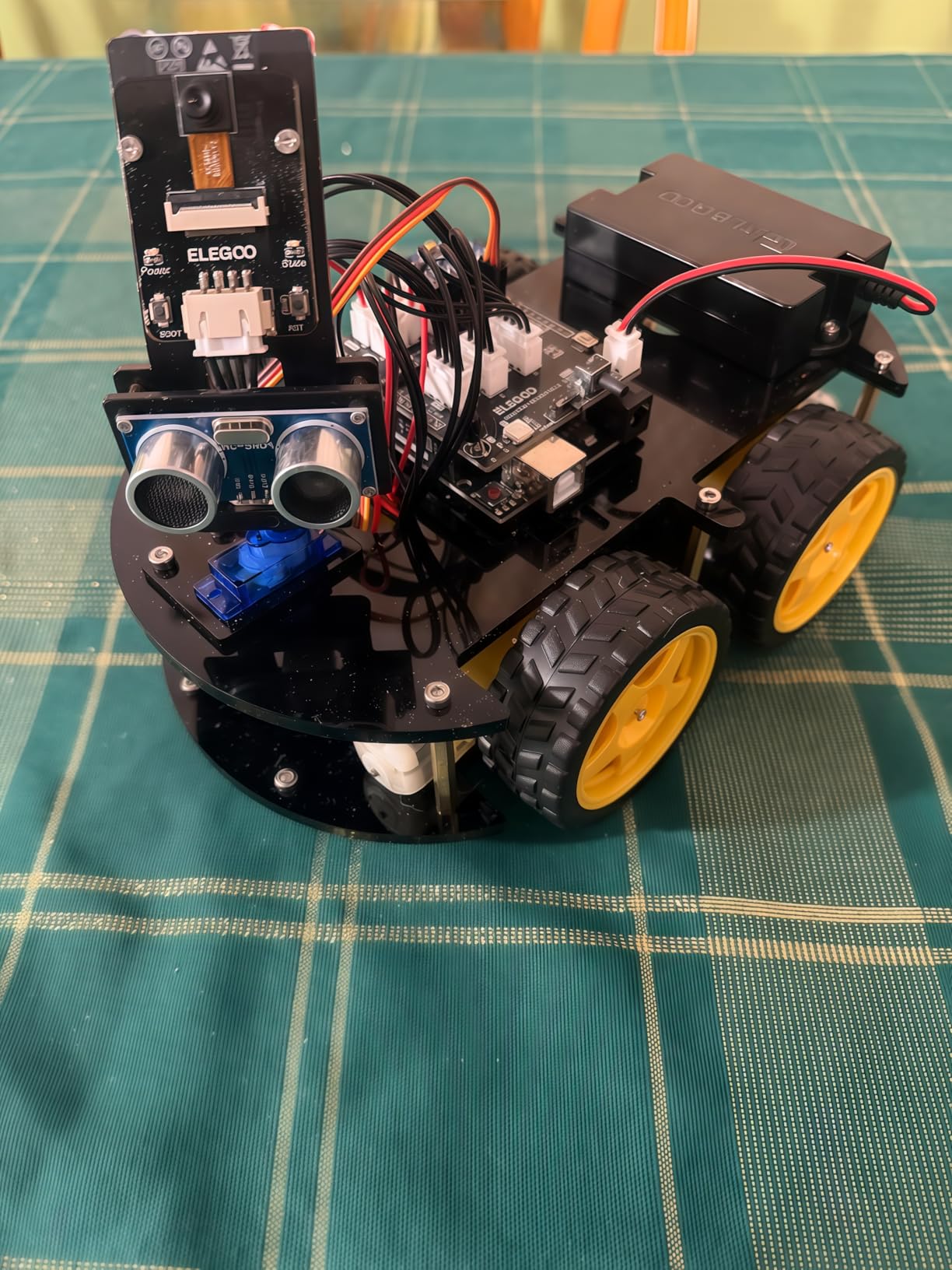
The ELEGOO Smart Robot Car Kit V4 is the only kit here that produces a moving, camera-equipped machine within a single sitting, and that makes it the strongest motivation hook we found. Reviewers consistently describe it as the most satisfying build they have assembled, which is not nothing when the biggest risk with a teen gift is enthusiasm fading after a fortnight.
Two microcontrollers are on board: an ELEGOO UNO R3 handling the driving logic and an ESP32-WROVER module handling the camera and Wi-Fi. Line tracking, ultrasonic obstacle avoidance, FPV live video, auto-follow, app control and IR remote control all work, and the whole thing is programmable through the Arduino IDE once the default firmware is replaced.
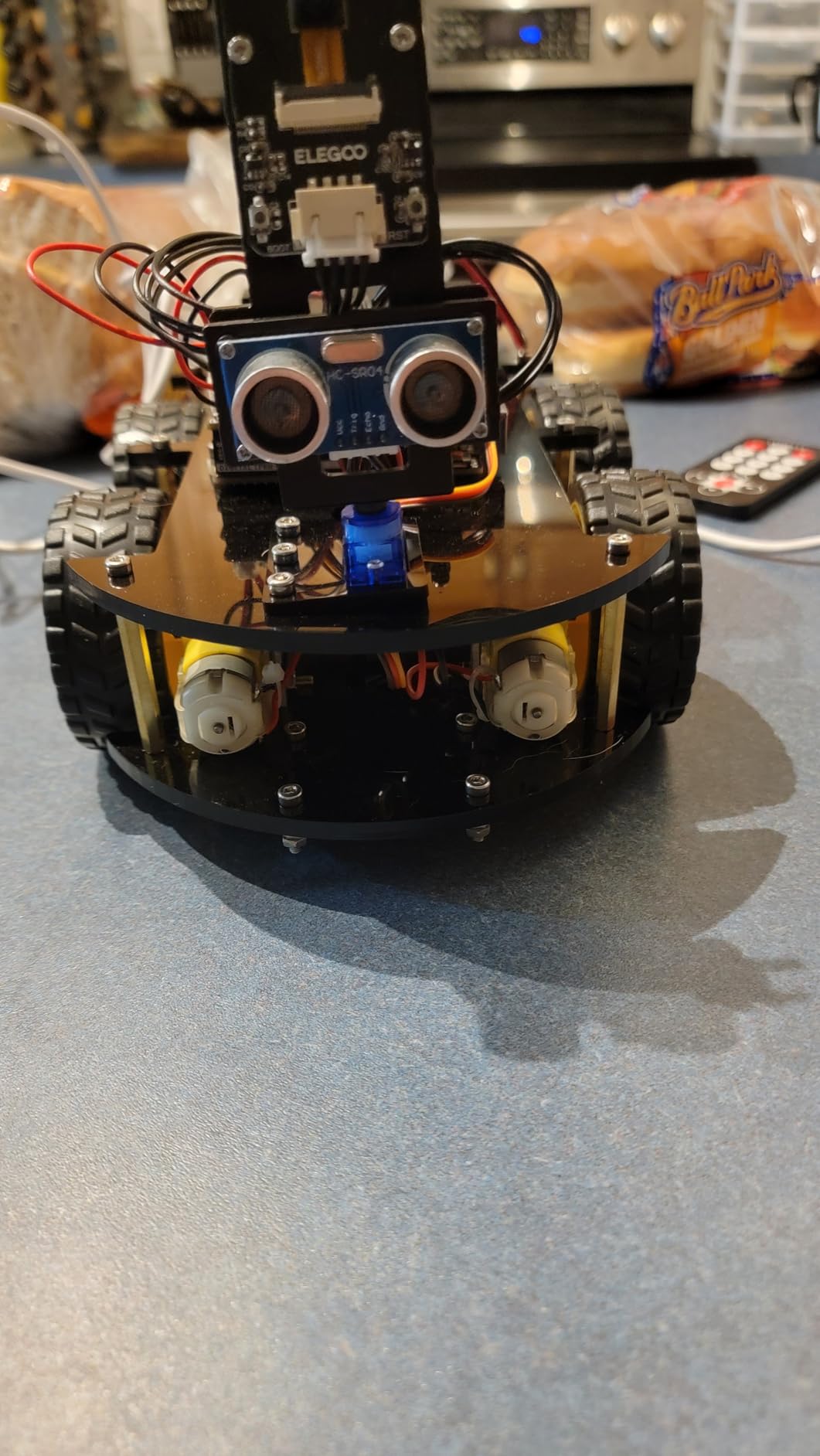
Assembly is genuinely quick. The kit measures 8 by 7 by 6 inches, weighs 1.23 kg and includes a 2000 mAh rechargeable lithium-ion battery, so there is no disposable battery budget. Keyed XH2.54 connectors mean the wiring cannot be inserted backwards, a small design decision that prevents more beginner errors than any instruction ever could.
The manufacturer lists it for ages 12 and up with a half-year warranty, and in our testing that guidance is honest. A determined 12-year-old can assemble it, but a 15 or 16-year-old will want to rewrite the firmware within a fortnight.
What to know before a teen starts driving it
Set aside about an hour for assembly, then a second session for customization, because the pre-programmed firmware gets old. Most builders move to Arduino IDE or Visuino within days, and that is where the real learning starts. The bundled app is the weakest part, lacking motor speed ramping, so expect to tune acceleration in code instead.
Two hardware limits are worth knowing up front. The camera mount angle sits high, which makes nearby obstacles harder to see, and there is only one expansion connector, so adding a second sensor means designing around a single port. The battery power switch also does not cut power, so the charge state cannot be trusted from the switch position.
6. DIY Bluetooth Speaker Kit — Best Finished Product for a Teen Who Does Not Want to Code
Teen Boy Gifts -DIY Bluetooth Speaker Kit -STEM Science Electronics Project
Bluetooth speaker output
No soldering
Wooden enclosure
Under one hour to build
Pros
- Sound quality exceeds expectations at this price point
- Teens assemble it in under an hour with clear instructions
- Pairs easily with a phone over Bluetooth
- Wooden enclosure can be decorated after building
Cons
- Runs on four AA batteries instead of a rechargeable cell
- Exposed battery compartment is vulnerable to damage or leakage
- Small Phillips screwdriver is needed but not included
The DIY Bluetooth Speaker Kit is the right gift for a teenager who wants to build something and then actually use it. There is no microcontroller and no code, but at the end of the session the teen has a working speaker that pairs to a phone, and reviewers repeatedly report being surprised by how good the sound is.
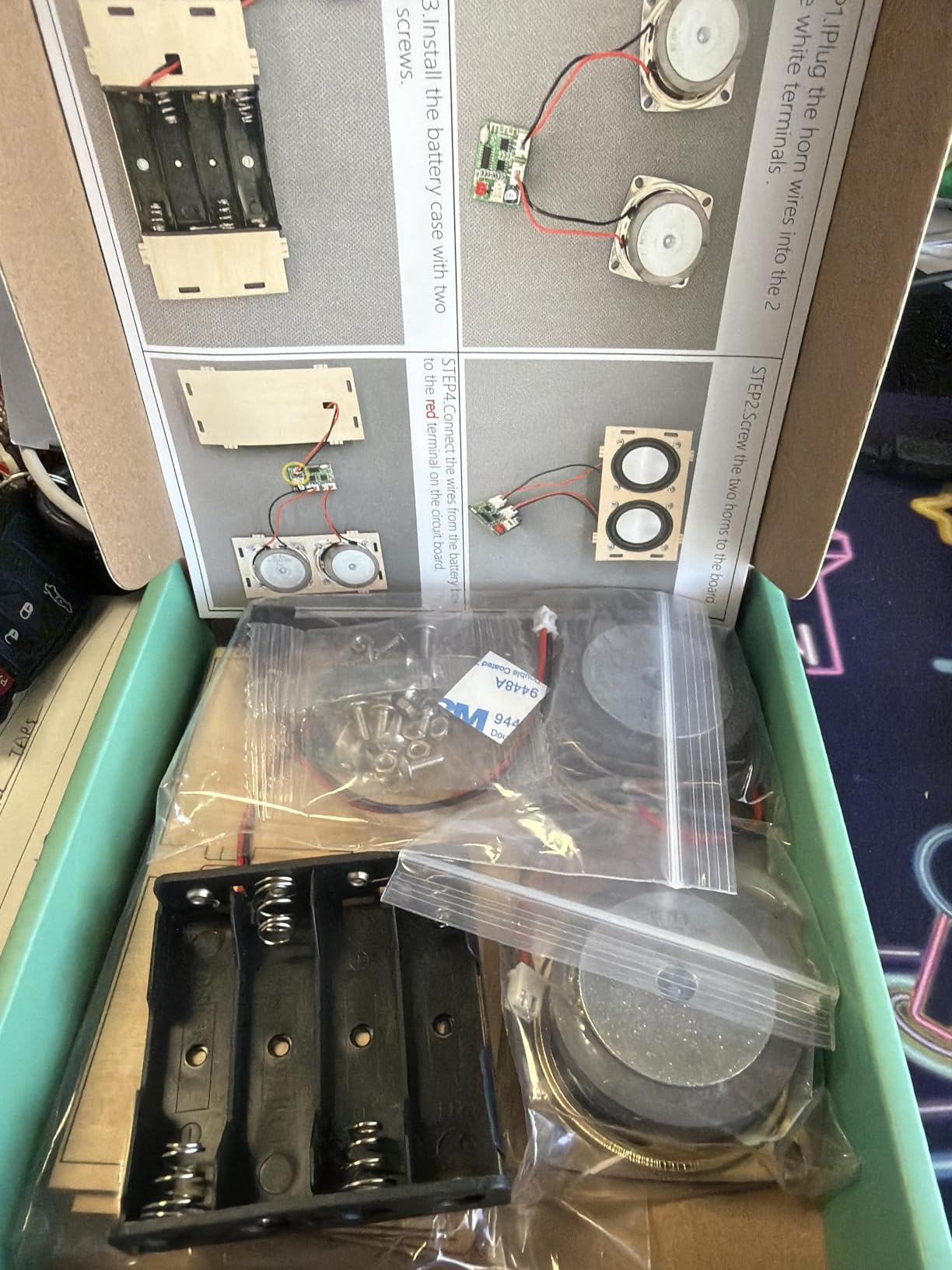
The circuit board arrives pre-assembled inside a wooden enclosure, so the building is mechanical rather than electrical. Teens and tweens handle the assembly independently in under an hour, which matters because a build that needs an adult for three hours of wiring never makes it to the finish line.
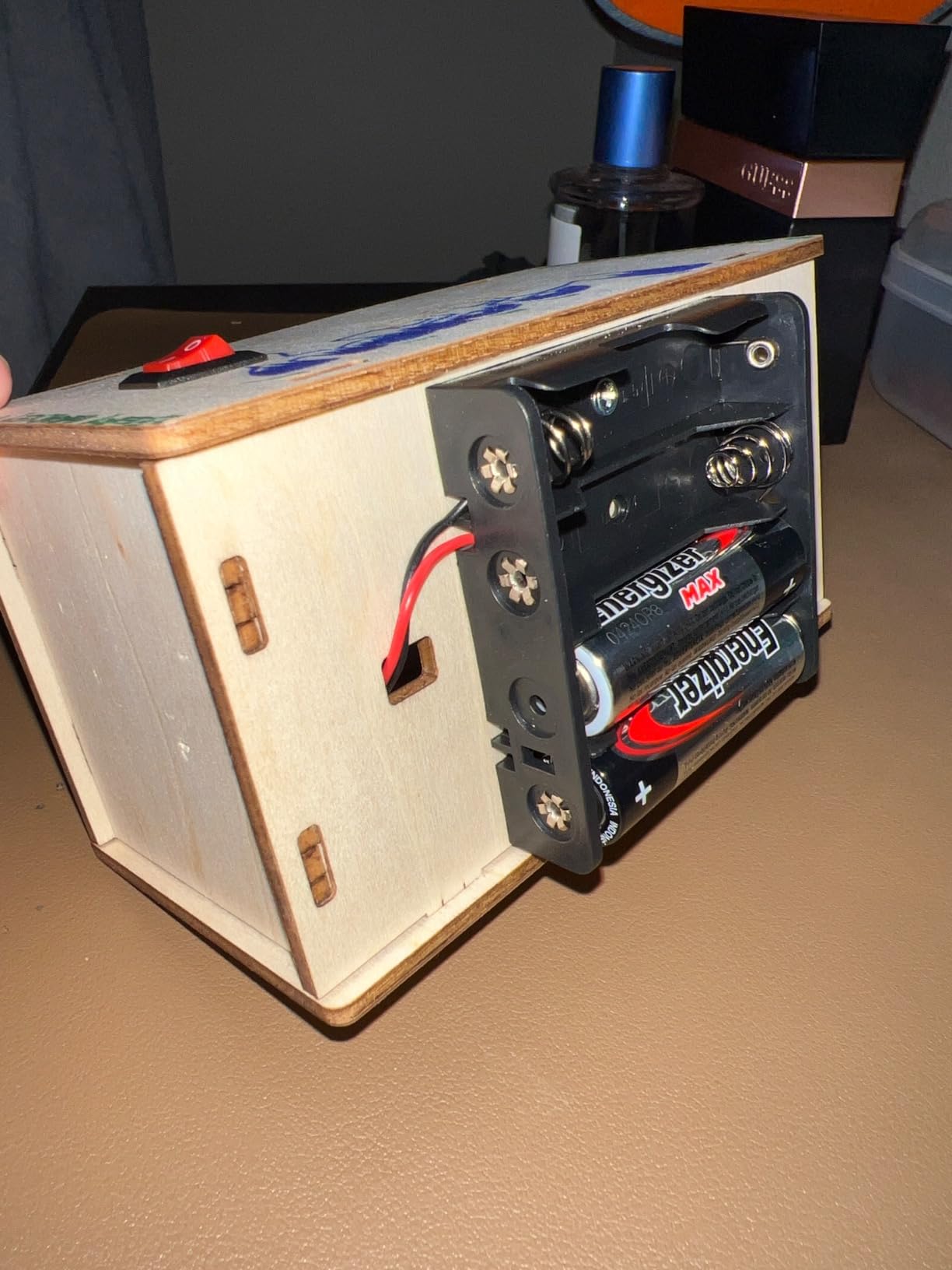
The footprint is genuinely small at 5.1 by 2.4 by 2.8 inches and 9.1 ounces, and the manufacturer lists it for ages 10 and up with a two-year limited warranty. Components, battery boxes and the wooden boards are quality-checked individually before shipping, which matters more for a glued wooden product than it sounds.
It also carries a 4.5 rating across more than 1,700 reviews, and the most common request in those reviews is not about sound or assembly at all. It is about power.
Why this build works as a first electronics experience
It teaches the part most kits skip. A teenager learns what an amplifier, a driver and a passive radiator do by building a device they immediately want to keep on a desk, then gets an intuitive sense of polarity, current draw and enclosure resonance that a blinking LED never conveys.
Budget 45 to 60 minutes from opening the box to playing audio, and plan a second session for decorating the wooden case. That customization step is where a lot of the ownership happens, and it keeps the kit relevant well past the first build.
Where it will frustrate a teen
It runs on four AA batteries rather than a rechargeable cell or USB input, and that is the single most requested improvement in the reviews. The battery compartment is also exposed, so it is vulnerable to knocks and to leakage if a cell is left in too long.
A small Phillips head screwdriver is required and not included, and because there is no microcontroller, this is a dead end rather than a stepping stone. Pair it with an Arduino kit if the goal is a progression, or accept it as a standalone weekend build if the goal is a finished object.
7. REXQualis UNO R3 Super Starter Kit — Best Breadboard Kit for a Teen Who Codes Already
REXQualis Super Starter Kit Based on Arduino UNO R3 with Tutorial and Controller Board Compatible with Arduino IDE
120 included items
9V 1A power adapter
Datasheets included
700 grams
Pros
- Large component count for a low kit price
- UNO board with onboard USB-to-Serial so no FTDI cable is needed
- Sturdy storage box with a lift-out tray
- Datasheet for every component plus a code reference
Cons
- Translated tutorials cover little of the programming fundamentals
- Example code contains some errors that need fixing
- Short USB A-to-B cable is awkward with a desktop PC
- Ultrasonic sensor is unreliable below roughly 2 cm
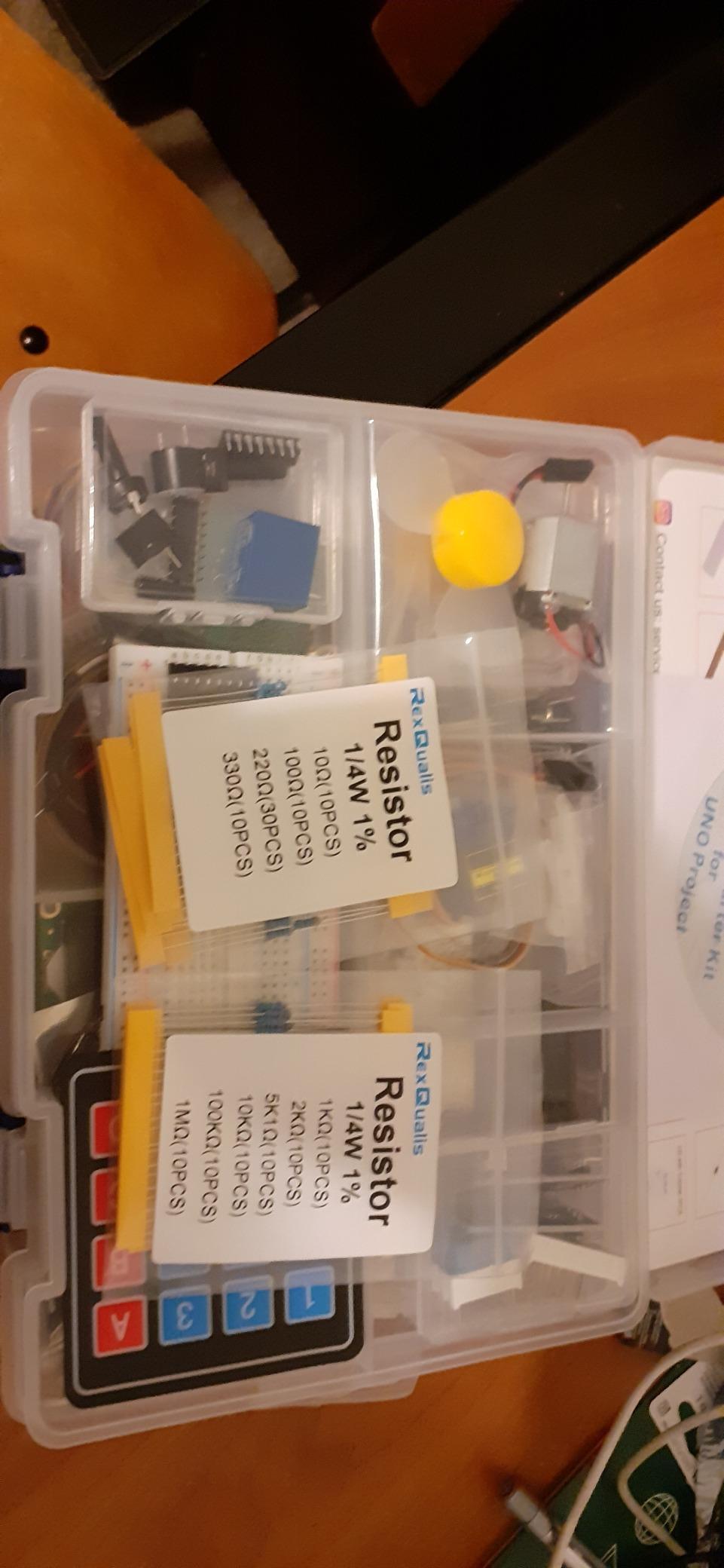
The REXQualis UNO R3 Super Starter Kit packs 120 items into a 9.06 by 6.3 by 2.36 inch box weighing 700 grams, and it is the most physically organized budget Arduino kit we tested. Every component and IC sits individually packaged and labeled in a plastic storage box with a lift-out tray, which keeps a semester of projects workable.
Unlike kits that ship a bare breadboard, this one includes a 9V 1A power adapter instead of a battery, so a teen is not stuck waiting on cells during a weekend build. The LCD1602 module arrives with its pin header already soldered, and the free PDF tutorial and datasheets are downloadable from the manufacturer’s site.
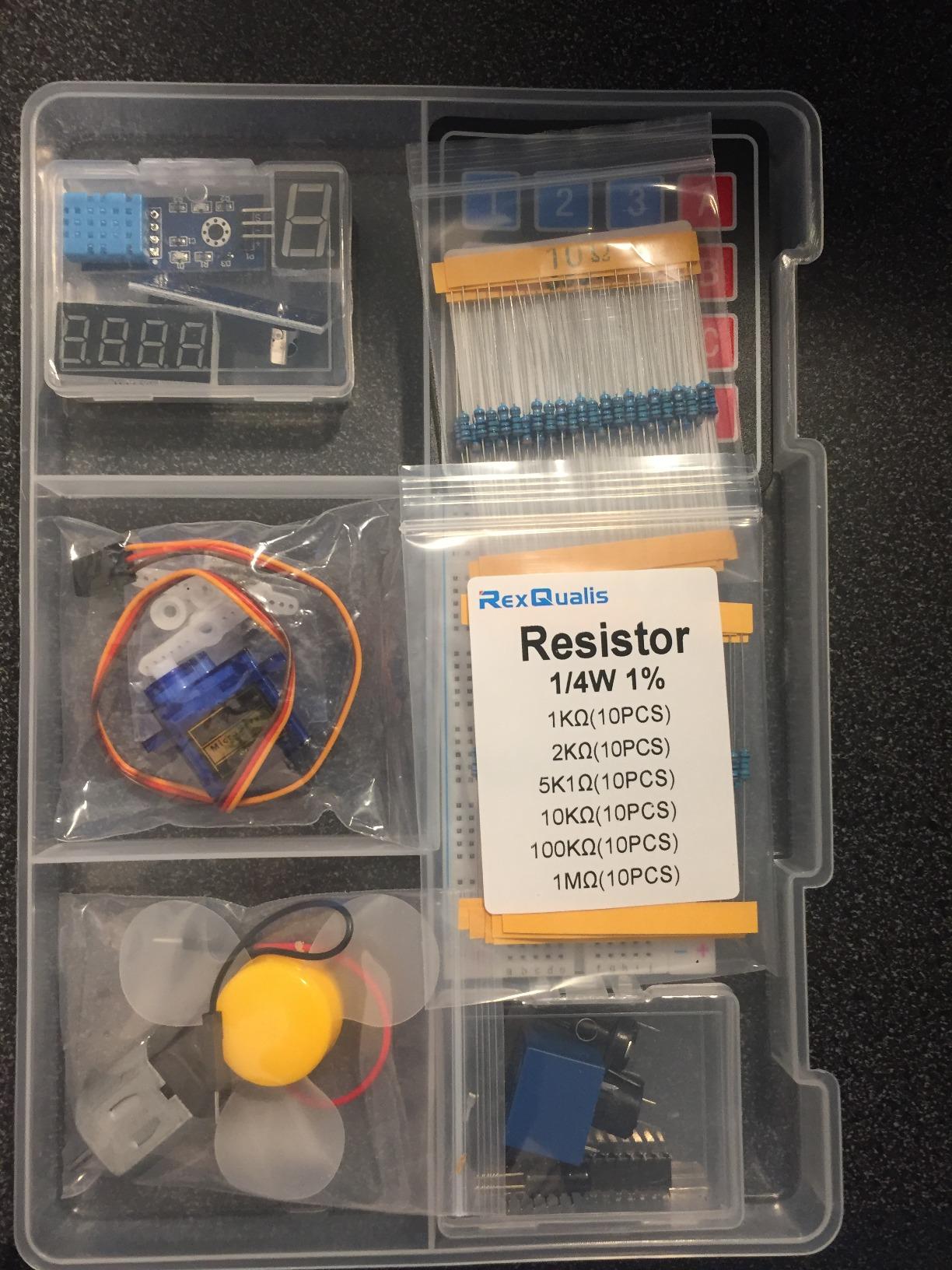
It carries a 4.7 rating from more than 1,370 reviews, and reviewers routinely describe it as one of the strongest bang-for-the-buck Arduino kits available. The board is UNO R3 compatible with onboard USB-to-Serial, so no separate FTDI cable is needed, and the breadboard hole spacing suits standard jumper wires, LEDs and resistors.
This is also the kit to buy for a teen who has already met C, C++ or Python somewhere else. It will not teach programming, but it will not waste their time trying either.
How much coding help this kit assumes
Very little. The tutorial validates that each component works and shows example code, but reviewers are consistent that it does not build programming fundamentals, and some examples need fixing before they compile cleanly. Expect to pair it with a proper book or a structured online course if the teen is genuinely new to code.
For a beginner, the time to a first working build is roughly one to two hours: install the IDE, flash a blink sketch, then move to a sensor. For someone comfortable with C, that setup time drops to about 20 minutes.
Where the hardware falls short
The USB A-to-B cable included is short, which is awkward behind a desktop PC where the board sits at the back of the machine. The ultrasonic sensor also reads unreliably below roughly 2 cm, so a close-range distance project will look broken until the teen learns to ignore readings under that threshold.
Otherwise the components are solid, and the datasheet bundle is a genuine advantage that most kits in this price band do not include.
8. National Geographic Circuit Kit with 120 Projects — Best for Teens Who Learn by Video
National Geographic Circuit Kit for Kids with 120 Electrical Projects
120+ projects
QR-linked video lessons
Tool-free wiring
Ages 8 and up
Pros
- 120+ projects give many hours of structured circuit learning
- Snap-together wiring needs no tools and holds a solid connection
- QR code video instructions support independent building
- Project variety includes light shows
- a flying copter and a voice amplifier
Cons
- Lower review volume than the best-known circuit kits
- Younger builders generally need adult help reading diagrams
The National Geographic Circuit Kit is the strongest pick here for a teen who learns by watching rather than reading. Each project links to an instructional video through a QR code alongside the printed guide, and that pairing of moving image with a diagram is unusually effective for independent building.
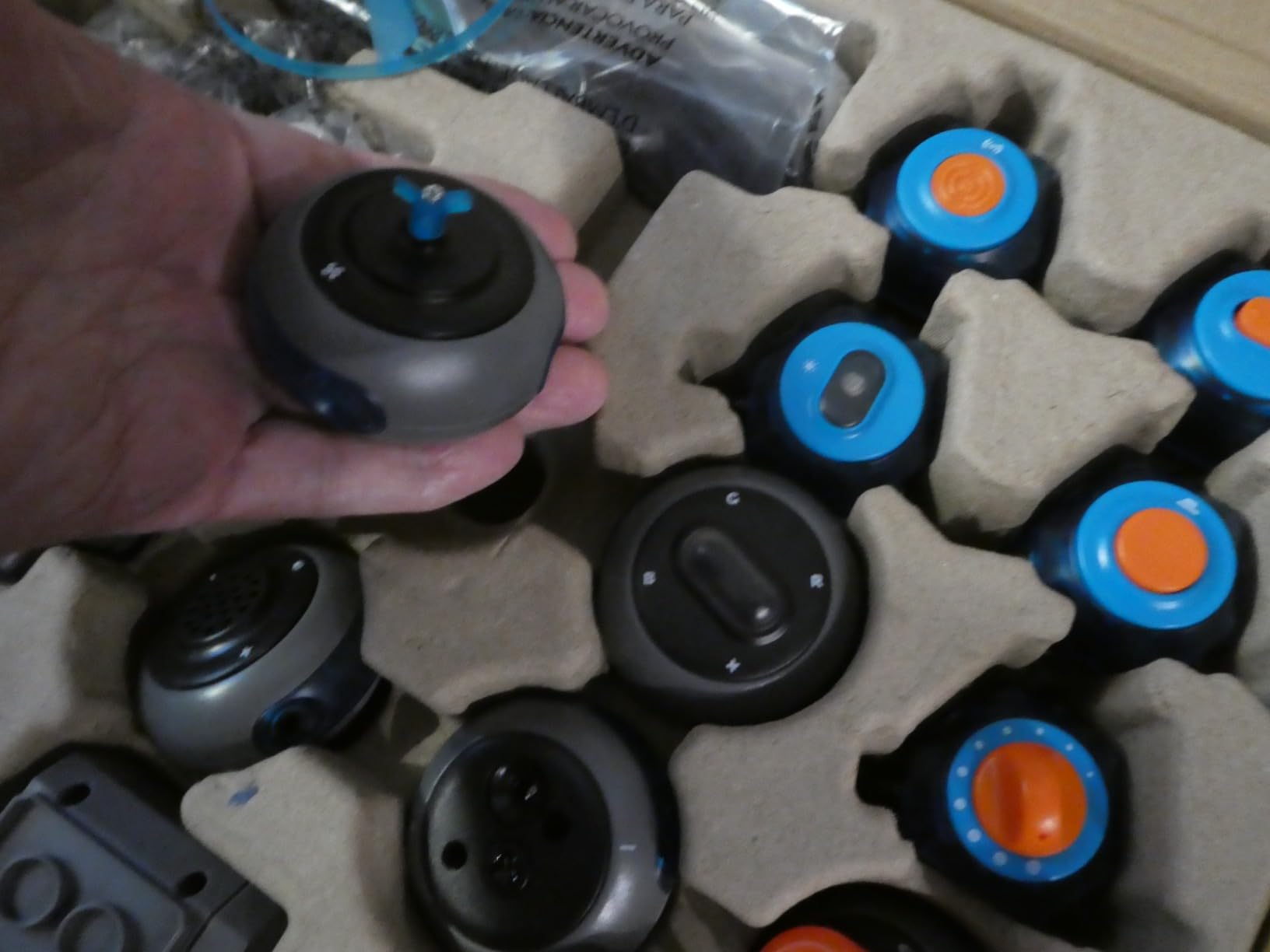
Construction is tool-free. Wires connect directly to components, so there is no grid to align and no polarity trap, and the manufacturer states the design is intended to be fully safe for younger builders. Blue Marble, the brand behind it, won the Toy Association Toy of the Year Award for this line.
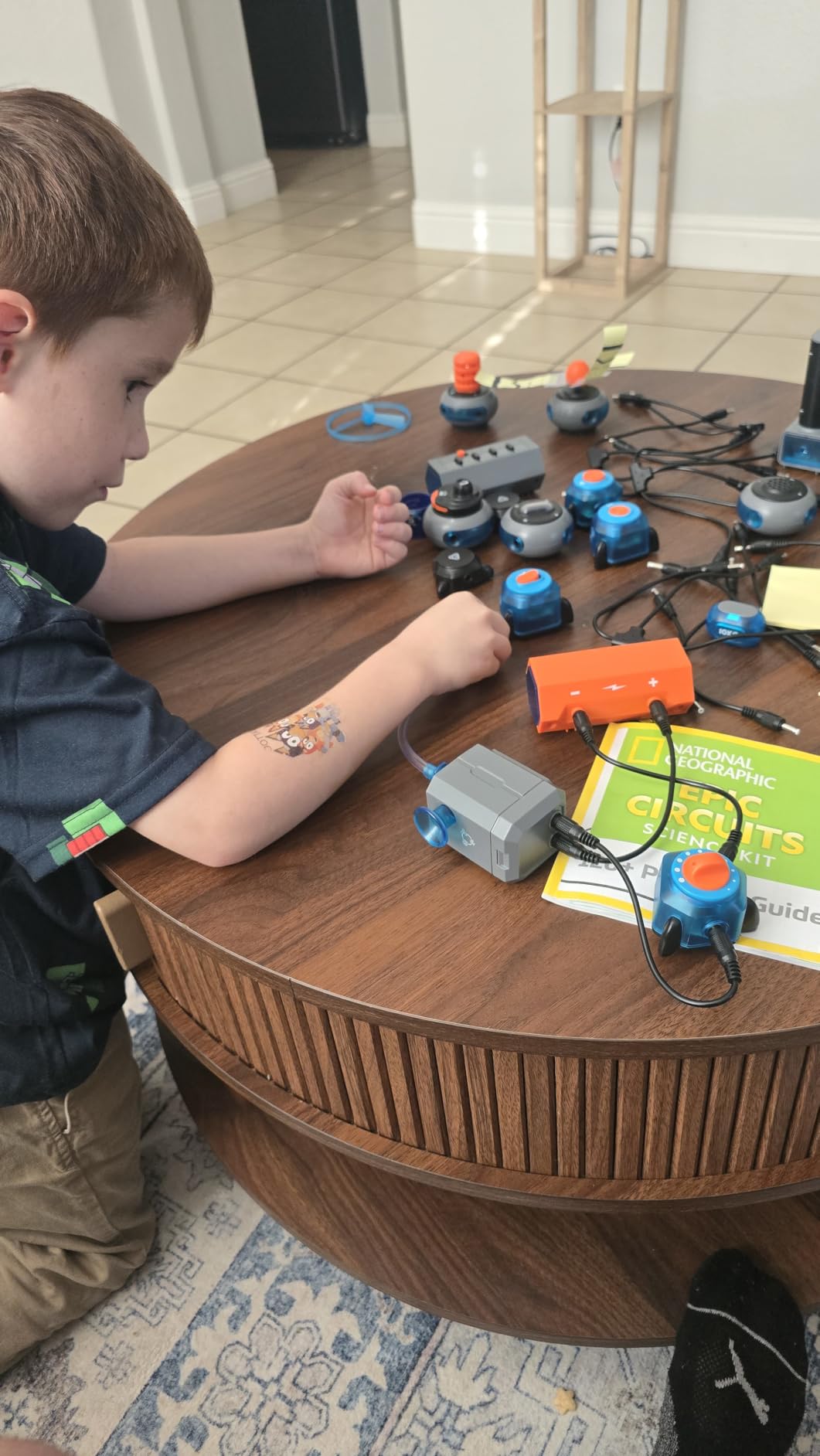
The project list covers 120+ circuits and includes some genuinely fun endpoints, such as a light show, a keyboard mode circuit, a flying copter and a voice amplifier. The box measures 12 by 3 by 14.75 inches and weighs 2.7 pounds, and it is listed for ages 8 and up, which again tells you the content skews younger than a teenager.
It holds a 4.7 rating, with 87 percent of reviews at five stars, but from 609 reviews. That is a smaller evidence base than the Snap Circuits kit, and with fewer long-form assessments available online.
Whether a teenager will find this too simple
Probably, eventually. There is no microcontroller and no programmable logic, so after 30 or 40 circuits a motivated teen hits the same ceiling as any snap-together kit. The video library slows that down considerably, because a teenager can work unassisted for a full afternoon without needing an adult nearby.
Time to a first working circuit is about 15 minutes. Time to a satisfying endpoint project is closer to 45, and the voice amplifier is the one most teens build first.
When it is still the right choice
It wins in two situations. A 12 or 13-year-old who is not ready for code but responds well to a screen will get more out of this than from any other kit on the list, and a teen with a learning difference who finds printed diagrams difficult will benefit more from the video layer than from any instruction sheet.
Where it is weakest is reading comprehension. Reviewers note that younger builders generally need an adult to help interpret the diagrams, so for a self-directed teen over 14, expect to do some of that translating yourself.
9. SunFounder Elite Explorer Kit — Best for Teens Ready for Connected and IoT Projects
SunFounder Elite Explorer Kit with Original Arduino® UNO™ R4 WiFi, Powered by Arduino, RoHS Compliant, Bluetooth IoT ESP32 LCD1602 OLED, Super Starter Kit, Video Courses for Beginners & Engineers
Arduino Uno R4 WiFi board
300+ components
60+ video lessons
Arduino IoT Cloud
Pros
- Original Uno R4 WiFi board with built-in WiFi and Bluetooth
- 300+ components across 50+ structured projects
- 60+ free video lessons with open-source code
- Full code supplied in multiple languages
Cons
- Higher price than most UNO-based starter kits
- Large parts inventory is daunting without guidance
- Listed item weight appears inconsistent with the contents
The SunFounder Elite Explorer Kit is the only kit here built around a current-generation Arduino board with wireless built in. The Uno R4 WiFi runs a 32-bit processor with more memory plus integrated Wi-Fi and Bluetooth, so a teen can push sensor readings to a phone or a cloud service without adding a separate networking module.
Instruction quality is its real differentiator. Sixty-plus free video lessons were co-created with educator Paul McWhorter, and each build comes with schematics that work on the first attempt, which addresses the single most common complaint about budget Arduino kits. An online learning platform supplies full code in several languages.
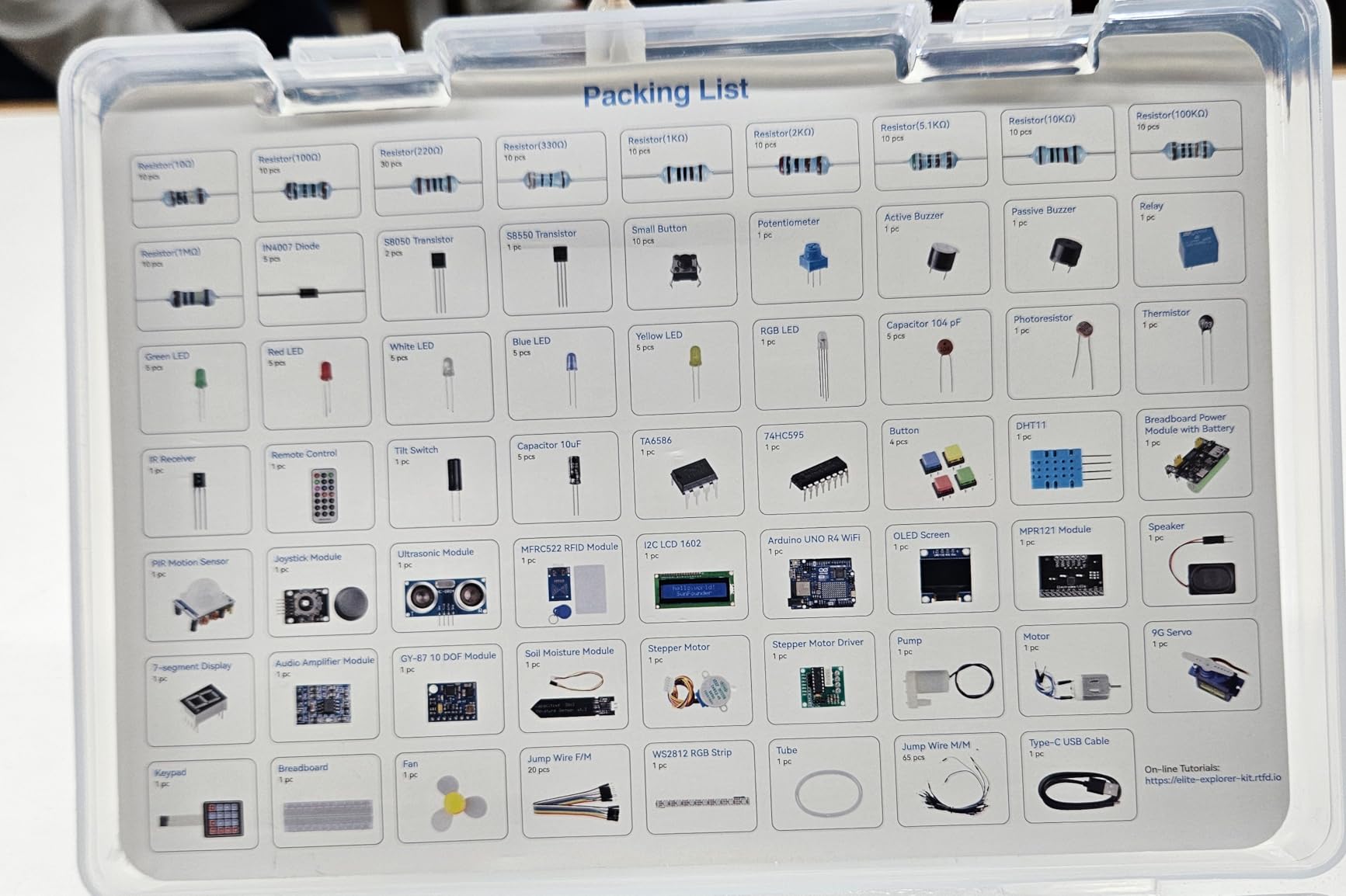
Scope is large: 300-plus components and sensors, plus an ESP32 Bluetooth and IoT module, LCD1602 and OLED displays, and 50+ projects split into 30 basic, 13 fun and 8 IoT builds with Arduino IoT Cloud integration. It supports Arduino C++ and works with Uno R3 and Nano boards, and it carries RoHS compliance with a one-year guarantee.
It holds a 4.7 rating from 519 reviews, so treat the consensus as encouraging but not settled. The listed item weight of 18.14 g does not match a 300-plus component kit, and buyers should expect the physical package to be substantial.
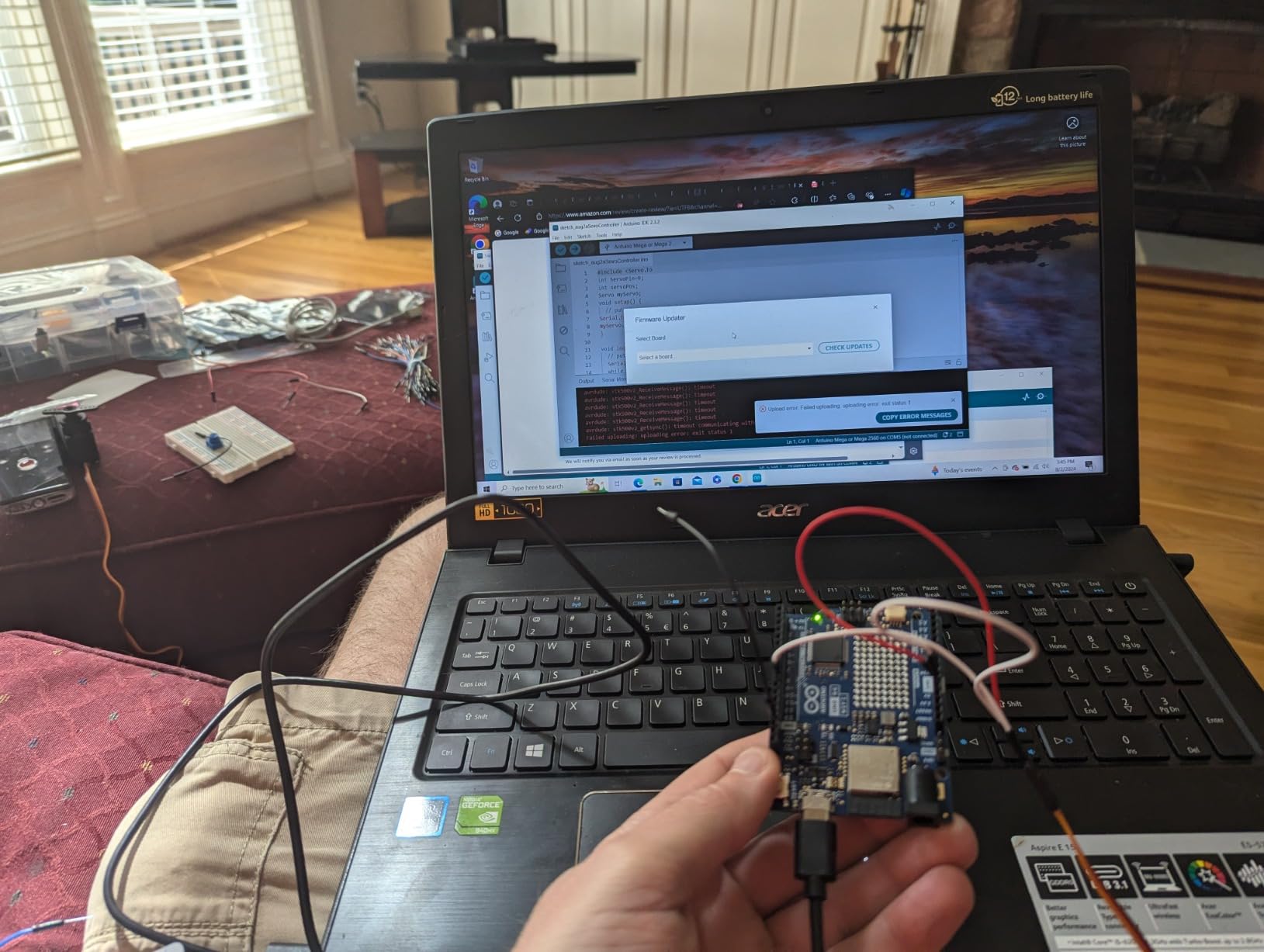
What a teen can realistically finish
The 30 basic projects are the entry point and are genuinely reachable inside a month of weekend sessions, roughly one to two hours each. The 8 IoT projects are the reason to buy this kit, and they sit at the far end of the difficulty curve, where a teen is sending real data off the board rather than blinking an LED.
Expect to hit a wall when a lesson assumes Arduino C++ fundamentals. That is the point of the video format, since Paul McWhorter’s material walks through the code line by line, but it is a genuine assumption rather than an optional extra.
Who should skip this kit
Skip it if your teen has no coding background at all and no adult willing to sit alongside them for the first few sessions. The volume of parts is genuinely daunting without guidance, and the price sits well above standard UNO-based kits.
Also skip it if the goal is a robot. This is a sensor and connectivity bench, not a chassis. For a moving machine, the Smart Robot Car Kit gives a teenager something to drive on day one, which this one never does.
10. MicroKits Theremin — Best No-Coding Build for a Curious Teen
MicroKits Theremin Electronics Kit: Make Your Own Electric Field Instrument
Breadboard build
No tools or soldering
22-page booklet
Batteries included
Pros
- Very clear instructions with checkpoints to test each stage
- Wires arrive pre-cut
- stripped and bent to length
- Build finishes in under 20 minutes
- Teaches breadboard use
- transistors
- ICs and color codes
Cons
- Limited pitch range makes playing specific melodies hard
- Output is loud enough to be startling in a quiet room
- Manual focuses on where to plug parts in rather than why
- Several reviews report missing parts on arrival
The MicroKits Theremin is a single-build kit with almost no failure surface, and for a teen who is curious but not ready to write code, it is a remarkable confidence builder. The finished instrument is controlled by hand position in an electric field, which is strange enough to be genuinely motivating to play with.
The mechanical detail is what impressed us most. Wires come pre-cut, stripped and bent to the correct length, so a teenager is not fighting wire strippers at the kitchen table, and the build finishes in under 20 minutes. Spare wires are included for the inevitable bend.
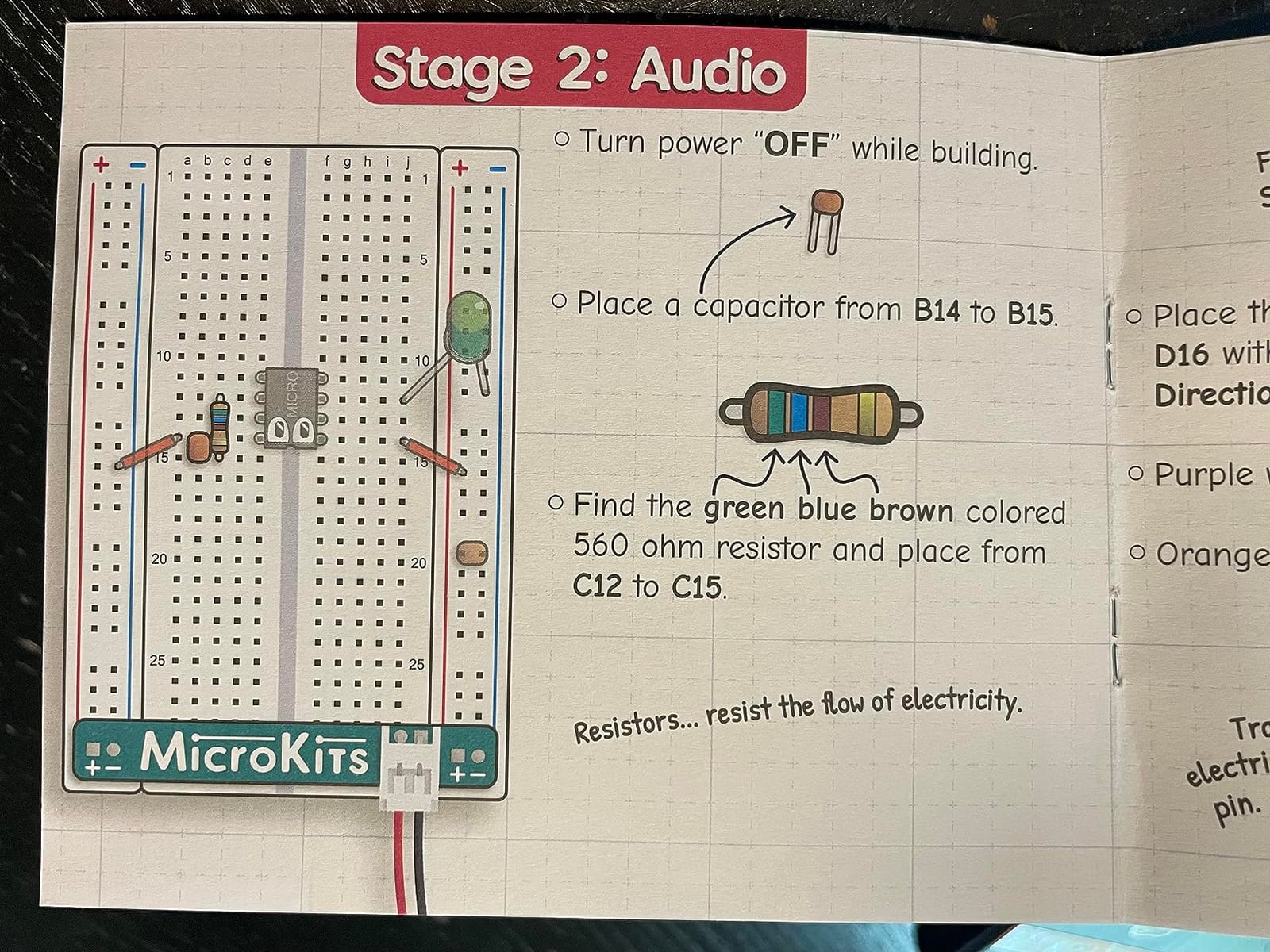
The instruction booklet runs 22 pages in colour with stage-by-stage testing, a schematic and checkpoints after each stage, so a builder can confirm a section works before moving on. Three AA batteries and an on-board switch are included, which is uncommon in kits at this level, and the package is small at 4.75 by 5.75 by 1.3 inches.
It carries a 4.5 rating from 821 reviews, and the star distribution, with 73 percent at five stars, suggests a product people like but with one clear gap.
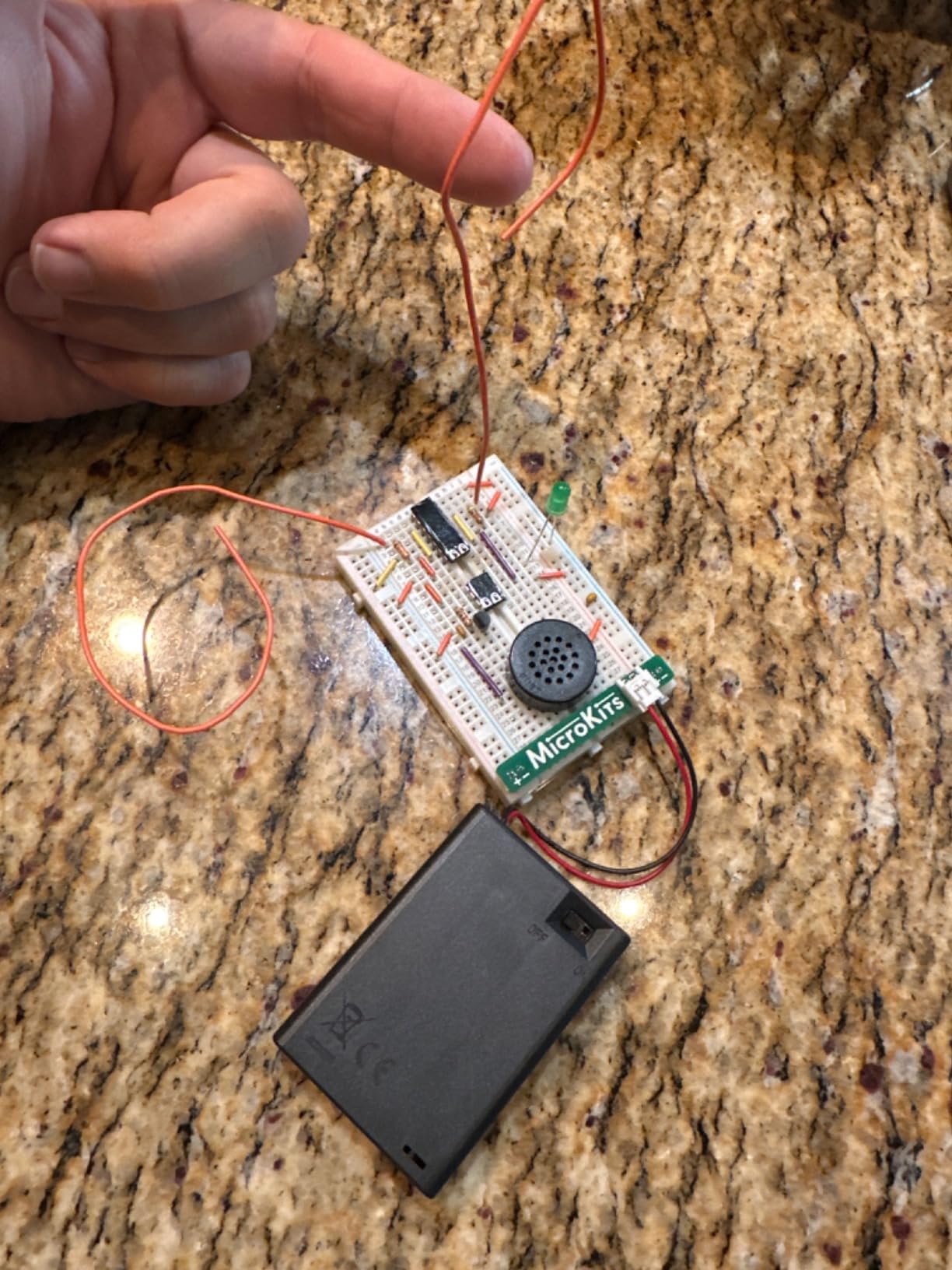
What a teen actually learns from one build
More than expected, because this is real breadboard work rather than a grid of press-fit parts. A teenager handles transistors, ICs, resistors and LEDs on a solderless breadboard and learns to read resistor color codes, which is the specific skill the official Arduino kit buyers complain about not being able to do.
Expect a first working circuit in about 20 minutes and a playable instrument within the hour. There is no firmware step, so the entire session is hands-on.
Where the theremin falls short
The pitch range is narrow, so playing a specific melody is genuinely difficult, and the output is loud enough to be startling in a quiet room. That combination makes it a fun five-minute demonstration rather than an instrument a teen will still be playing a month later.
The booklet also explains where to plug components in more than why the circuit behaves the way it does. And a small number of reviews report missing parts on arrival, which is worth checking the moment the box opens. Tiny pieces are easy to lose, so a dedicated container matters here more than with the larger kits.
11. REXQualis Basic Electronics Kit — Best Parts Upgrade Once a Teen Owns a Board
REXQualis Electronics Basic Kit w/Power Supply Module, Breadboard, Jumper Wire, LED,Resistor, comes with more than 300pcs sensors and components for fun and simple electronic projects.
300+ components
USB breadboard supply
No controller board
Arduino and Pi ready
Pros
- Exceptional value across more than 300 components
- Every part individually packaged and labeled in a sturdy box
- Breadboard power supply with USB cable is unusual at this level
- Parts pair with an Arduino or Raspberry Pi already owned
- Datasheets downloadable for all included components
Cons
- No controller board included so a separate board is required
- Very large number of small loose parts
- Printing on some resistors is difficult to read
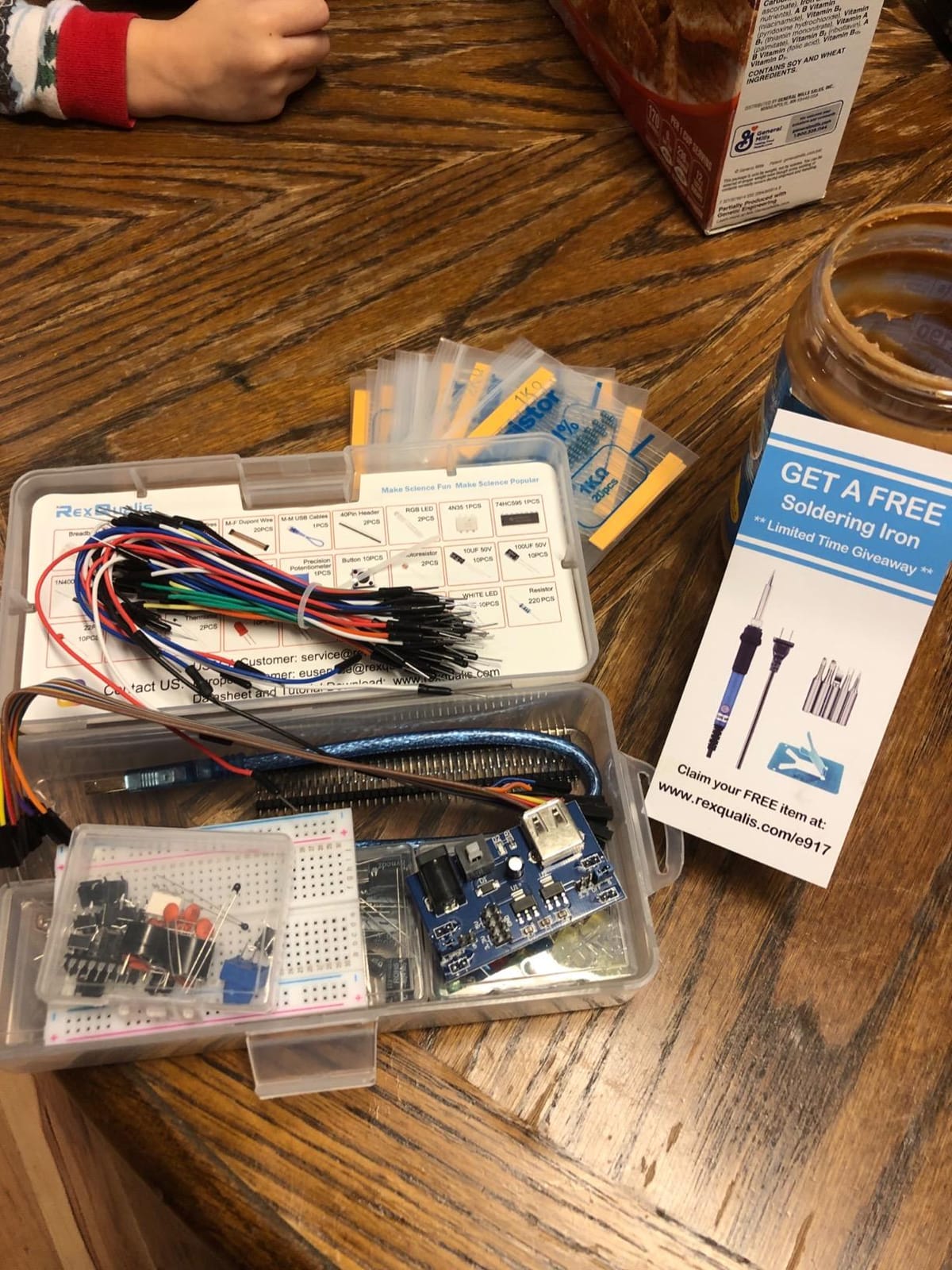
The REXQualis Basic Electronics Kit is not a course and does not pretend to be one. It is a labelled bin of more than 300 resistors, LEDs, transistors and ICs, and its purpose is to supply the sensors and discretes a teenager has run out of after a year of Arduino projects.
The included breadboard power supply module with a USB cable is the feature that separates it from a generic parts assortment. It works with Arduino and Raspberry Pi boards already on the desk, and it removes the need for a separate supply while a teen prototypes on a breadboard.
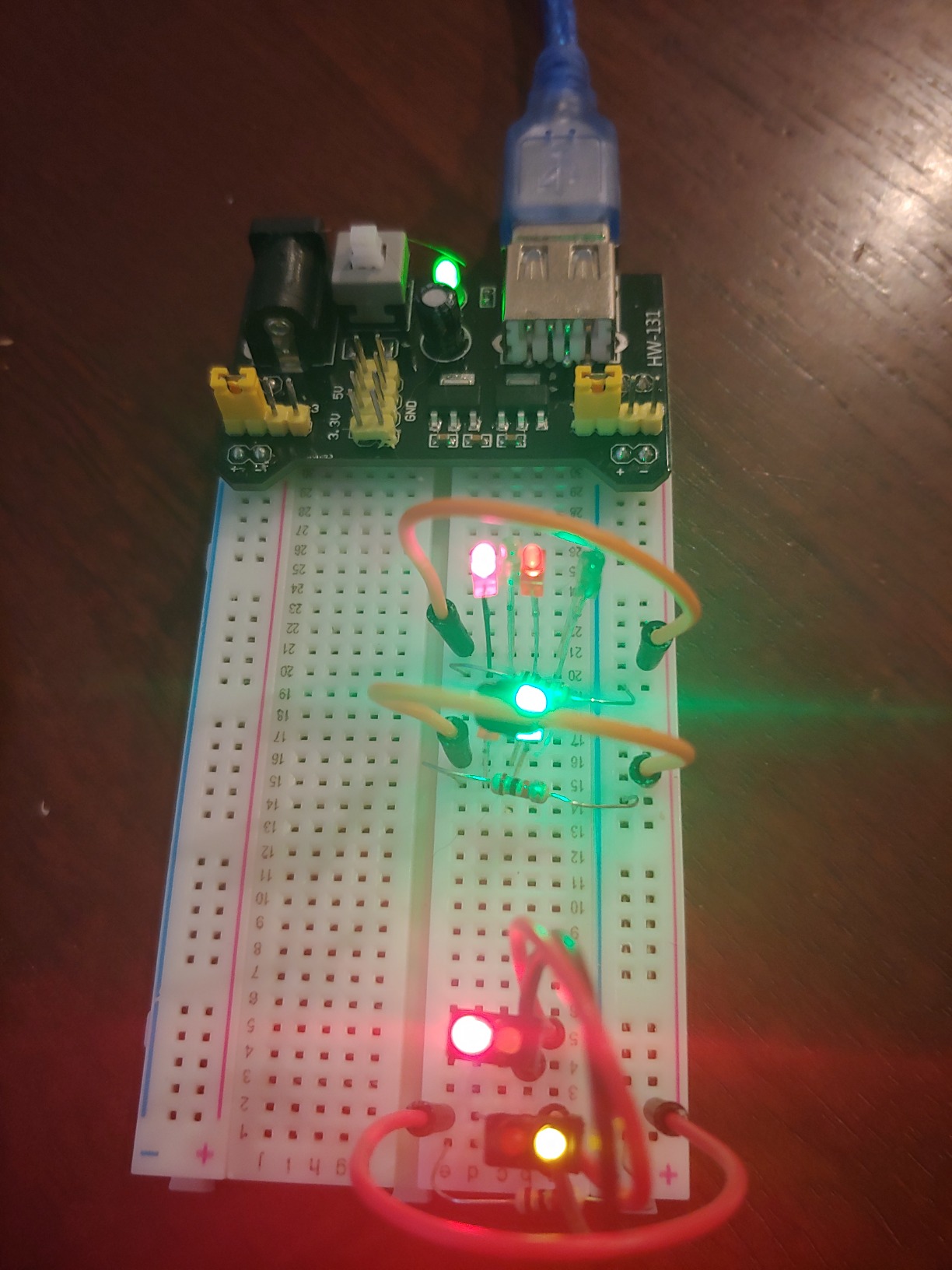
It holds a 4.6 rating from 879 reviews, and reviewers frame it accurately as a bargain parts bin rather than a complete course. Datasheets for all included components are downloadable from the manufacturer’s site, and the parts list runs to 300 items in a 7.16 by 3.46 by 1.77 inch package weighing 3 pounds.
This is the upgrade step most parents never know exists. Once a teen finishes a starter kit and asks for a temperature sensor, a relay or a second motor driver, buying one of these is usually faster and cheaper than ordering parts one at a time.
Who this kit is genuinely wrong for
It is wrong for a first purchase, full stop. There is no controller board in the box, so a teenager with nothing else cannot plug anything in and see it work. Buy this as the second or third purchase, paired with an UNO, a Mega or a Raspberry Pi the teen already owns.
It is also wrong for a teen who leaves components on the table. Three hundred small loose parts plus a printed circuit is a losing battle against a floor, and the labeling system only works if everything goes back in the box.
How to get the most out of it
Sit down with the datasheet list before the first session and pick five builds, writing down which components each one needs. The typical first working build with an existing board is an LED resistor circuit on the breadboard, roughly 15 minutes, and a temperature or light sensor follows within the hour.
Printing on some resistors is difficult to read, so a multimeter in resistance mode saves real time. Once a teen moves past beginner kits, owning one is the most commonly cited practical bottleneck, and this is the moment to add it.
12. DIY FM Radio Kit — Best Single Starter Build on a Small Budget
STEM Toys DIY FM Radio Kit, Science Circuit Project, Boy Gift Toys Age 8-13
88-108MHz reception
No soldering
Wooden enclosure
Single focused build
Pros
- Working FM reception across the full 88-108MHz band
- Assembly is straightforward for teens and older children
- Compact wooden case with a retractable antenna
- Very inexpensive entry point into hands-on electronics
Cons
- Two AA batteries required but not included
- Compact size limits speaker output
- Single focused build with little room for follow-on experimentation
The DIY FM Radio Kit is the smallest, fastest and cheapest way to get a teenager to complete a genuine electronics build, and at under 20 minutes from box to playing radio it is the shortest time-to-first-working-build of anything in this roundup.
Reception covers the full 88-108 MHz band with automatic broadcast search, a retractable antenna, a volume control and a power indicator. The wooden enclosure assembles without soldering, and the instructions are clear enough that older children and teens manage it without help, which is the specific reason this kit earns its place.
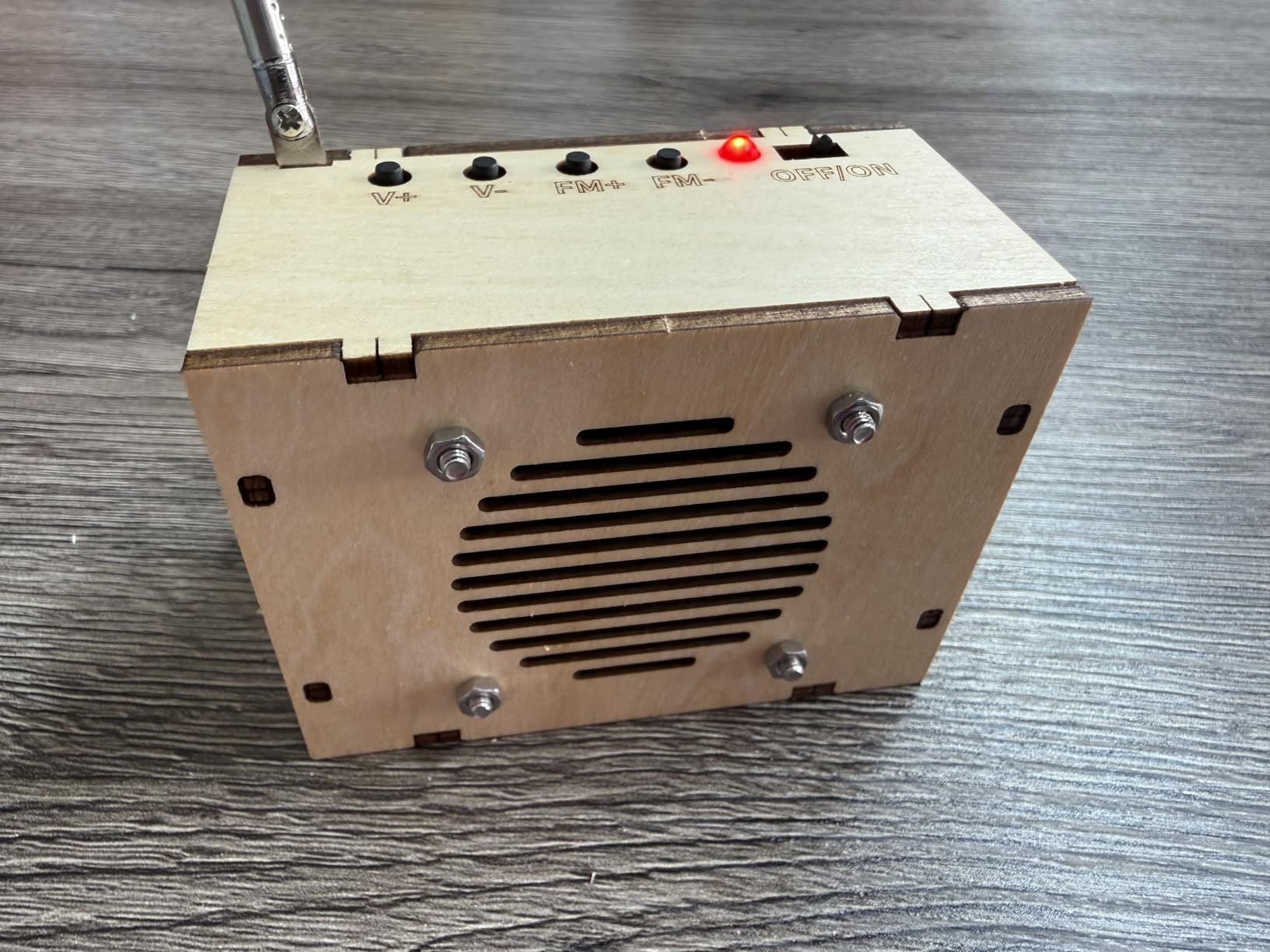
It carries a 4.5 rating from more than 1,400 reviews, with 75 percent at five stars, and the manufacturer lists it for ages 8 and up with a two-year limited warranty. The package is small at 3.54 by 2.16 by 2.75 inches, so it is also the easiest of all 12 to store between builds.
It works well as a birthday present on its own, or as a warm-up build to complete the same weekend a bigger Arduino kit is opened.
What a teen gets out of a single focused build
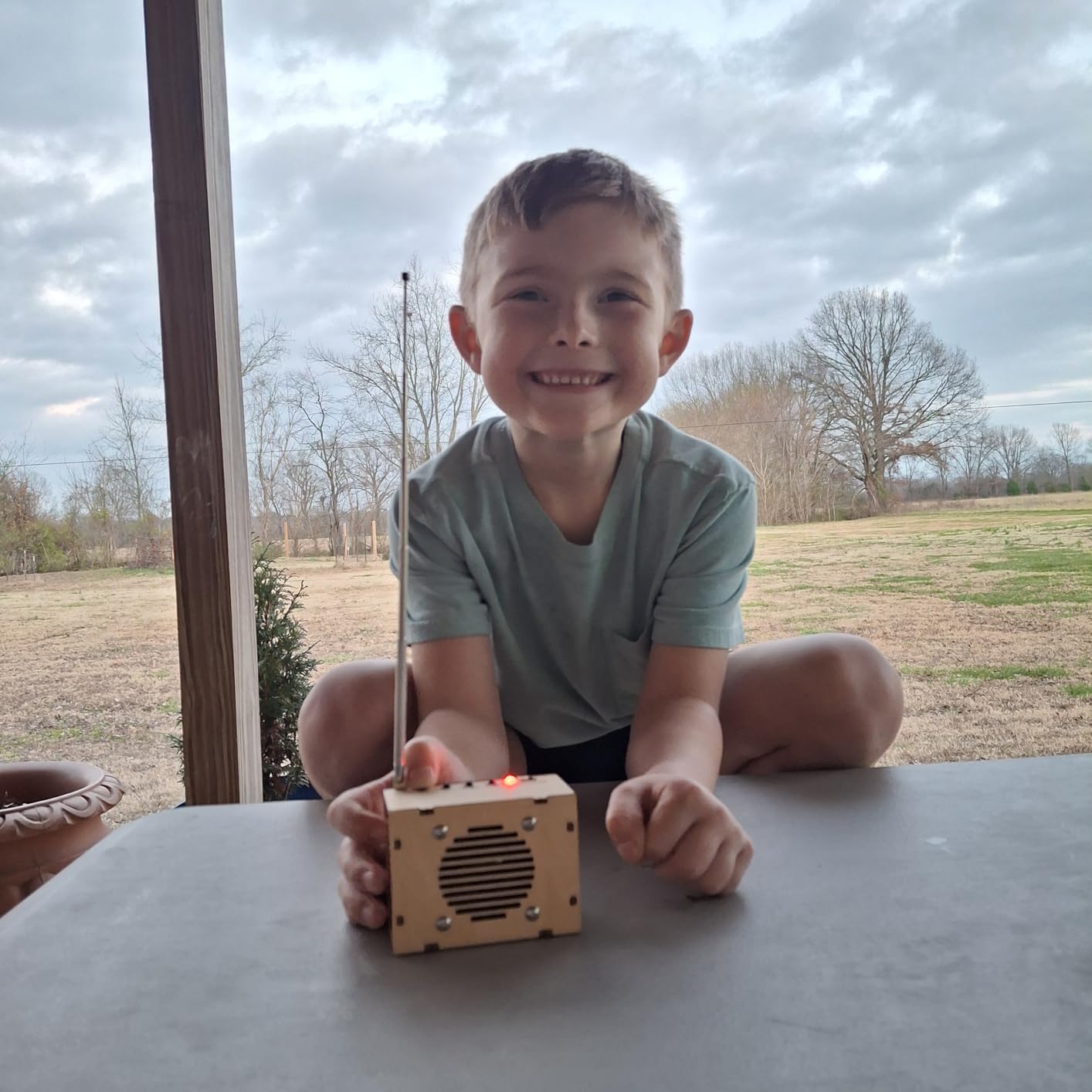
It teaches component identification and polarity handling in a build that ends with audible proof of success, which is a stronger motivator than a circuit that only lights an LED. Expect a working radio in 15 to 20 minutes for a teenager, 30 to 45 for a younger child working through it slowly.
As a first build it is nearly faultless. As a learning platform it stops immediately, because there is nothing to reconfigure once the radio works.
Why it is a stepping stone and not a destination
Two AA batteries are required and not included, which is a small but real extra cost that catches people out. The compact enclosure also limits speaker output, so the audio is thin compared with a larger build.
More importantly, it is a single focused build with little room for follow-on experimentation. Reviewers recommend pairing it with a larger project for longer engagement, and that is exactly how we would use it, as a confidence-builder on Saturday and a real electronics course on Sunday.
How to Choose an Electronics Kit for a Teen
Match the kit to an age and skill band first, then worry about brand. The single biggest mistake we see is buying a snap-together kit for a 16-year-old who already codes, or an Arduino sensor bench for a 12-year-old who has never seen a circuit.
For ages 11 to 13, start solderless. The Snap Circuits Classic or the National Geographic Circuit Kit will hold attention for months, and neither requires a soldering iron or a parent in the room. For ages 13 to 15, move to a microcontroller: the ELEGOO UNO R3 Super Starter Kit is the most reliable entry point. For ages 15 to 18, the Mega 2560 kit, the SunFounder Elite Explorer or the Smart Robot Car give enough headroom to stop outgrowing the board.
Solderless versus soldered is easier than it sounds. Every kit in this roundup works without a hot iron, and that is a deliberate choice on our part. A teen can learn breadboard prototyping, sensor work and motor control completely without soldering, and adding a soldering iron early adds a supervision burden and a burn risk for a skill they do not need yet.
On coding platform, the honest ranking runs from none, to Arduino C++, to Arduino C++ with Wi-Fi and IoT. Nothing in this roundup teaches MicroPython or block-based coding out of the box, so a teen who wants Python should plan to move to a separate microcontroller later, and a teen who wants immediate results without typing should start with a snap kit.
Check what is not in the box before you buy. The REXQualis Basic Kit has no controller board at all, the official Arduino kit needs a 9V battery that is not included, the robot car needs a USB-C cable to reprogram the ESP32 module, and the radio needs two AA batteries. Also note that none of these kits include a multimeter, wire strippers or a precision screwdriver, and all three come up in the first week of real building.
- Decide the tier first: no code, microcontroller, or connected and robotic.
- Check the age guidance and set it against your teen’s actual starting point, not their ambition.
- Confirm the controller board is included, or that you already own a compatible one.
- Verify whether soldering is required at any point, including for spare parts.
- Look for a real tutorial with example code or video, not just a project list.
- Count the storage solution, because unlabelled loose parts end up on the floor within a week.
- Ask whether the parts are labeled individually, which saves hours on a second project.
- Plan the upgrade path now, so the first kit has somewhere to go after a month.
The progression path itself is straightforward. Start with a snap kit or a single-build project to establish circuit intuition, move to an UNO starter kit for the Arduino C++ foundation, step up to a Mega or a wireless board when the pin count runs out, then add a parts bin and a robot chassis once the teen is building things nobody has asked them to build. Our electronics starter kit roundup for makers goes deeper on the middle of that path, and prop electronics kits cover the costume and animatronics branch for teens whose interest leans that way.
Soldering Safety for Teens Under 18
None of the 12 kits in this roundup requires a soldering iron to complete, and that is worth stating plainly. Every pick here is solderless at the component level, with pre-soldered modules where a display header is needed and breadboard or snap-together construction everywhere else.
When soldering does come up, it usually arrives as an accessory purchase rather than part of the kit. If your teen is under 18, an adult should be present and in the room for every session, not watching from another part of the house. Set up on a hard surface, keep the iron in a stand when not in use, and treat ventilation as a real requirement rather than a formality.
Battery handling is the more common household risk. Several kits here run on AA cells or a 9V battery, and the Bluetooth speaker’s compartment is exposed and vulnerable to leakage. A periodic check for swelling or corrosion costs nothing and prevents the one genuine hazard in this entire category.
Low-voltage operation is the reassuring part. Every kit listed runs on USB, AA cells or a small lithium pack, so there is no mains voltage anywhere in the set and no realistic shock risk from a correctly assembled circuit.
Frequently Asked Questions
What are some good electrical kits for teenagers?
The strongest electrical kits for teenagers fall into three tiers: snap-together circuit kits such as the Snap Circuits Classic SC-300 for beginners, UNO and Mega Arduino starter kits such as the ELEGOO sets for teens ready to code, and single-build projects such as the Bluetooth speaker or FM radio kits for a fast first win. Match the tier to the teen’s starting point rather than their age alone.
What is the best electronic kit for beginners?
The Snap Circuits Classic SC-300 is the best kit for a true beginner because nothing can be wired backwards, no code is required and a working circuit is achievable inside the first hour. It carries a 4.8 rating from more than 29,000 reviews, which is the largest review base of any kit we tested.
What is the best Arduino starter kit for beginners?
The ELEGOO UNO R3 Project Super Starter Kit is the best Arduino starter kit for beginners, with 22 guided lessons, a pre-soldered LCD1602 module and a sensor set that covers LEDs, temperature, distance, servo, stepper motor, LCD and IR projects. It also carries a 4.7 rating from more than 16,500 reviews.
What age should a teen start electronics, and what age to start Arduino?
Most teens can start solderless circuits at 11 or 12, and Arduino at 13 or above with some reading comfort and an adult nearby for the first sessions. A 15 or 16-year-old who already codes can skip straight to a Mega 2560 or a wireless board, because the UNO will outgrow them quickly.
Do electronics kits need soldering, and are they safe for teens?
None of the 12 kits in this roundup require soldering, since every pick is solderless at the component level and uses a breadboard, snap grid or pre-soldered modules. They are safe for teens because they run on low voltage only, from USB, AA cells or a small rechargeable pack, with no mains power anywhere in the set.
What is a good first Arduino project for a beginner?
Blink an LED first, then wire a pushbutton as an input and trigger a buzzer as an output, and then add a sensor. An ultrasonic distance alarm is usually the third build in most of the Arduino kits we tested, and it takes around two to three weekend sessions to reach from an unlit board to that working alarm.
Final Verdict: Which Electronics Kit Should You Buy?
For most teenagers, the Snap Circuits Classic SC-300 is the right first purchase. It has the highest rating and the largest review base we found, nothing in it can be wired wrong, and it buys a year of circuit intuition before a teenager touches a line of code. Once that interest is proven, the ELEGOO UNO R3 Super Starter Kit is the correct second purchase, and the Mega 2560 or the Smart Robot Car Kit is the third.
Skip the snap tier entirely if your teen already codes, and start on the Mega. Check what is missing from the box, keep a multimeter on the shopping list, and treat every kit here as a starting point rather than a finish line.
Those are our 12 picks for the best electronics kits for teens in 2026. Run the numbers on the comparison table above and check current pricing before you commit.