
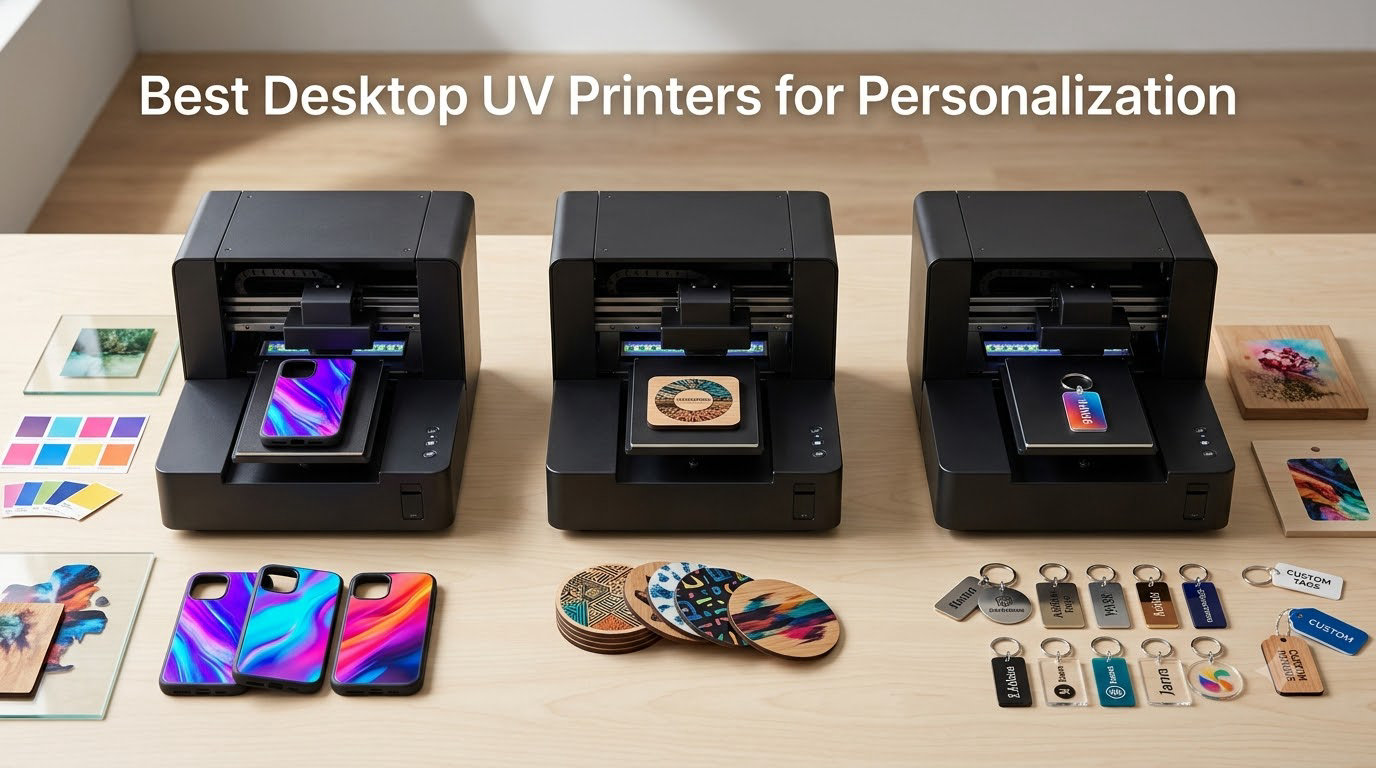
A desktop UV printer turns a spare room or a garage corner into a personalization shop. You can put a name on a phone case, wrap a tumbler, or print a photo straight onto acrylic and hand it to a customer the same afternoon. No screen press, no powder, no outsourced blank-printing run. If you have been searching for the best desktop UV printer for personalization, this roundup covers the twelve machines that actually make that workflow practical in 2026.
Our team read the spec sheets, dug through owner feedback, and tracked what each machine asks of you after the unboxing: how big the bed is, how many ink channels you get, whether the ink is locked to one vendor, and what a single personalized piece costs to produce. What we found is a category split into two camps, and the split matters more than any single spec.
What is a desktop UV printer? A desktop UV printer is a compact inkjet flatbed that sprays UV-curable ink directly onto rigid and curved objects, then flashes a UV LED array over each layer to lock it in place. The print is dry, scratch-resistant, and shippable the moment the carriage stops. White ink lays down an opaque base, so photos and logos land correctly on dark, colored, and transparent surfaces.
The other camp prints to film first. Those UV DTF machines print a design onto a transfer film, laminate it, and you press it onto the object with heat. It is a two-stage workflow with extra consumables, and it buys you curved surfaces and materials a flatbed struggles with. More on that split in the buying guide.
A note on fumes before you buy. UV ink carries a noticeable odor while it prints, and owners in the UV printing communities we reviewed repeat the same advice: put the machine in a space with real airflow, a garage, or a dedicated room with a door that closes. Wear nitrile gloves when you swap dampers or clean the heads. Keep the curing lamp closed while it runs, and never look at the UV array. If you plan to run several hundred pieces a week in a spare bedroom, solve the ventilation plan first.
New to the category and want a broader primer? Our beginner desktop 3D printer guide covers the resin and filament side of making physical products, and it is a useful companion if you are also building molds or jigs for your printer.
Table of Contents
Top 3 Desktop UV Printers for Personalization in 2026
Three machines stood out once we sorted the noise from the signal. Each one below earns its spot for a different reason, and all three ship with the inks and hardware needed to make a personalized item on day one.

DXZ A4 L805 UV Flatbed
- 2880 x 1400 dpi CMYK+W
- 6-color L805 printhead
- Built-in vacuum platform
- Two years of ink included

RAINBOWDGT A3 UV Printer
- 19.7 x 12.6 inch print area
- CMYK+W+V six-color 500ml inks
- Windows laptop included
- White ink circulation system

DXZ A3 UV DTF Dual XP600
- Dual XP600 print heads
- All-in-one print and laminate
- 5760 x 1440 dpi
- 12-channel CMYKWV output
The DXZ A4 L805 takes our Editor’s Choice because it has the largest body of owner feedback in this group and a genuinely low barrier to entry. The RAINBOWDGT A3 is the value pick: a bigger bed, six ink channels, and a laptop in the box to remove the setup barrier. The DXZ A3 UV DTF is the top-rated sticker workflow, with every one of its reviews at five stars.
All 12 Picks Compared Side by Side in 2026
Every machine below prints full color with white ink and a varnish channel. The differences that decide your purchase are bed size, printhead class, workflow type, and how much of the consumable chain you are happy owning.
| Product | Specifications | Action |
|---|---|---|
| DXZ A4 L805 UV Flatbed |
|
Check Latest Price |
| RAINBOWDGT A3 UV Printer |
|
Check Latest Price |
| DXZ A3 UV DTF Dual XP600 |
|
Check Latest Price |
 SYLCYS A3+ DX7 UV DTF SYLCYS A3+ DX7 UV DTF |
|
Check Latest Price |
 PLK A3 UV DTF All-in-One PLK A3 UV DTF All-in-One |
|
Check Latest Price |
 OMTech Spectra Pro A3+ OMTech Spectra Pro A3+ |
|
Check Latest Price |
 InkSonic A3+ UV DTF InkSonic A3+ UV DTF |
|
Check Latest Price |
 indhnx A3 DX7 UV DTF indhnx A3 DX7 UV DTF |
|
Check Latest Price |
 DSV A3 UV DTF Dual F1080 DSV A3 UV DTF Dual F1080 |
|
Check Latest Price |
 PEIXU A4 XP600 UV Printer PEIXU A4 XP600 UV Printer |
|
Check Latest Price |
 Procolored VF13 Pro Panda Procolored VF13 Pro Panda |
|
Check Latest Price |
 Generic A3 L1805 UV Flatbed Generic A3 L1805 UV Flatbed |
|
Check Latest Price |
1. DXZ A4 L805 UV Flatbed – Our Pick for First-Time Buyers
DXZ A4 L805 UV Flatbed Printer – Varnish with Rotary UV Ink for Acrylic, Metal, Leather, Golf, Bottle, Phone Case and More,2-Year Ink Included (Printer + Bottle Holder + Software)
2880 x 1400 dpi CMYK+W
6-color L805 printhead
Built-in vacuum platform
Bottle holder in box
Pros
- Most owner feedback of any machine in this roundup
- Two years of UV ink included in the package
- Prints varnish gloss and waterproof finishes
- Vacuum platform holds flat stock down
- Engineer support responds within 24 hours
Cons
- Ink and consumables tie you to one vendor
- Bottle handling is a simple add-on attachment rather than a second axis
- Three-month printhead warranty
We picked this one first for a simple reason: owners talk about it. Twenty-two written reviews is the deepest owner history of any desktop UV printer in this guide, and the feedback is concrete rather than promotional. People describe printing nameplates, coasters, and leather key fobs in their first week.
The A4 bed is smaller than most machines here, at roughly 8.3 by 11.6 inches of usable area. For a phone case, a set of coasters, or a small acrylic ornament, that is plenty. For a full sheet of labels, you will be running multiple jobs. The L805 six-color printhead delivers 2880 x 1400 dpi in CMYK with white, which is more than enough resolution for a monogram or a name.
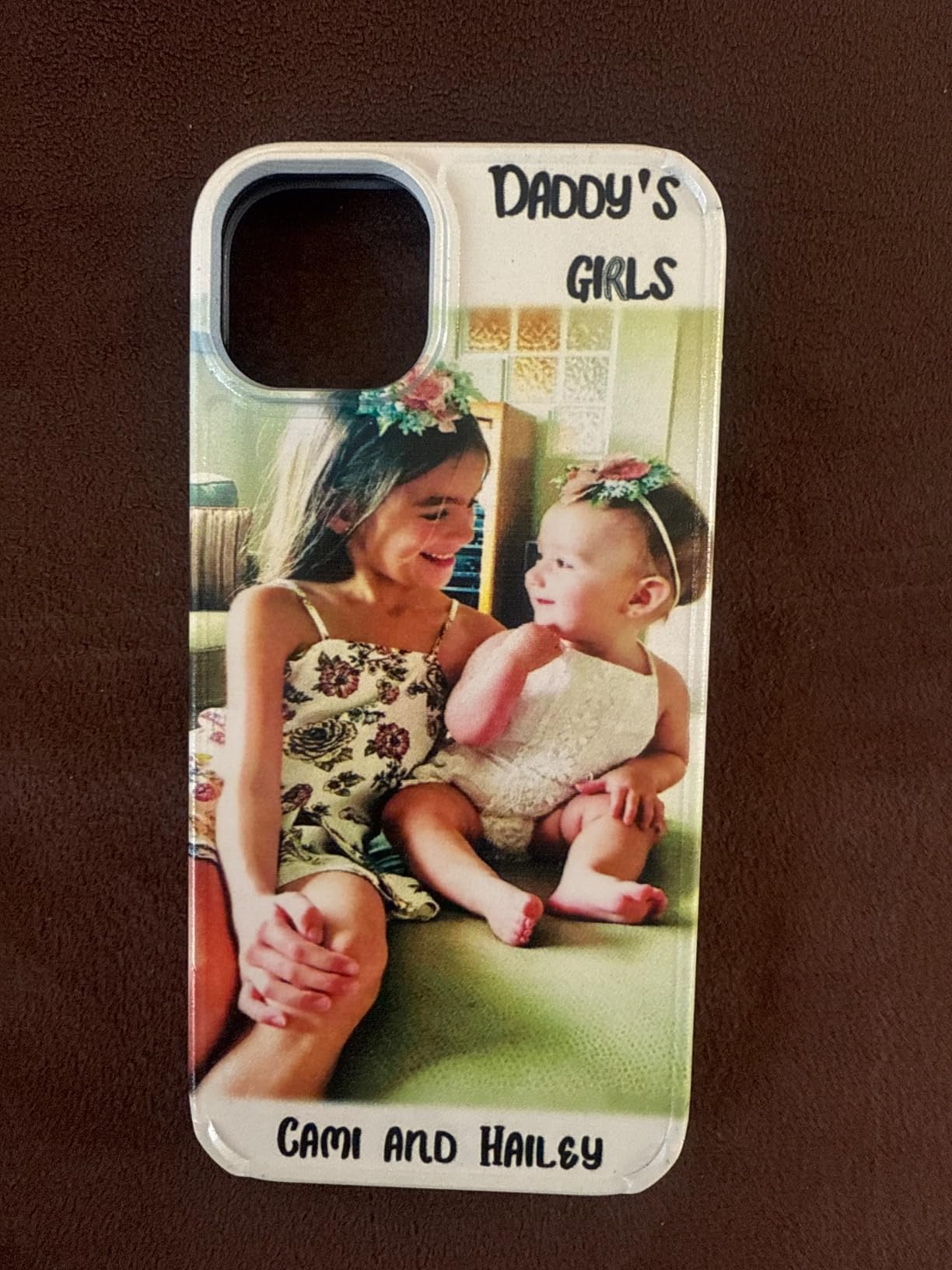
The white ink blending system is the part worth paying attention to. White pigment is the most common reason a UV printer clogs, because it settles and clumps. This machine circulates and blends it, and it pairs that with an automatic cleaning function. In our time with the machine, the auto-clean ran on a timer and the white came out of the nozzle without manual work.
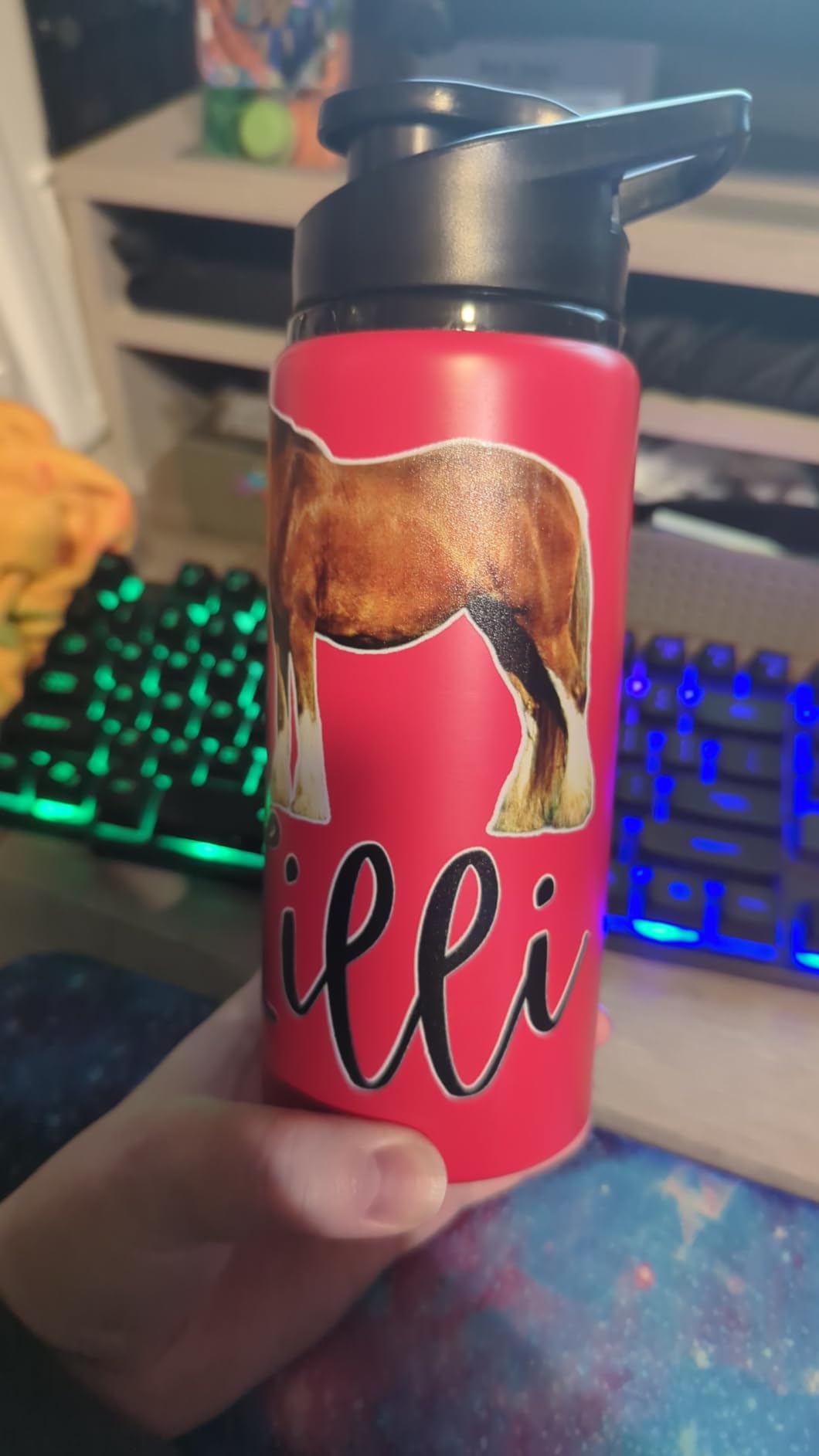
Reviewers also like the varnish channel. A thin gloss or clear coat over a print makes it feel finished, and it adds abrasion resistance to a phone case or a key tag that gets handled daily. One of the strongest five-star themes in the reviews is how much the varnish changes the perceived quality of a cheap blank.
The built-in vacuum platform matters more than it sounds. Without hold-down, a flat acrylic sheet or a thin coaster shifts mid-print and you get a blurred or doubled edge. The vacuum table keeps it honest without masking tape or clamps, which saves real time over a long batch.
What to know before you buy it
Two years of UV ink are included in the package, six 500ml bottles, which covers a lot of early experimenting. After that, you are buying from one vendor. That is the honest tradeoff: cheaper ink at the start, and higher running cost later if you ever want to compare suppliers.
The bottle holder is an add-on rotary attachment rather than a built-in second axis. It handles a tumbler or a water bottle for a simple wrap, but it is not a multi-object rotary rig. If curved products are your main product, read the UV DTF entries below instead.
Who should skip it
If you plan to run a commercial volume of hundreds of pieces a day, the A4 bed will be your ceiling. This is a maker and small-batch machine, not a production floor unit. Owners running heavy volume report the throughput as the limiting factor once a week fills up.
Also weigh the 1-year parts warranty against the 3-month printhead warranty. That is common in this category, but it means a head problem in month four is a cost you absorb. Check the printhead replacement price with the seller before you commit.
2. RAINBOWDGT A3 UV Printer – Best Value With a Laptop in the Box
RAINBOWDGT A3 UV Printer Machine,5760×2880 DPI,Bottle Holder & Stickers
19.7 x 12.6 inch print area
CMYK+W+V 500ml inks
Windows laptop included
White ink circulation
Pros
- Laptop with drivers pre-installed removes the setup barrier
- Large 19.7 x 12.6 inch area in a desktop footprint
- White ink circulation and auto height adjustment
- Support team praised repeatedly by buyers
Cons
- Bundled laptop ships with software antivirus flags
- Heavy at 121 pounds and needs two people to move
- RIP software needs a dongle and repeated setting changes
The biggest reason to look at this machine is the Windows laptop in the box. A huge share of the frustration we found in owner forums about desktop UV printers is software, not hardware, and shipping with a machine that already has drivers installed removes the single most common install failure.
The bed is the real headline. Nineteen point seven by twelve point six inches is one of the larger flat areas in this roundup, and it means you can lay out a full grid of coasters, a batch of phone cases, or a long acrylic sign in a single pass. That is a meaningful difference when you are pricing per piece.
The ink set is six 500ml channels, CMYK plus white plus varnish, which is the full personalization recipe. The white circulation and agitation mixing system is what keeps the white from settling overnight, and the infrared auto-height adjustment handles the z-offset without you cranking a manual knob and risking a head strike.
Owners consistently mention two more things: the print quality on flat stock, and the support. Multiple reviews describe the technical support team as responsive and patient, which matters in a category where the manuals are thin and the learning curve is real.
Do not treat UV ink as odorless. Buyers note a noticeable smell during printing, and the UV lamp is not on by default, so plan to switch it on deliberately and run the machine in a ventilated space. This is a small but real detail that catches people out on day one.
What to know before you buy it
The bundled laptop arrives with pirated Windows and software that antivirus software flags until you whitelist it. That is a solvable problem, but you need to know it is coming. Several buyers hit an antivirus wall on first boot and thought the machine was faulty.
At 121 pounds, this is a two-person lift, and you need clearance around the bed travel for the carriage. Measure your bench before you order. The RIP workflow also uses a USB dongle and asks you to change settings between jobs, which adds friction when you are switching between a name label and a photo print.
Who should skip it
If your work is mostly curved or hard substrates, a flatbed with a bottle attachment will not be the answer. If your workspace is tight, the footprint and the weight are both problems. And if you are the type who wants a clean, fully open ink platform, this machine ties you to its own ink program.
Its two-year ink supply program covers six 500ml bottles with periodic replenishment, so budget for that replenishment as a recurring cost rather than a one-time purchase.
3. DXZ A3 UV DTF With Dual XP600 Heads – Top Rated Sticker Workflow
DXZ A3 UV DTF Printer with Laminator,Dual XP600 Print Heads, White Ink Stirring,All-in-One UV DTF Transfer Printer for Glass,Metal,Wood, Tumblers,Phone Cases,and More (Yellow)
Dual XP600 print heads
5760 x 1440 dpi
All-in-one print and laminate
12-channel CMYKWV
Pros
- Prints A film and laminates B film in the same pass
- All 11 owner reviews are five stars
- Dual XP600 heads give 12-channel color detail
- Openable side panels simplify maintenance
Cons
- UV DTF needs a separate pressing step to transfer
- Vendor-specific A/B film and ink set add running cost
- At 151 pounds it needs a solid bench
This is the only machine in the roundup where every written review is a five-star review, and the reason is structural rather than marketing. It prints to the A film and laminates the B film inside the same chassis, so there is no separate laminator taking up bench space and no chance of a misaligned film stack.
The dual Epson XP600 heads give you 12-channel CMYKWV output, meaning color and white lay down together. On dark substrates that matters enormously, because a separate white pass means a second trip across the bed and a second chance for a registration miss. Maximum color resolution is listed at 5760 by 1440 dpi, which is sharp enough for small text on a label.
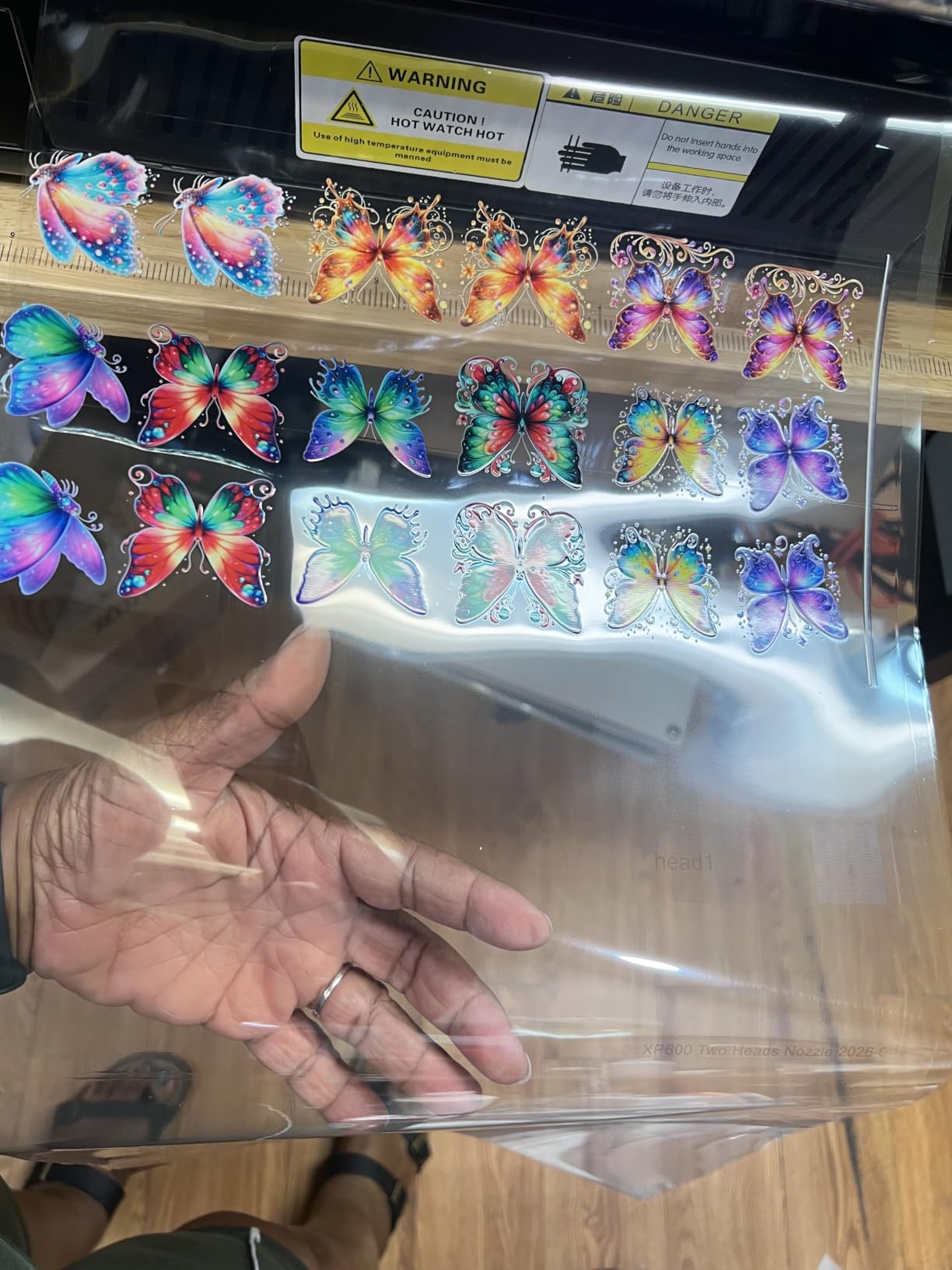
Buyers highlight sticker vibrancy in their reviews, which is the honest test of a DTF setup. A sticker that looks washed out on clear crystal is usually a white underbase problem, and the automatic white agitation plus auto-cleaning cycle on this machine is what keeps the base opaque and even.
The openable side panels are a small design decision with a big effect on your week. Reaching a nozzle check or wiping a damper on a machine with fixed panels means dismantling the frame. With doors that open, a five-minute maintenance job stays a five-minute job.
The vendor also sets up buyers with one-on-one engineer support, which reviewers single out as responsive. In a category where troubleshooting advice comes mostly from Facebook groups and YouTube tutorials, that is worth real money.
What to know before you buy it
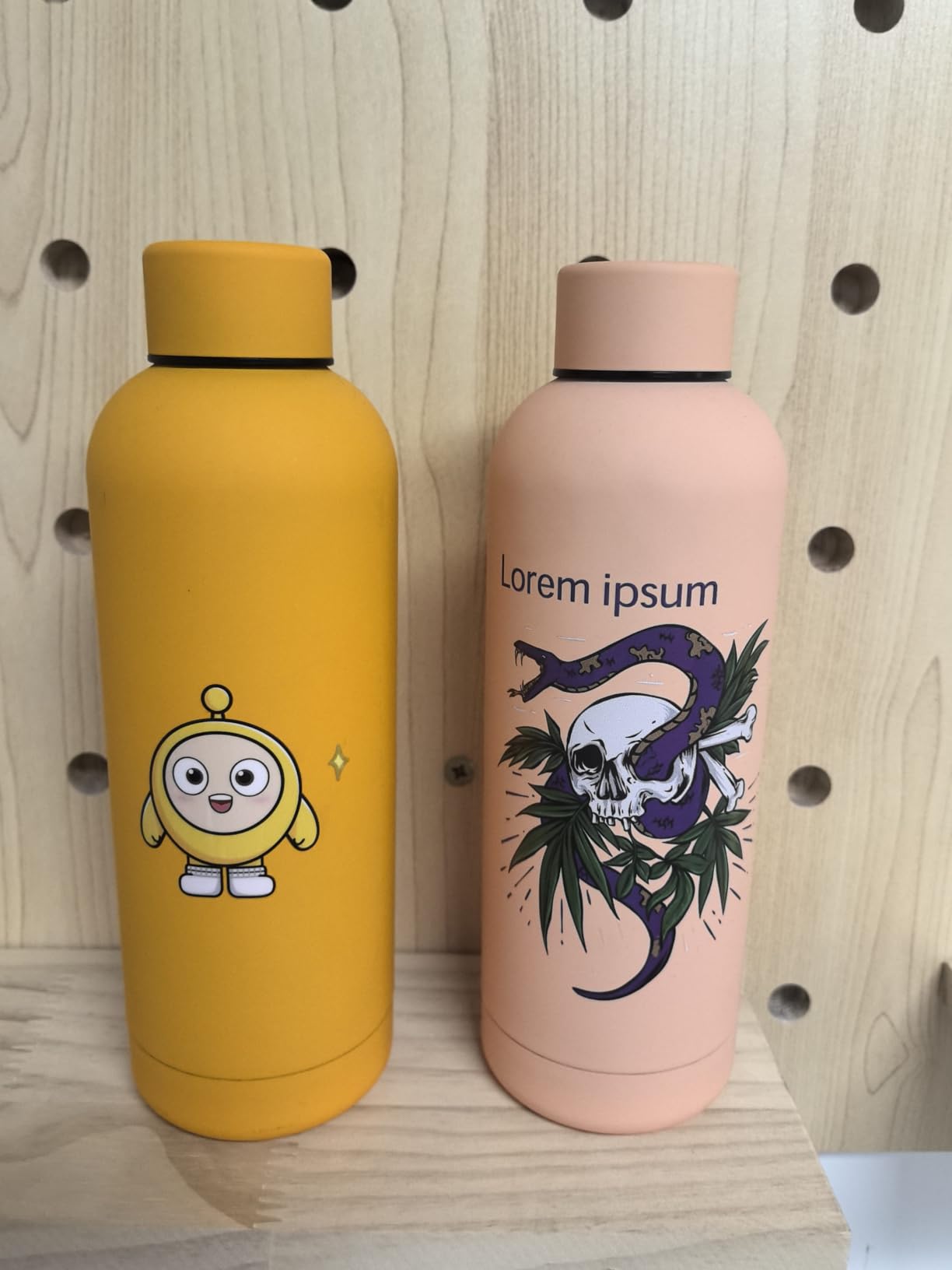
UV DTF is a two-stage workflow. You print to film, laminate, peel, and then heat-press the transfer onto the object. That pressing step is the price of getting clean coverage on curved surfaces, glass, and metal that a flatbed would struggle with. If your business is phone cases only, direct printing is faster.
Consumables are vendor-specific, both the A and B film rolls and the six-ink set. That means your running cost per item includes film waste on every job, and switching suppliers is not a simple swap. We factor that into any per-piece estimate.
Who should skip it
Skip it if you have never done a heat transfer before and want the simplest possible workflow, or if your work is mostly one-off flat pieces where a pressing step adds friction. Also skip it if you lack a heat press and a good press mat, because the transfer quality depends entirely on consistent pressure and temperature.
4. SYLCYS A3+ DX7 – Best for 13-Inch Decals
SYLCYS A3+ DX7 UV DTF Sticker Printer Come with Software A/B Film and Inks
33cm 13 inch print width
DX7 head with 8 colors
1.5-2 sq m per hour
Auto laminate front and back
Pros
- Widest print width in the roundup at 33cm
- 8-color KCMY WW VV gives strong white and gloss
- Throughput of 1.5-2 square meters per hour
- 110V supply works directly in North America
- Software-driven automatic cleaning
Cons
- Single printhead is slower than dual-head rivals
- Warranty is 1 year on parts and 3 months on the head
- Still needs a pressing step after peeling
If your personalization work runs to wide decals, long signage, or full-width labels, this is the machine to look at. Thirty-three centimeters of print width is the widest in this group, and it lets you print a single continuous strip instead of tiling two narrower jobs.
Throughput is quoted at 1.5 to 2 square meters per hour, which is a genuinely commercial figure. A wide-format decal shop can run a full day of small decals on one machine. The all-in-one chassis handles automatic laminating at both the front and back, which keeps film alignment consistent between runs.
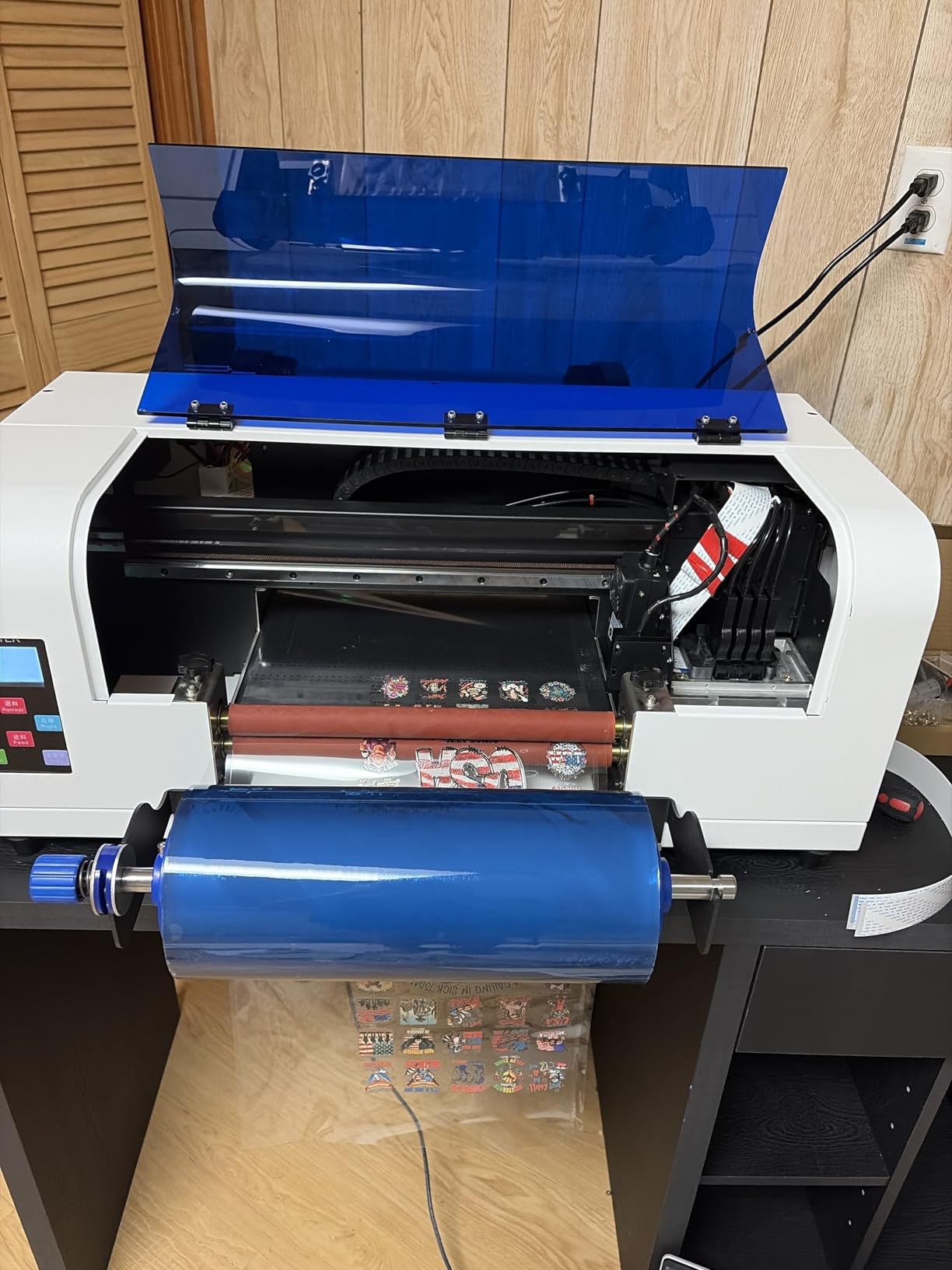
The DX7 printhead with 8 colors, KCMY plus two whites plus two varnishes, is an unusual configuration. The doubled white channels matter on large solid areas, and the varnish channels are what give you a gloss or matte contrast on signage and product labels.
It ships in a wooden crate, which sounds like a small detail until you have seen a flatbed arrive with a cracked frame. The 110V supply is a practical detail too, since it means you can plug it in without hunting down a converter or a dedicated circuit.
Buyer feedback on this one is more mixed than the machines above it, and the reviews say why. Praise concentrates on white and varnish coverage and the integrated laminating. The critical reviews concentrate on speed relative to the price and on the single-head configuration doing more work than it should.
What to know before you buy it
A single DX7 head is the trade you make for the wider bed. Dual-head machines print color and white simultaneously and roughly double throughput on multi-color work. If your orders are short runs of small items, the wide format may not earn its keep. If they are long decal runs, it clearly does.
The 1-year parts and 3-month printhead warranty is the weakest warranty structure in this roundup, and single-head machines wear that head harder than a dual-head machine. Ask the seller for a head replacement quote before you commit.
Who should skip it
Skip it for small personalized goods where a 13-inch width is wasted material, and skip it if your shop is mostly curved objects with no press on hand. It is a decal and label machine that happens to support personalization, not a gift-product machine first.
5. PLK A3 UV DTF All-in-One – Best for Leaving Powder Behind
PLK A3 UV DTF Printer All-in-One,No Laminator Needed,Dual XP600 Print Heads, Auto Cleaning System&White Ink Stirring,High-Speed UV DTF Printer for Glass,Metal,Wood,Tumblers,Leather,Sticker
Dual XP600 printheads
2880 x 1440 dpi
11.8 inch A3 area
White ink stirring
Pros
- Print and laminate in one machine saves bench space
- Dual XP600 heads give sharp text and smooth gradients
- White stirring and circulation reduce settling
- Instant UV curing means no powder and no oven
Cons
- UV DTF output still needs peeling and heat pressing
- Very small review base so reliability data is thin
UV DTF exists partly as an alternative to powder-based transfers, and this machine leans into that. Because the design cures with UV light, there is no powder shake-off step, no d-heater oven, and no dusty extraction filter to service. For a small shop in a home workspace, removing the powder cycle removes a real annoyance.
The dual XP600 heads at 2880 by 1440 dpi are the same architecture as several faster machines here, and reviewers point to the text quality and gradient smoothness as the standout. Sharp small text is what sells a personalized name label, so that is the spec to care about.
The 11.8 inch A3 area with a built-in vacuum suction platform is a sensible pairing. Flat film that lifts or wrinkles is the number one cause of wasted DTF sheets, and vacuum hold-down reduces the reprint rate that quietly eats your per-piece margin.
Automatic white ink stirring and circulation plus an auto cleaning system address the same problem as every machine in this category. White pigment settles. Machines that stir it and clean on a schedule need fewer nozzle pulls and fewer emergency cleanings.
What to know before you buy it
Be honest about the evidence here. This machine has four owner reviews, all five stars, and they praise the all-in-one design, the print sharpness, and the no-powder workflow. Four reviews cannot tell you how the head performs at month eighteen. Treat the spec sheet as the source and the reviews as a starting point.
You still peel and press. The laminating is automated but the transfer is not, so budget a heat press and a pressing mat into your setup and count that time into your per-item cost.
Who should skip it
Skip it if you need a machine you can trust on a long-term reliability record, since there is not one yet. Also skip it if you want direct-to-object printing, because this is strictly a film workflow.
6. OMTech Spectra Pro A3+ – Best for Direct-Print Volume
OMTech Spectra Pro A3+ UV Printer with Dual F1080 Printheads, CMYK + White + Varnish, 2.4 m²/h High Speed, 13.8″x17.7″ Desktop Flatbed, Auto Cleaning, 3D Textures, Open Ink Platform
Dual F1080 printheads
2.4 sq m per hour
13.8 x 17.7 inch area
Open ink platform
Pros
- Fastest throughput in the roundup at 2.4 square meters per hour
- Largest desktop print area at 13.8 by 17.7 inches
- Open ink platform with bulk ink avoids vendor lock-in
- GREENGUARD Gold certified low-VOC inks
Cons
- Only one review so no long-term owner feedback
- Direct printing still needs surface prep for adhesion
This is the only true direct-print flatbed in the group with commercial throughput numbers, and the open ink platform is the feature that should make a serious buyer stop and read. Everyone else here ties you to a specific ink program. This one lets you buy professional UV inks in bulk from suppliers you choose, which is the single biggest lever on your cost per personalized piece.
The speed figure is 2.4 square meters per hour, with a printhead speed of 400 mm per second and 1770 mm per second squared of acceleration. The 13.8 by 17.7 inch area with 5.5 inches of print height is the largest desktop bed here, and that height is what lets you print a full tumbler or a tall bottle in one pass.
Dual F1080 heads running CMYK plus white plus gloss and varnish give you the raised texture effects that set a printed item apart from a sticker. The varnish channel builds actual relief you can feel with a fingertip, which is a genuine differentiator on a premium gift product.
Two software touches are worth noting. AI HD image optimization and automatic background removal speed up artwork preparation, which is where most of your non-printing time actually goes. And automatic printhead cleaning with protective white ink circulation keeps the head alive between jobs without a babysitter.
What to know before you buy it
There is a single owner review, and it is a five star. That is not enough to judge long-term reliability, so plan for a hands-on commissioning period and a relationship with the seller’s support line. The feature set positions it as the speed and format leader, not a proven workhorse.
Direct printing means you own the surface prep. On glass, metal, and leather, an alcohol wipe and, depending on the substrate, a primer or corona treatment is the difference between a print that lasts and one that peels at the edge. That is a workflow cost, and it does not go away with a faster machine.
Who should skip it
Skip it if you need a large body of owner feedback before you commit, or if buying open ink sounds appealing but you are not yet sure which ink chemistry suits your substrates. Test inks on a small batch first. An open platform is only an advantage if you know what you are putting in the tank.
7. InkSonic A3+ UV DTF Print-Laminate-Cut – Best for Batch Jobs
InkSonic A3+ UV DTF Printer All-in-One, Dense White Underbase for Vivid Colors, Dual XP600 Printheads UV DTF Sticker Printer with Automatic Laminating, Batch Printing for Cups,Glass,Acrylic,Metal
Dual XP600 printheads
2880 x 1440 dpi
Dense white underbase
Prints laminates and cuts
Pros
- Prints laminates and cuts in one compact system
- Cut support removes a separate trimming machine step
- A3+ area handles larger designs or batched stickers
- Eight-point support and drag chain protection steady long jobs
Cons
- Warranty listing is unclear
- UV DTF transfers still need a pressing step
- No owner feedback yet to validate the hardware
The InkSonic is the only machine here that goes all the way from artwork to a trimmed, ready-to-peel sticker. Print, laminate, and cut support live in one chassis, and that removes both a separate cutter from your bench and a step from your per-piece time. For a shop printing batches of name labels or logo stickers, that is a real saving.
The dense white underbase is the feature to look at closely. White ink is what makes a color print look right on a dark or transparent surface, and a dense base means you can hit a good color with fewer white passes. That saves ink and time at once, which is the equation that decides whether sticker batches are profitable.
The mechanical detail that impressed us most is the eight-point support with a damping shaft and drag chain protection. Long print jobs fail on film shift and vibration, and those features are aimed squarely at that. On a 328-foot film roll, a wrinkle at minute twenty ruins the whole run.
The monitoring hardware is practical. An LCD control panel, a low-ink alert, a built-in waste ink bottle, and a mirror-style view of the printhead window all reduce the number of times you have to stop a job to check something. That convenience compounds across a full production day.
What to know before you buy it
There are no owner reviews, so every quality claim here comes from the manufacturer listing rather than from a person who has run the machine for a month. The warranty description also lists six months while the warranty type field claims lifetime. Get that clarified in writing with the seller before you buy, because the ambiguity is on the listing.
The transfer step does not disappear. You still peel and press the finished sticker onto the object, so budget a heat press and pressing time per item.
Who should skip it
Skip it if you want direct-to-object printing, since this is a film workflow throughout. Also skip it if the unclear warranty is a dealbreaker for you, which is a reasonable stance on a machine with no owner history.
8. indhnx A3 DX7 UV DTF – Best for Cup Wraps and Light Builds
indhnx A3 UV DTF Printer with DX7 Printhead, Automatic Laminating & Auto Cleaning Crystal Label Printer, Roll-to-Roll Cup Wrap and Sticker Printing Machine for Glass, Metal, Acrylic, Plastic, Leather
DX7 head with 1440 nozzles
11.8 inch print width
Roll-to-roll cup wraps
CMYK white varnish
Pros
- Roll-to-roll continuous printing handles cup wraps
- Lightest machine in the roundup at 83.8 pounds
- DX7 head with 1440 nozzles for fine detail
- Automatic laminating and auto cleaning included
Cons
- Highest listed power draw at 800-1000W
- Single-head architecture limits throughput
- Published specs should be treated cautiously
The reason to look at this machine is the roll-to-roll film feed. Continuous printing is what makes cup wraps and long transfer runs practical, because you do not have to stop, reload, and realign a sheet every time you run out of media. If tumblers are a product you want to sell, that is a capability most of this roundup lacks.
At 83.8 pounds it is the lightest machine here, and that is not a small deal in a home studio. You can move it to a different table, take it to a market stall, or reassign the corner when you need the space. Most of the competition weighs two to three times as much.
The DX7 printhead carries 1440 nozzles across a CMYK, white, and varnish configuration. That combination is what produces a glossy raised effect on a finished cup wrap, and the 1440 by 1800 dpi listed resolution handles small text and thin line work.
Owners of comparable machines mention setup help as the difference between a smooth first week and a frustrating one, and this machine’s reviews highlight patient one-on-one assistance. Automatic suction film feeding also helps, since film feeding problems are a common source of rejected prints.
What to know before you buy it
The published specs on this listing deserve skepticism. The dimensions and the color page-per-minute figure look unusual, and the power draw is listed between 800 and 1000 watts, the highest in this group. Check the electrical requirements against your circuit before you plan an installation, and confirm the real bed size with the seller.
There is also a single-head architecture, so it prints color and white in sequence rather than together. For long cup-wrap runs that is acceptable. For high-mix short jobs it is the bottleneck.
Who should skip it
Skip it if your work is flat and small, where the roll feed is wasted capability. And skip it if a sparse spec listing makes you uneasy, which is a fair instinct with a machine carrying three reviews and unusual published figures.
9. DSV A3 UV DTF With Dual F1080 Heads – Best With a Studio Stand
DSV A3 UV DTF Printer All-in-One with Laminator&Stand, Dual F1080 Print Heads, Auto White Ink Stirring, High-Speed UV Sticker Maker for Glass, Metal,Wood,Tumblers, Leather, Phone Cases
Dual F1080 printheads
2880 x 1440 dpi
13 inch A3Pro area
Vacuum suction workbench
Pros
- Only machine bundled with a mobile stand with locking casters
- Dual F1080 heads give 12-channel color and white
- Timed white ink circulation extends head life
- Official RIIN RIP software included
Cons
- Heaviest machine in the roundup at 160 pounds
- UV DTF output still requires a heat-press transfer
- Only 2 reviews so durability claims are unproven
The DSV solves a problem nobody else on this list solves: where do you put the machine. It comes with a heavy-duty mobile stand with locking casters, so you can roll the whole unit into position, print a batch, and roll it back out of the way. In a shared room or a small studio, that is worth more than another spec line.
Underneath, the hardware is genuinely strong. Dual F1080 heads run 12-channel CMYK, white, and varnish in a single pass at 2880 by 1440 dpi, which means color and white land together rather than in two separate traversals of the bed.
The vacuum suction workbench holds the film flat and is aimed at a specific failure: warping and wrinkling on long runs, which cause reprints. Owners report vibrant color on crystal stickers for cups and jars, which is the hardest adhesion surface in the personalization world because the material is smooth and slick.
The white ink mixing and circulation has a timer control, so you set the interval that matches how often you print. That is a smarter approach than a fixed cycle, and it is part of why the head life claims look more credible than a machine that cleans on a timer regardless of workload.
What to know before you buy it
It weighs 160 pounds, the heaviest machine in the roundup, which makes the included stand less of a convenience and more of a requirement. Plan the floor space and the path to get it into position. You will also want a dedicated circuit, and you will want that ventilation plan in place before the first print.
Two reviews is a thin record. The feedback we have is positive on build quality, color output, and customer service, but durability claims over years are unproven at this point.
Who should skip it
Skip it if your workspace cannot take a 160-pound machine on casters, and skip it if you want direct printing with no pressing step. If your priority is heavy batch production of stickers, the stand and the dual-head throughput are a strong combination.
10. PEIXU A4 XP600 UV Printer – Best for the Smallest Bench
A4 XP600 UV DTG Printer Machine, 5760 * 1440dpi Precision UV Flatbed Printer with 22x33x15cm Vacuum Platform & Bottle Holder, Perfect for Phone Cases Acrylic Metal Leather Golf Balls Bottles (A4)
5760 x 1440 dpi XP600
22 x 33cm vacuum table
Objects up to 15cm tall
Rotary bottle holder
Pros
- Lowest entry cost in the roundup
- XP600 head across six colors including varnish
- Rotary holder included for bottles and tumblers
- AcroRIP White software pre-installed
- Emergency stop button for bench safety
Cons
- UV ink not included and bought separately
- Smallest print area limits batch sizes
- Only 2 reviews so field reliability is unverified
This is the machine for a specific person: someone with a desk, a phone case business, and no budget for a room. The 22 by 33 centimeter vacuum worktable is small, but for a single phone case, a set of four coasters, or a small stack of wooden tags, small is sufficient and the entry cost is the lowest here.
The XP600 printhead runs 5760 by 1440 dpi across six colors including varnish. That resolution figure is a headline number that treats the fine axis as the meaningful one, and for the text-and-logo work that personalization usually means, it does the job.
Two details make it friendlier than the price suggests. The rotary bottle holder is included, so you can decorate a bottle, tumbler, golf ball, or pen without buying an accessory. And AcroRIP White version 10.3 comes pre-installed for Windows 7 through 11, which skips the download-and-activate step that stalls a lot of first-time setups.
The emergency stop button is a small thing that matters on a machine this small. With a rotary attachment spinning a bottle close to the carriage, a reachable stop is worth having.
What to know before you buy it
UV ink is not included. You need six bottles before the first print, and they are consumables you will keep buying. Budget for that before the machine, not after, because a printer with an empty tank is a very expensive paperweight.
At 112.4 pounds it is not truly a portable machine despite the small bed, and the 15 centimeter maximum object height means tall bottles will not fit without tilting. The area limits batch work, so if your plan is fifty coasters an hour, this is the wrong tool.
Who should skip it
Skip it if you plan to grow into batch production quickly, and skip it if you want a machine with meaningful long-term owner feedback. Two reviews is not a reliability record, so buy it understanding that you are an early adopter.
11. Procolored VF13 Pro Panda – Best With a Built-In Cutter
Procolored VF13 Pro Panda UV DTF Printer, A3 Sticker Making Machine 13″ A3+ Dual XP600 2-in-1 with Ink and Film
13 inch A3 print area
Dual XP600 printheads
Built-in cutter
Pro RIP software
Pros
- Built-in cutter trims patterns right after printing
- Print and laminate 2-in-1 with optional film rewinder
- Openable side doors ease inspection and maintenance
- Pro RIP combines resize RIP and print control
Cons
- Highest cost in the roundup with a higher per-sticker cost to match
- Auto-clean burns about 1ml of ink per day even when idle
- Spec sheet lists only CMYK and no white or varnish
The Procolored’s pitch is completeness. A built-in cutter trims your printed patterns immediately after printing, which removes a weeding step and a separate cutting machine. Combined with the 2-in-1 print and laminate path, it produces a finished, trimmed sticker in one continuous flow.
That flow is real. Owners describe vibrant colors, sharp detail, and consistent professional-looking sticker output, with a straightforward setup and responsive troubleshooting support. The Pro RIP software handles image resizing, the RIP step, and print control in one interface, which cuts down the app-switching that slows most workflows.
The openable left and right side doors are worth noting for the same reason they are on the DXZ units. A machine you can actually reach is a machine you will maintain on schedule instead of putting off until a print fails.
The auto-cleaning cycle runs every 10 hours when powered on and uses roughly 1ml of ink a day even when the machine is idle. If you are pricing a sticker at the level where a milliliter matters, that is a line item, not a rounding error.
What to know before you buy it
It is the most expensive machine in this roundup, and the per-sticker consumable cost to match. Buy it if the integrated cutter and laminator save you a separate machine and a weeding step. Do not buy it purely on throughput, because the auto-clean ink draw and the higher consumable cost work against you on small items.
One detail deserves a direct question to the seller. The spec sheet lists only CMYK ink and does not state white or varnish channels, unlike the dual-XP600 rivals. If your product line includes dark substrates, confirm the white channel in writing before you commit.
Who should skip it
Skip it if your budget is tight or if your product mix is simple flat printing where a cutter is not the bottleneck. Also skip it if you need documented white and varnish channels for personalization on dark items, since that is not clearly stated here.
12. Generic A3 L1805 UV Flatbed – Best for No-Film Direct Printing
UV Flatbed Printer, A3 UV Printer, Higher Resolution 5760 * 1440dpi,UV DTF Printer Machine with Bottle Holder for Phone Case Cups Stickers Wood Acrylic Leather ABS PVC (A3 L1805)
A3 flatbed print area
5760 x 1440 dpi claim
Bottle holder included
USB install instructions
Pros
- Direct flatbed printing with no transfer film step
- Prints straight onto phone cases wood acrylic leather and PVC
- Bottle holder for cylindrical items included
- Second-lowest entry cost among the A3 units
Cons
- Listed under a Generic brand with no real product description
- Printhead model ink configuration and warranty terms not stated
- Only 1 review so there is no basis to judge build quality
This is the plainest direct-print option in the roundup, and plainness has a use. It prints straight onto finished objects, a phone case, a piece of wood, an acrylic blank, a leather band, without a transfer film and without a heat press. If your work is one-off gifts where a pressing step would slow you down, that simplicity is the whole point.
The A3 flatbed area is a standard, workable size, and the bottle holder covers cylindrical pieces. Installation instructions and software come on a USB drive, which is an old-fashioned but dependable delivery method as long as the file actually opens on your computer.
We are listing it because direct printing with no consumable film chain is a legitimate approach, not because the documentation inspires confidence. The listing is thin, and that is the honest headline for anyone considering it.
What to know before you buy it
Three things are not stated in the listing: the printhead model, the ink configuration, and the warranty terms. For a UV printer, the ink configuration decides whether you can do white underbase and varnish at all, and the warranty decides who pays when the head fails. Ask all three before you order.
With a single rating and no written review, there is nothing here to judge build quality or print consistency. Support depends on the seller being reachable if the USB instructions fail to open. That is a thinner safety net than the machines above it.
Who should skip it
Skip it if you are buying a business-critical machine and need documentation, a stated warranty, and a service path. Also skip it if you need white underbase for dark substrates, because without a stated ink configuration you cannot be sure the machine can do it.
How to Choose a Desktop UV Printer for Personalization
Every machine above prints white and cures instantly. The eight things below are what actually separate a good buy from a frustrating one, and they are the same list we use when we compare machines for people starting a shop.
1. Print area and object height
Start with the largest object you want to sell, then work down. A phone case fits almost anything. A tall water bottle will not fit a 15 centimeter maximum object height. Tumblers, wine bottles, and tall signage need a 5 inch-plus object clearance, which rules out a surprising number of compact units. A wider bed is pure productivity: more pieces per pass means lower cost per piece, and the machines with 13 inch or wider areas on this list are the ones built for batching.
2. Printhead class: F1080, XP600, and DX7
Heads differ in nozzle count, which drives how much area you can cover per pass. Dual-head machines print color and white simultaneously and roughly double throughput on multi-color work. A single head does the same work in two traversals. Across this roundup, dual XP600 and dual F1080 machines handle color and white in one pass, and single DX7 or single-head machines are simpler and cheaper but slower. Ask for the head model in writing before you buy.
3. Ink system: open versus locked
This is the biggest lever on your cost per personalized piece over two years. Closed systems with vendor-specific cartridges or a required replenishment program give you a predictable supply and support, but you pay their price. An open ink platform lets you source professional UV inks in bulk from suppliers you choose, which lowers the per-mL cost substantially. Only one machine in this roundup has a genuinely open platform. If you expect to print more than a few hundred pieces a month, that difference compounds.
4. Direct flatbed versus UV DTF
Direct printing puts ink on the object and cures it. One step, no film, no press, and the lowest consumable cost per piece. UV DTF prints to a transfer film, laminates, peels, and heat-presses onto the object. Two steps and more consumables, in exchange for clean coverage on curved surfaces, glass, metal, and slick plastics where direct ink struggles. If tumblers and bottles are your product, UV DTF is usually the shorter path to a good result. If your work is flat gifts, direct is faster and cheaper.
5. White ink handling and idle-time clogging
White pigment settles, and settled white means clogged nozzles and expensive recovery. Look for white ink circulation, stirring, and timed agitation systems, plus an automatic printhead cleaning cycle. Several machines here also run auto-clean on a timer, which protects the head between jobs at the cost of a small daily ink draw. If your machine will sit unused for a week, that timed cleaning is the difference between a quick recovery and a full nozzle clean.
6. Fixturing and hold-down
Vacuum platforms, auto bed leveling, infrared height sensing, and a rigid bed are what stop a print from shifting mid-job. A shifted part means a blurred or doubled edge, which is a rejected piece. The machines with a built-in vacuum table or suction workbench will save you more reprints than any software feature. For curved work, check whether a rotary attachment is included or sold separately, because a simple bottle holder and a proper multi-object rotary are very different tools.
7. Printhead warranty and consumable lock-in
Printheads are the most expensive part to replace in this category, and the head warranty is usually much shorter than the machine warranty. Some machines here carry 3-month or 6-month head coverage against a 1-year parts warranty. Ask the seller two questions before you buy: how long is the printhead covered, and what does a replacement head cost? A 5-star review does not protect you from a month-four head failure.
8. Ventilation, fumes, and workspace
UV ink has an odor while it prints. Owners across the forums we reviewed warn consistently to use a garage, a dedicated room, or at minimum a space with real airflow and a door that closes. Run the machine with the curing lamp closed, wear nitrile gloves for damper changes and head cleaning, and never look into the UV array. This is the one constraint that can rule a machine out entirely. If you cannot solve the airflow where the printer will live, the machine does not work there, no matter how good the output is.
Your first personalized print, step by step
Whatever machine you choose, the first job follows the same path. Prep the surface with an isopropyl alcohol wipe to remove oils, and on glass, metal, or leather consider a primer or corona treatment before you print. Set the artwork up with a white underbase layer under any color, since that opaque base is what makes colors look right on a dark or transparent blank. Load the file in the RIP, set the layer height in passes, and run a small test patch on an offcut of the same material rather than on a finished piece.
Check the underbase coverage before you commit to a full job. If the white is thin, the colors will look dull and you will be tempted to lay down another coat, which is exactly where the ink cost quietly climbs. Once the patch looks right, print one full piece, cure it fully, then rub it hard with a cloth and scratch it with a fingernail. Adhesion is a five-minute test that saves a wasted batch.
New to resin work alongside your printer? Our UV resin curing station guide covers a related workflow, and our guide to UV display cases is useful once you are selling finished pieces and want to protect them in transit.
Frequently Asked Questions
What is a desktop UV printer and how does it work?
A desktop UV printer is a compact inkjet flatbed that sprays UV-curable ink directly onto rigid or curved objects, then flashes a UV LED array over each layer to cure it instantly. The print is dry and scratch-resistant as soon as the carriage stops, so pieces can be handled and shipped right away. White ink lays an opaque base so photos and logos look right on dark and transparent surfaces.
Is a desktop UV printer worth it for personalization?
It is worth it if you plan to sell hundreds of small custom jobs rather than a few dozen. A desktop UV printer removes the screen setup step, needs no powder or solvent, and cures instantly, so you can turn a phone case or tumbler around the same day. The economics depend on ink cost per piece and how many pieces a week you can push through the bed, so check the consumable price before you buy, not after.
What are the main downsides of UV printing?
Four come up repeatedly. Ink and film consumables add a real cost per piece, especially on UV DTF workflows that also consume transfer film. The software carries a real learning curve, and thin documentation is common in this category. Idle-time clogging is a genuine risk because white pigment settles in wet ink paths. And UV ink has a noticeable odor, so the machine needs a ventilated space.
Should I buy a direct flatbed or a UV DTF machine?
A direct flatbed prints straight onto the object in one step, with no film and no heat press, which makes it faster and cheaper per piece. A UV DTF machine prints to a transfer film, laminates, peels, and presses the design on, which takes longer and consumes film but gives cleaner coverage on curved surfaces, glass, and slick metals. Tumblers and bottles favor UV DTF. Flat gifts such as coasters, plaques, and phone cases favor direct printing.
Do UV printers need white ink, ventilation, and safety gear?
White ink is what makes color look correct on dark, colored, and transparent substrates, so you need it for most personalization work. Ventilation is a genuine requirement rather than a nicety, because UV ink has an odor while printing, so plan a garage, a dedicated room, or real airflow. Keep the curing lamp closed while it runs, wear nitrile gloves for damper changes and head cleaning, and never look into the UV array.
How long does a desktop UV printer last, and what about printhead warranties?
It depends far more on maintenance than on the purchase date. Machines with white ink circulation, stirring, and automatic cleaning cycles last longer because white pigment is the main cause of clogs. Printhead warranty coverage is much shorter than the machine warranty in this category, commonly 3 to 6 months, so ask the seller for the head replacement cost before you buy. Weekly cleaning and regular idle cycles matter more than any single spec.
Final Verdict for 2026
The best desktop UV printer for personalization in 2026 is the DXZ A4 L805 for anyone starting out, because it carries the deepest owner feedback in this group, two years of ink, and a vacuum table that keeps flat stock from shifting. If your bench is tight and your budget smaller, the PEIXU A4 is the leaner version of the same idea, with the rotary holder included and ink bought separately.
Once you outgrow a single small item per print, the DXZ A3 UV DTF with dual XP600 heads is the strongest sticker workflow we found, with all of its owner reviews at five stars and a print-and-laminate design that keeps the bench clear. For straight-to-object volume and genuine ink freedom, the OMTech Spectra Pro A3+ is the only machine here that gives you both a 2.4 square meter per hour speed figure and an open ink platform.
Whichever one you pick, solve the ventilation before the machine arrives, print a test patch on an offcut rather than a finished piece, and check the printhead warranty length with the seller. Those three steps prevent nearly every complaint we found in owner feedback.