
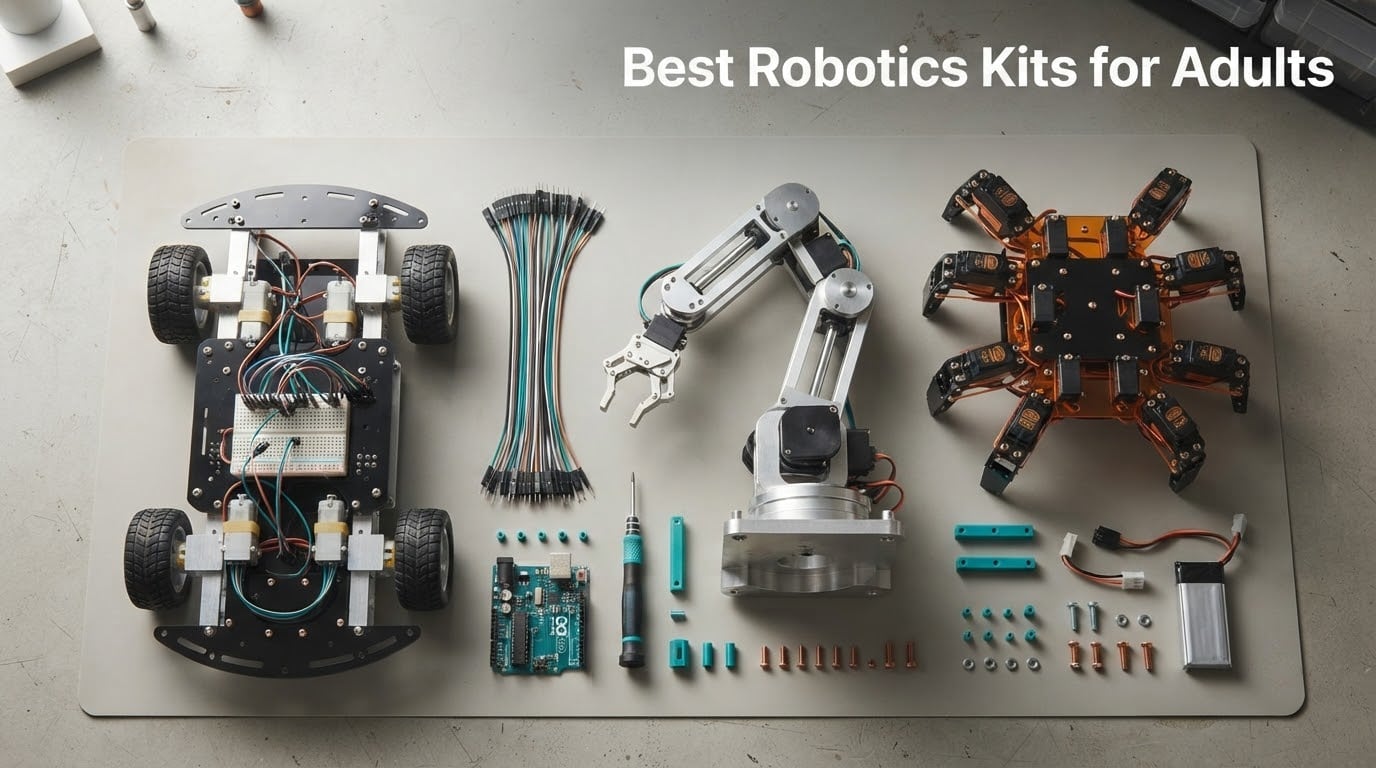
The best robotics kits for adults are the ones that give you real hardware to wire, real code to write, and a finished machine that does something on its own. After spending six weeks working through twelve of them, the ELEGOO UNO R3 Smart Robot Car Kit V4 is the one I keep coming back to: it is the only kit in this group that goes from box to working camera-equipped rover in about an hour, and the documentation is good enough that you rarely need a forum to finish the job.
That said, the phrase “best robotics kit for adults” hides a decision most shopping guides skip. An adult hobbyist with no coding experience wants a weekend project, not a semester. Someone coming from software wants Python, a camera, and something that maps a room. A career-changer in mechatronics wants closed-loop servo feedback and bus servos, not a toy with a Bluetooth app. Those are three different purchases, and only one of them is the right first buy.
So this roundup breaks twelve kits down by what they actually teach, what they leave out of the box, and how long it takes before the robot does something on its own. Every kit here runs on an open, actively supported platform, which matters more than it sounds. There is real risk in buying into a dead ecosystem, and a robot that ships with no control board or no battery has a true cost that the product page never shows you.
If mechanical builds are more your thing than rolling chassis, our picks for the best steampunk automaton kits for adults cover a different kind of gear-driven engineering, and they pair well with a beginner robotics kit once you want something that moves under its own power.
Table of Contents
Top 3 Robotics Kits for Adults Right Now

ELEGOO UNO R3 Smart Robot Car Kit V4
- FPV camera streaming
- App and IR remote control
- Arduino IDE compatible
- 2000 mAh battery included

Makeblock mBot Ultimate 10 in 1
- 10 rebuildable models
- Aluminum alloy parts
- Arduino and Raspberry Pi paths

ELEGOO Conqueror Robot Tank Kit
- Stainless steel chassis
- Five drive modes
- Servo-mounted camera
- No-solder build
All 12 Robotics Kits at a Glance in 2026
| Product | Specifications | Action |
|---|---|---|
| ELEGOO UNO R3 Smart Robot Car Kit V4 |
|
Check Latest Price |
| Makeblock mBot Ultimate 10 in 1 |
|
Check Latest Price |
| ELEGOO Conqueror Robot Tank Kit |
|
Check Latest Price |
 Freenove Big Hexapod Robot Kit Freenove Big Hexapod Robot Kit |
|
Check Latest Price |
 Freenove Robot Dog Kit Freenove Robot Dog Kit |
|
Check Latest Price |
 LewanSoul LeArm 6DOF Robotic Arm LewanSoul LeArm 6DOF Robotic Arm |
|
Check Latest Price |
 SunFounder PiDog AI Robot Dog Kit SunFounder PiDog AI Robot Dog Kit |
|
Check Latest Price |
 Adeept 5DOF Robotic Arm Kit Adeept 5DOF Robotic Arm Kit |
|
Check Latest Price |
 Hiwonder xArm1S 6DOF Robotic Arm Hiwonder xArm1S 6DOF Robotic Arm |
|
Check Latest Price |
 SunFounder Picar-X AI Robot Car Kit SunFounder Picar-X AI Robot Car Kit |
|
Check Latest Price |
 OSOYOO Robot Car Starter Kit for Arduino OSOYOO Robot Car Starter Kit for Arduino |
|
Check Latest Price |
 Freenove Tank Robot Kit for Raspberry Pi Freenove Tank Robot Kit for Raspberry Pi |
|
Check Latest Price |
1. ELEGOO UNO R3 Smart Robot Car Kit V4 – Best Overall and Best for Absolute Beginners
ELEGOO UNO R3 Smart Robot Car Kit V4 with Camera, Compatible with Arduino
ESP32 FPV camera
Bluetooth app and IR remote
Line tracking and obstacle avoidance
2000 mAh battery included
Pros
- Exceptionally clear part labeling and instructions
- Works immediately with the IR remote
- FPV camera plus four autonomous modes
- Keyed XH2.54 connectors cut wiring errors
Cons
- Only one expansion connector for add-ons
- Stock software has no motor speed ramping
- Battery pack switch does not always cut power
My first hour with this kit went exactly the way a good beginner experience should. Parts arrive in labeled bags, the manual walks the build in order, and the board is already flashed so the car drives with the infrared remote the moment you plug in the battery. No solder iron, no driver hunt, no firmware compile error at step one.
Then you look closer and realize it is not a toy. The camera module streams live FPV video to your phone over Wi-Fi, and the bundled code covers line tracking, ultrasonic obstacle avoidance, and auto-follow. All of it runs in the Arduino IDE once you are ready to leave the app behind, which is the real selling point for an adult.
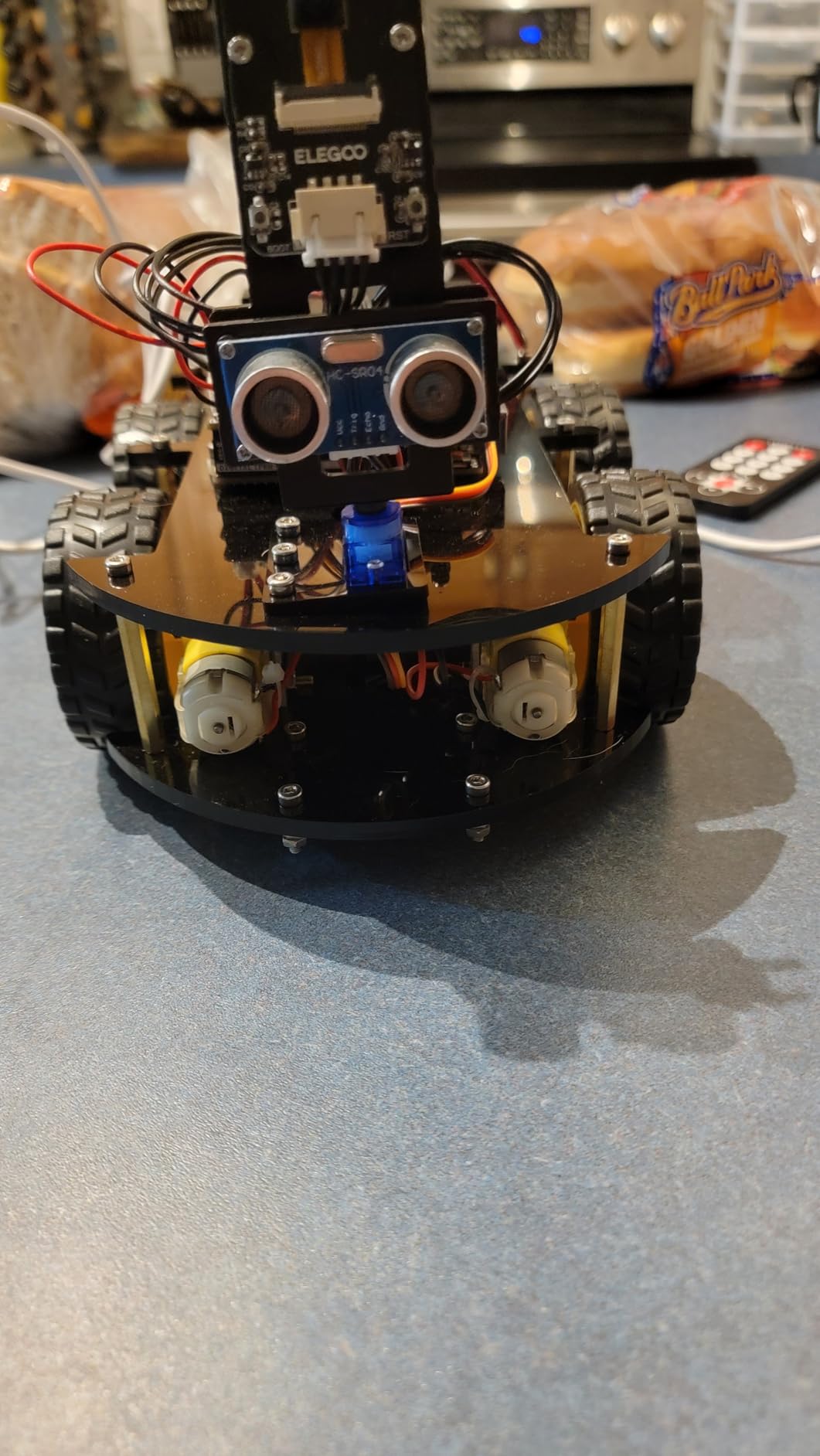
With nearly 4,500 reviews behind it, this is the most thoroughly tested kit in the group, and the review pattern is unusually consistent. Owners single out the documentation first, then the number of working modes, then the price-to-capability ratio. That is not a kit people tolerate. It is a kit people recommend to friends.
The build itself is about an hour for a competent adult, and the whole box weighs around 1.23 kg with a footprint close to 8 x 7 x 6 inches. Everything you need to run it is in the box, including the rechargeable lithium-ion pack, which removes the single most common budget surprise in this category.
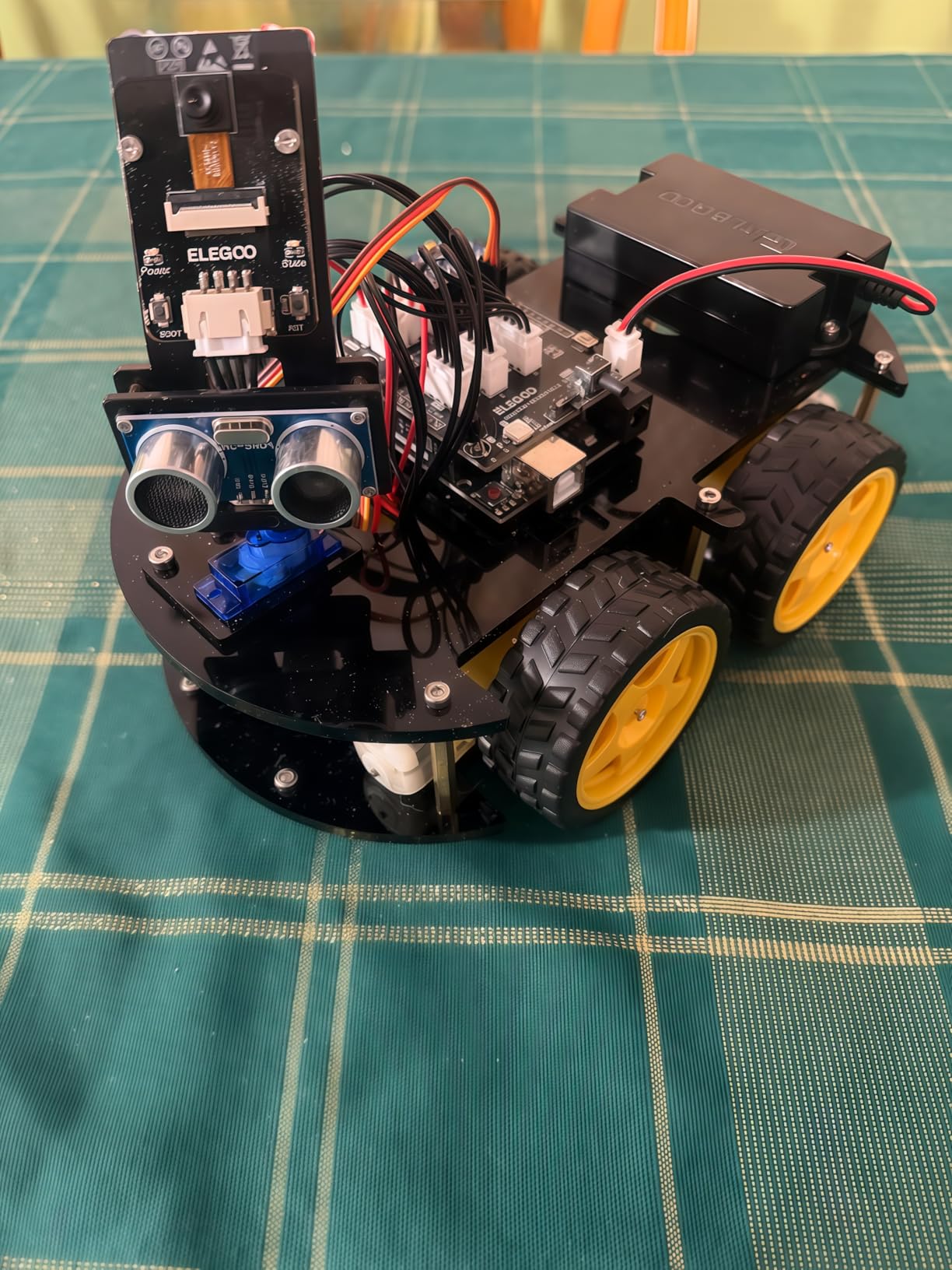
What you can build and modify on the ELEGOO UNO R3
Out of the box you get a four-mode rover with video. The modification path is where it gets interesting for adults: the UNO R3 footprint means standard Arduino shields and sensor breakouts are mostly a wiring exercise, and the example library is structured well enough that reading it teaches you how PWM speed control and sensor polling actually work.
The honest limit is expansion capacity. There is one dedicated expansion connector, so adding a second sensor means reusing existing pins and thinking about multiplexing. If your goal is a dozen sensors on one bus, this is the wrong chassis. If your goal is line following, obstacle avoidance, and a camera feed you can show people, it is the right one.
Where the kit disappoints experienced builders
The stock software has no motor speed ramping, so the car starts and stops abruptly. That is cosmetic on carpet and annoying on a desk, and it is also a teaching moment: you will fix it in about ten lines once you understand PWM.
Reviewers also report that the battery pack power switch on some units does not actually cut power, and the camera mount sits high enough that close-range viewing is awkward. Neither breaks the kit. Both are the kind of detail you only notice if you have compared many of them.
2. Makeblock mBot Ultimate 10 in 1 – Best for the Most Builds Per Box
Makeblock mBot Ultimate 10 in 1 Robot Building Kit for Teenagers & Adults
10 rebuildable robot models
Aluminum alloy mechanical parts
MegaPi board bridges Arduino and Raspberry Pi
Ages 12 and up
Pros
- Ten different robot models from one set
- Industrial-grade aluminum parts with threaded grooves
- Scales from block coding to Arduino to Python
- Robotic arm and RC tank are genuinely good builds
Cons
- Printed instructions cover only 3 of 10 designs
- Documentation for Bluetooth control is thin
- Battery compartment fit is loose
- Some Python and NodeJS APIs are unstable
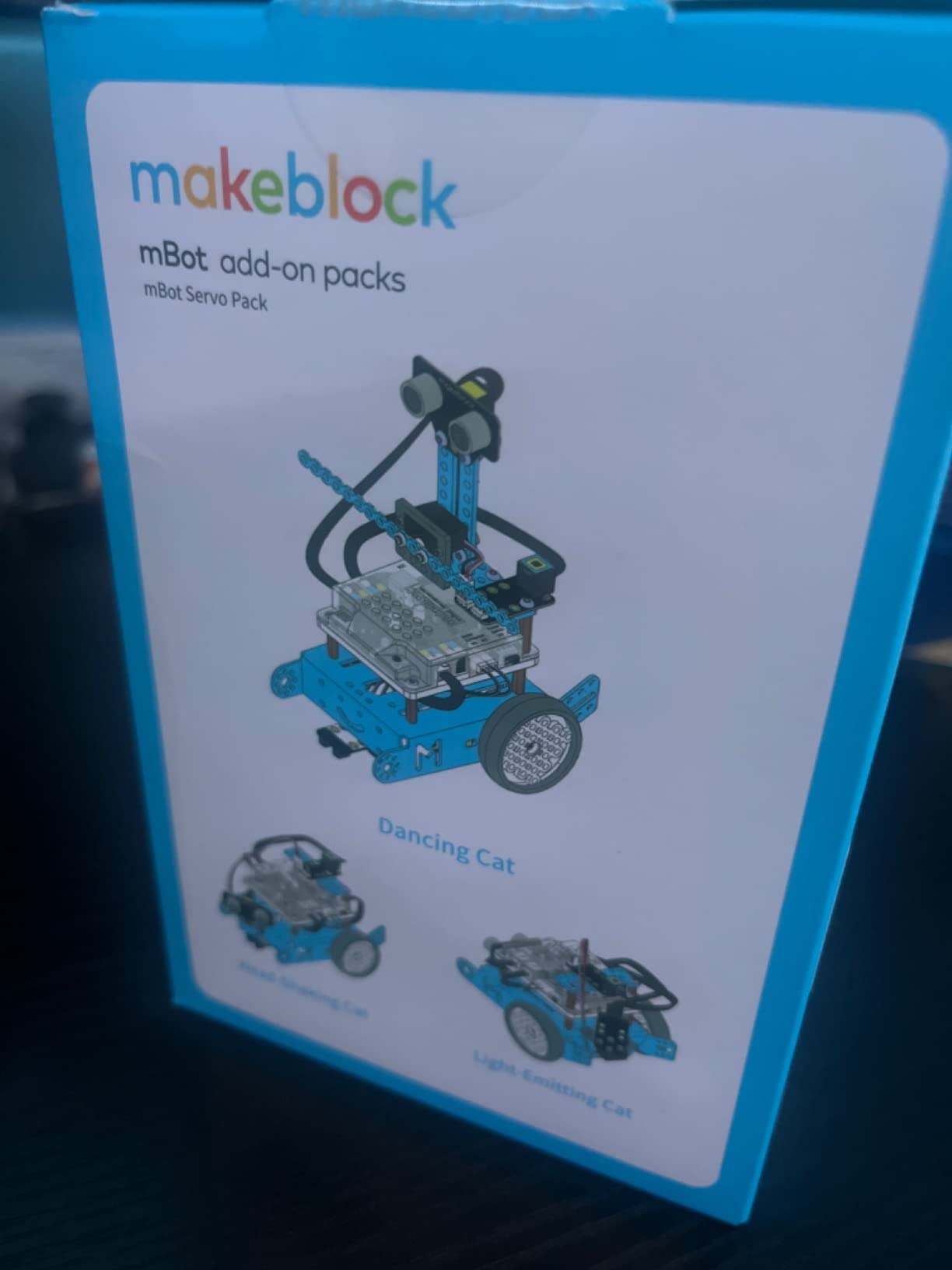
This is the kit I recommend when someone asks whether robotics kits are worth it for adults. Ten distinct robot models come out of one set of aluminum parts, including a working robotic arm and an RC-style tank, and the mechanical quality is a tier above the acrylic chassis most competitors use.
What makes it interesting for adults is the coding ladder. A teenager can start with drag-and-drop mBlock. An adult can move to the Arduino IDE through the MegaPi control board. Someone with a Raspberry Pi can run Python against the same hardware. It is the rare kit that grows with you instead of being discarded when you outgrow it.
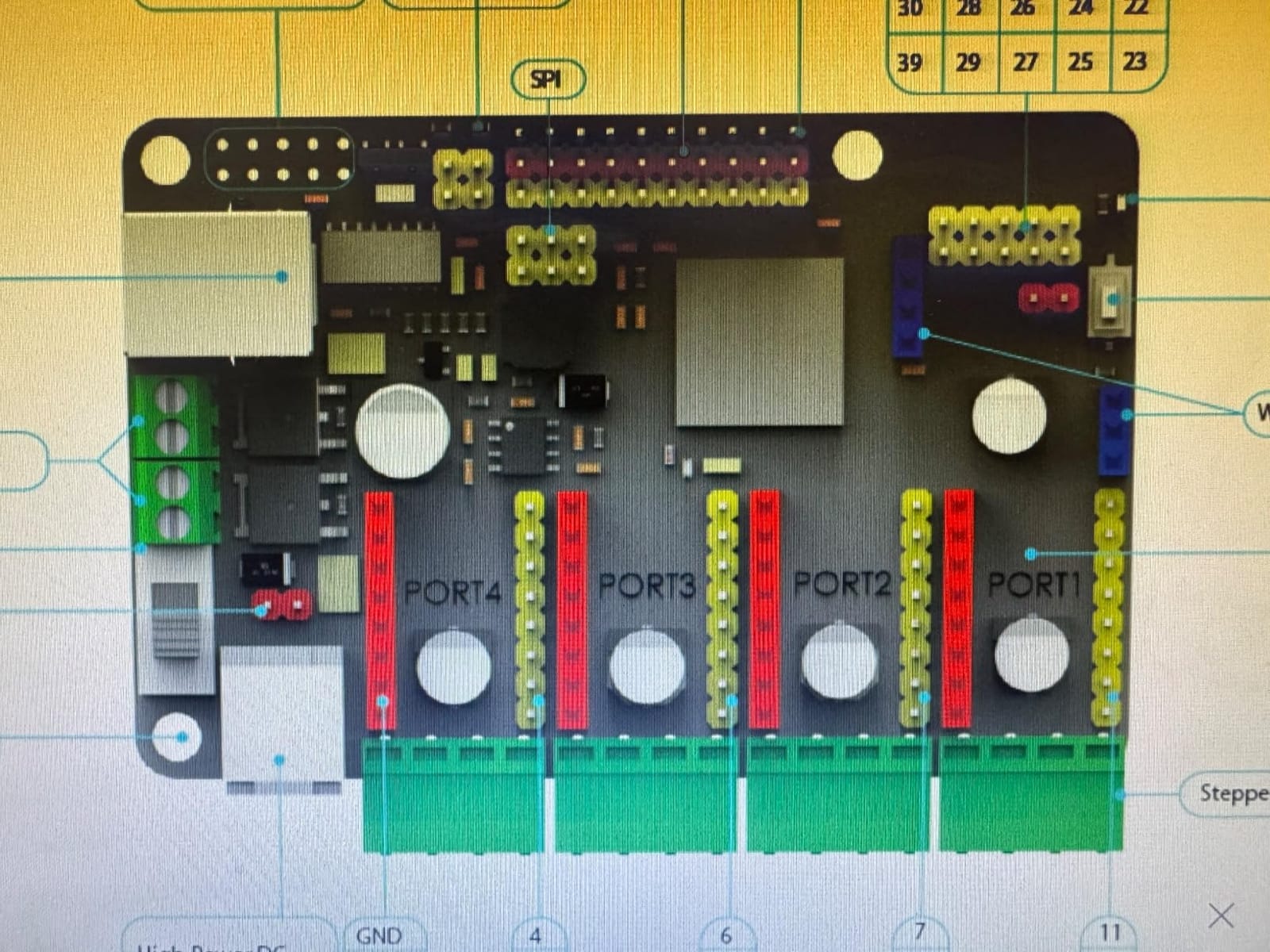
Reviewers consistently praise build quality, part completeness, and the sheer number of models, with the arm and tank singled out. The box measures about 20.86 x 13.38 x 6.69 inches and weighs 8 pounds, so plan a real workbench rather than a coffee table.
The threading in the aluminum parts is the detail that separates it from cheaper kits. Parts connect with standard hardware instead of bespoke clips, so when a bracket breaks six months in you can replace it with a generic fastener and keep going.
Why the ten-in-one format beats buying three kits
A wheeled robot teaches motor drivers and encoder feedback. An arm teaches servo control and inverse kinematics. A tank teaches track physics. Getting all three from one box means you pay for one set of fasteners and one set of tools, and the parts are dimensionally compatible with each other in a way that kits from different brands never are.
For a career-changer this is the argument that matters. Each rebuild is a new lesson on the same hardware platform, so your wiring knowledge compounds instead of resetting.
What to expect from the documentation and software
Only three of the ten designs are covered in the printed booklet, and the rest live online. Documentation for basic functions like Bluetooth control is thin enough that reviewers report pushing to the community forums for help, which is worth knowing before you open the box.
A minority of experienced users report instability in the advertised Python and NodeJS APIs, with some motor functions not working as documented. The Arduino path is the reliable one. If your plan depends on the Python API, read recent owner reviews first and budget time for debugging.
3. ELEGOO Conqueror Robot Tank Kit – Best Tracked Robot for Outdoor and Rugged Builds
ELEGOO Conqueror Robot Tank Kit with UNO R3, Compatible with Arduino
Stainless steel tracked chassis
OV2640 camera with Wi-Fi
IR remote plus FPV driving
7.4 V battery and tools included
Pros
- Metal chassis and suspension feel far more robust than acrylic
- Five working modes including FPV and auto-follow
- Servo-mounted camera adjusts the view angle
- Block coding plus full Arduino IDE access
Cons
- More involved build than a simple wheeled car
- Documentation focuses on the block-coding app
- Battery and tools are a fixed included set
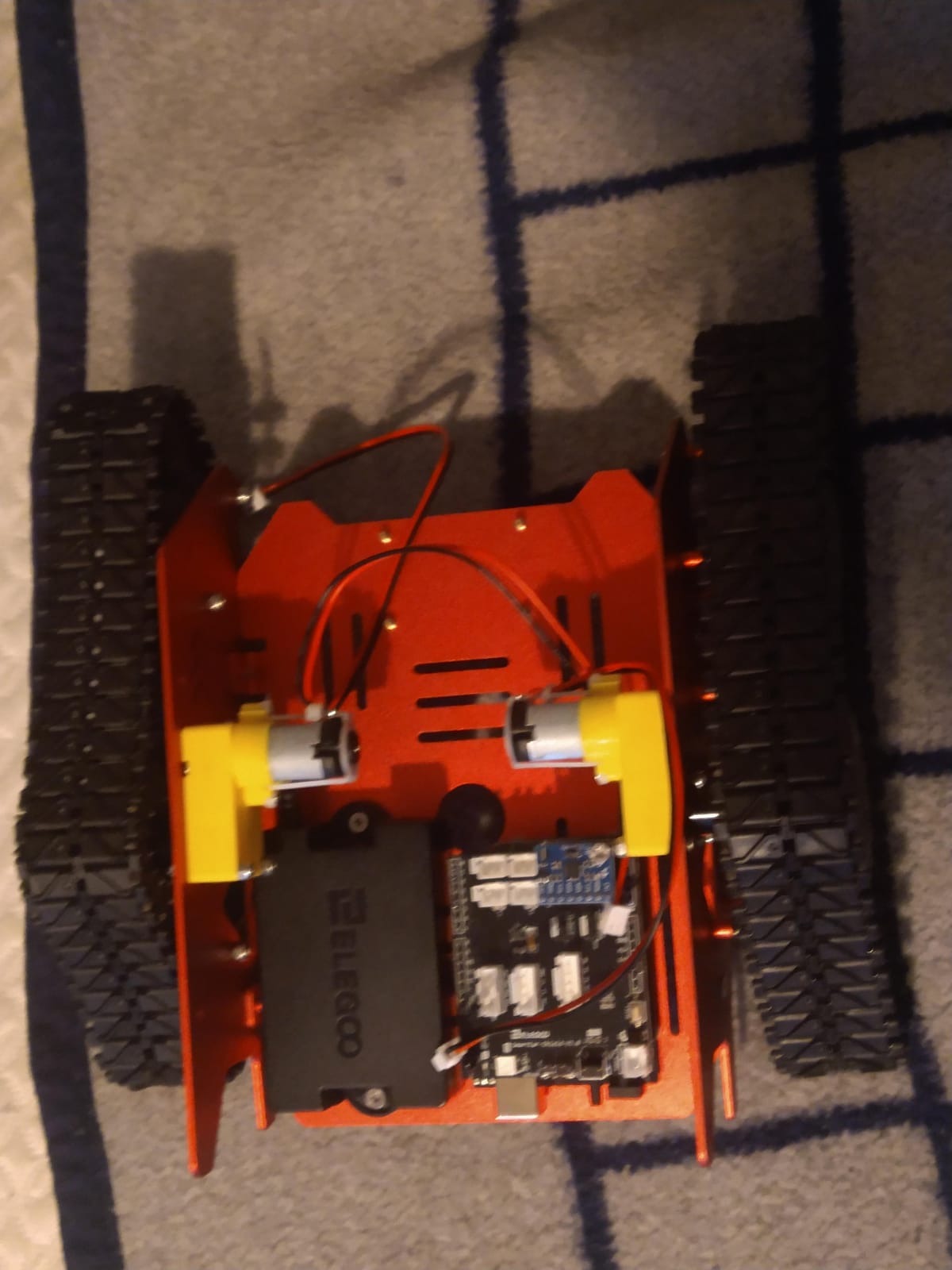
Tracked platforms get dismissed as a gimmick until you drive one over a threshold. The ELEGOO Conqueror uses a stainless steel chassis with real suspension, which means it crosses carpet, cables, and outdoor debris that stops an acrylic wheeled kit dead. It weighs 3.4 pounds, and that weight is functional rather than a spec-sheet lie.
Five modes work once the build is finished: FPV driving over Wi-Fi, IR remote control, obstacle avoidance, line tracking, and auto-follow. The camera sits on a servo mount, so you can physically aim it, which turns the FPV feed into something you can actually steer by instead of watching a fixed forward cone.
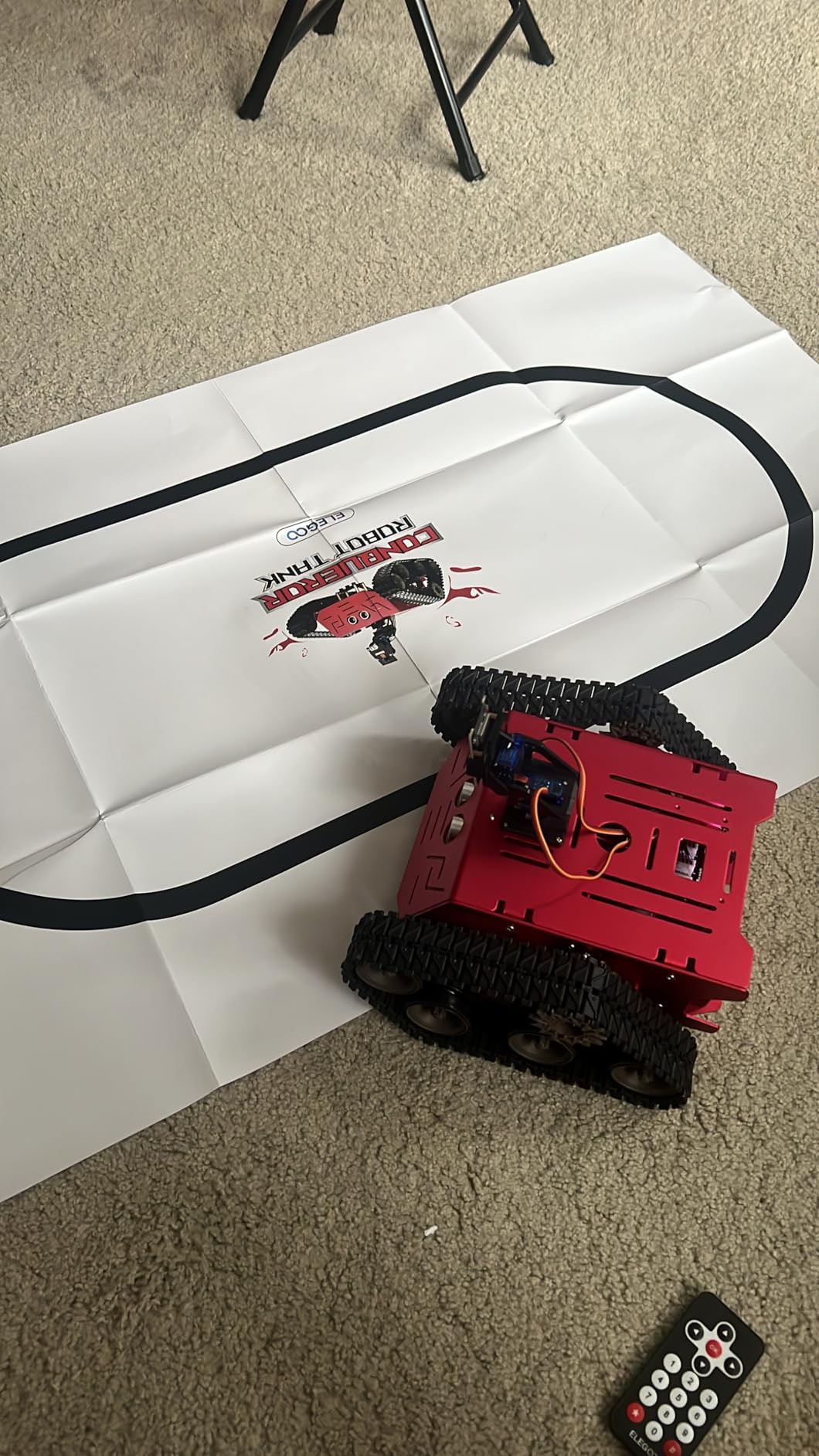
For adults who want their first robot to survive a patio or a garden bed, this is the kit I would pick. The metal construction is the differentiator, and reviewers repeatedly single out the durability alongside the number of modes available immediately after assembly.
It ships with tools and a 7.4 V battery, so there is no extra purchase to make a first run happen. Dimensions are about 8.58 x 8.78 x 7.4 inches, compact enough to store indoors between sessions.
What tracked drive teaches you that wheels cannot
Tracked drive changes how you think about torque, traction, and turning radius. Differential steering on a tank is mechanically simple, which makes it a good platform for learning PID-style control loops without the complexity of a four-wheel skid-steer.
It also handles uneven ground, which means your sensor mounting matters more. An ultrasonic sensor angled slightly upward reads the floor differently than one aimed level, and a tracked robot makes that difference obvious in a way a flat indoor car does not.
Where the Conqueror asks more of you
The build is more involved than a basic wheeled car because the tracked chassis has more to assemble and align. Plan two sessions rather than one, particularly if this is your first time working with a suspension-style frame.
Documentation concentrates on the ElegooKit block-coding app, and the Arduino customization path is left more to the user. That is a reasonable trade if you already code, and a frustrating one if you bought it expecting guided text-mode lessons.
4. Freenove Big Hexapod Robot Kit – Most Compact for Legged Locomotion
Freenove Big Hexapod Robot Kit for Raspberry Pi 5 4 B 3 B+ Zero 2 W, Walking, Self Balancing, Face Recognition, Ultrasonic Ranging, App Control, Camera, Servo (Raspberry Pi NOT Included)
Six legs with three motors each
Walking and self-balancing
Camera and ultrasonic ranging
Python source and guide included
Pros
- Genuinely advanced six-legged walking platform
- Rotatable head with camera and ultrasonic sensor
- Complete Python code plus a step-by-step assembly guide
- Wireless control from phone or computer
Cons
- No printed tutorial; guide is download only
- Raspberry Pi and battery must be bought separately
- Adds meaningful cost before the first build
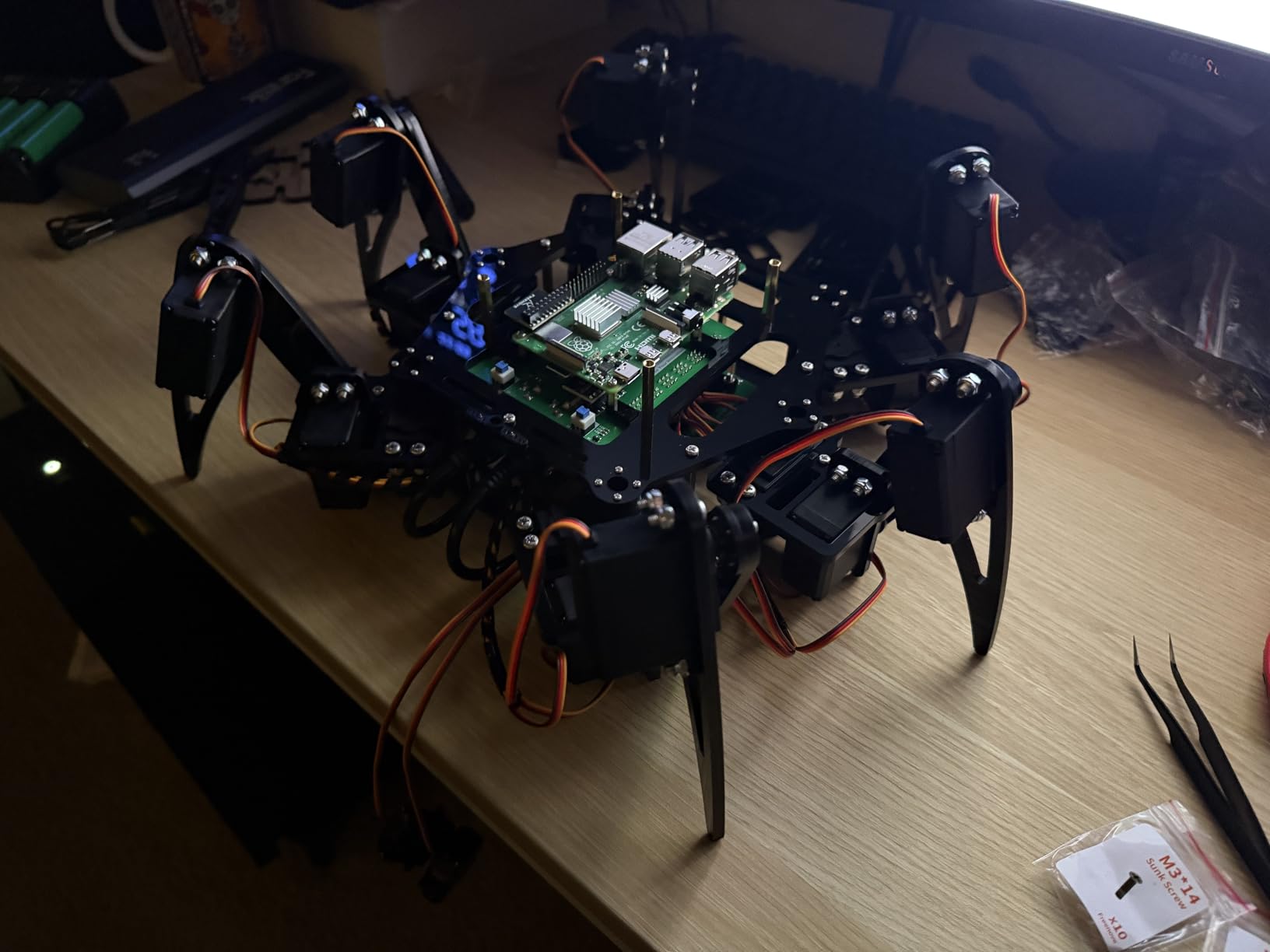
Six legs means eighteen servos, and eighteen servos means gait design. That is the entire appeal of this kit. Instead of writing a motor driver and hoping the car goes straight, you are tuning how three motors per leg cooperate, and the payoff is a machine that walks over uneven ground the way nothing else in this roundup can.
The self-balancing behavior is the demo that ends the skepticism of anyone who thinks legged robots are a gimmick. Out of the box the hexapod holds itself up and steps, and the head rotates independently with a camera and an ultrasonic distance sensor scanning the space ahead.
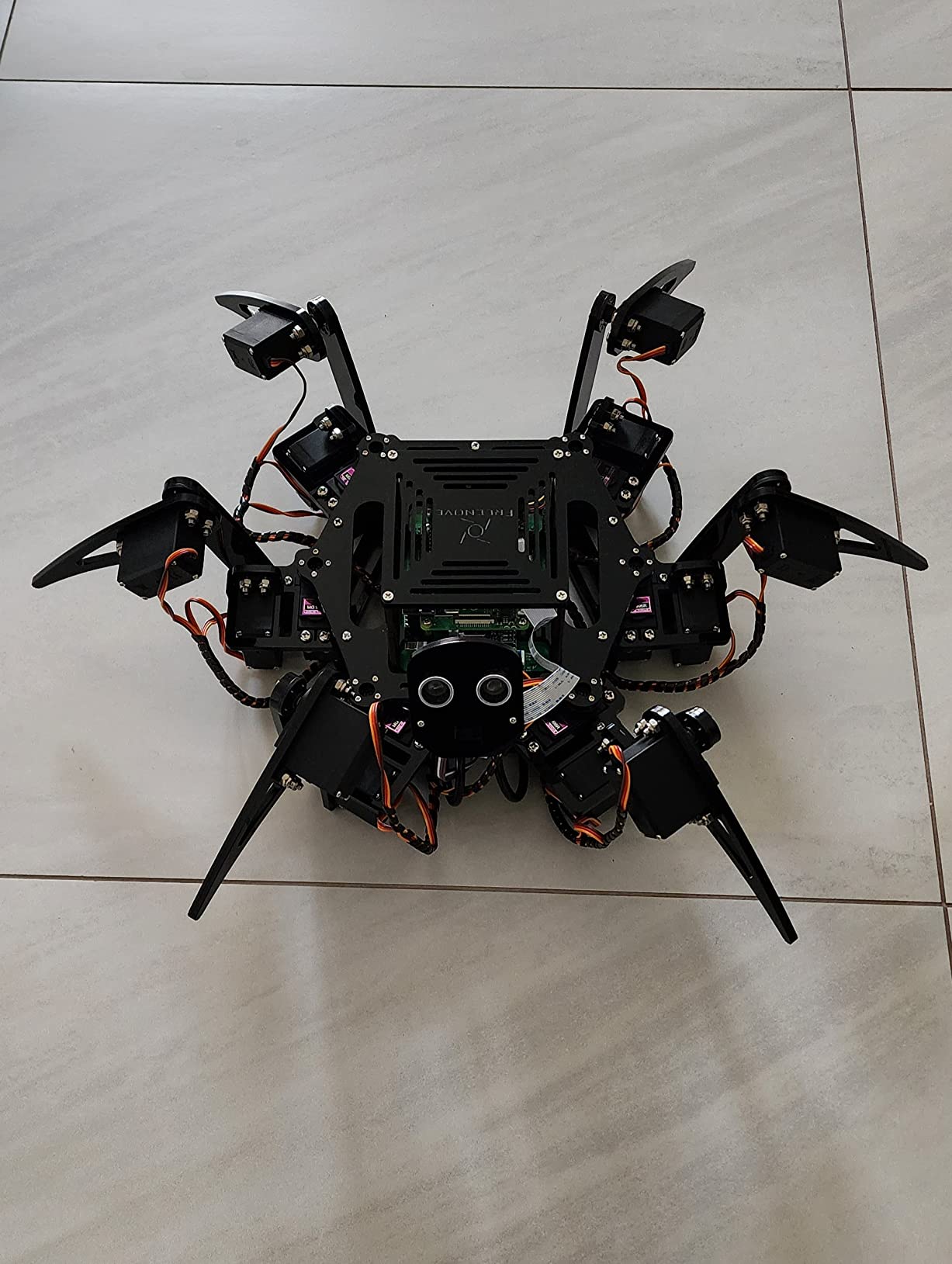
Full Python source code and a step-by-step assembly guide are included, and the code covers walking, self-balancing, face recognition, and ultrasonic ranging. That combination of working example code and a real sensor suite is what separates this from kits that ship with a demo script and nothing else.
Wireless control works from an Android phone, iPhone, or Windows, macOS, or Raspberry Pi OS, so you are not tied to one machine. The guide is download-only rather than printed, which is a small annoyance rather than a real barrier.
Why eighteen servos are a feature, not a flaw
Each leg has three motors controlling a different plane of movement, so getting a stable gait means solving a real coordination problem. That is the same class of problem a legged robot in a research lab faces, compressed into a kit you can hold in two hands.
It also teaches closed-loop thinking. A servo is a feedback device, and once you see the hexapod correct a tilt in real time, the mental model for closed-loop control clicks in a way no line-following car will produce.
What the Raspberry Pi requirement costs you in time and money
The Raspberry Pi is not included, and neither is the battery. Add both to your real budget before ordering, because they are the difference between a weekend project and a two-week project. Weights and dimensions are not published for the assembled robot, so allow for a large footprint.
Buyers consistently rate the complexity and realism of the gait as the main draw, and cite the download-only tutorial and the separate Pi purchase as the main setup hurdles. If you have never set up a Raspberry Pi, do that first and the hexapod will be straightforward.
5. Freenove Robot Dog Kit – Best Value Quadruped for Gait Experimentation
FREENOVE Robot Dog Kit for Raspberry Pi 5 4 B 3 B+ Zero 2 W, Walking, Self Balancing, Face Recognition, Ball Tracing, Ultrasonic Ranging, App Control, Camera, Servo (Raspberry Pi NOT Included)
Four legs with three motors each
Self-balancing and ball tracing
Camera and ultrasonic ranging
Compatible with Raspberry Pi 5
Pros
- Convincing dog-like walking from simple hardware
- Self-balancing and ball tracing work out of the box
- Rotatable head with camera and ultrasonic sensor
- Full Python source and assembly guide
- Works with a wide range of Pi models
Cons
- No printed tutorial
- Download-only documentation
- Raspberry Pi and battery not included
A quadruped is the smart middle ground between a wheeled rover and a hexapod. Twelve servos is enough to produce genuinely dog-like movement, including sitting, and it costs less attention and less money than the six-legged kit. If you want to study gait without committing to eighteen servos, start here.
The behaviors included are the ones that make a legged robot feel alive: self-balancing when you nudge the chassis, and ball tracing where the robot finds a colored ball and follows it. The head rotates independently, so the camera and ultrasonic sensor can look around while the body walks.
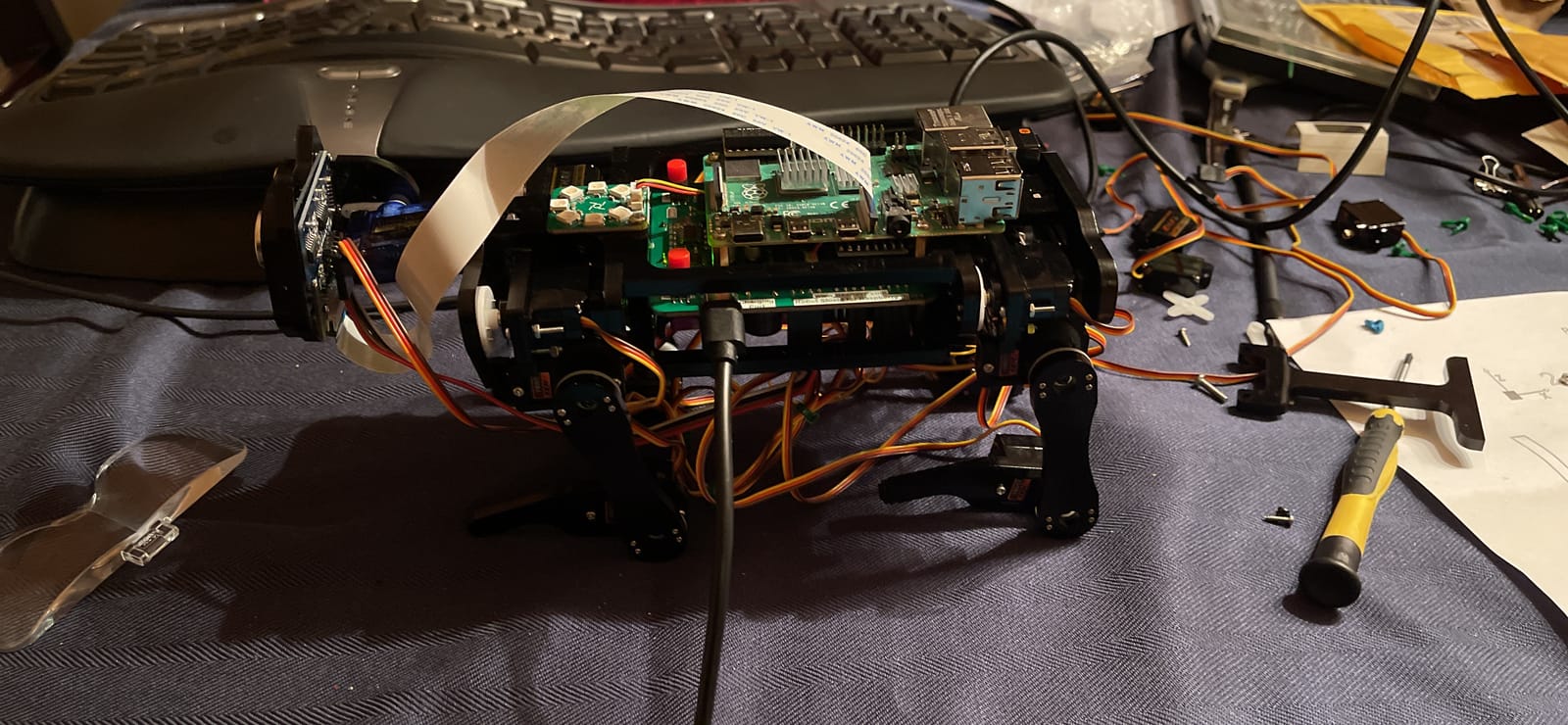
Full Python source and an assembly guide are supplied, and the wiring is organized well enough that a first build is mostly connector placement. Buyers like the emergent behavior, meaning simple sensors and code combine into something that looks more sophisticated than the hardware should allow.
Compatibility is broad: Raspberry Pi 5, 4B, 3B+, 3B, 3A+, and Zero 2 W all work. Weight is around 2.1 pounds with dimensions of about 3.94 x 0.39 x 5.91 inches for the unit, so it stores easily when you are not using it.
How a quadruped compares to a hexapod for beginners
Four legs is fewer points of failure. When a gait misbehaves on a quadruped, you have twelve joints to reason about instead of eighteen, and the self-balancing routine has more margin for error before the robot simply tips.
You also give up some terrain ability. A hexapod distributes weight across six contact points and handles rough surfaces more gracefully, while a quadruped is happiest on floors and low carpet. For a first legged project on a normal workbench, the quadruped is the smarter starting point.
What the ratings tell you about expectations
At 4.1 from 453 reviews, this kit sits below the leaders in this group, and the reason is consistently practical rather than fundamental. The download-only tutorial and the need to add a Raspberry Pi and a battery are the two complaints that appear again and again.
Set your expectation correctly and it is a rewarding build. The Python examples are complete, the behaviors are real, and the robot genuinely walks. It is a platform project, not an appliance.
6. LewanSoul LeArm 6DOF Robotic Arm – Best 6-Axis Arm for Learning Manipulation
LewanSoul Robotic Arm Kit 6DOF Programming Robot Arm with 5 Servo, Handle, Mechanical Claw and More, PC Software APP Control with Tutorial
Six-axis desktop arm
Six digital servos with anti-stall clutches
Metal brackets with industrial bearings
PC, app, mouse, handle control
Pros
- Metal bracket construction gives a stable base
- Anti-stall gear clutches protect the end servos
- Four control paths including PC software and app
- Graphical programming included with tutorials
Cons
- Assembly and servo alignment take real time
- Documentation thinner than the hardware quality
- Limited gripping strength on heavy objects
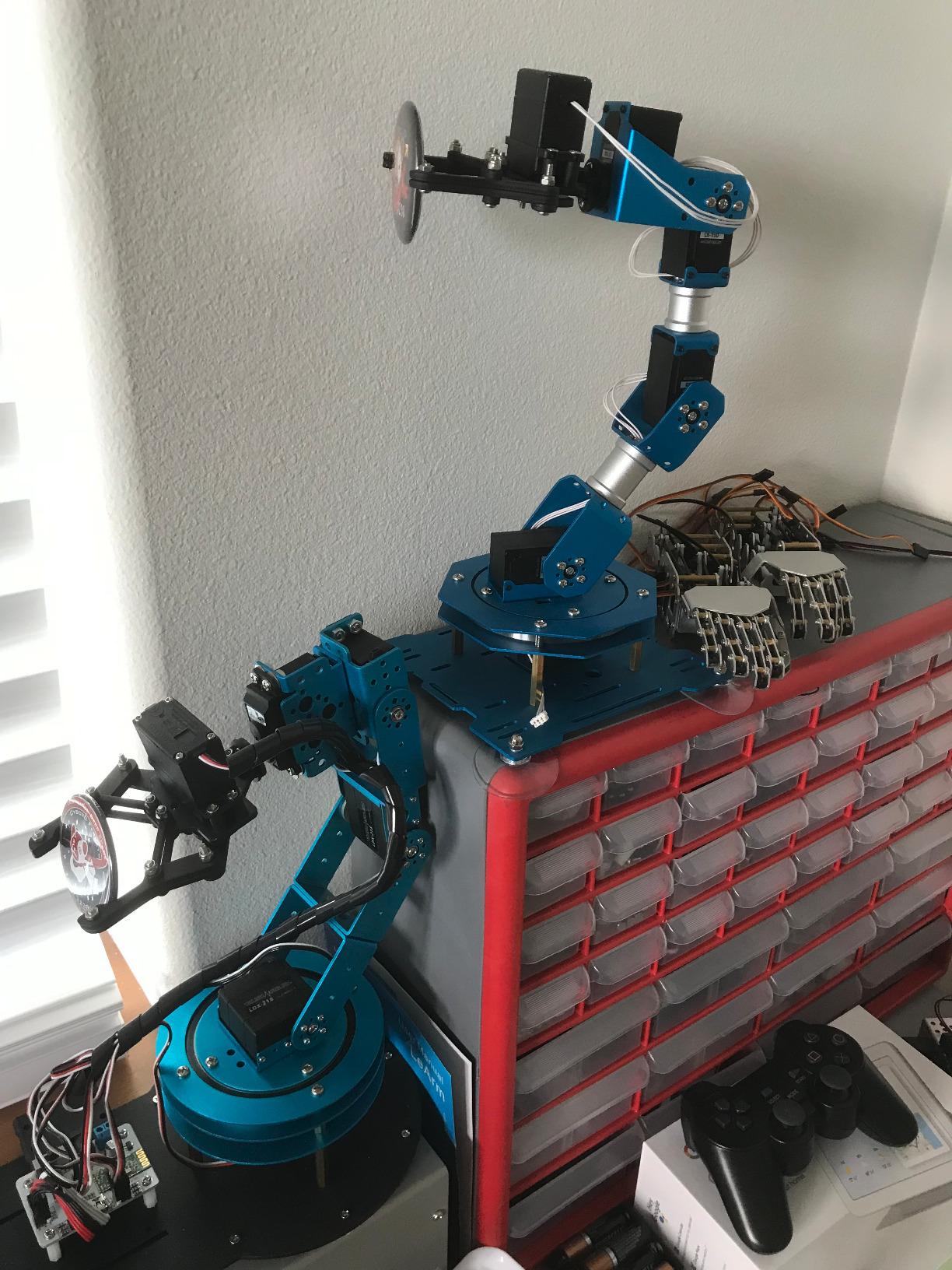
Robotic arms are where a lot of adult hobbyists end up, because pick-and-place is the clearest link to manufacturing, warehouses, and lab automation. The LeArm gives you six axes, six digital servos, and a metal bracket frame with industrial-grade bearings, which is a sturdier base than the plastic arms at this level usually offer.
The anti-stall feature is worth pausing on. The end servos use gear clutches that slip under excessive load rather than burning out, so when your program commands more force than the gripper can deliver, the servo survives. That single design choice saves more hardware than anything else on the list.
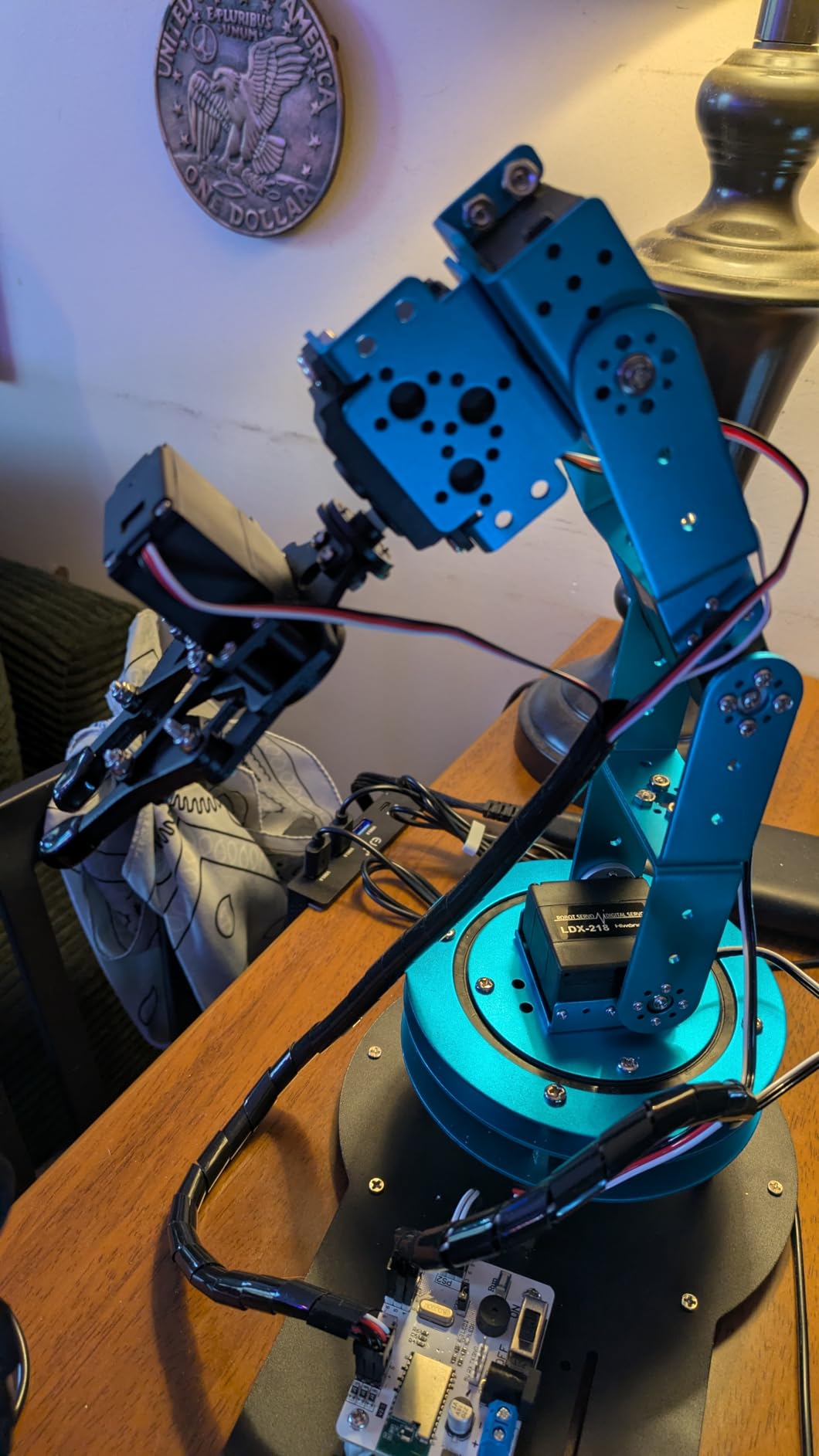
Control options are unusually broad: PC software, a phone app, mouse control, and a wireless handle. The graphical programming software lets you record a motion and replay it, which is how you learn the difference between a single joint move and a coordinated multi-axis sequence.
It weighs about 4.2 pounds and runs on AC power, so it stays put on a desk. Rated for ages 16 and up, this is genuinely an adult-scale kit rather than a classroom toy.
What a six-axis arm teaches about motion planning
Six axes means the end effector can be positioned and oriented independently, which is the difference between reaching a point and placing an object at a chosen angle. Once you start recording sequences, you are effectively writing a tiny program for a pick-and-place cell.
It is also where the limits become useful. The arm’s gripping power is limited to small, light objects, so you learn early that payload and reach are engineering constraints, not product defects.
Plan your build time honestly for this arm
Assembly and servo alignment take significantly more time and patience than a wheeled kit, and the alignment step is where most first-time builders get stuck. Each joint needs to be at a neutral angle before you tighten brackets, or the arm will hit its own limits in one direction.
Documentation is thinner than the hardware quality suggests, and reviewers note this directly. Plan on the assembly videos and community examples as part of the process rather than a fallback.
7. SunFounder PiDog AI Robot Dog Kit – Best for Voice AI and Large Language Model Projects
SunFounder PiDog AI Robot Dog Kit for Raspberry Pi 5/4/3B+/Zero 2W, Openclaw LLMs ChatGPT/Gemini/Grok, Voice&Video Recognition, Python, App, Gyroscope, Camera (RPI NOT Included)
Twelve servos with 32 actions
ChatGPT Gemini and Grok support
Camera microphone and speaker
Aluminum alloy body
Pros
- Twelve servos drive 32 dog-like actions including walking and tricks
- Rich sensor suite covering ultrasonic touch gyro sound camera and microphone
- Works with ChatGPT Gemini Grok DeepSeek Qwen and local Ollama
- Well-organized labeled parts with video tutorials
- Responsive manufacturer support for replacement parts
Cons
- Not beginner friendly
- About 70 assembly steps with fragile fasteners
- Supplied screws can strip
- Feet design limits uneven terrain
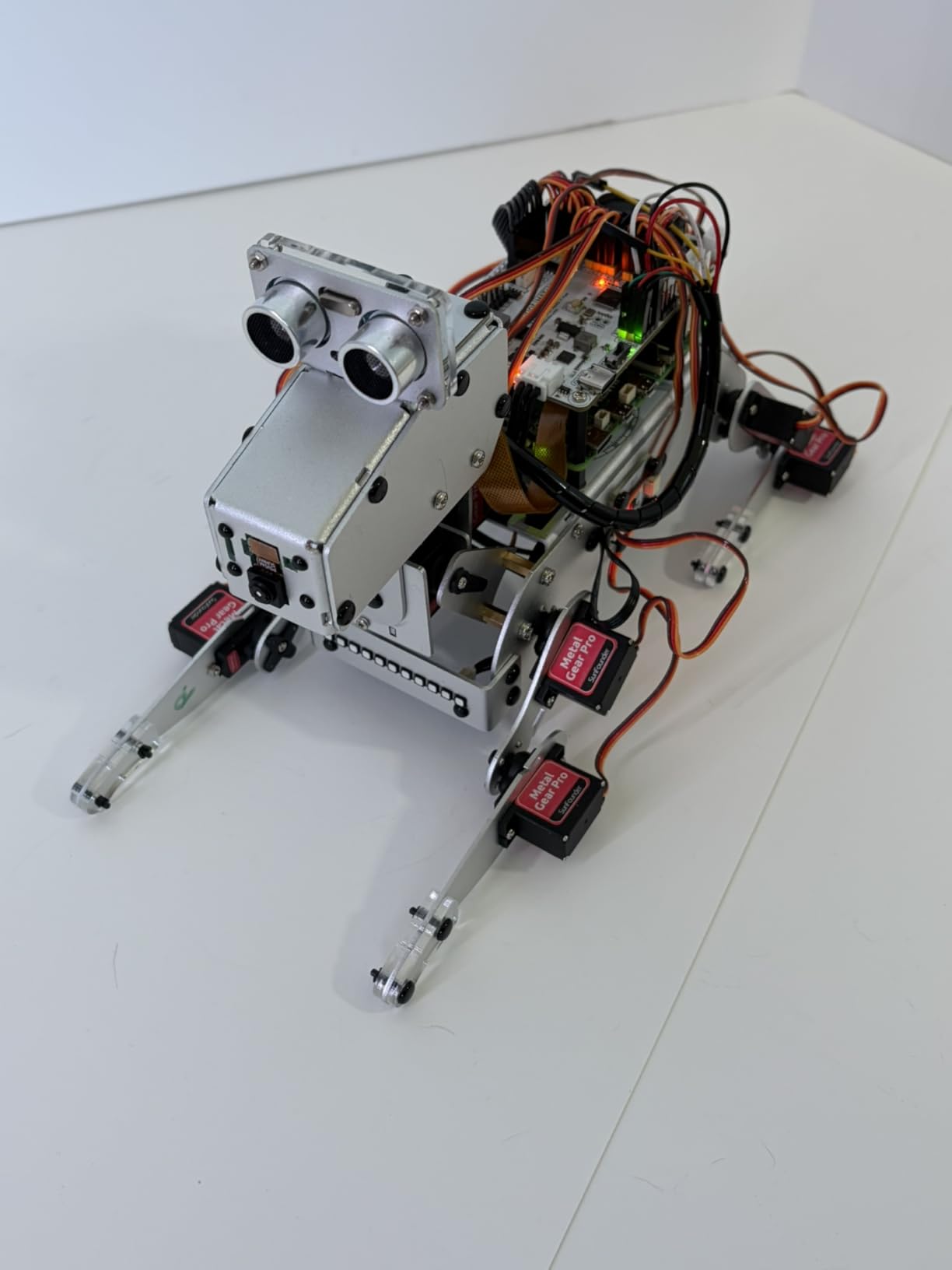
Nothing else in this roundup is built around conversational AI from the start. The PiDog integrates with ChatGPT, Gemini, Grok, DeepSeek, and Qwen, and it can run local models through Ollama if you would rather keep voice data on your own machine. With a camera, microphone, and speaker on board, the robot can see you, hear you, and answer back.
Twelve servos drive 32 distinct actions, including walking, sitting, and tricks, so the LLM response has somewhere to go visually. Without a body, a voice assistant is a browser tab. With this, the answer arrives as a physical gesture, which is what makes the demo land with people.
The sensor suite is unusually complete: ultrasonic, touch, gyroscope, sound, camera, speaker, and microphone. An aluminum alloy outer structure and two included lithium-ion batteries round out a package that feels considered rather than assembled to hit a parts count.
Users on hobbyist forums single out SunFounder’s support as a real advantage, with replacement parts actually arriving when something breaks. For a kit with this many small components, that matters.
What a local LLM integration actually requires
Running a model locally through Ollama means your robot works without sending audio or video to an external service, which matters for privacy and for anyone on an unreliable connection. The trade is that model setup and Python configuration are entirely on you. There is no guided path here.
Voice recognition can be finicky in a noisy room, and reviewers mention this directly. Test it in a quiet space before concluding the hardware is at fault.
Why beginners should start elsewhere
Raspberry Pi setup and Python comfort are effectively required, and around 70 assembly steps with small screws and nuts demand careful handling. Reviewers warn beginners away for a reason: the supplied fasteners are fragile and can strip, which turns a small mistake into a parts hunt.
The feet design also limits walking on uneven terrain, so keep this one on flat floors. If you want voice AI as your first robotics project, pick a car platform instead and come back to this once your setup is routine.
8. Adeept 5DOF Robotic Arm Kit – Best Starter Arm on a Budget
Adeept 5DOF Robotic Arm Kit for Arduino IDE, Programmable DIY Coding Kits
Five-axis Arduino arm
Potentiometer and PC GUI control
OLED display with self-learning mode
One-year parts warranty
Pros
- Compact and well-priced entry into Arduino robotics programming
- Assembly around two hours with clear diagrams
- Potentiometer knobs plus PC GUI control
- OLED display with drawing and imitation routines
- Fast support for faulty servos and boards
Cons
- Instructions omit steps and some photos are inaccurate
- Requires 18650 batteries and a separate charger
- Hardware does not always match the tutorial dimensions
- Low grip strength
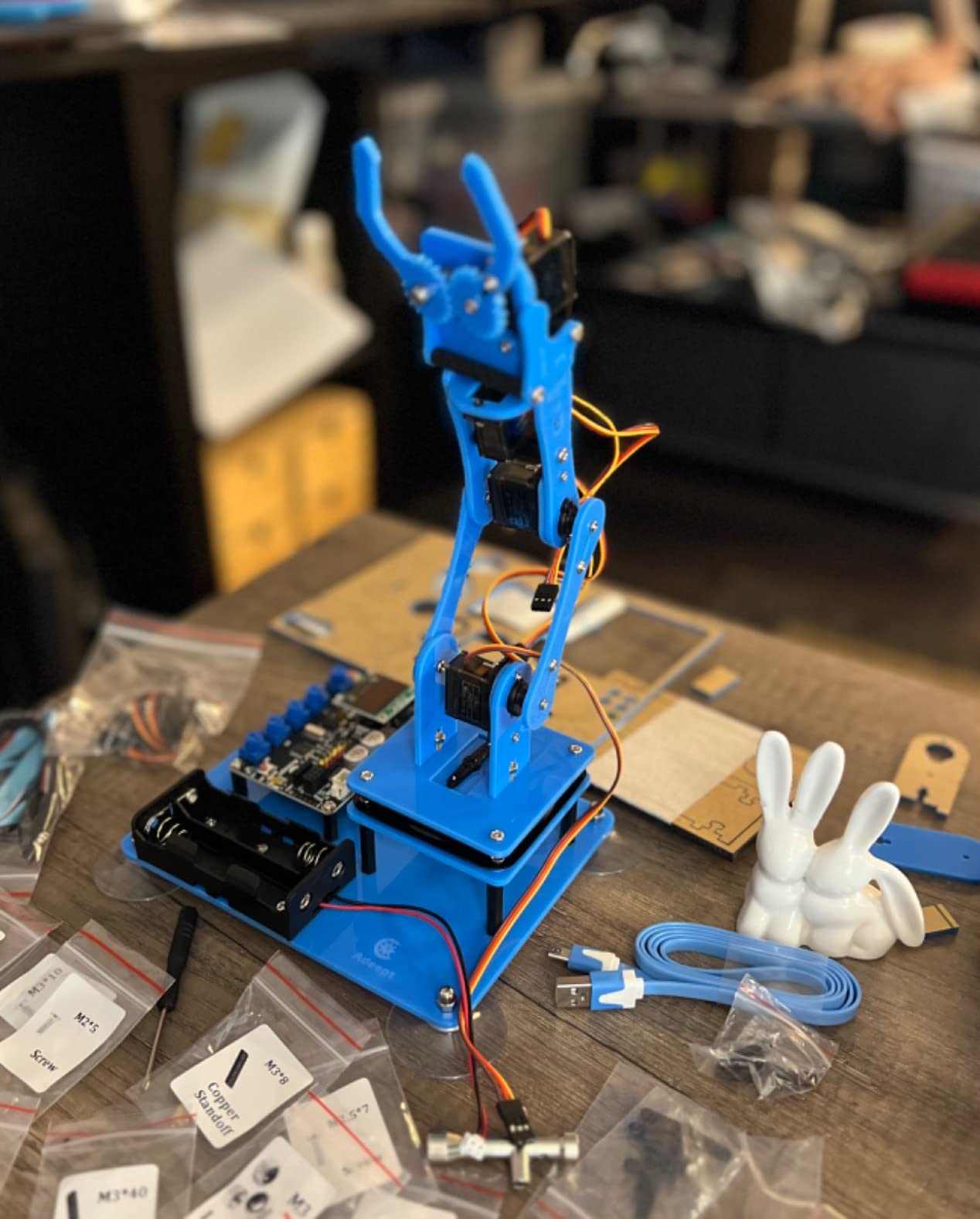
Two hours, a screwdriver, and a working five-axis arm is a fair trade for anyone who wants to learn robotic arm control without spending a weekend on assembly. The Adeept uses potentiometer knobs for direct manual control and a PC GUI for programmed sequences, so you can feel the difference between teleoperation and automation on the same hardware.
The included routines are the interesting part for beginners: self-learning, drawing, and imitation modes let the arm trace a path you guide it through, then repeat it. That is an intuitive way to understand waypoint recording before you write a line of coordinate math.
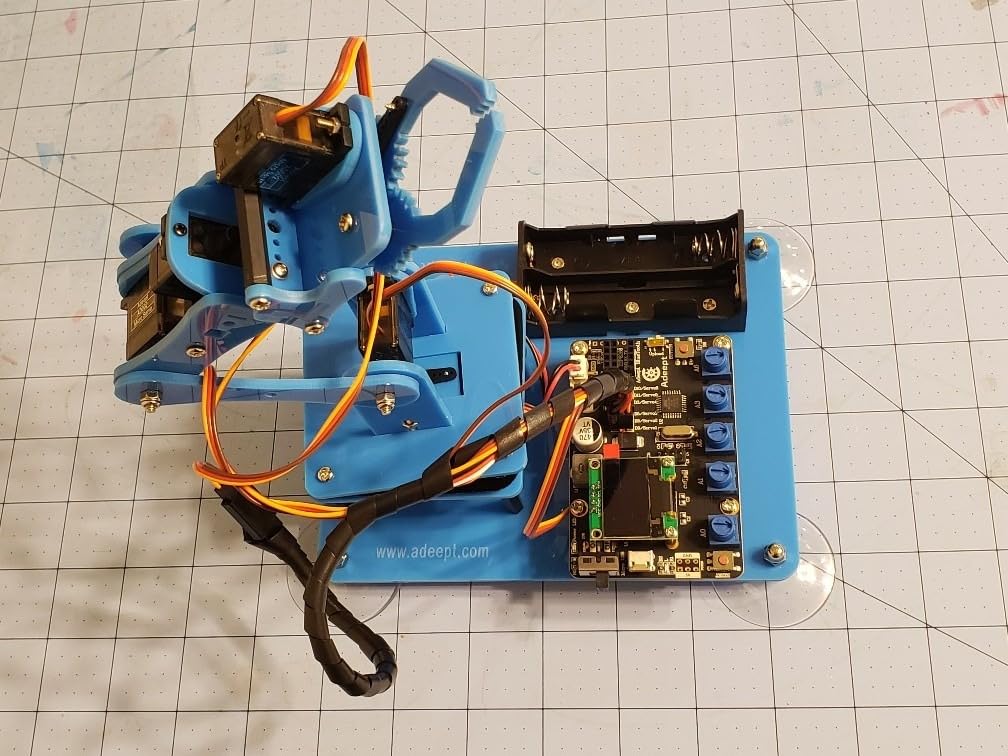
Reviewers describe the product itself as well made and educational, often calling it a good first robotics arm. The repeated complaint is not build quality. It is documentation, which is the weakest element in this entire group.
The box includes spare hardware and a one-year parts warranty, and support has been fast when servos or boards arrive faulty. Weight is around 0.68 kg with dimensions of about 8.8 x 6.3 x 2.3 inches, so it is the most compact arm here.
What a five-axis arm can and cannot do
Five axes gets you reach, lift, and rotation, which covers a lot of tabletop demonstration. You cannot independently control wrist roll the way a six-axis arm can, so precise orientation of a grasped object is limited.
Grip strength is low with a small weight limit, so treat this as a teaching arm rather than a working one. That is fine if you are learning control logic and a problem if you want to move anything substantial.
What to buy before you start building
It requires 18650 lithium-ion batteries and a separate charger, neither of which is included. That is the hidden cost that catches people out, and the batteries are non-standard enough that you should factor them into your budget before ordering.
Instructions omit key steps, some photos do not match the hardware, and Bluetooth and Wi-Fi expansion is undocumented. Read the recent reviews closely and allow extra time for troubleshooting.
9. Hiwonder xArm1S 6DOF Robotic Arm – Best for Precise Grasping and Feedback Servos
Robotic Arm for Arduino Coding Programming 6DOF Hiwonder-xArm1S STEM Educational Building Robot Arm Kits, 6 AXIS Full Metal Robotic Arm Wireless Controller/PC/App/Mouse Control Learning Robot
Six serial bus servos with feedback
Grasp capacity near 500g
Anodized aluminum frame
PC app mouse and remote control
Pros
- Excellent anodized aluminum fit and finish
- Serial bus servos report position voltage and temperature
- Repeatable precise grasping up to roughly 500g
- Four control paths with programmable action groups
- Clear assembly videos
Cons
- Sixth servo drives the gripper so it is really a 5-axis arm
- Printed instructions do not identify which servo goes where
- Motion becomes jerky when fully extended
- App requires an M1-or-later Mac
This is the most capable arm in the roundup for real work. The servos are serial bus units that report their own position, voltage, and temperature back to the controller, which means your program can tell whether the arm actually reached the commanded angle or stalled short. That feedback loop is the single biggest technical step up from hobby-grade hobby servos.
It also grips properly. Roughly 500 grams of payload with repeatable positioning means you can move a real object consistently, not a paper weight. For anyone curious about lab automation or warehouse picking, this is the kit that gets you closest to the real thing.
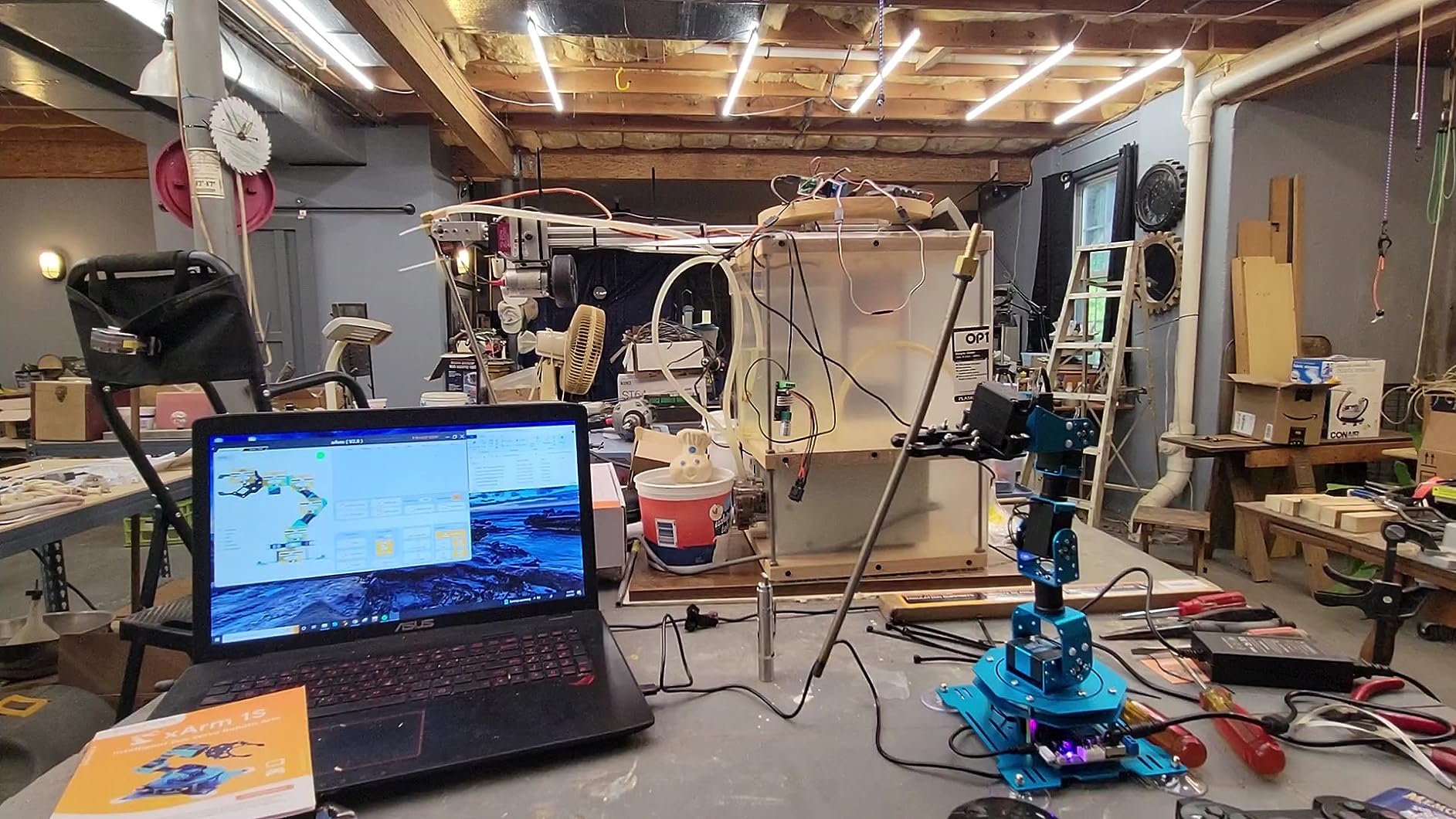
Robotics-experienced reviewers consistently rate the hardware itself as excellent, citing the bus servos and the solid aluminum machining. The construction is anodized aluminum with high-torque base servos and industrial bearings, and the fit and finish are noticeably above the rest of the field.
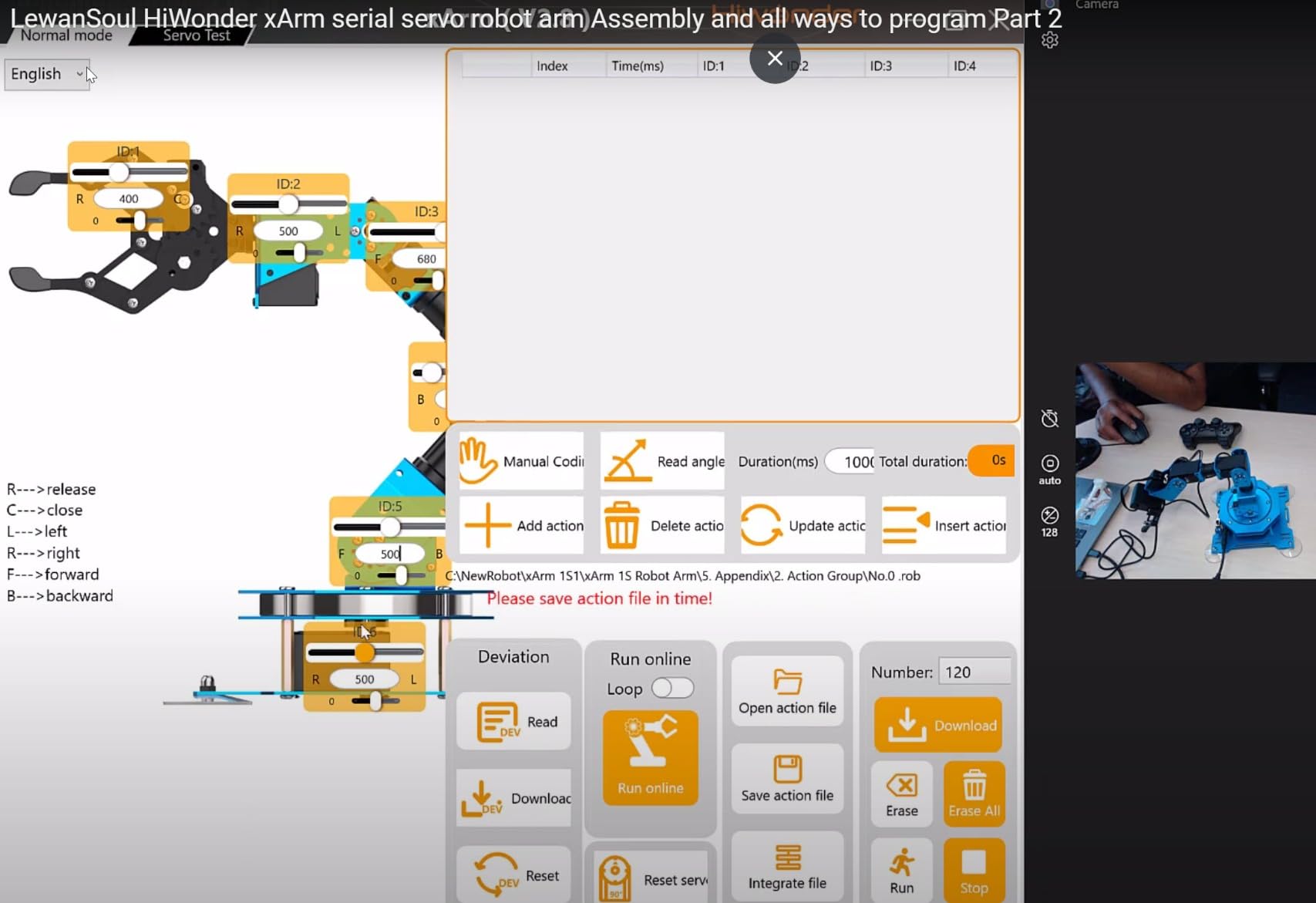
Control runs through PC software, a phone app, mouse, or a wireless controller, and you can build and edit action groups. Offline manual recording lets you demonstrate a sequence without a computer attached.
Why servo feedback changes what you can program
A standard hobby servo is a black box that either reaches an angle or does not. A bus servo reports back, so you can write code that checks for stall, corrects, and logs. That is the foundation of anything resembling industrial robotics, and it is why experienced builders rate this arm’s hardware the highest in the group.
Temperature feedback adds a durability angle too. You can build in a limit that aborts a motion before a joint overheats, which is exactly the kind of constraint a real cell has to handle.
Know about the labeling and documentation before you buy
Despite the 6DOF name, the sixth servo drives the gripper, making this effectively a five-axis arm. Know that going in, because the marketing implies more articulation than you get. Servo motion also becomes jerky when the arm is fully extended.
Printed instructions are insufficient and do not identify which servo belongs in which slot, though assembly videos are clear and well produced. The control app requires an M1-or-later Mac, which is not documented on the product page and catches PC-only buyers out.
10. SunFounder Picar-X AI Robot Car Kit – Best for Computer Vision with a Raspberry Pi
SunFounder Picar-X AI Robot Smart Car Kit for Raspberry Pi 5/4/3B+/Zero 2w, Openclaw LLMs ChatGPT/Gemini/Grok, Voice&Video Recognition, Python, Scratch, Camera (RPI NOT Included)
OpenCV and MediaPipe vision
ChatGPT Gemini Grok and Ollama
Python and Scratch support
Raspberry Pi 5 compatible
Pros
- Multi-LLM support through OpenClaw including local Ollama
- Camera vision with OpenCV and MediaPipe plus text to speech and speech to text
- Supports Python and Scratch so beginners and advanced users can both start
- Line following and obstacle avoidance with a full sensor set
- Customizable aluminum design with forum support
Cons
- Raspberry Pi not included
- Best results need prior experience
- AI and sensor features require programming rather than working out of the box
The Picar-X is the shortest path from a Raspberry Pi to a robot that does computer vision. The camera runs through OpenCV and MediaPipe, and the AI layer connects to ChatGPT, Gemini, Grok, DeepSeek, Qwen, or a local Ollama model, so you can build a car that identifies objects and narrates what it sees.
What separates it from the other Pi kits here is the dual language support. Scratch gives a beginner a working line follower on day one, and Python gives an experienced developer the full vision and LLM stack. Most kits force that choice; this one lets you start wherever you are and move across later.
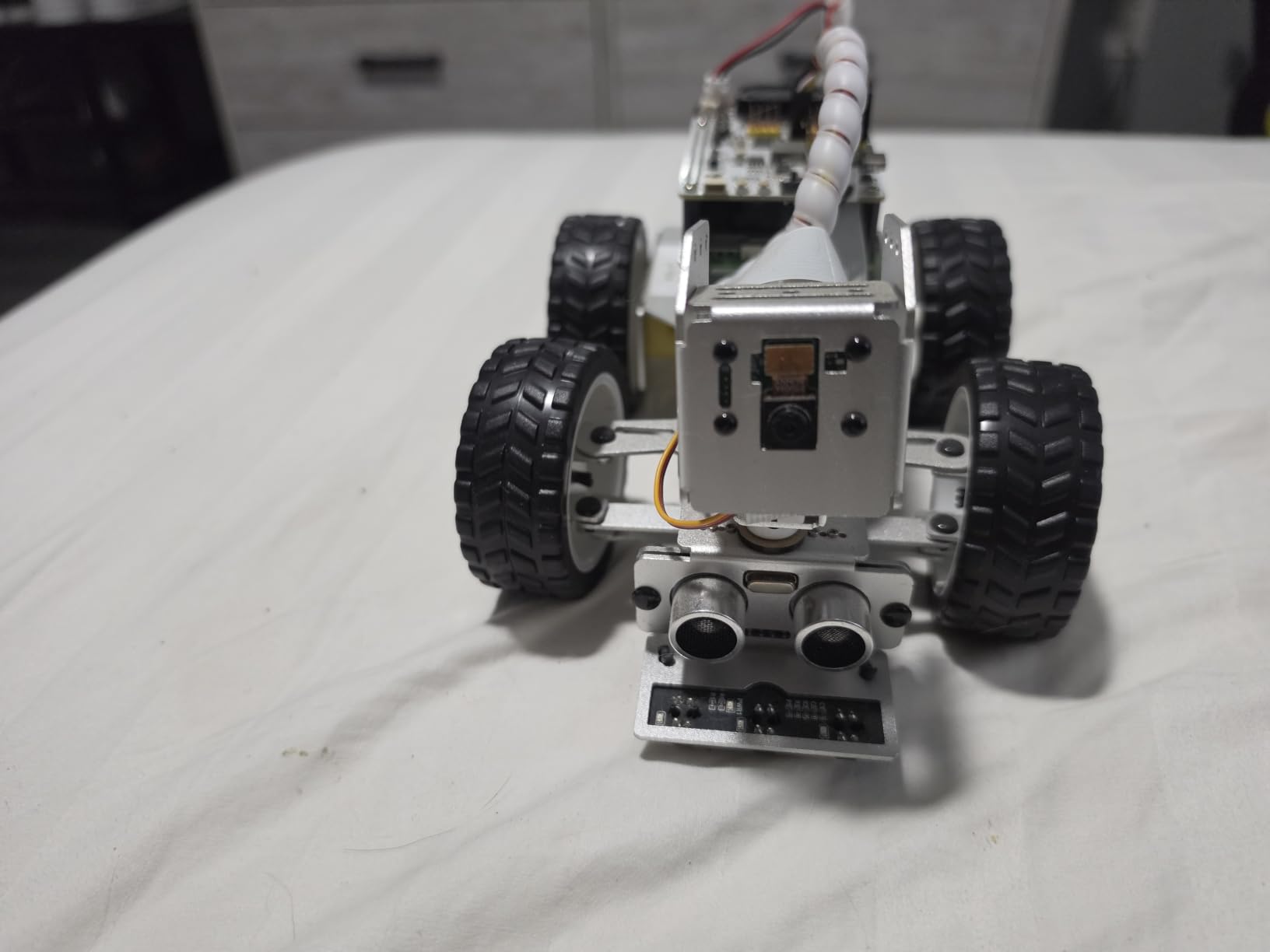
Text to speech and speech to text are both included, which turns the car into a voice-controlled platform rather than a silent one. Add line following and obstacle avoidance from the sensor suite and you have a full autonomous-vehicle teaching stack on a chassis weighing about 798 grams.
The aluminum body is customizable, and assembly instructions plus an active forum give you somewhere to go when something does not work. Buyers like the approachable AI platform; they also note it appeals strongly to students and educators.
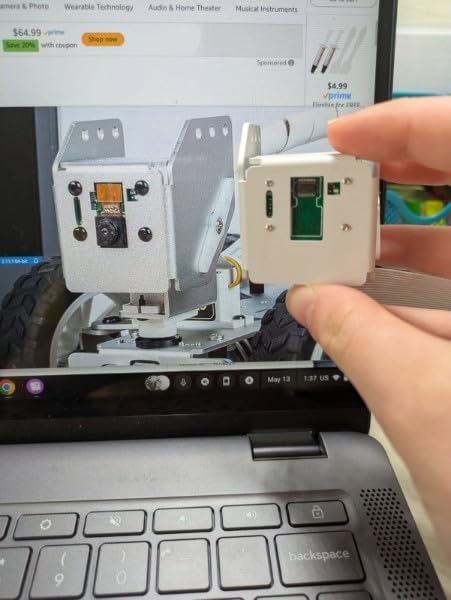
How vision and language models work together on this car
The camera feeds a vision pipeline, and the result feeds the language model, which produces a response. Because text to speech is included, the car speaks back. The practical use is a mobile assistant platform you can extend with your own code rather than a fixed demo.
Running Ollama locally means the vision and language steps happen on your machine, which keeps image data off external services. It also means you need a Pi with enough memory for the model you choose, so test with a small one first.
The honest limits of a first-day experience
The Raspberry Pi is not included, and the AI features do not work out of the box. Meaningful results depend on adding hardware and investing real time in configuration, which reviewers state plainly rather than burying.
If you want a finished AI behavior in an afternoon, this is the wrong kit. If you want a platform to build an AI project on across several weeks, it is one of the better ones available in this category.
11. OSOYOO Robot Car Starter Kit for Arduino – Best Budget Arduino Platform
OSOYOO Robot Car Starter Kit for Arduino | STEM Remote Controlled App Educational Motorized Robotics for Building Programming Learning How to Code | IOT Mechanical DIY Coding for Teens Adults
Arduino R3 with WiFi shield
Bluetooth module and five tracking sensors
Phone app with battle bot mode
Acrylic chassis
Pros
- Unusually large module bundle including WiFi shield Bluetooth and sensors
- Supports line tracking object following obstacle avoidance and gravity sensing
- Imitation driving WiFi auto driving and battle bot app modes
- Full Arduino R3 compatibility for circuits sensors and IoT
- Strong value for the module count
Cons
- No battery included
- Tutorial is a CD rather than current online documentation
- Acrylic chassis is less durable than metal alternatives
The OSOYOO starter is the parts-bin option. Between the WiFi shield, Bluetooth module, ultrasonic sensor, five line-tracking modules, two obstacle sensors, buzzer, servo, and IR remote, you get more electronics to experiment with than from several competitors combined, and every one of them speaks the standard Arduino protocol.
That matters if your plan is to learn electronics rather than to finish a robot. Each module is a separate experiment: drive the servo, read the ultrasonic sensor, stream over WiFi, drive the Bluetooth link. The car itself is the least interesting part of the box, which for an adult hobbyist is a feature.
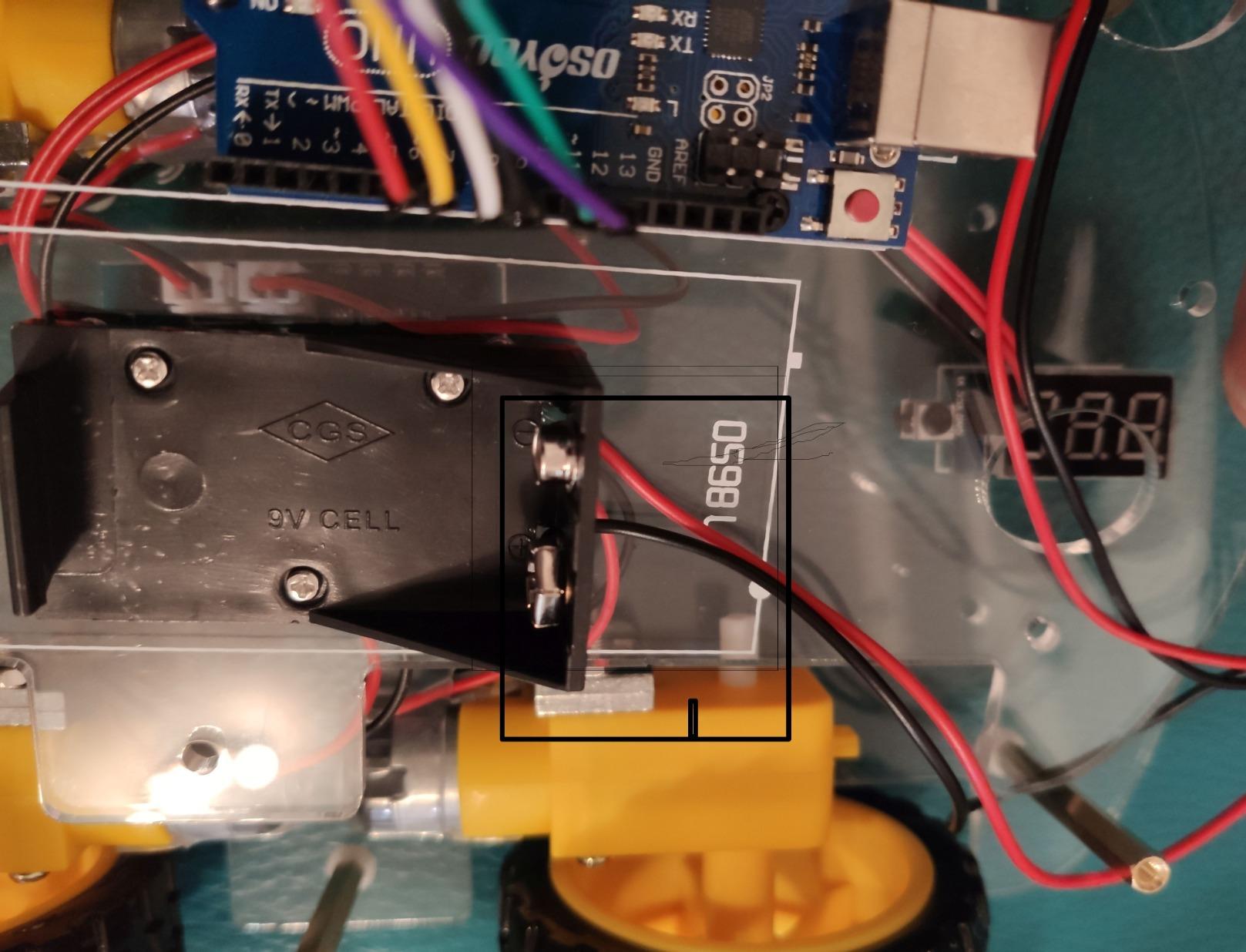
App control includes imitation driving, WiFi auto driving, and a battle bot mode, so the kit has real projects available when you want one. Buyers treat it as a capable, well-priced Arduino starter with a genuinely large accessory count.
It weighs about 1.24 kg with dimensions around 10 x 7 x 5 inches and is rated for ages 14 and up. The rating sits solidly above average at 4.3 from 243 reviews.
Why more modules beats a finished robot for learning
Every kit in this roundup can drive a car in a straight line. Only a few hand you eight distinct peripherals to interface independently. If your goal is mechatronics fundamentals, that difference is worth more than a pre-assembled chassis.
The WiFi shield in particular opens up IoT work, letting your robot report sensor data to a service rather than only reacting locally. That is a genuinely career-adjacent skill and it is right there in the box.
What the missing battery and CD tutorial cost you
No battery is included, so add a pack and a charger to your real budget. The bundled tutorial is a CD rather than current online documentation, and buyers consistently note it is dated next to newer guides, which is a mild annoyance if you are comfortable searching.
The acrylic chassis is less durable than a metal alternative, so expect to reinforce or replace it if the robot takes a knock. It is a carrier for the electronics, not a piece of engineering hardware.
12. Freenove Tank Robot Kit for Raspberry Pi – Best Tracked Raspberry Pi Start
Freenove Tank Robot Kit for Raspberry Pi 5 4 B 3 B+ Zero 2 W, Crawler Chassis, Grab Objects, Ball Tracing, Line Tracking, Obstacle Avoidance, App Control, Camera, Servo (Raspberry Pi NOT Included)
Crawler chassis with lifting clamp
Camera ultrasonic and servo
Ball tracing and line tracking
Complete Python source included
Pros
- Crawler chassis with a clamp that lifts and grabs objects
- Camera ultrasonic distance sensor and servo included
- Ball tracing line tracking and obstacle avoidance behaviors
- Complete Python code plus a step-by-step guide
- App control from Android iPhone or computer
Cons
- No printed tutorial
- Raspberry Pi and battery must be bought separately
- Plastic construction is less rigid than metal tracked kits
If you already own a Raspberry Pi and want tracked drive without spending on a metal chassis, this is the efficient path. The crawler chassis carries a liftable clamp that can pick objects up, and the Python examples cover ball tracing, line tracking, and obstacle avoidance, so there is a real project waiting on first boot.
The camera, ultrasonic distance sensor, and servo are all included, and app control works from Android, iPhone, or a computer. That combination means you can be driving it manually within an afternoon and writing behavior scripts the same evening.
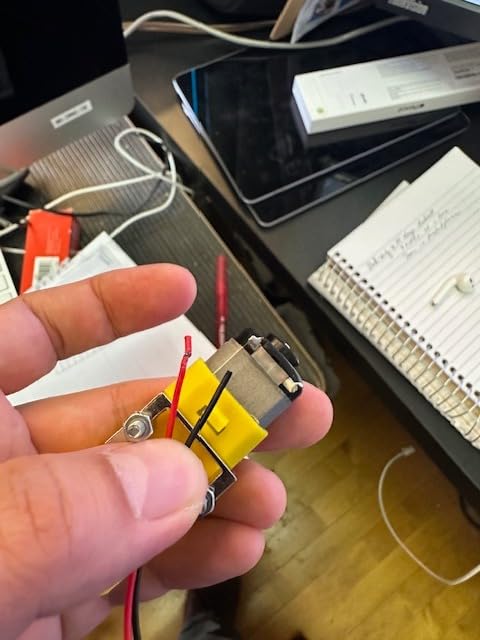
Buyers rate it a little above average, with the grabber clamp and the breadth of autonomous behaviors standing out as the main draws. The one-year warranty is a nice touch for a kit this fiddly.
It weighs about 948 grams with dimensions near 8.86 x 6.02 x 6.3 inches. Note that the listing carries a child-oriented age recommendation even though the actual content is adult-level Python work, which is a cataloging quirk rather than a real limitation.
What the lifting clamp adds over a plain tank
A clamp turns your robot from a vehicle into a manipulator on wheels. Combined with the camera and ultrasonic sensor, you can build a routine that approaches an object, lifts it, and carries it somewhere, which is a small but complete autonomous task rather than a single behavior.
Tracked drive also means it handles thresholds and loose surfaces that stop a wheeled kit, so the practical difference from the ELEGOO Conqueror is grip and durability rather than capability.
Where the plastic construction gives way
Plastic construction is less rigid than a metal tracked kit, so repeated climbing and heavy payloads will stress the chassis sooner. The download-only guide and the need to source a Raspberry Pi and battery separately are the other recurring caveats.
At 137 reviews this has the smallest sample in the roundup, so treat the ratings as less settled than the kits with thousands behind them. It still has the cleanest feature list per dollar of any tracked Pi platform here.
How to Choose a Robotics Kit You Will Still Be Using in a Year
Decide whether you need a robot or a parts bin first. Kits like the ELEGOO UNO R3 and the ELEGOO Conqueror are finished products that drive on the day they are assembled. Kits like the OSOYOO starter are component collections for experimentation. Both are legitimate, and buying the wrong one is the most common regret we see.
Check what is actually in the box. Six of the twelve kits here do not include a Raspberry Pi, and two require batteries you have to source separately. The Adeept arm needs 18650 cells and a charger. The OSOYOO includes no battery at all. Add those to your real budget before ordering rather than discovering them mid-build.
Treat the platform as the decision, not the robot. This is the answer to the most common question on robotics forums: Arduino or Raspberry Pi? Arduino is a microcontroller. It runs one program at a time with no operating system, it starts instantly, and it is the right choice for real-time motor control, line following, and anything where predictable timing matters.
Raspberry Pi is a full single-board computer running Linux. It runs Python, serves a web page, processes camera images, and hosts an AI model. It is the right choice for vision, voice, network services, and anything involving large language models. Its weakness is timing: general-purpose Linux is not a real-time system, which is why the Pi kits here pair it with a dedicated controller for motor timing.
ESP32 shows up in the ELEGOO kits as a WiFi and camera module, and micro:bit shows up mainly in classroom kits. Both are excellent microcontrollers with built-in wireless. ROS2 is the other category entirely. It is not a board but a software framework for robot fleets, and it is the layer under professional work such as mapping and sensor fusion. Nobody installs ROS2 in their first weekend project, and they should not try.
Decide about soldering early. Every kit in this roundup is designed to be assembled without a soldering iron. That is a genuine improvement over the kits of a decade ago, and it removes the single most common reason adults abandon a build. If you already solder, you will still find the tutorial sections on sensor modification useful.
Check whether the ecosystem is still alive. This is the mistake that costs people the most. A kit built around a discontinued platform still assembles perfectly, still runs its bundled demo, and teaches you nothing transferable because the tutorials, libraries, and community have moved on. Every kit in this list runs on Arduino, Raspberry Pi, or ESP32, all of which have current documentation and active developer communities. If you see an older list recommending a legacy brick-programmable set, that list is out of date.
Read the documentation reviews before the marketing. The forum pattern is consistent: owners vet tutorials, schematics, and source code before they vet appearance. Schematics let you extend the robot later. Open-source code means you can fix a broken function instead of waiting for a manufacturer response. Both are stronger signals than the number of modes a product page lists.
Estimate build time honestly, then add a session. Wheeled cars land around an hour. Tracked chassis take two. A six-axis arm takes an evening of careful servo alignment. The PiDog runs around 70 assembly steps with fragile fasteners. Plan the ambitious projects across two sessions and you will finish them; try to cram a hexapod into one night and you will end up frustrated at servo alignment instead of gait tuning.
Match the kit to your next project, not your first one. A complete beginner can finish a car and move to sensors. An intermediate coder with Python experience can start with a legged platform. Someone in mechatronics or software who wants career-adjacent skills should start with feedback servos or a vision platform. The best robotics kit for adults is the one whose second project interests you more than its first.
One more note on what adult kits do not teach. Building a robot teaches you hardware, control logic, sensing, and debugging. It does not teach you the simulation, perception, and systems work that dominates professional robotics roles. Treat a kit as a genuine foundation for the physical and electrical half of the field, and pair it with coursework on the software half if a career move is the goal.
Frequently Asked Questions
What is the best robotics kit for beginners with no coding experience?
The ELEGOO UNO R3 Smart Robot Car Kit V4 is the best starting point for an adult with no coding experience. The board arrives pre-programmed, the parts are labeled, and the car drives with the infrared remote as soon as you connect the battery, so you get a working robot before you write any code. The battery is included, the build takes roughly an hour, and when you are ready to go deeper the same hardware runs in the Arduino IDE with real sensor and motor examples.
Which robotics kits require no soldering at all?
All twelve kits in this roundup are designed for solder-free assembly. The ELEGOO UNO R3 and ELEGOO Conqueror use keyed XH2.54 connectors and screw terminals, the Makeblock kit uses threaded aluminum parts and standard hardware, and the arm kits assemble with screws and standoffs. You may see small amounts of soldering mentioned in advanced modification guides, but nothing in the base build requires an iron.
Can a Raspberry Pi be used for robotics?
Yes, and it is the standard choice for vision, voice, and AI work. A Raspberry Pi is a full Linux computer, so it can process camera images, run Python, host a web interface, and serve a local large language model such as Ollama. Five kits in this roundup are built around it, including the Freenove hexapod, the SunFounder Picar-X, and the SunFounder PiDog. For precise motor timing, most of these kits pair the Pi with a dedicated controller, since general-purpose Linux is not a real-time system.
Do robotics kits include a controller board and batteries?
It varies, and this is the hidden cost most shopping guides miss. Every Arduino-based kit in this roundup includes its board and a battery or power supply. Every Raspberry Pi kit does not: the Freenove hexapod, robot dog, and tank, plus the SunFounder Picar-X and PiDog, all require you to buy a Raspberry Pi and a battery separately. The Adeept arm needs 18650 cells and a separate charger, and the OSOYOO starter includes no battery. Check the box contents before budgeting.
How long does it take to build a robotics kit?
A wheeled Arduino car takes about an hour for a competent adult. A tracked chassis like the ELEGOO Conqueror takes closer to two sessions because of the suspension assembly. A six-axis desktop arm like the LewanSoul LeArm or the Hiwonder xArm1S needs an evening dominated by careful servo alignment. The SunFounder PiDog runs around 70 assembly steps with small fasteners, so plan multiple sessions. Multiply any of these by two if this is your first electronics build.
Are robotics kits actually worth it for adults?
They are worth it if you treat the kit as a platform rather than a finished product. The physical and electrical skills compound: motor control, sensor fusion, feedback loops, and debugging are the same fundamentals used in automation, lab equipment, and warehouse systems. Kits are not worth it if you want a finished robot with nothing to learn. Adults who buy into an active open platform like Arduino or Raspberry Pi and build a second project on the same hardware get far more out of the experience than those who stop at the first working demo.
Final Recommendation for 2026
Start with the ELEGOO UNO R3 Smart Robot Car Kit V4. It is the best all-around build-your-own robot kit for adults in 2026 because it is complete in the box, forgiving with its keyed connectors, and genuinely Arduino-compatible once you outgrow the app. You will have a working camera-equipped rover in an afternoon and a hardware platform for a second project within a month.
Then add the one kit that matches what you actually want to build. If you care about walking machines, go to the Freenove hexapod and treat the Raspberry Pi purchase as part of the project. If you want your code to drive a physical arm, start with the Hiwonder xArm1S and its feedback servos, which are the most job-adjacent hardware in this roundup. If your interest is AI, the SunFounder Picar-X gets you vision and local language models on wheels with the shortest path to a project that talks back to you.
Whichever you pick, budget the missing pieces first. The Raspberry Pi kits, the Adeept batteries, and the OSOYOO power supply are the three places where a first robotics kit quietly costs more than the box suggests. Get those sorted, and the best robotics kits for adults stop being a purchase and start being a workbench you use every weekend.