
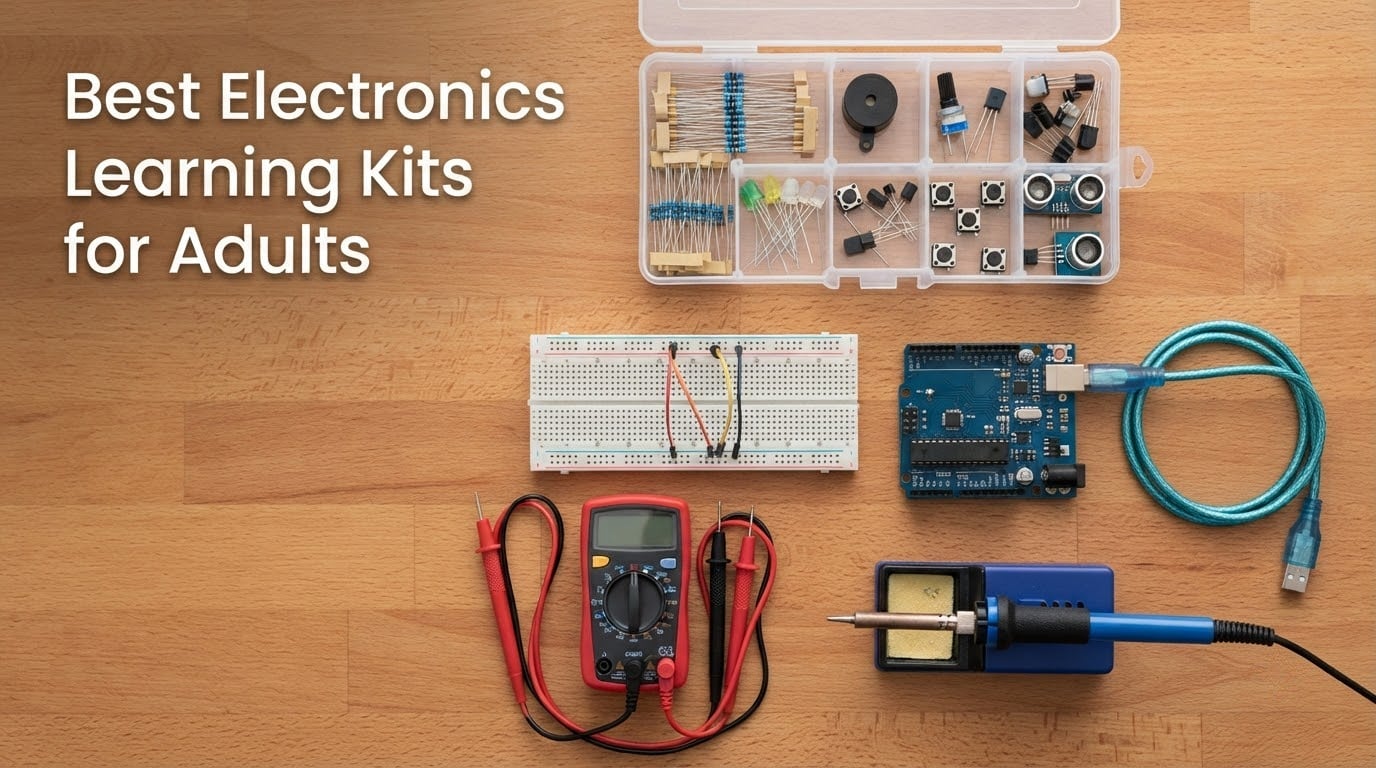
Most electronics kit roundups are written for teenagers and classrooms. This one is for the adult who wants a real bench at home: the career changer moving toward electrical or embedded work, the engineer whose soldering skills rusted, the parent building alongside a kid, and the person who always meant to pick up the childhood soldering iron again. An electronics learning kit for adults is simply a bundled set of parts, a board, and instructions that takes you from blinking an LED to reading a sensor and driving a motor. Below I break down the twelve kits worth your desk space, what each one actually teaches, and the tools none of them include.
We spent weeks reading the documentation, the forum threads, and the review patterns on each of these kits, and we grouped them by the real decision an adult faces first: do you want to learn theory from a breadboard, learn to solder, or learn embedded programming. That distinction matters more than component count, which is the number kit marketing leads with and the number beginners most often regret trusting.
Two things shaped our ranking. First, documentation quality, because a kit with excellent parts and vague instructions teaches nothing. Second, reusability, because the best parts in these boxes can be pulled out and used in projects the kit never covered. If you want a broader starting set, our picks on the best electronics starter kits for makers cover the project-kit side of the hobby.
Table of Contents
Top 3 Electronics Learning Kits for Adults in 2026

ELEGOO UNO R3 Super Starter Kit
- 22+ guided lessons
- No soldering needed
- UNO R3 board plus sensors and motors

SunFounder Elite Explorer Kit
- Arduino Uno R4 WiFi board
- 50 projects across three tiers
- 60+ video lessons
All 12 Electronics Learning Kits at a Glance
| Product | Specifications | Action |
|---|---|---|
| ELEGOO UNO R3 Project Super Starter Kit |
|
Check Latest Price |
 ELEGOO Mega 2560 R3 Most Complete Starter Kit ELEGOO Mega 2560 R3 Most Complete Starter Kit |
|
Check Latest Price |
 Elenco Practical Soldering Project Kit Elenco Practical Soldering Project Kit |
|
Check Latest Price |
 SunFounder Raphael Ultimate Starter Kit for Raspberry Pi SunFounder Raphael Ultimate Starter Kit for Raspberry Pi |
|
Check Latest Price |
| SunFounder Elite Explorer Kit with Arduino Uno R4 WiFi |
|
Check Latest Price |
 ELEGOO Upgraded Electronics Fun Kit ELEGOO Upgraded Electronics Fun Kit |
|
Check Latest Price |
 Jitterbug Soldering Kit Jitterbug Soldering Kit |
|
Check Latest Price |
 SunFounder Raspberry Pi Pico W Ultimate Starter Kit SunFounder Raspberry Pi Pico W Ultimate Starter Kit |
|
Check Latest Price |
 VOGURTIME DIY Solder Retro Game Kit VOGURTIME DIY Solder Retro Game Kit |
|
Check Latest Price |
 Arduino Official Starter Kit Deluxe Bundle Arduino Official Starter Kit Deluxe Bundle |
|
Check Latest Price |
 Make Electronics 3rd Edition Kit 1 Deluxe Make Electronics 3rd Edition Kit 1 Deluxe |
|
Check Latest Price |
 amomii Testudo Soldering Practice Kit amomii Testudo Soldering Practice Kit |
|
Check Latest Price |
1. ELEGOO UNO R3 Project Super Starter Kit – Best Overall for Adults Starting From Zero
ELEGOO UNO R3 Project Super Starter Kit with PDF Tutorial for Beginners
UNO R3 board
22+ guided lessons
Solderless start
1.2 lb box
Pros
- Breadth of components means few extra purchases
- Step-by-step tutorial and example code
- Neatly labeled packaging with a component list
- Pre-soldered LCD header means no iron needed
- Responsive manufacturer support
Cons
- Some units ship with a defective breadboard power rail
- UNO pin count is limited for larger builds
- Mac Arduino IDE setup is poorly documented
This is the kit we hand to an adult who has never touched a circuit. The box is 8.3 by 5.5 by 1.97 inches and weighs 1.2 pounds, and it opens into a UNO R3 controller board, an LCD1602 module with a pre-soldered pin header, a breadboard power module, a servo, a stepper motor with ULN2003 driver, an ultrasonic sensor, a DHT11 temperature and humidity sensor, a joystick, an IR receiver, 120 resistors, 65 jumper wires, and more. Nothing in the first ten lessons asks you to solder.
The 22-plus lessons run from a blinking LED through temperature sensing, distance measurement, servo and stepper control, LCD text, joystick input and IR remote decoding. That progression is well judged: each project reuses pins and concepts from the one before, so you finish with a working mental model rather than a folder of copy-pasted sketches.
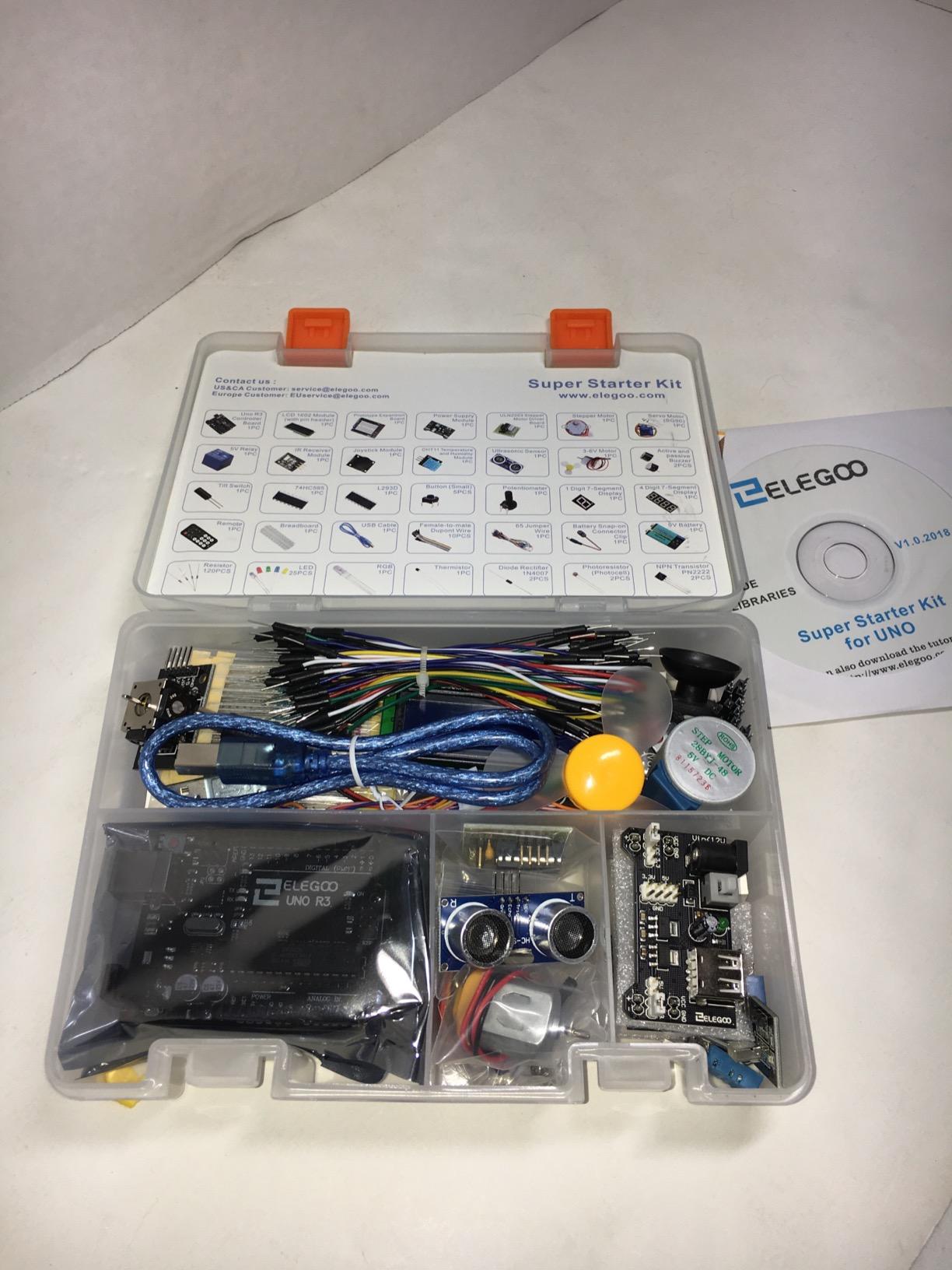
Reviews are almost unanimous on the two things that matter. Buyers consistently praise the component variety, because there is rarely a moment where the next lesson needs a part you do not have, and the packaging arrives organized with a labeled component list that doubles as a packing check. Manufacturer support is repeatedly described as responsive when a faulty part turns up.
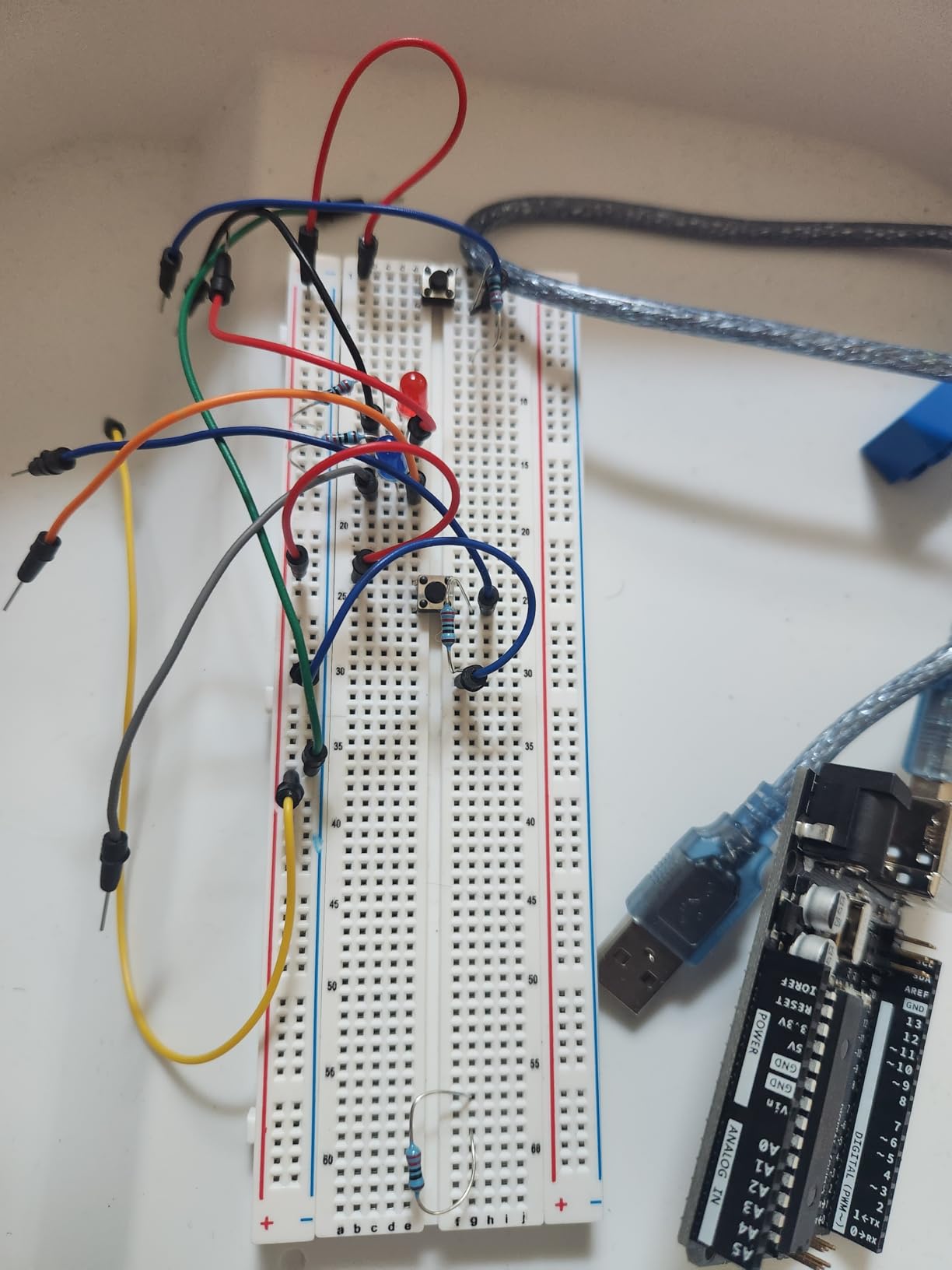
The recurring complaints are small but worth knowing. A number of owners report a defective breadboard power rail, so test the rails with a meter or a spare LED the day the box opens. Mac users note the Arduino IDE setup path is not well documented for this kit, and the bundled tutorial material can drift out of date as the IDE changes.
Who this kit suits
Adults who want a structured path with no soldering and no shopping list. The UNO platform is the most widely documented board in the hobby, so when you get stuck you will find an answer within a minute. It is also the best value choice if you want to learn embedded programming before touching a single component lead.
Who this kit does not suit
Anyone planning builds with many sensors at once, because the UNO runs out of digital I/O pins quickly and you will spend a weekend wiring around that limit. It also under-serves you if you want to understand circuit theory rather than operate a board, since most of the early lessons are code-driven. Pair it with a multimeter and you close most of that gap.
2. ELEGOO Mega 2560 R3 Project Kit – Best for Adults Who Outgrow Small Builds Fast
ELEGOO Mega 2560 R3 Project The Most Complete Starter Kit with Tutorial
Mega 2560 R3 board
35+ projects
200+ components
13.7 x 8.4 in case
Pros
- Pin headroom simplifies multi-sensor builds
- Storage case and small-parts box organize the parts
- Pre-soldered modules cut setup time
- Guided lessons with adaptable example code
Cons
- Bulkier and heavier than smaller starter kits
- RFID and rotary encoder modules can overwhelm a first build
- Case and parts box add to the footprint
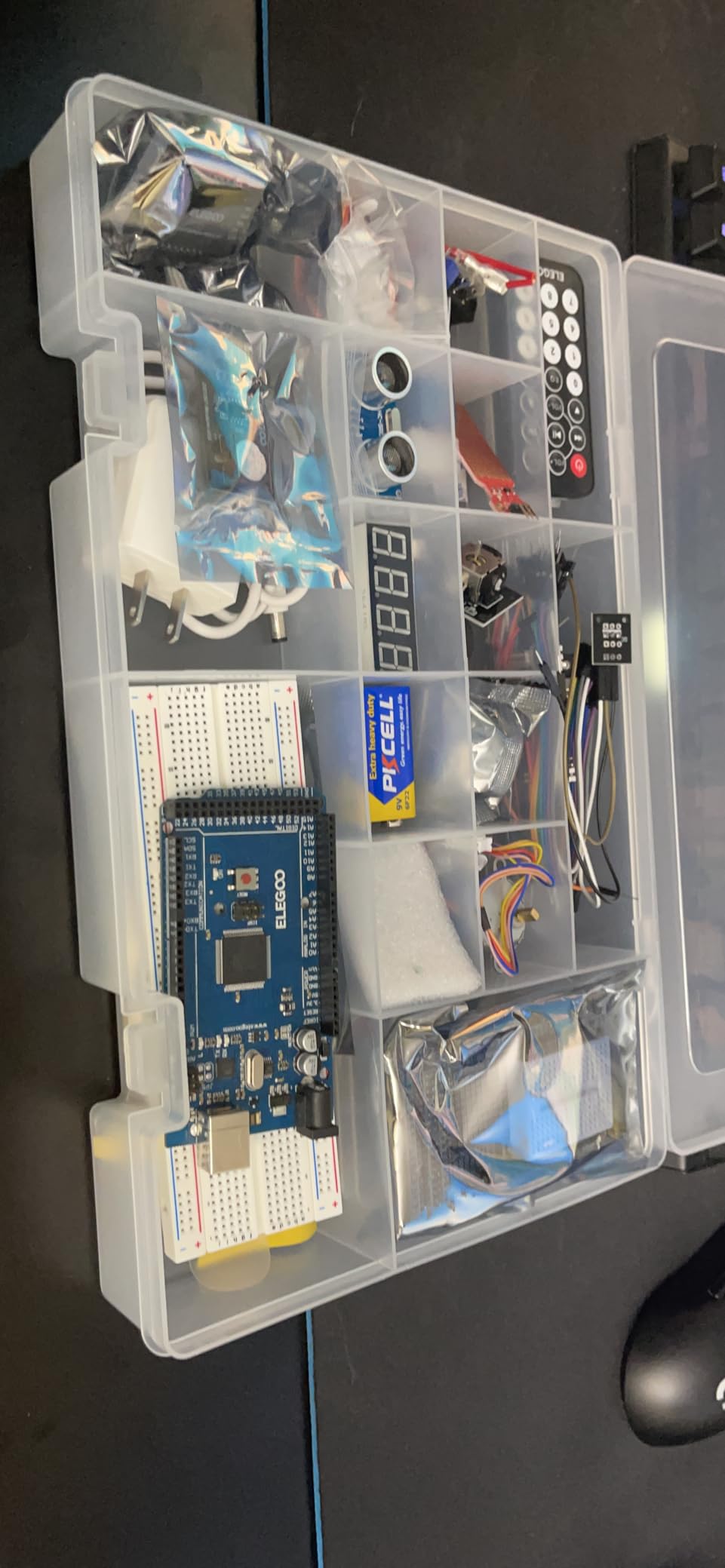
This is the UNO kit grown up. The Mega 2560 R3 gives you 54 digital I/O pins including 15 PWM outputs, 16 analog inputs, 4 hardware serial ports and 256 KB of flash, which is the difference between a lesson plan and an actual project. The component count crosses 200, with LCD1602, RC522 RFID, a real-time clock, DHT11, PIR, ultrasonic, GY-521 accelerometer and MAX7219 display modules among them.
There are more than 35 guided projects, and the later ones are genuinely multi-system: RFID access control, clock-driven scheduling, motion-triggered lighting. If your goal is a home automation or smart-home build rather than a single blinking LED, this is the kit that will not force a board upgrade three months in.
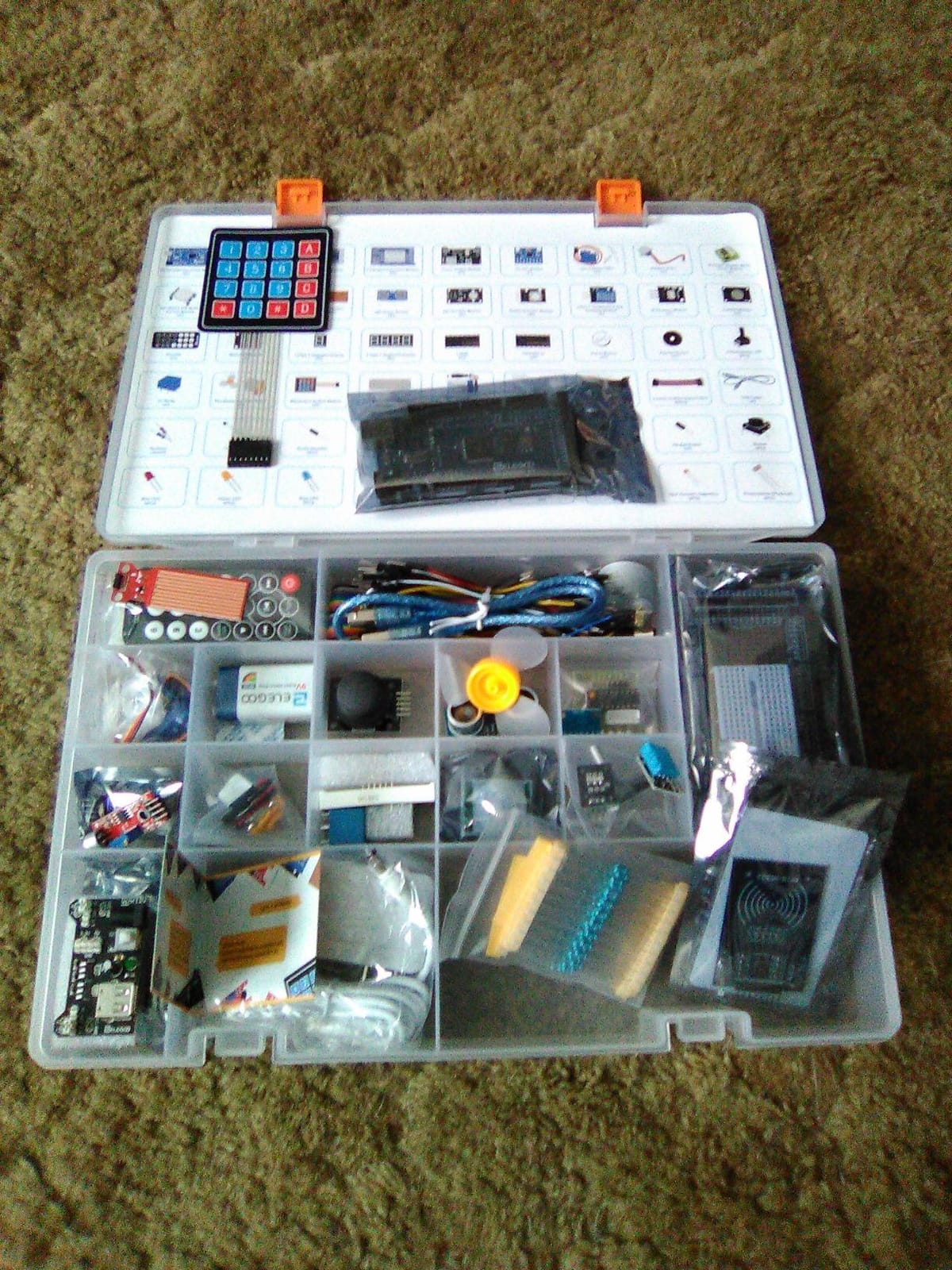
The 35-plus projects come with example code you are meant to break. Adjusting thresholds, display text, and motor behavior is the fastest way to learn what a line of code actually controls, and the extra pins make that experimentation forgiving because a mistake rarely costs you the whole board.
The honest drawback is size. At 13.7 by 8.4 by 1.85 inches and 2.2 pounds, with a storage case and a separate small-parts box, this needs a real shelf rather than a drawer. Reviewers also flag that modules like the RFID reader and rotary encoder can be beyond a total beginner’s first evening, so plan to sequence the lessons rather than treating the box as a checklist.
Who this kit suits
Adults who already know what a voltage divider is, or who have finished an UNO kit and want hardware that will carry a serious build. If you intend to run several sensors, a display and a motor driver simultaneously, the pin headroom here is the deciding factor.
Who this kit does not suit
A true first purchase for someone who wants the gentlest possible on-ramp. Too much choice on day one is a real barrier, and you will pay for modules you never touch. If you have never written a line of code, start with the smaller kit and upgrade deliberately.
3. Elenco Practical Soldering Project Kit – Best for Learning to Solder Properly
Elenco Practical Soldering Project Kit
Printed circuit board
Printable siren project
Practice pads included
3.2 oz
Pros
- Large widely spaced pads are beginner friendly
- Dedicated practice area on the board
- Booklet covers technique desoldering and safety
- Very affordable way into soldering
Cons
- No on-off switch so the battery must be removed
- Soldering iron and 9V battery not included
- Pads can lift if the iron runs too hot
Almost every adult we would point at a soldering iron first asks the wrong question. The question is not which kit has the biggest build, it is which one teaches you to make a good joint. The Elenco Practical Soldering Project Kit answers that directly: it is a single printed circuit board for a two tone European siren, and the reason to buy it is the practice area printed alongside the real pads.
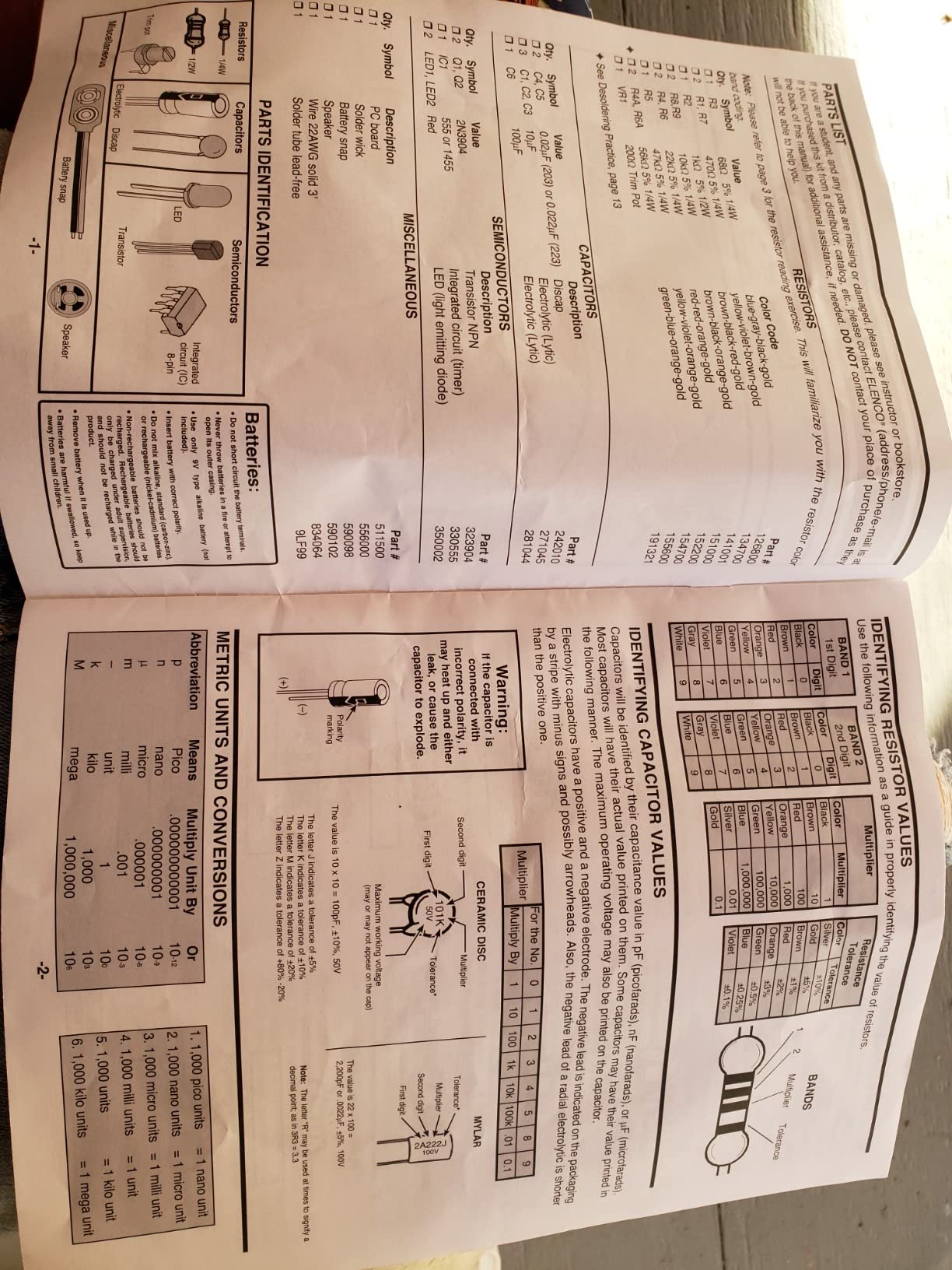
You practice on dead pads until your technique is steady, then build a multivibrator circuit whose behavior you can see and hear. The instruction booklet covers technique, desoldering, safety, and circuit theory with quiz sections, and reviewers consistently treat it as a teaching tool rather than a bag of parts. The board is made in the United States by Elenco, a long-standing educational kit maker.
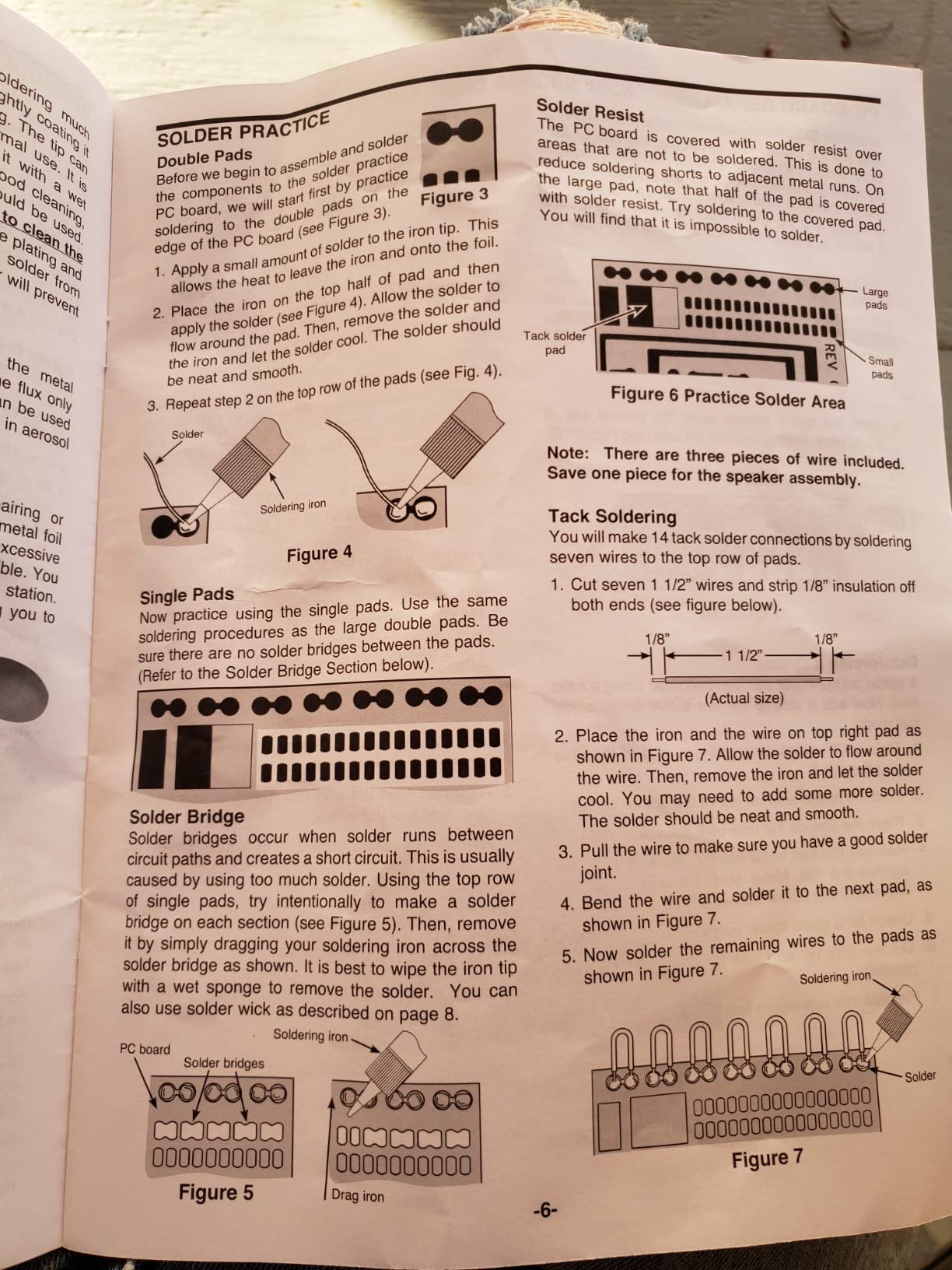
Specs worth knowing: 13 by 9 by 1 inches, 3.2 ounces, recommended for ages 12 and up, and no soldering iron is included. The wide pad spacing is a genuine design choice for beginners, because a cramped board punishes a shaky first hand and this one does not.
Two limitations come up repeatedly. There is no on-off switch, so you pull the 9V battery to stop the siren, and you have to buy both the iron and the battery separately. A few reviewers also report pads lifting off the board when the iron stays too long on one joint, which is exactly the kind of mistake the booklet is trying to prevent.
Who this kit suits
Adults who want a soldering iron in their hand with a safety net attached. It is also the honest bridge for someone returning to the hobby after a childhood attempt that went badly, because the practice pads let you fail cheaply before the real circuit.
Who this kit does not suit
Learners who want a microcontroller they can program. There is no board and no code here, only a discrete analog circuit. If your interest is embedded software, this teaches a skill you need but not the one you are chasing.
4. SunFounder Raphael Ultimate Starter Kit – Best for Adults Who Want Python First
SunFounder Raphael Ultimate Starter Kit for Raspberry Pi 5 4 B 3B B+ 400, Zero 2 W, RoHS Compliant, Python, C Java, Online Tutorials & Video Courses for Beginners (Raspberry PI NOT Included)
Raspberry Pi expansion kit
337+ components
161 projects
0.72 kg
Pros
- Largest project library in this group
- 70+ expert-led video lessons
- Supports five programming languages
- Works across many Raspberry Pi models
- Community forum and technical support
Cons
- Raspberry Pi board sold separately
- Higher total cost once the Pi is added
- Python and IoT material can be steep for absolute beginners
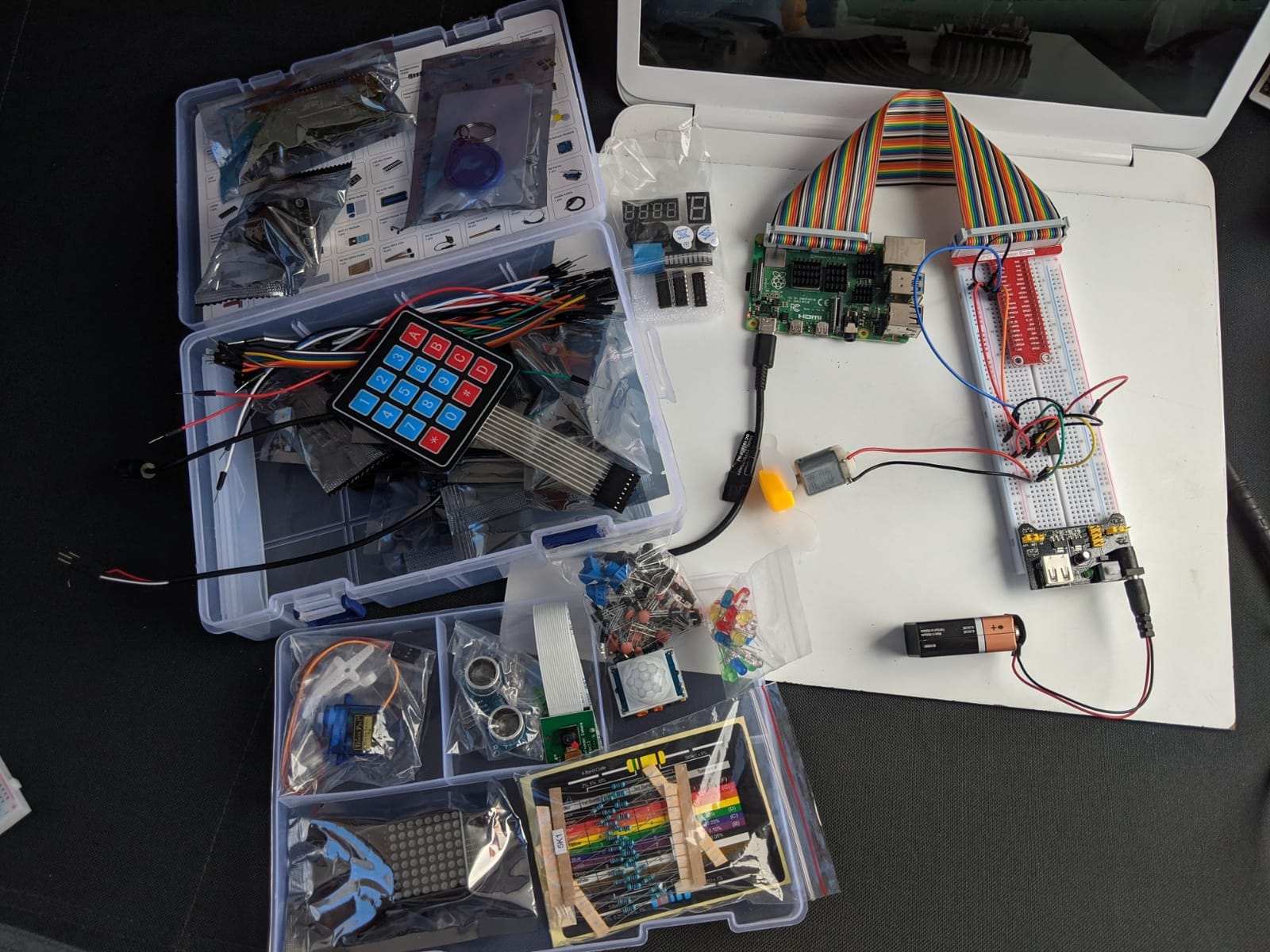
If you already write code, this is the kit that treats you like an adult. The Raphael kit targets Raspberry Pi boards from the 400 and 4B back through the Zero W, and the range of hardware is genuinely different from an Arduino box: a camera, a speaker, sensors, actuators, LEDs, and LCDs, with 337-plus components feeding 161 projects.
The instruction format is the standout. There are more than 70 expert-led video lessons taught by educator Paul McWhorter, and reviews single out that series as clear enough for a first-time builder. The kit supports Python, C, Java, Node.js, and Scratch, so you can start in Python and move toward embedded C without buying a different course.
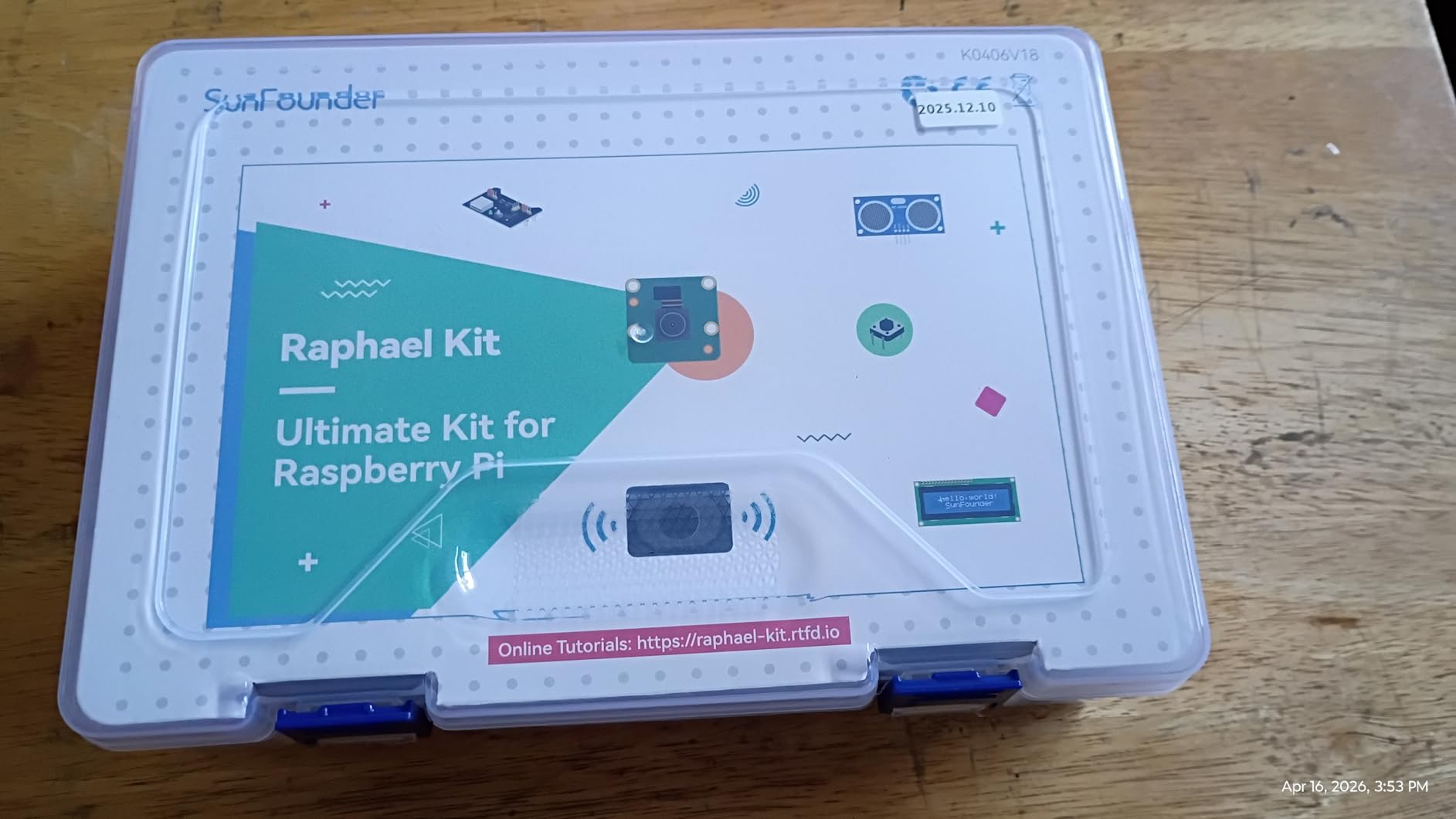
For a career changer coming from software, that language support is the whole argument. A single-board computer runs a real operating system, which means networking, file handling, and services come for free, and the IoT material feels closer to professional work than a microcontroller exercise ever does.
The catch is arithmetic you have to do yourself. The Raspberry Pi is not included, so the total outlay is meaningfully higher than the sticker suggests, and some buyers find the Python and IoT sections advanced for a first kit. Model number RB-Suf-202, with a one-year guarantee and community forum support included.
Who this kit suits
Adults with software experience who want to learn the electronics side without abandoning their programming habits. It is also the strongest choice here for anyone targeting connected-home or IoT work, and for builders who learn better from video than from printed diagrams.
Who this kit does not suit
Absolute beginners on a tight budget or with no computer ready to go. Buying a Pi, an SD card, and a supply alongside this kit turns a simple first purchase into a project. A microcontroller kit gives you a working circuit in one box.
5. SunFounder Elite Explorer Kit – Best for Wireless and IoT Projects
SunFounder Elite Explorer Kit with Original Arduino Uno R4 WiFi, RoHS Compliant, Bluetooth IoT ESP32 IIC LCD1602 OLED, Super Starter Kit, Online Tutorials & Video Courses for Beginners & Engineers
Arduino Uno R4 WiFi board
300+ components
50 tiered projects
IoT Cloud support
Pros
- Genuine Arduino Uno R4 WiFi board with wireless built in
- 300-plus components give real project variety
- Projects split into basic fun and IoT tiers
- 60-plus free video lessons
Cons
- Higher cost than typical Arduino starter kits
- IoT projects need third-party account setup
- Older Uno R3 tutorials do not map directly to R4
This is the kit for the adult who wants a phone notification when their front door opens. The centerpiece is an original Arduino Uno R4 WiFi board with a 32-bit processor, more memory, and WiFi plus Bluetooth on board, so nothing external is needed to get a sensor reading onto a network. Around it sit more than 300 RoHS-compliant components and 60-plus free video lessons co-created with Paul McWhorter.
The teaching structure is the best in this group for self-directed learners. Fifty projects are split into 30 basic, 13 fun, and 8 IoT builds, which means you can stop after the basic tier and still feel like you finished something. Open-source code ships with the IoT sections, including Arduino IoT Cloud integration.
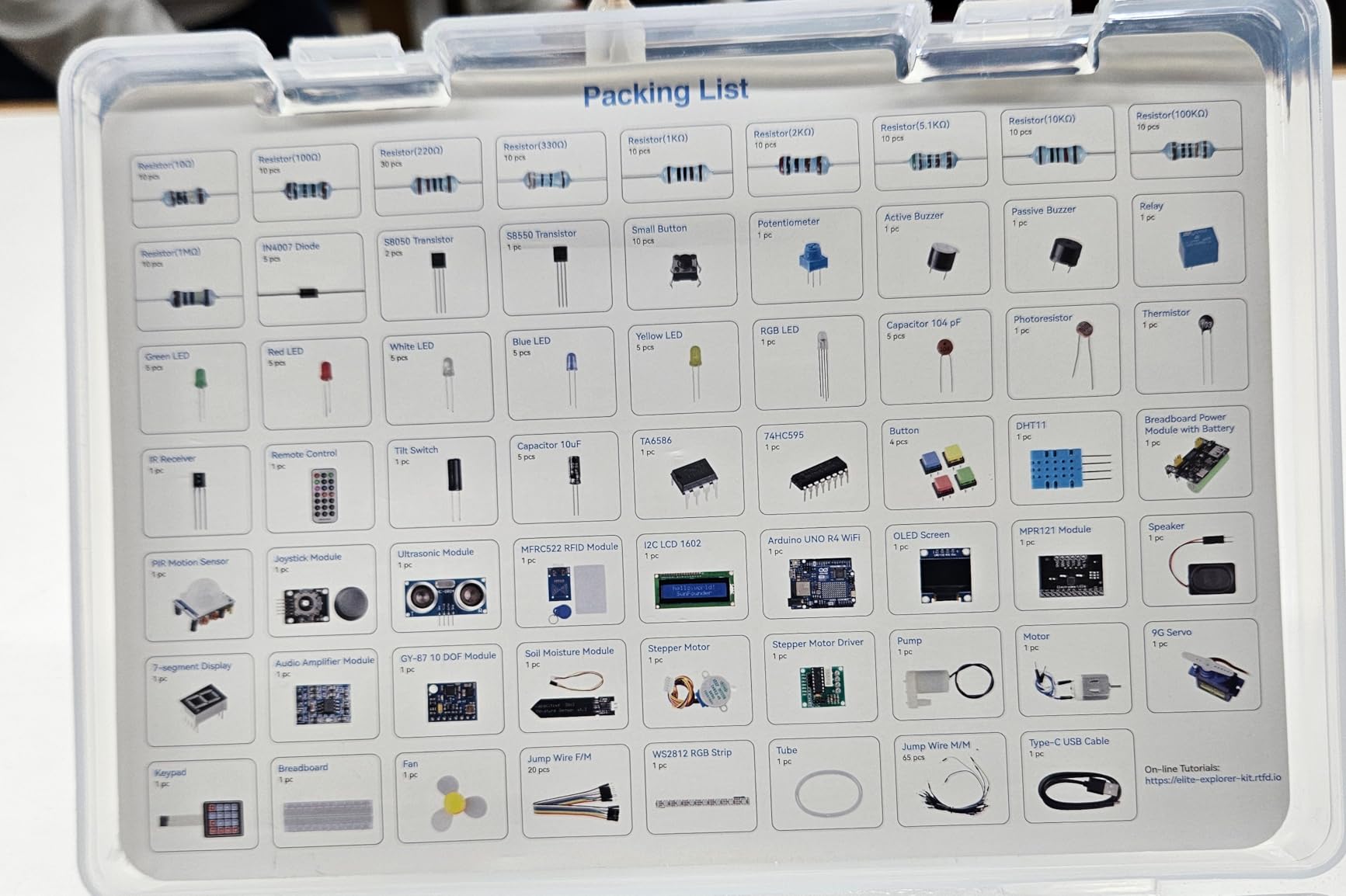
Reviewers treat this as a genuine step up rather than a repackaged starter kit. The board is the real Arduino product with official IDE support, it works with other Arduino boards like the Uno R3 and Nano, and the wireless hardware removes the ESP32 module workaround that older wireless projects need.
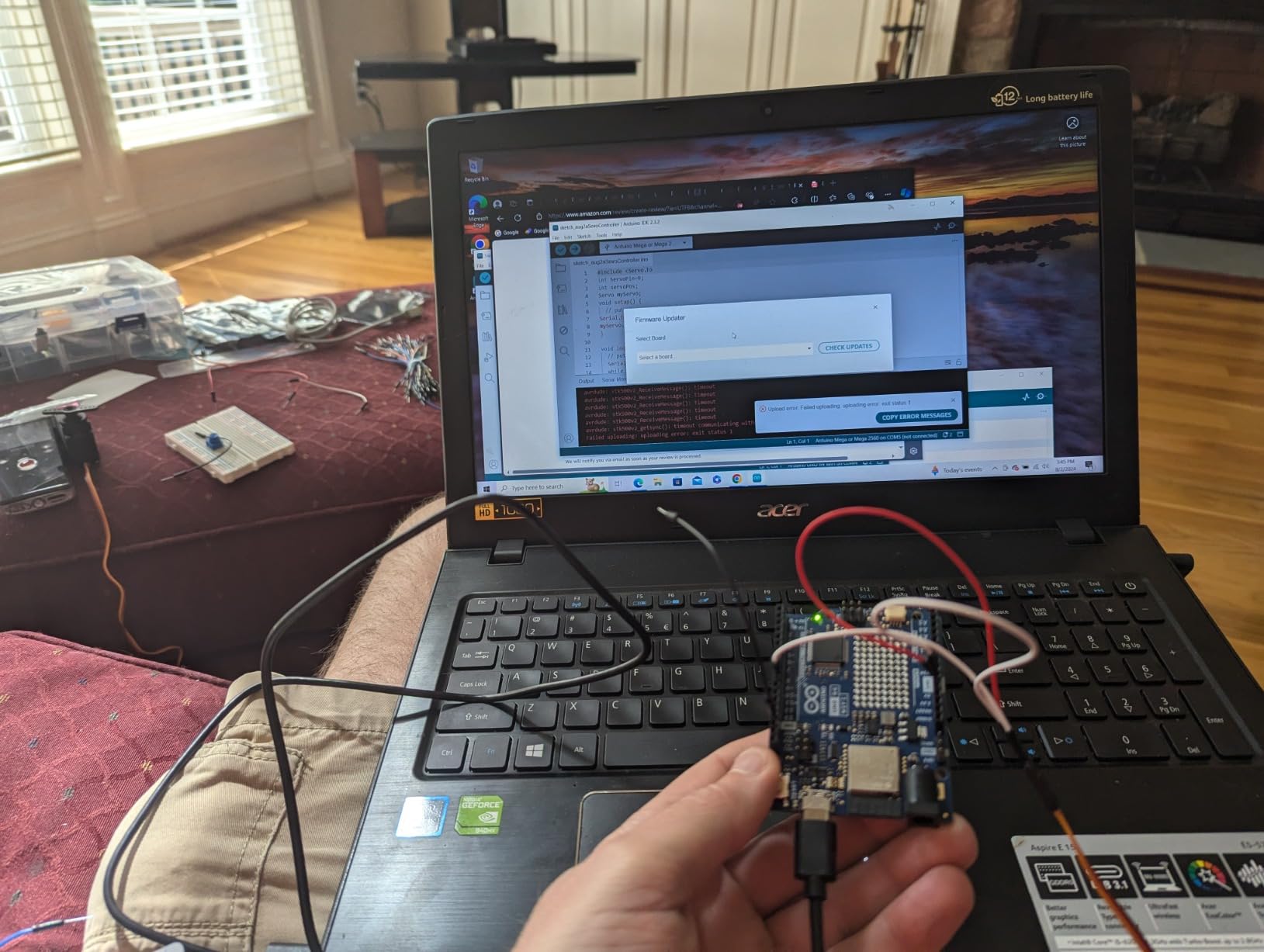
Two honest costs. It sits at the higher end of the Arduino kits here, and the IoT tier asks you to create third-party accounts, which is a genuine stumbling block for people who have never set up a cloud service. The R4 board is also newer, so some older Uno R3 tutorials you find online will not map directly.
Who this kit suits
Adults building connected devices: home automation, remote monitoring, sensor logging to a phone or browser. The onboard wireless and the tiered project list let a beginner work up to the interesting material gradually instead of being dropped into it.
Who this kit does not suit
Learners who want the widest possible parts inventory for the money, since a non-wireless kit gives you more components for the same spend. It is also a poor fit if you have zero tolerance for account setup or cloud services.
6. ELEGOO Upgraded Electronics Fun Kit – Best Breadboard Starter With No Board
ELEGOO Upgraded Electronics Fun Kit w/Power Supply Compatible with Arduino
830-point breadboard
300+ parts
Power module included
10.2 oz
Pros
- Large 830-point breadboard fits real circuits
- 300-plus parts for repeatable experiments
- Teaches optocouplers shift registers and transistors
- Selectable 3.3 V and 5 V rails speed up rewiring
Cons
- No controller board or programming cable included
- Needs a separate microcontroller for coded projects
- Not a project kit so you design the circuits yourself
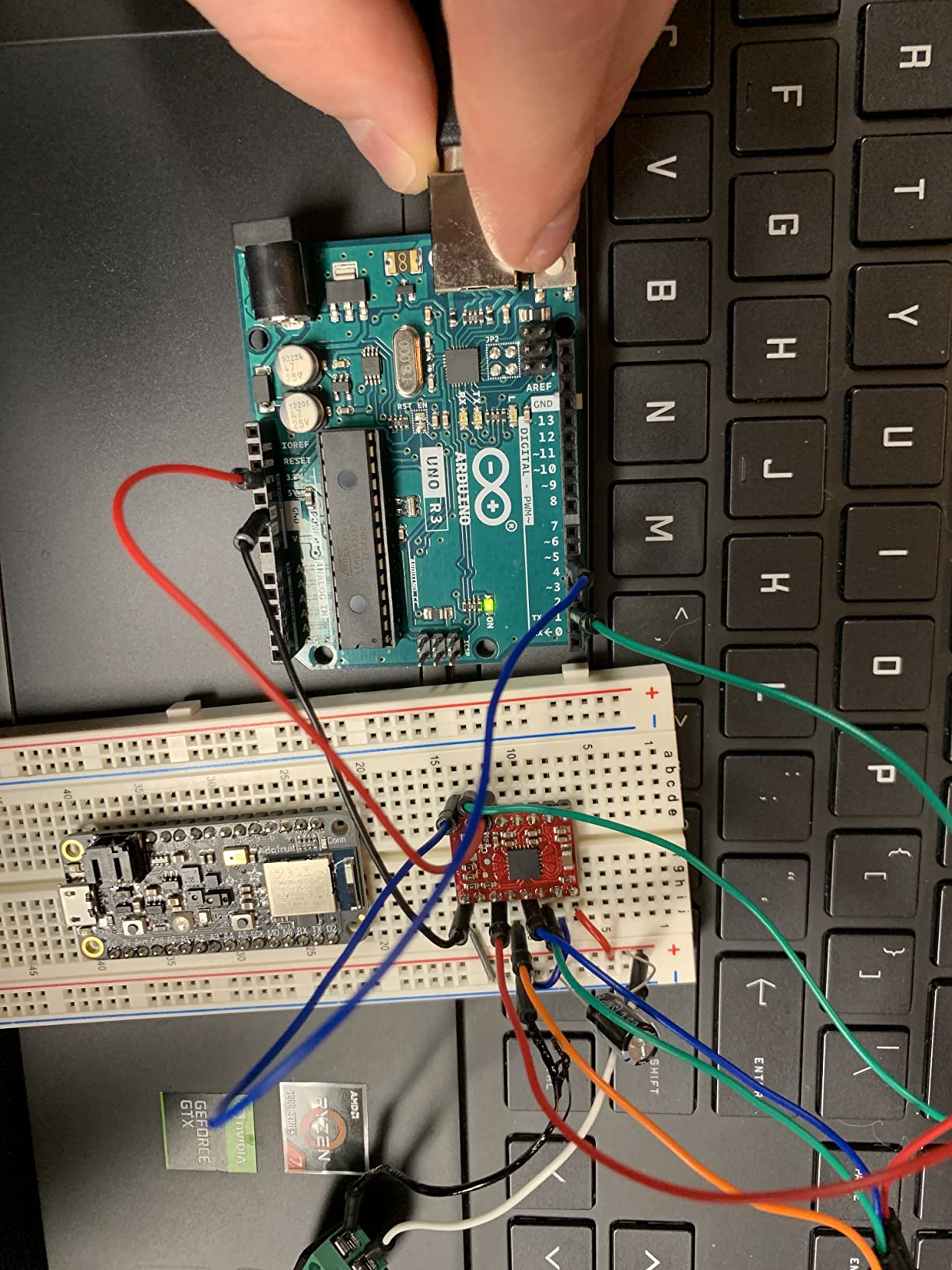
This is the kit for the adult who wants to understand circuits rather than operate a computer. The ELEGOO Upgraded Electronics Fun Kit is a component set around an 830-point solderless breadboard, with more than 300 parts including a 74HC595 shift register, a 4N35 optocoupler, PN2222 transistors, and 1N4007 diodes.
Those four parts are where the learning is. A shift register teaches you how eight outputs share four wires, an optocoupler shows you electrical isolation between two circuits, and a transistor turns a small base current into a large switched load. You can build LED indicators, button inputs, traffic-light sequences, and RGB effects without writing a line of code, and the tutorials explain how each part works.
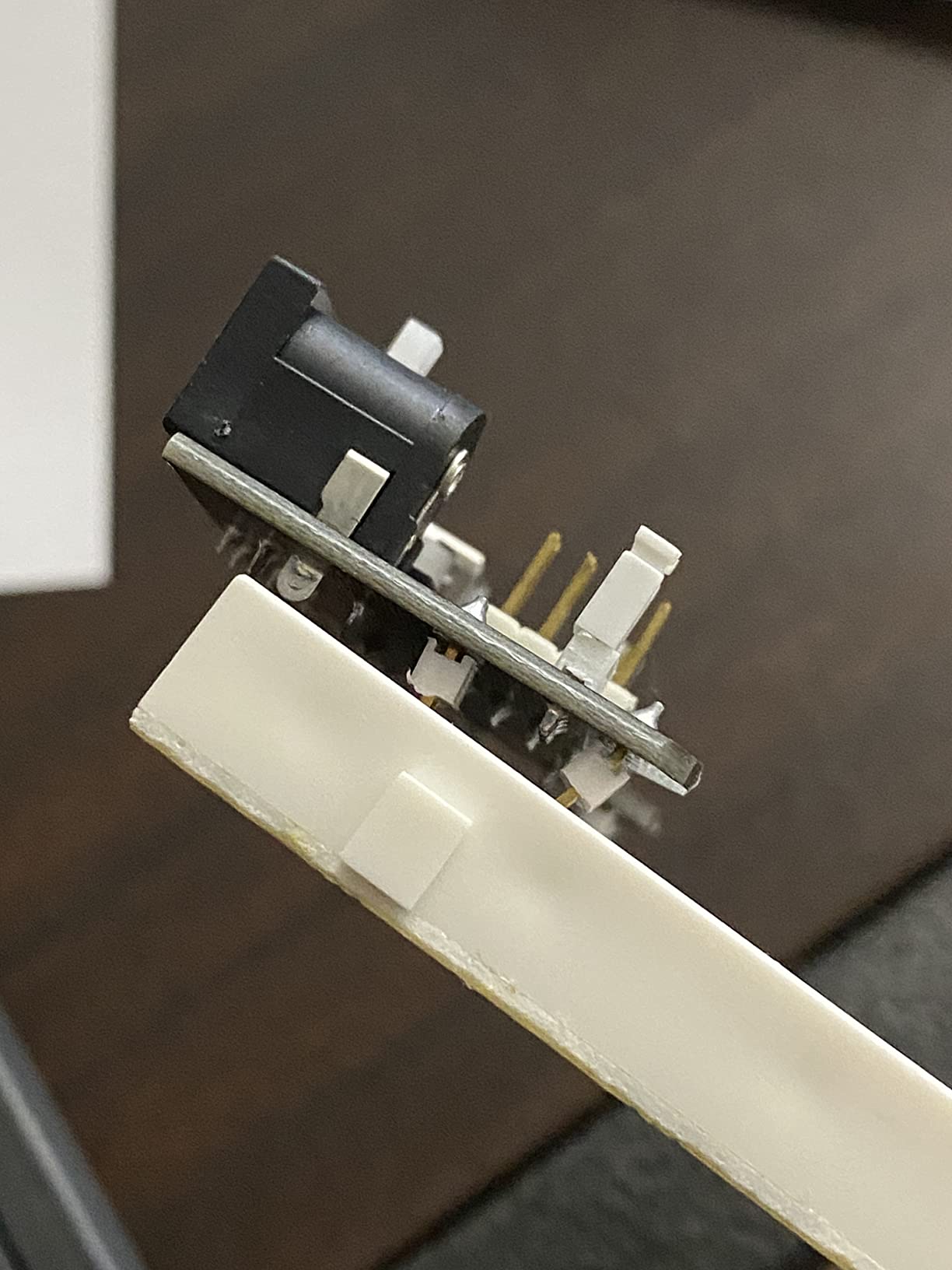
The power module is a detail more kits get wrong. It offers selectable 3.3 V and 5 V rails, and it accepts a 6.5 to 9 V DC input with a clear instruction not to exceed 9 V. That switch alone saves time when moving between parts with different logic levels.
What is missing matters more here than in any other kit on this list: no controller board, no programming cable, and no wall adapter. That makes it a companion to a board you already own or a pure circuit-practice bench, and a poor first purchase for someone who wants coded projects on day one. Model EL-CK-003, 7.3 by 3.5 by 1.7 inches.
Who this kit suits
Adults who want voltage, current, and switching understood in their hands before any code appears. It is also the best-value way to add real analog and digital components to a starter kit you already own, and the parts keep indefinitely.
Who this kit does not suit
Anyone who wants finished guided projects, because you are the designer here and there is no project path to follow. Complete beginners often stall without a build to aim at, so we would pair this with a beginner kit rather than choose it alone.
7. Jitterbug Soldering Kit – Best First Soldering Build With a Payoff
Learn to Solder Kits Jitterbug Soldering Kit | DIY Electronics Projects for Beginners | STEM Practice Science Project | Electronic Vibration Motor Circuit Boards with Battery
Bug-shaped FR-4 board
CR2032 battery included
30 to 60 minutes
Lead-free
Pros
- Satisfying finished result that actually moves
- Everything included including battery and switch
- Step-by-step instructions for first-time builders
- Lead-free board tolerates higher iron temperatures
Cons
- Motor leads are thin and fragile to solder
- Instructions are online only and may not print cleanly
- Shallow circuit content beyond one project
Motivation is the hardest part of a first soldering kit, and the Jitterbug solves it by finishing as a thing that moves. You solder a vibration motor, two LEDs, and a switch onto a bug-shaped FR-4 printed circuit board, add the included CR2032 battery, and the thing buzzes and skitters across your table. Assembly takes roughly 30 minutes to an hour.
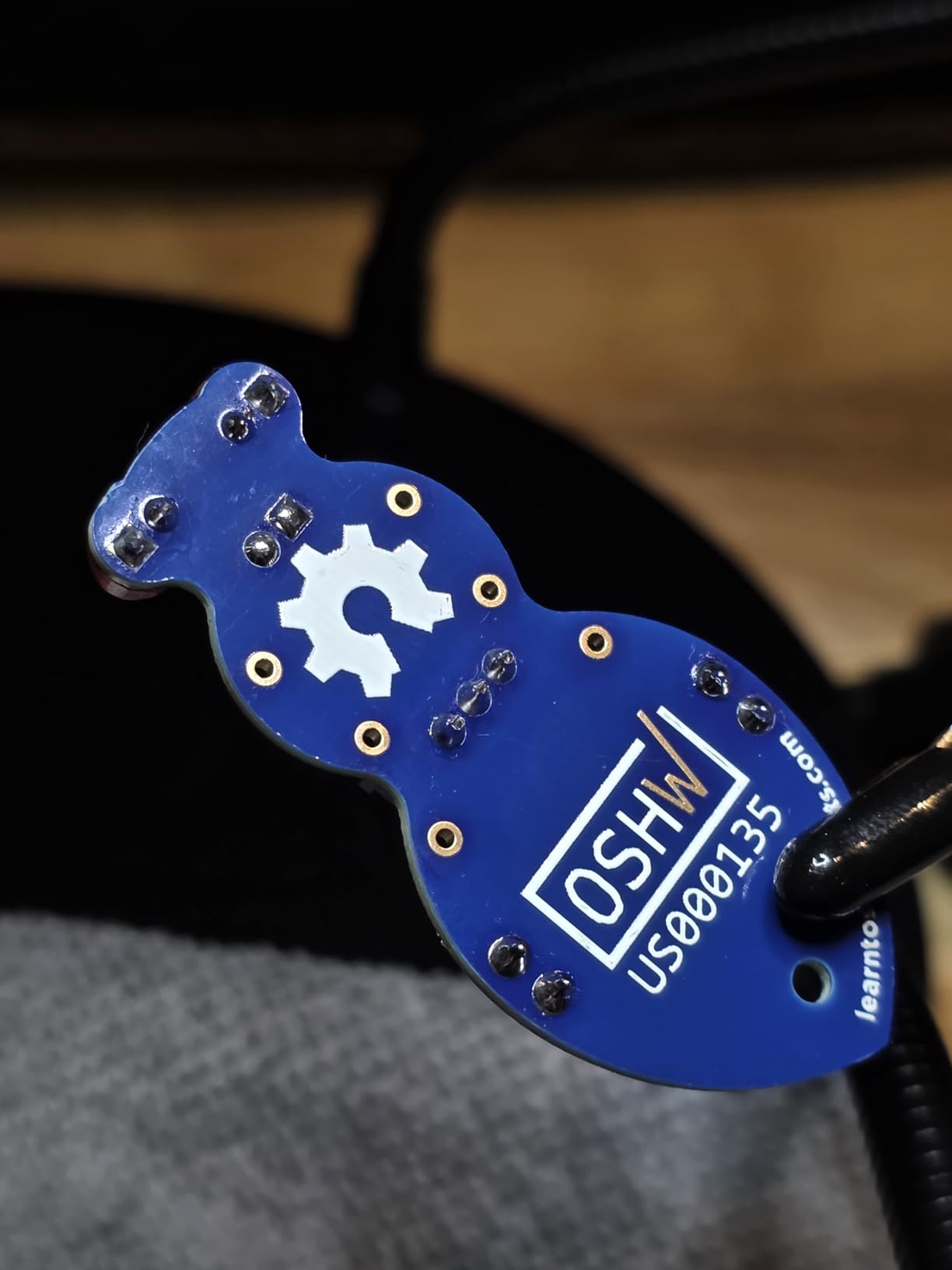
It is a small kit, and that is the point. The board is lead-free and resilient to high temperatures, the design and assembly were done in the United States, and it is certified open source hardware, so the schematics are readable rather than locked away.
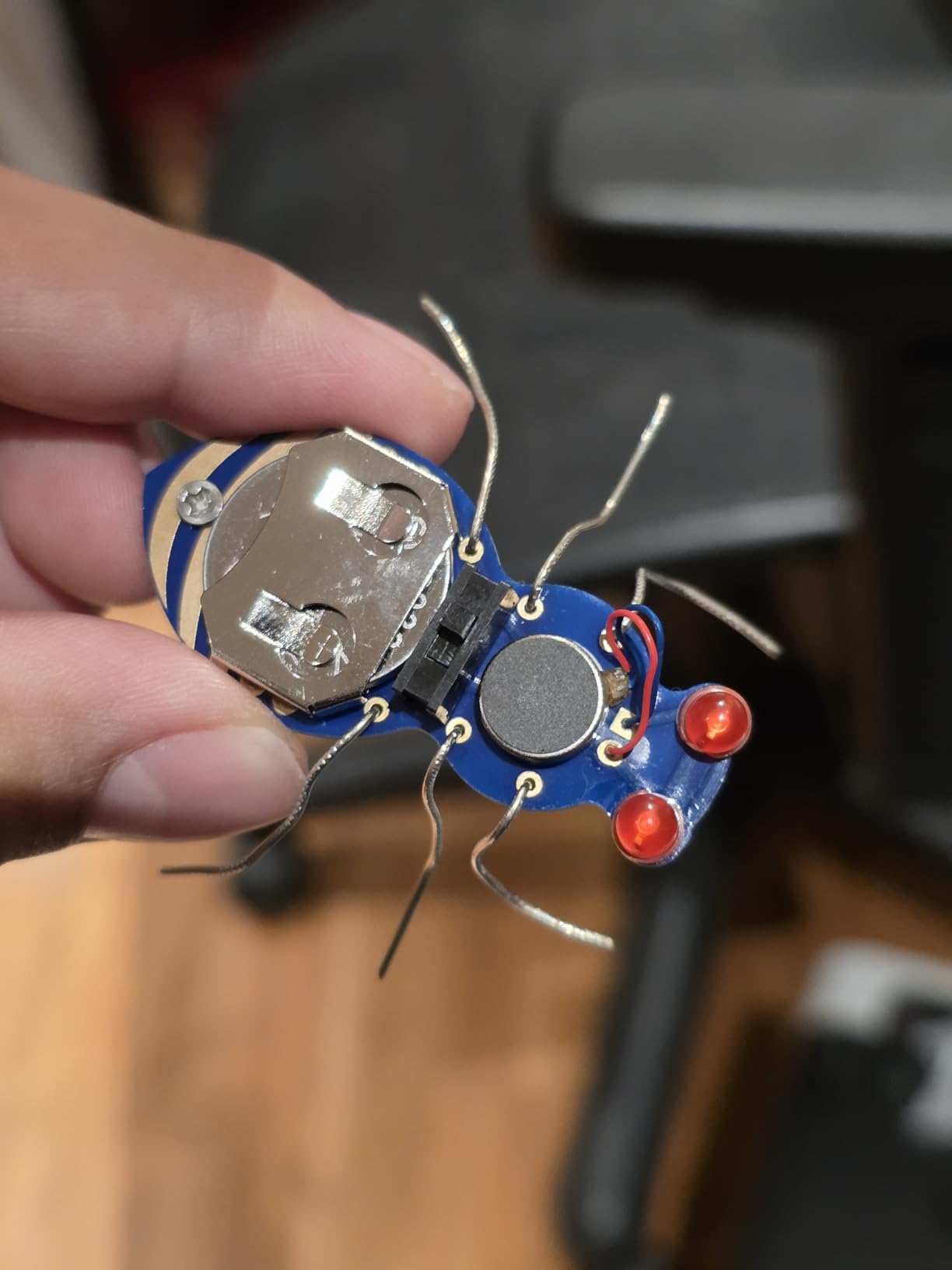
Reviewers describe it as working on the first attempt, which is unusual praise for a beginner soldering project. The included battery, switch, board, LEDs, and motor mean nothing extra to buy, so the only thing standing between you and the build is an iron and some solder.
Be realistic about the depth. This is one project, and the vibration motor leads are thin with little exposed metal, which is the part most likely to frustrate a first-timer. The instructions live online, and some users cannot print the PDF cleanly. Use it as a confidence builder, then move to something with more on it.
Who this kit suits
Anyone who has been putting off soldering because the first attempt felt intimidating. There is a bounded task, a visible result, and a short sitting. It is a good gift to build with a child, since the payoff arrives inside an hour.
Who this kit does not suit
Learners who want to understand the circuit. A vibration motor, a switch, and two LEDs is a satisfying hour, not a foundation. If you want theory, buy the Elenco kit instead and keep this as an evening warm-up.
8. SunFounder Raspberry Pi Pico W Ultimate Starter Kit – Best Rated Kit in This Group
SunFounder Raspberry Pi Pico W Ultimate Starter Kit with Online Tutorials, RoHS Compliant, 450+ Items, 117 Projects, MicroPython, C/C++ (Compatible with Arduino IDE)
Pico W board
450+ components
117 projects
27 video lessons
Pros
- Highest average rating of any kit analyzed
- 450-plus components and 117 projects
- 27 well-explained video lessons
- Pico W arrives pre-soldered and ready to code
Cons
- All documentation is online so a connected computer is required
- 18650 power path lacks a 5 V step-up converter
- Occasional dead-on-arrival boards or missing component legs
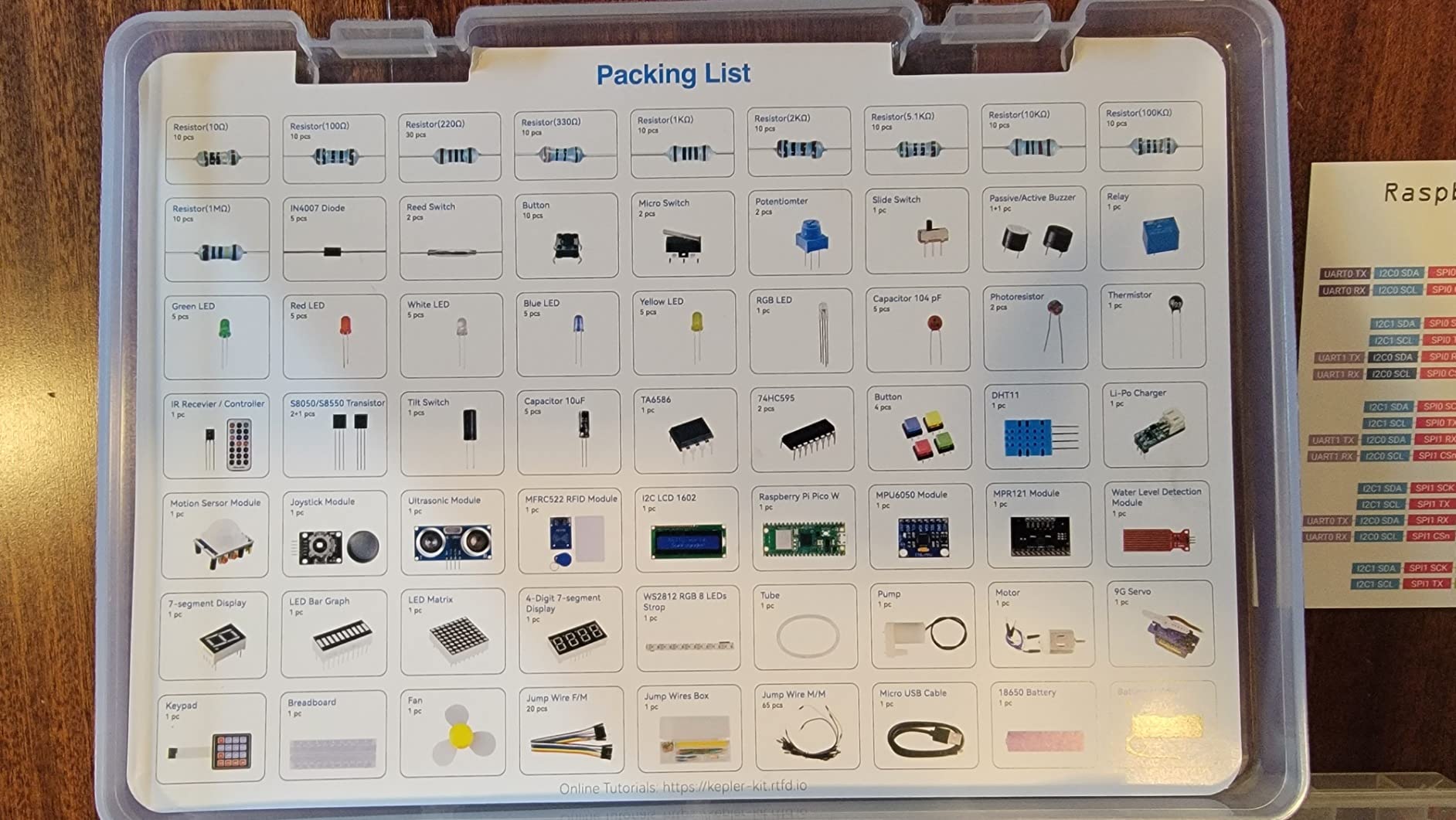
On paper and in the reviews, the Pico W kit scores highest. It carries 4.8 out of 5 with 322 reviews, and 88 percent of that feedback is five star, the strongest score among the twelve kits we analyzed. The component count is the largest here at more than 450 items, spread across 117 projects with an 830-point breadboard, LCD, RFID, sensors, and passive parts.
It is also the best-quality hardware we saw described. Owners specifically call out branded Tower Pro servos, which sounds trivial until you have burned a cheap one mid-project. The Pico W itself is pre-soldered with WiFi and Bluetooth, so you can start coding on arrival with 27 video lessons from Paul McWhorter and support for MicroPython, C/C++, and Piper Make.
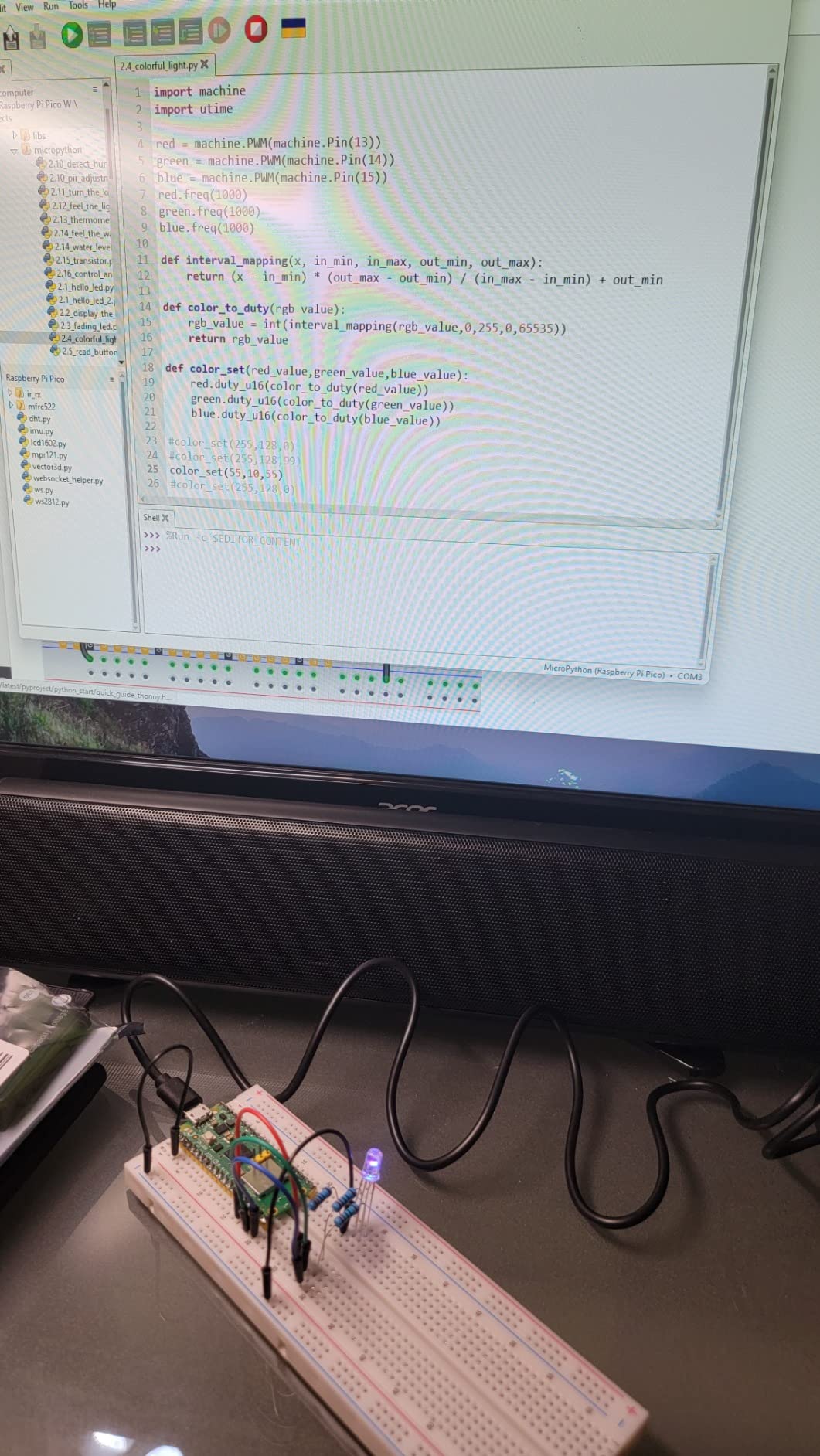
MicroPython is a real advantage for adults who want results fast. You edit a file over USB, run it, and see the change, with no compile step and no toolchain setup. For someone deciding whether embedded work is for them, that feedback loop is worth more than an extra fifty components.
The caveats are practical. Every document is online, so an offline learner is stuck without a printed reference. The included 18650 power path has no step-up converter, which bites when you attach a 5 V peripheral. A minority of reviews report a dead-on-arrival Pico W or components with bent legs, so inspect the board on day one.
Who this kit suits
Adults who want cheap iteration and a modern wireless board at the center of the bench. If you are choosing between microcontroller platforms, the Pico is the one where you can try the most experiments per dollar and the code stays approachable.
Who this kit does not suit
Learners who need printed documentation or who already have strong Arduino habits and a large library of R3 tutorials. The Arduino IDE is supported, but the Pico ecosystem is its own world and older guides will not transfer directly.
9. VOGURTIME DIY Solder Retro Game Kit – Best Build You Can Actually Keep Using
DIY Solder Project Game Kit with 5 Retro Classic Games for Electronic Soldering Practice and Learning, Comfortable Acrylic Case and Handheld Size, Ideal Gift for Family and Friends by VOGURTIME
Five retro games
Acrylic case
3.5 to 5.5 V operation
Handheld size
Pros
- Five playable games make the build worth finishing
- Acrylic case and large buttons look polished
- Printed manual with photos and joint guidance
- Runs on power bank adapter or three AAA batteries
Cons
- Soldering is done upside down so parts slip out of line
- Main surface-mount chip arrives pre-soldered
- Sound output is limited to simple beeps
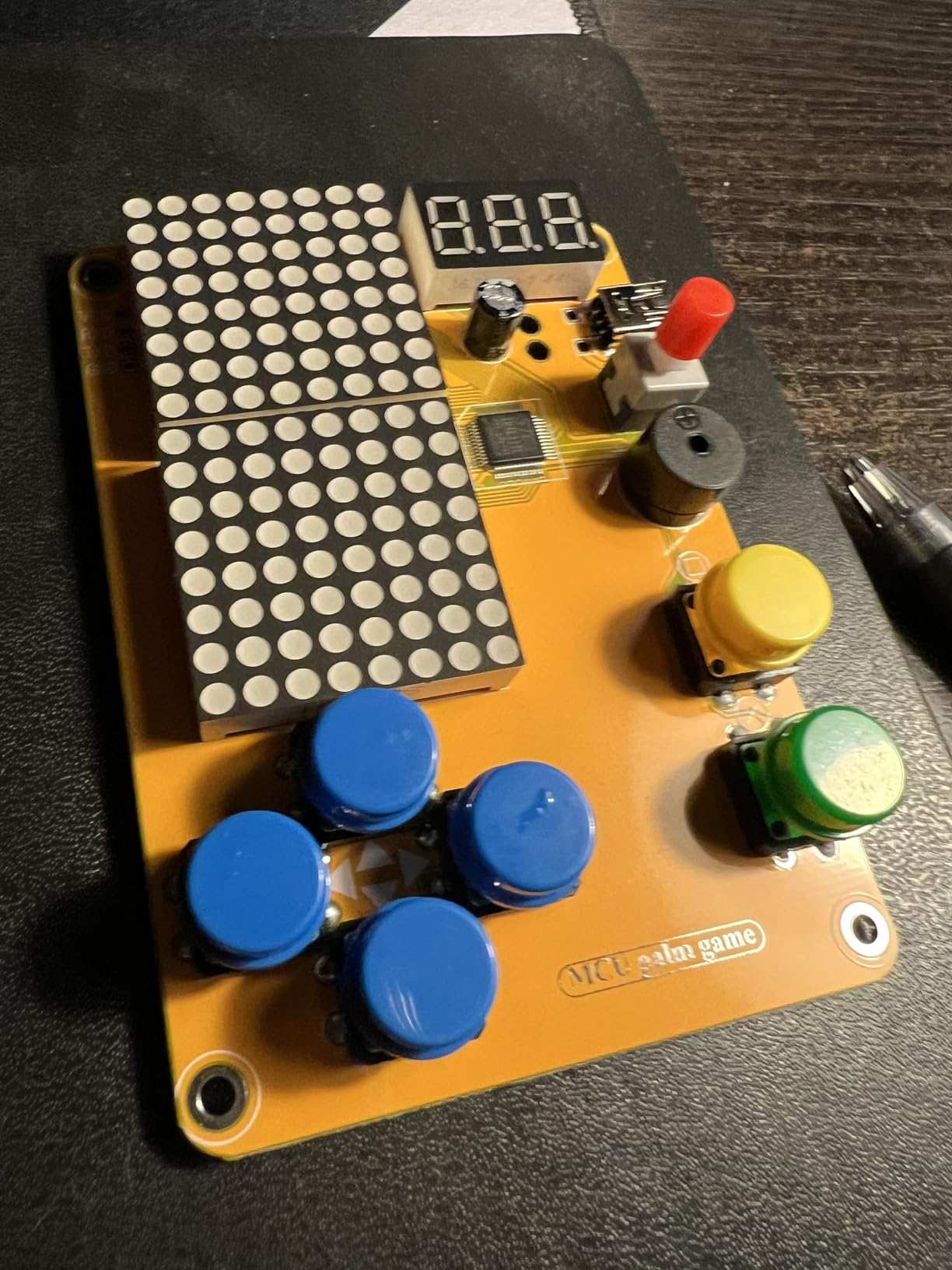
Single-build kits have a reputation for landing in a drawer after one evening. This one is different because the result is a handheld you will keep picking up. You solder a board, fit dot matrix displays, buttons, a speaker and a capacitor, then slide it into an acrylic case that measures 4.72 by 1.18 by 0.79 inches finished, and you have five classic retro games on a device about the size of a deck of cards.
Power is flexible, which is rare at this size. It runs from a power bank, a 5 V adapter, or three AAA batteries at 3.5 to 5.5 V, and the 5 V USB cable and battery case are both in the box. That means it works at a desk, on a couch, or in an electronics build night with friends.
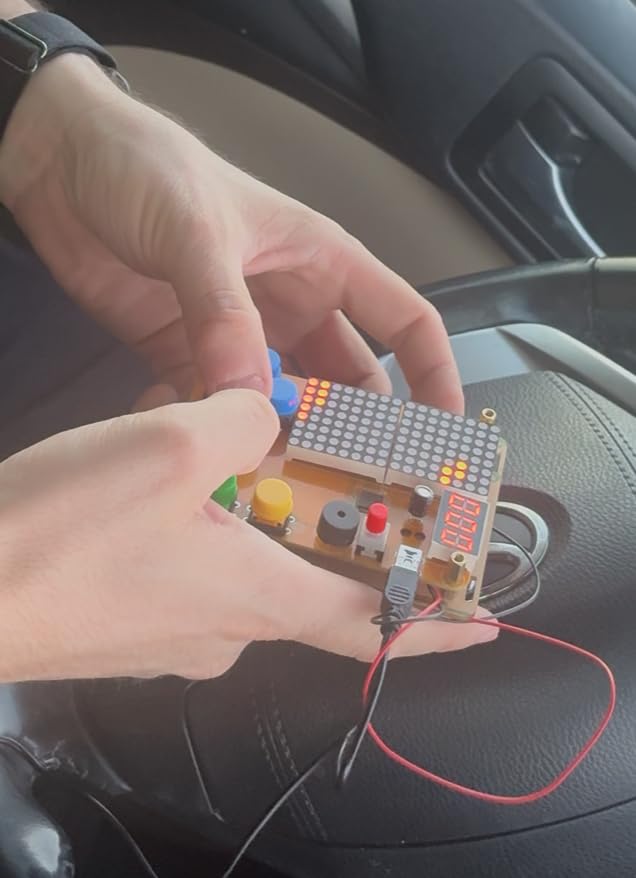
The manual gets good marks. Reviewers praise the colorful printed guide with accurate photos and an explicit solder joint reference, and note that the second-version manual and case assembly are clearly improved over earlier releases. The recommendation age is 14 and up.
Two honest weaknesses. You solder with the board face down, so parts can drift out of alignment, which is genuinely awkward for a first build. And the main surface-mount chip arrives pre-soldered, so you are not practicing fine-pitch work, only through-hole technique. Sound is limited to simple beeps rather than real audio.
Who this kit suits
Adults who learn by finishing something. The motivation loop here is stronger than any breadboard lesson, and the finished object has obvious gift appeal. It is also a good project to do alongside a child, since the acrylic case gives you a shared goal.
Who this kit does not suit
People who want to learn electronics rather than soldering mechanics. Once assembled, the board is closed and the circuit is fixed, so there is nothing left to experiment with. If your interest is designing circuits, choose a breadboard kit instead.
10. Arduino Official Starter Kit Deluxe Bundle – Best Official Arduino Bundle With Books
Arduino The Official Starter Kit Deluxe Bundle with Make: Getting Started The Open Source Electronics Prototyping Platform 3rd Edition Book
Uno R3 board
170-page Projects Book
Make: Getting Started 3rd ed
9.6 x 6.5 in
Pros
- Genuine Arduino board with guaranteed IDE compatibility
- Two books bundled including the 170-page Projects Book
- Wooden base makes projects presentable
- Components tested for reliability before shipping
Cons
- Higher cost than any other kit in this roundup
- Modest component count against cheaper kits
- Bundle listing relies on a third-party manufacturer
There is one reason to choose this over a cheaper clone kit: the documentation and the board. The Arduino Official Starter Kit Deluxe Bundle pairs a genuine Uno R3 with the 170-page Projects Book and the Make: Getting Started with Arduino title in its third edition, and every component is tested for reliability before it is packed.
For an adult who reads, that matters more than it does for a teenager clicking through a video. The Projects Book walks through coding, electronics, and robotics in a sequence that builds on itself, and the wooden base gives finished projects a place on the shelf instead of a corner of the bench. The box measures 9.6 by 6.5 by 2.4 inches and weighs 2.6 pounds.
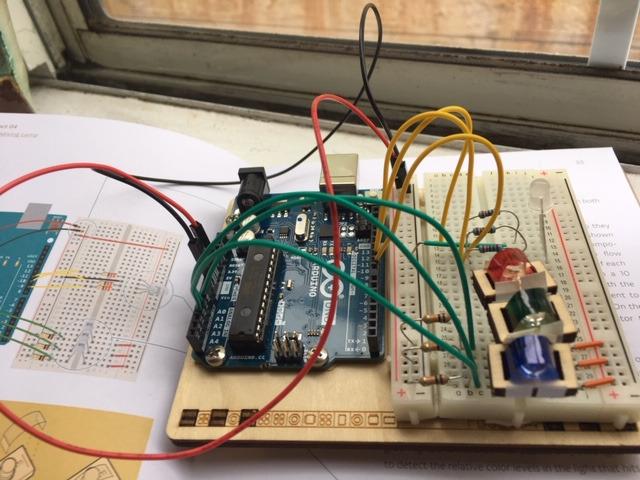
You get a 400-point breadboard, 70 solid core jumper wires, sensors, LEDs, motors, an LCD, an H-bridge driver, an optocoupler, capacitors, diodes, resistors, a pin strip, a storage box, a USB cable, a 9V battery snap, and the wooden base.
The dominant complaint is cost, and it is a fair one. You are paying for board authenticity, testing, and two books while receiving fewer components than kits that cost a fraction of the amount, so a parts-focused learner will find better value elsewhere. Reviewers also note the bundle listing runs through a third-party manufacturer rather than a direct Arduino bundle, which affects what support looks like if something arrives damaged.
Who this kit suits
Adults who plan to stay in the Arduino world and want the canonical path, especially those who learn from printed manuals. Teachers and workshop hosts get a consistent, presentable kit that will not produce a driver problem on a classroom laptop.
Who this kit does not suit
Volume buyers. If your goal is the most parts for the money or the widest project library, this bundle is the wrong shape. It is also overkill for someone confident in the IDE who only needs a board and a handful of modules.
11. Make: Electronics 3rd Edition Kit 1 Deluxe – Best Complete Bench in One Box
Make Electronics 3rd Edition Kit 1 Deluxe Electronic Component Kit
200 pieces
Multimeter and 30W iron included
Matches book sections 1 to 3
13 x 12 x 3 in
Pros
- Only kit here that includes a multimeter and soldering iron
- Parts map to a specific book curriculum
- Double-sided organizer keeps parts sorted
- 9V battery connector and AC/DC adapter power the experiments
Cons
- Book is sold separately
- Highest cost per hour of learning
- Smallest review base in the group
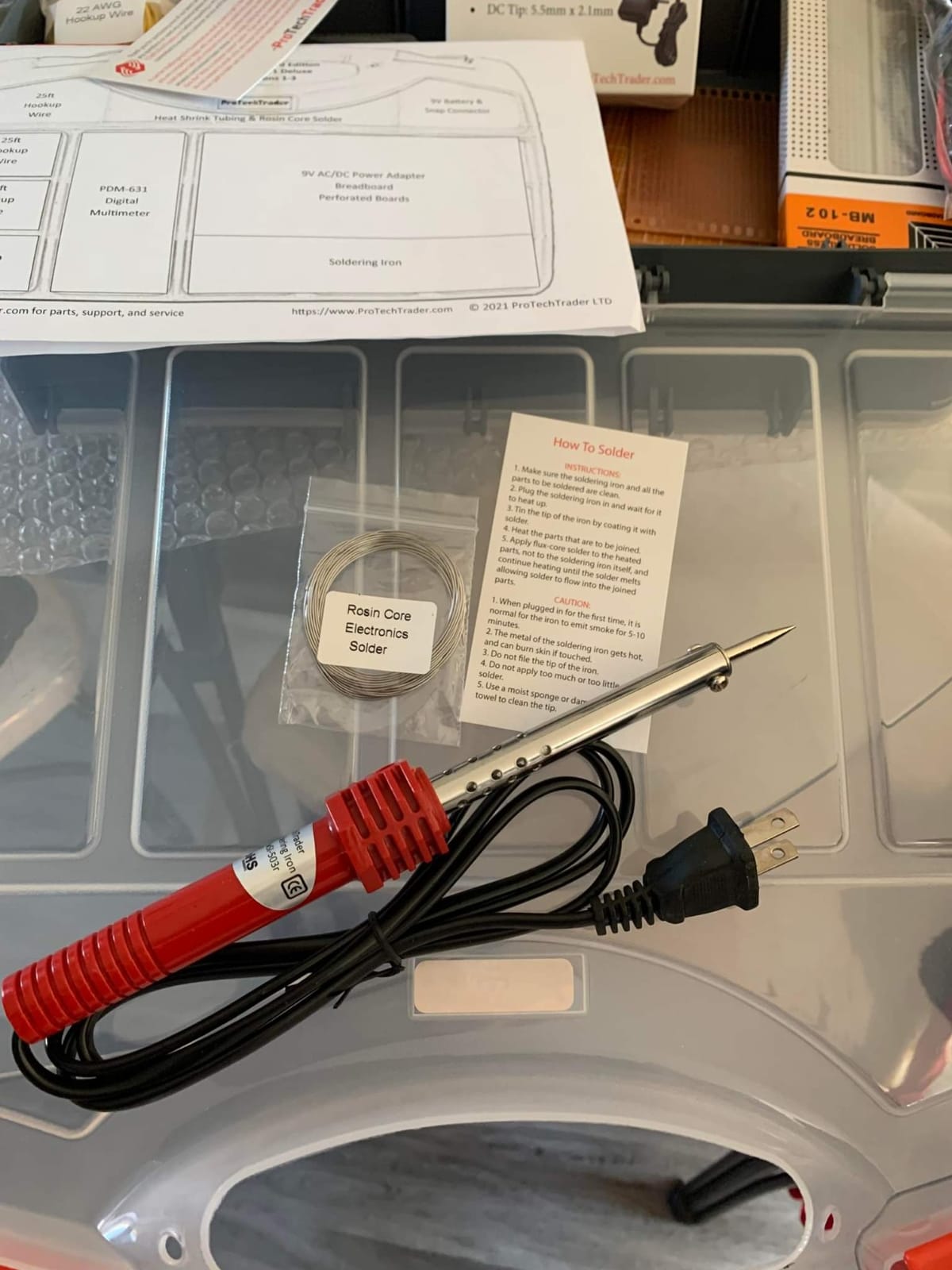
Most kits assume a bench you do not have. This one is the exception. The Make: Electronics 3rd Edition Kit 1 Deluxe includes a PDM631 multimeter and a 30W soldering iron alongside solder, heat-shrink tubing, wire, test leads, a 9V battery, a connector, an AC/DC adapter, a double-sided organizer, and 200 components covering resistors, capacitors, fuses, diodes, a breadboard, ICs, and transistors.
Those 200 pieces map directly to the first three sections of Make: Electronics by Charles Platt, the book most hobbyists recommend to adults who want circuit theory first rather than microcontroller programming. The learning arc is the reason this kit exists: build on a solderless breadboard, then move the same project onto perforated board and make it permanent.
Forum advice consistently points at a book-led kit for a genuine introduction to electronics, and this is the one that supports that advice physically. The organizer matters more than it sounds, because 200 loose parts across a dozen projects is exactly how beginners lose track of what they own. Recommended for ages 13 and up, with a one-year parts warranty.
Two costs to plan for. The book is not included, so the true outlay is the kit plus a separate purchase, and buyers report that this is the highest cost per hour of learning in the group. With 55 reviews, it also has the least long-term feedback of any kit here, so treat the experience reports as thinner.
Who this kit suits
Adults who want to learn the way an engineer learns: measurement, theory, then build. It is the only kit in this roundup that leaves you with a working multimeter and a functioning iron, which removes the two most common reasons a first purchase stalls on day two.
Who this kit does not suit
Impatient learners. There is no microcontroller and no IoT here, so if you want a sensor on your phone within a week, this will feel slow. It also duplicates tools you may already own, so check your bench before buying.
12. amomii Testudo Soldering Practice Kit – Best Structured Soldering Course With Three Builds
amomii Testudo Soldering Practice Kit, Build 3 Gadgets, Arduino Compatible
Three buildable boards
USB-C microcontroller included
No coding required
Open source hardware
Pros
- Three gadgets reuse one microcontroller
- Double-sided boards give varied realistic practice
- Components arrive complete and organized
- Open source with STL files for 3D printed cases
- Browser activation means no code to write
Cons
- Soldering iron and tools sold separately
- Technique instruction is lighter than a dedicated course kit
- Multi-pin ICs are easy to install backwards
The Testudo kit is the answer to a specific complaint about practice soldering boards: they only give you one board to ruin. This one gives you three, a digital piano, an infrared remote, and an arcade console, all sharing a single USB-C amomii ONE microcontroller rated at four times standard power handling. You solder each board, then reuse the same brain in the next one.
The instruction support is broader than most: color-printed in-box instructions, detailed PDF manuals, HD video tutorials, and a course covering joint anatomy, temperature and tip selection, board reading, and fault fixing. No coding is required, because a click-to-activate browser tool with more than ten software functions handles the programming for you.
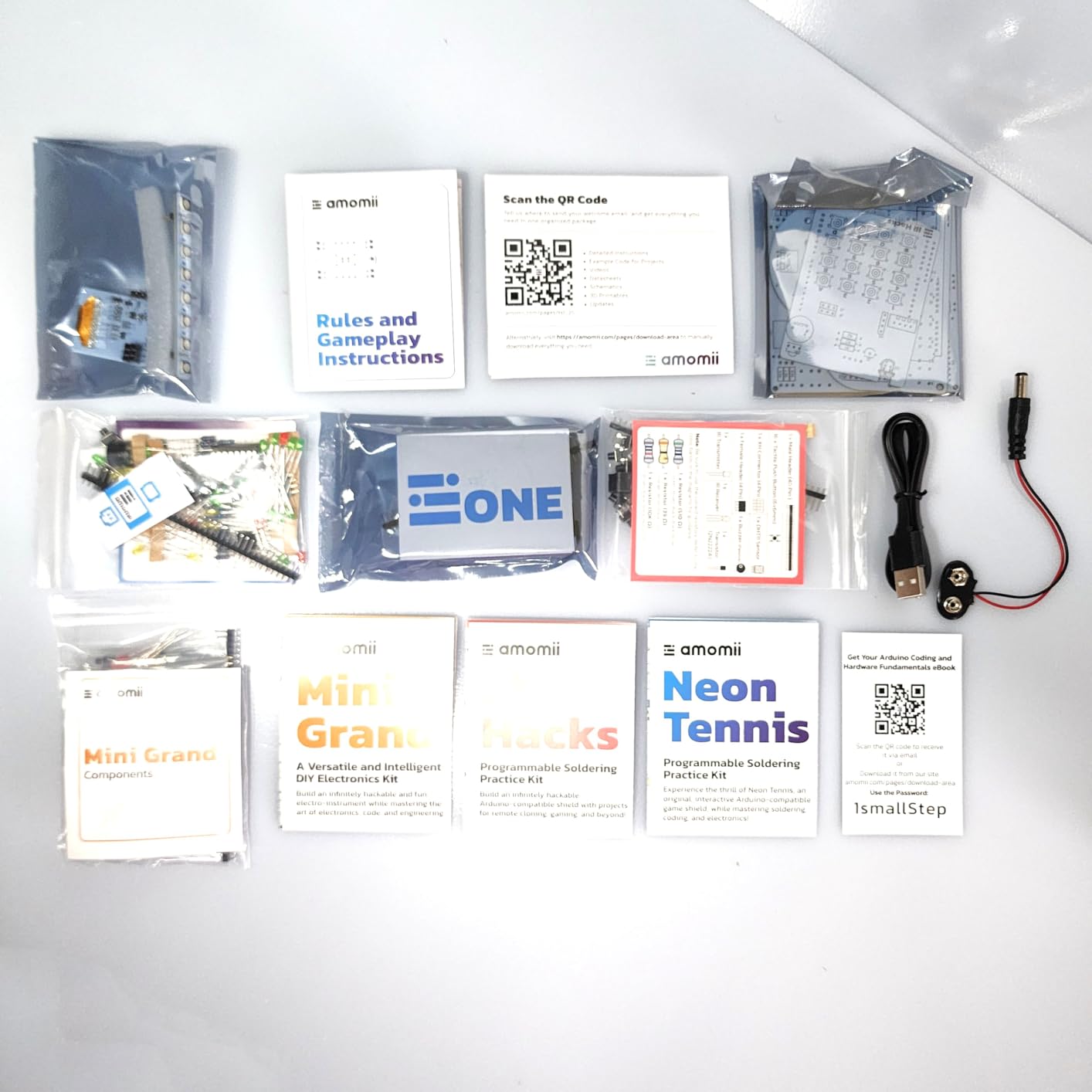
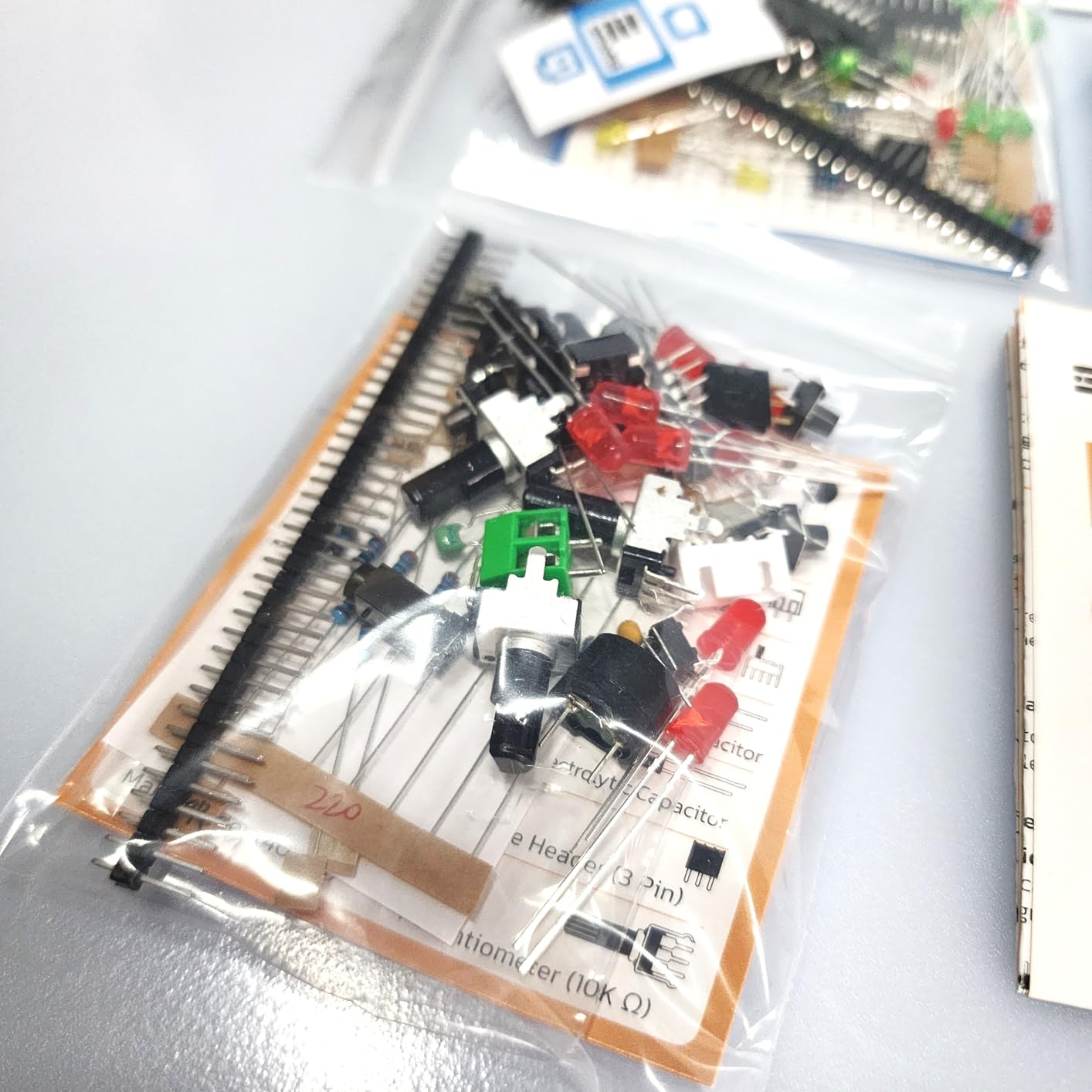
It is open source hardware, and code, schematics, and 3D-printable enclosure designs are downloadable, so you are not locked into a dead-end project. With 60-plus components across three pro-grade circuit boards, the double-sided construction gives you far more practice variety than a single-board kit. Reviewers describe the boards as a step up from typical practice kits, with clear organization and components that arrive intact.
The honest limitations: a soldering iron and basic tools are not included, the guidance on basic technique is lighter than a dedicated course kit, and the multi-pin ICs are easy to install backwards, so check orientation before applying heat. At 46 reviews it has the smallest feedback base in this roundup, though no one- or two-star ratings appear in the set.
Who this kit suits
Adults who want soldering practice with variety and something working at the end of each session. The no-code design also suits anyone helping a child, since the software step cannot block the hardware learning.
Who this kit does not suit
Learners who need soldering fundamentals taught from zero, and anyone without an iron already. Buy a technique-focused kit like the Elenco board first if you have never held one, then come back to this for volume practice.
How to Choose an Electronics Learning Kit for Adults
The twelve kits above fall into three families: microcontroller kits, soldering kits, and component packs. Adults usually get the best results by deciding which family matches their goal before comparing brands, because a mismatch here is the most common reason a first kit sits unused for a year.
Solderless first, or learn to solder first?
These are two different hobbies that happen to share a box of parts. A solderless breadboard kit gets you a working circuit in minutes with zero risk of a cold joint, which makes it the right first stop if your goal is programming sensors, motors, and displays. A soldering kit teaches you the manufacturing skill that turns a temporary circuit into a permanent device, and every adult who wants to build their own boards eventually needs it.
Many people do both, in order: breadboard first to learn the concept, then solder to make it real. The Elenco and Jitterbug kits exist purely for that second stage, and both work as a first purchase if you already understand voltage and current.
Documentation beats component count
A kit with 400 parts and a thin PDF wastes money, because you end up buying the missing wire or the wrong resistor mid-lesson. The kits we rated highest on documentation are the ones with a named teacher behind the lessons, like the SunFounder series with its 27 or more video lessons, or a book tied to a curriculum like the Make: Electronics set. Check whether the tutorial names specific parts from the box before you commit.
Component count still matters, but as a secondary signal. It tells you how many distinct experiments are possible, not whether you will understand any of them. Two hundred components plus forty good lessons beats five hundred components and a parts list.
Reusable parts beat disposable part dumps
A hundred-in-one science-fair kit gives you overlapping duplicates of the same handful of components and no conceptual progression, so it is hard to move from it to real circuit understanding. The kits here are built from standard, individually useful parts: resistors, sensors, motor drivers, and boards you can pull out and use in projects the kit never mentioned.
Ask one question before buying: can I use these parts after the guided projects run out? If the answer is yes, the kit is an investment in a bench. If the answer is that everything only works one way, it is a novelty.
Match the board to your goal
An Arduino UNO or Mega gives you the largest community, the most tutorials, and the simplest path into embedded C++. A Raspberry Pi gives you a full computer, so networking and services are available, at the cost of a higher entry total. A Pico W gives you the cheapest iteration and MicroPython with no compile step. None of these is the best board in general, only the best board for a particular kind of project.
Decide what you want the first three projects to be, then pick the board those projects need. If you do not know yet, the UNO route has the gentlest documentation, which is why it takes our top slot.
What You Need to Buy Separately Before You Start
Almost every question we found from real buyers came down to the same thing: what is not in the box. Kits are sold as component sets, and the bench tools that make those components usable are almost never included. Budget for these before you order, not after.
A multimeter is the first essential. It lets you check a breadboard rail, confirm a sensor’s output, and find the broken wire that a beginner kit otherwise turns into a mystery. If you want only one purchase that makes everything else easier, make it this. The Make: Electronics Deluxe set is the only kit above that includes one.
A soldering iron with a decent tip, some solder, and a small pair of wire strippers come next. Add a brass wool tip cleaner, because a contaminated tip is the number one cause of a beginner deciding they are bad at soldering. Kits marketed as soldering practice kits generally list the iron as not included, so treat it as a separate line item.
You also want safety glasses, an extraction fan or a window to work near for solder fumes, and a clear bench surface. If you plan any mains-voltage work later, add a properly rated isolation transformer and read up on it first. Adults are more likely than kids to be working late and tired, which is exactly when safety habits matter. For inspecting solder joints and small boards, our guide to the best digital microscopes for electronics repair covers what magnification actually helps.
Finally, expect to buy addons later. Most of these kits promise expandability, and the addon list is where the real twelve-month cost sits: extra jumper wires, more sensor modules, better jumper leads, and a second microcontroller. Our roundup of the best electronics starter kits for makers covers the parts worth adding once your first kit runs out of lessons, and the same planning applies to prop electronics kits for cosplay once you want builds with a visible audience.
Frequently Asked Questions
What is the best beginner electronics kit for adults?
The ELEGOO UNO R3 Project Super Starter Kit is our top pick for adults starting from zero. It includes the controller board, more than 20 guided lessons, sensors, motors, an LCD, and 120 resistors, and it works entirely on a solderless breadboard. You can have a working circuit in your first hour and still have components to spare a year later.
Do I need a multimeter to start learning electronics?
Not strictly, but you will want one within a few weeks. A multimeter lets you confirm a breadboard power rail works, read a sensor’s output, and trace a connection that is not behaving. It is the single cheapest tool that removes most early frustration, and the Make: Electronics Deluxe kit is the only one on this list that includes one.
Is soldering necessary to learn electronics as an adult?
No, not to start. Solderless breadboards teach the same circuit theory and let you learn sensors, motors, and microcontroller code without a hot iron. Soldering becomes necessary later, when you want a circuit to be permanent, when you build your own boards, or when a module must be mounted permanently. Most adults benefit from learning the concept on a breadboard first.
Should an adult learn Arduino or basic electronics first?
It depends on your goal, and either order works. For an embedded or IoT career, start with an Arduino or Pico kit and learn theory as each project requires it. For a deeper understanding of circuit design, start with an analog component pack and a book-led kit, then move to a microcontroller once voltage, current, and switching are comfortable.
Which electronics kit is best for a career changer?
A career changer should start with the kit that matches their existing skills. Coming from software, the SunFounder Raphael kit for Raspberry Pi keeps you in Python and covers 161 projects. Coming from hardware or engineering, the ELEGOO Mega 2560 kit gives you pin headroom and 200-plus components. Coming from no technical background at all, the UNO R3 starter kit is the gentlest structured path.
How long does it take to finish an electronics starter kit?
Most people never finish one, and that is fine. Guided lessons typically take two to six hours each, so a 22-lesson kit gives you several weekends of work. The larger sets with 117 or 161 projects are reference material you will return to for years, and a well-chosen kit plus a breadboard and a multimeter will keep producing projects long after the lessons run out.
Which Electronics Kit You Should Buy First
Start with the ELEGOO UNO R3 Project Super Starter Kit if you have no electronics background. It carries a 4.7 rating across more than sixteen thousand reviews, the largest review base in this group, the lessons progress in a sensible order, and nothing in the early path asks for an iron. It is the safest first purchase in the best electronics learning kits for adults roundup because it is hard to get stuck and hard to break.
If you already write code, choose the SunFounder Pico W kit for cheap iteration or the SunFounder Raphael kit for Raspberry Pi and Python work. If you are an engineer or a returning hobbyist who wants theory rather than firmware, start with the Make: Electronics Deluxe set or the ELEGOO component pack around an 830-point breadboard. If your real goal is to build physical devices, begin with the Elenco soldering kit and move to the amomii Testudo for volume practice.
Buy a multimeter before you order anything else, and check back with our electronics starter kit roundup for makers when you are ready to add sensors and boards to the bench.