
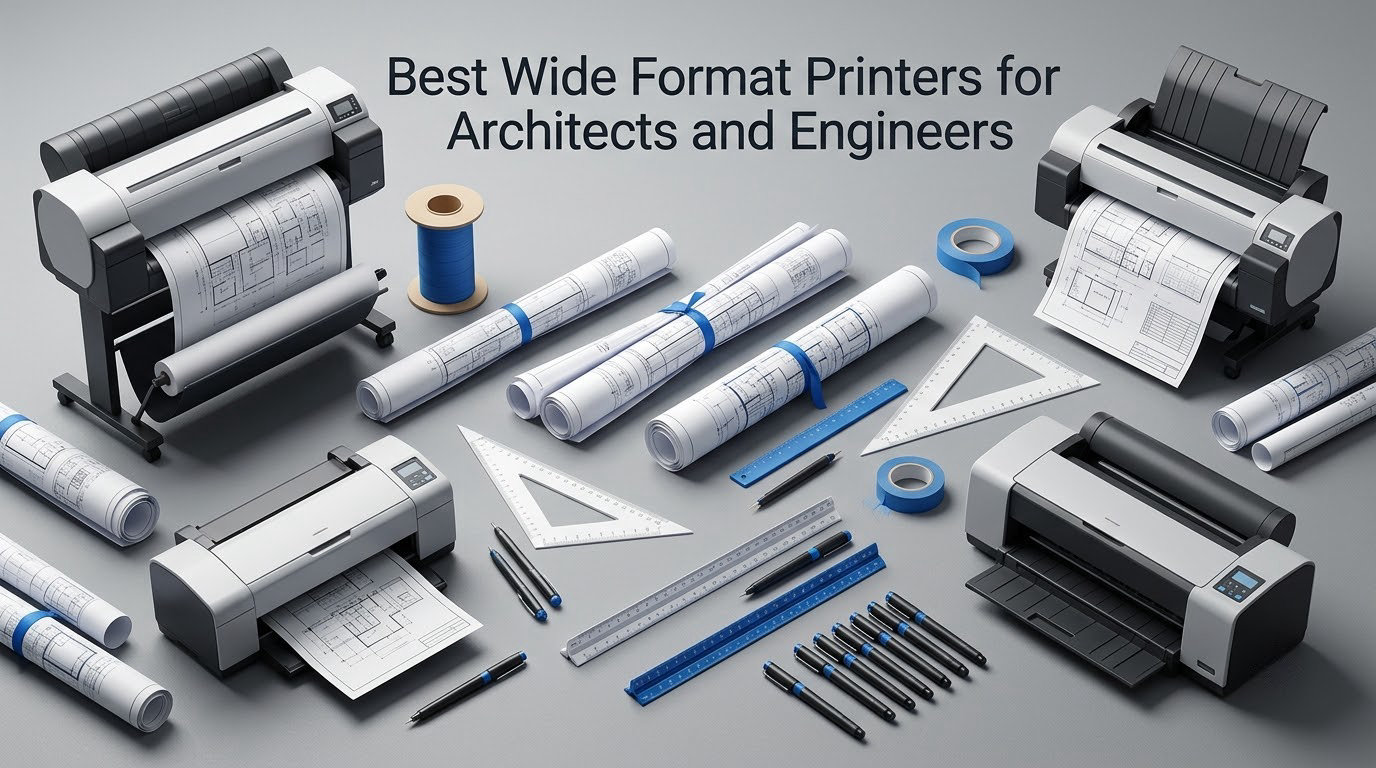
The best wide format printer for architects and engineers is a CAD plotter: a large-format inkjet built to plot line drawings, plans and elevations on 24-inch, 36-inch or wider rolls at CAD-grade resolution, not a photo machine. HP DesignJet and Canon imagePROGRAF dominate this market, and the models that suit small studios and mid-size AEC firms most closely are the HP DesignJet T210, T630 and T650 alongside the Canon imagePROGRAF TC-21M and iPF780.
There is a specific problem with the current crop of wide format printer buying guides. The page sitting at the top of the search results for this query recommends a Brother MFC-J5340DW, a Canon PIXMA PRO-200 and an Epson WF-7310. None of those is a plotter. They are consumer A3 and tabloid inkjets with no roll spindle, no CAD driver and no line-weight control, and they will not print an ANSI D or ISO A1 sheet at all.
Architecture and engineering schools also pollute this search with 3D printing intent, because “model making” queries land on the same words. If you want a physical model, our large format 3D printer guide is the right read. If you want ink on paper, everything below applies.
This roundup covers seven plotters we consider serious CAD hardware, ranked by what a working office actually needs: roll width, cutter behaviour, media handling, throughput, memory and service coverage. We have included a Canon TM-305 five-colour machine and a 24-inch multifunction because scanning existing drawings and printed output for markup is a real part of AEC workflow, not an accessory.
Out of print and plot-at-home is also worth weighing. The same search threads that recommend plotters repeatedly ask whether owning one beats sending every set to a print shop, and the honest answer is that it depends almost entirely on your monthly plot count. We come back to that with numbers you can apply to your own practice.
Table of Contents
How We Picked These Plotters
We did not lab-test these machines. No speed benchmark, line-weight measurement or ink yield figure in this article came from our own test bench. Instead we worked from manufacturer specification data, published rating and review-count data, and the pattern of what buyers actually report after living with each unit.
Every product here clears four filters. It must plot from 24-inch media upward. It must support CAD line-drawing output, whether that is stated as technical line drawings and CAD, maps and GIS, or Arch-D manufacturing output. It must have a real roll feed with an automatic cutter or an equivalent automatic trim. And it must hold at least a 4.0 rating with enough reviews behind it to be worth recommending.
That last filter is why you will not see every model that the shopping results surface. The available pool of CAD-capable plotters above 4.0 is genuinely shallow, and several entry machines sit at exactly 4.0 with a very small review base. We left them out rather than pad the list.
One more limitation to state plainly: this list is HP and Canon only. The Epson SureColor and KIP models that appear in the wider market were not available to us in a form we could verify to the standard applied here. Where a forum thread recommends a KIP 7100-class machine that holds two rolls and prints black and white, we have treated it as a workflow signal about monochrome drafting rather than as a pick.
Spec figures quoted below, including resolution, pages per minute, first-page time, memory, weight, dimensions and warranty, come straight from the published product data for each machine.
Top 3 Wide Format Plotters for Architects and Engineers in 2026
Three machines cover most offices. The T210 is the value pick for studios working in 24 inches, the T630 is the full 36-inch workhorse with cutter, feeder, bin and stand in the box, and the TC-21M is the one to buy if printing is only half of what you need and scanning and copying the other half matters.

HP DesignJet T210 24-inch Plotter
- 24-inch roll
- Automatic horizontal cutter
- 59 A1/D prints per hour

HP DesignJet T630 36-inch Plotter
- 36-inch A0 width
- Sheet feeder and media bin
- 2 pages per minute

Canon imagePROGRAF TC-21M 24-inch MFP
- scan and copy
- Ink bottle tank system
- Up to 100 sheets
Quick Overview of All 7 Plotters
The table below lists all seven machines in rank order with the features that separate them. Width is the first filter because it decides whether you can print a full-size plan without tiling.
| Product | Specifications | Action |
|---|---|---|
| HP DesignJet T210 24-inch Plotter |
|
Check Latest Price |
| HP DesignJet T630 36-inch Plotter |
|
Check Latest Price |
 HP DesignJet T650 36-inch Plotter HP DesignJet T650 36-inch Plotter |
|
Check Latest Price |
| Canon imagePROGRAF TC-21M 24-inch MFP |
|
Check Latest Price |
 Canon imagePROGRAF iPF780 36-inch Plotter Canon imagePROGRAF iPF780 36-inch Plotter |
|
Check Latest Price |
 HP DesignJet T830 24-inch Multifunction HP DesignJet T830 24-inch Multifunction |
|
Check Latest Price |
 Canon imagePROGRAF TM-305 36-inch Plotter Canon imagePROGRAF TM-305 36-inch Plotter |
|
Check Latest Price |
1. HP DesignJet T210 – The Best All-Rounder for Small Studios
HP DesignJet T210 Large Format 24-inch Plotter Printer, for Easy CAD & Poster Prints (8AG32D)
24-inch roll media
2400 x 1200 dpi
59 A1/D prints per hour
500MB memory
Pros
- Automatic horizontal cutter
- Strong CAD line quality and text
- Wi-Fi plus Gigabit Ethernet and USB
- Compact 47.4 pound footprint
Cons
- HP OEM cartridges only
- Some reports of 24-inch roll loading issues
- Forwards paper on a jam and wastes media
The T210 is the machine we would put in front of an architecture student finishing a portfolio or a three-person studio taking on its first renovation projects. It plots 24-inch roll media, resolves at 2400 x 1200 dpi in both black and white and colour, and turns out up to 59 A1 or D-size prints per hour with a first page in about 45 seconds.
What surprised us in the spec sheet is that this entry machine already carries an automatic horizontal cutter. On a lot of 24-inch plotters the cutter is a blade you reach for with a straightedge, and that single feature decides whether a batch of 20 plans is a ten-minute job or a twenty-minute job. Here the trim happens on the machine.
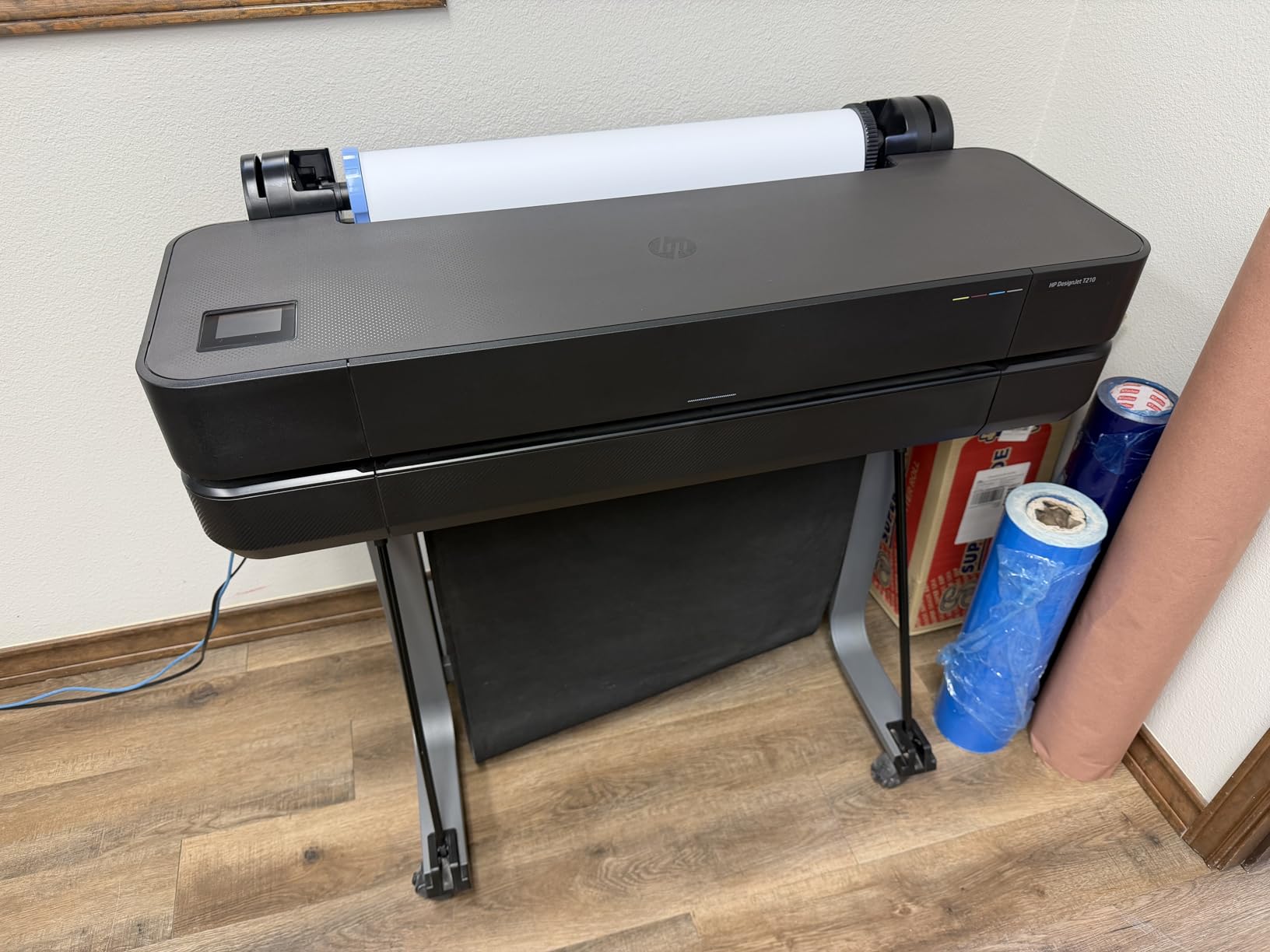
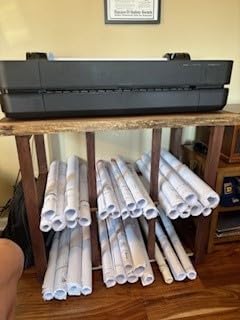
Line quality is the reason it holds a 4.4 rating across 112 reviews, the largest review base in this roundup by a wide margin. Buyers consistently mention crisp technical line work and legible text on house plans and elevations, and several use it for small in-house design or print businesses rather than purely for CAD. The rating distribution backs that up, with 78 percent of reviews at five stars.
Connectivity is genuinely useful for a small office: Gigabit Ethernet, Hi-Speed USB 2.0 and Wi-Fi 802.11 b/g/n, with control from an app, remotely or from a touchscreen, and the machine reports as compatible from Windows, macOS, ChromeOS, Android and Apple AirPrint. HP Click handles PDF error checking, alerts and auto-nesting, and the machine accepts PDF, JPEG, TIFF, DWF, HP-GL/2 and PNG.
The one structural complaint that shows up repeatedly is ink supply. HP 712 cartridges have no override, and owners say they are awkward to find locally and take time to arrive. If you are outside a metro area with a dealer, that is a real operational risk and worth pricing into your decision before anything else.
Two smaller issues to know about. A few users report 24-inch rolls failing to load perfectly straight, and if a jam does occur the printer keeps feeding paper forward, which turns a small stop into a bigger one. The published dimensions of 11 inches deep by 40 inches wide by 17 inches high are also reported by some buyers as having depth and height reversed, so measure your desk or shelf before you commit.
What the T210 does well for an architect or engineer
It is the lowest-friction way to get A1 and ANSI D output in-house, and at 47.4 pounds with an 11-inch depth it fits where 36-inch machines cannot. Line weight and text hold up on site plans, elevations and construction document sets, and the automatic cutter removes the most common workflow complaint on entry machines.
It also handles mixed output. Automatic multi-size and multi-page printing means you can move from an A1 plan to an 11 x 17 inch detail without physically swapping media sources, and an optional automatic sheet feeder takes 13 x 19 inch sheets alongside the roll.
Where the T210 falls short
24 inches is the ceiling. Anything at 36 inches, which includes full Arch-E output and a lot of site plans, has to be scaled down and tiled or sent out. There is no scan or copy function, so markup of a received drawing still means a flatbed elsewhere.
The one-year limited warranty is the shortest standard cover here, and with HP-only ink and HP-only media in the ecosystem, that single point of dependency is worth weighing against a machine that carries a longer plan.
2. HP DesignJet T630 – 36-Inch Width With Cutter, Feeder and Stand in the Box
HP DesignJet T630 Large Format 36-inch Plotter Printer, with Auto Sheet Feeder, Media Bin & Stand (5HB11D)
36-inch A0 roll media
2 pages per minute
30-second first page
Auto sheet/roll switch
Pros
- Full 36-inch A0 output with no tiling
- Feeder media bin stand and cutter all included
- Wi-Fi from desktop and mobile
- Crisp lines and accurate colour
Cons
- Some reports of printhead and reliability failures
- HP OEM cartridges only
- Sheet feeder takes 13 x 19 inch sheets only
The T630 is the answer for a practice that has outgrown 24 inches. At 36 inches it takes a full A0 sheet, which means a site plan, a large elevation or an Arch-E drawing comes out at one-to-one with no tiling and no scaling of line weights. Throughput is 2 pages per minute with a 30-second first page.
What makes this package unusually complete for the money is what arrives in the box. You get the automatic sheet feeder, a stand with media bin, starter cartridges and the automatic horizontal cutter, plus automatic sheet-to-roll switching. Many competitors at this width sell you the stand, the bin or the feeder as an accessory. The 123-pound machine is built around them.
Media handling covers sheet feed, roll feed, automatic sheet and roll switch, the media bin and the automatic cutter. The feed side accepts 36-inch roll media and 13 x 19 inch sheets, and connectivity is Gigabit Ethernet, Hi-Speed USB 2.0 and Wi-Fi 802.11 b/g/n, with HP Click providing PDF error checking, alerts and auto-nesting and supporting direct print from CAD applications.
Buyers describe crisp line quality and accurate colour for architectural plans, signage and large-scale designs, and several call it a good value at the 36-inch tier with painless setup. Wi-Fi printing working from both desktop and mobile gets called out specifically. The rating is 4.0 from 31 reviews, with 68 percent at five stars.
The concern that pulls that rating down is reliability. A small but vocal group of owners report printhead and reliability problems that required service or a replacement printhead within the first year. That is not a majority, but on a business-critical machine the tail risk matters more than it would on a home device. HP-only cartridges limit your options if ink sourcing ever becomes a problem.
One detail that catches people out: the automatic sheet feeder holds 13 x 19 inch sheets only, not full 36-inch sheets. Full-size cut sheets still come off the roll. At 24 inches deep by 52 inches wide by 37 inches high, plan the floor space and the base before delivery.
Why engineers lean toward this machine
The carriage width is the reason, not the cost. Structural and mechanical drawing sets mix 24-inch details with 36-inch sections and title sheets all the time, and a 36-inch machine absorbs that overflow instead of forcing a scale change. Two pages per minute is fast enough to clear a plan set between meetings.
Automatic sheet-to-roll switching also matters in a working office, because most practices plot from a mix of cut sheets and rolls in the same afternoon and standing at the machine to swap media is the delay that eats into the saving.
Where the T630 falls short
One year of warranty on a machine this size, with a reported printhead tail risk, is the weakest point. Buyers who go this way should plan on a Care Pack or an extended service agreement from the outset rather than treating it as optional.
It is also a large machine for a small room at 123 pounds, and HP-only media means third-party rolls are not a fallback. If your volume is light enough that you would plot a few sheets a week, the width is paid for and never used.
3. HP DesignJet T650 – 36-Inch Speed With Two-Year Onsite Cover
HP DesignJet T650 Large Format 36-inch Plotter Printer, Includes 2-Year Onsite Warranty Support (5HB10T) – New Model
36-inch roll media
82 A1/D prints per hour
25-second first page
1GB memory
Pros
- 2-year Care Pack with onsite support
- Fastest 36-inch throughput here at 2.4 pages per minute
- Stand media bin roll cover and feeder included
- HP Smart app printing
Cons
- HP OEM media only
- 2-inch core rolls from other brands may not fit
- Needs substantial floor space and a sturdy base
- One owner reports fast ink use and quality drop after years
The T650 is the T630’s faster, better-supported sibling, and for a firm that plots daily the two differences are the reason to step up. It produces up to 82 A1 or D-size prints per hour at 2.4 pages per minute with a 25-second first page, and it comes with a 2-year HP Care Pack that includes onsite support rather than the standard one-year limited warranty.
Onsite support is the quiet differentiator. A plotter that fails on a Friday afternoon with a deadline on Monday is a different problem if a technician comes to you. Among this group, the T650 is the only machine where that is standard rather than something you buy separately.
It also carries 1GB of memory, twice what the T210 runs with, which matters when you push large project sets or complex GIS maps. Media handling again covers sheet feed, roll feed, automatic sheet and roll switch, the media bin, a paper roll cover and the automatic cutter, and the stand, feeder and starter cartridges are all included.
Connectivity is Gigabit Ethernet, Hi-Speed USB 2.0 and Wi-Fi 802.11, and printing works from a phone, PC or tablet through the HP Smart app. Buyers highlight printing full pages in-house without a print shop visit, and the HP Click layer adds PDF error checking, alerts, auto-nesting and HP-GL/2 support.
Buyers generally describe it as a solid, fast 36-inch plotter for office plan sets. The rating distribution is 62 percent five stars and 10 percent four stars, with the balance spread across three, two and one stars, which is a slightly wider spread than the T210’s.
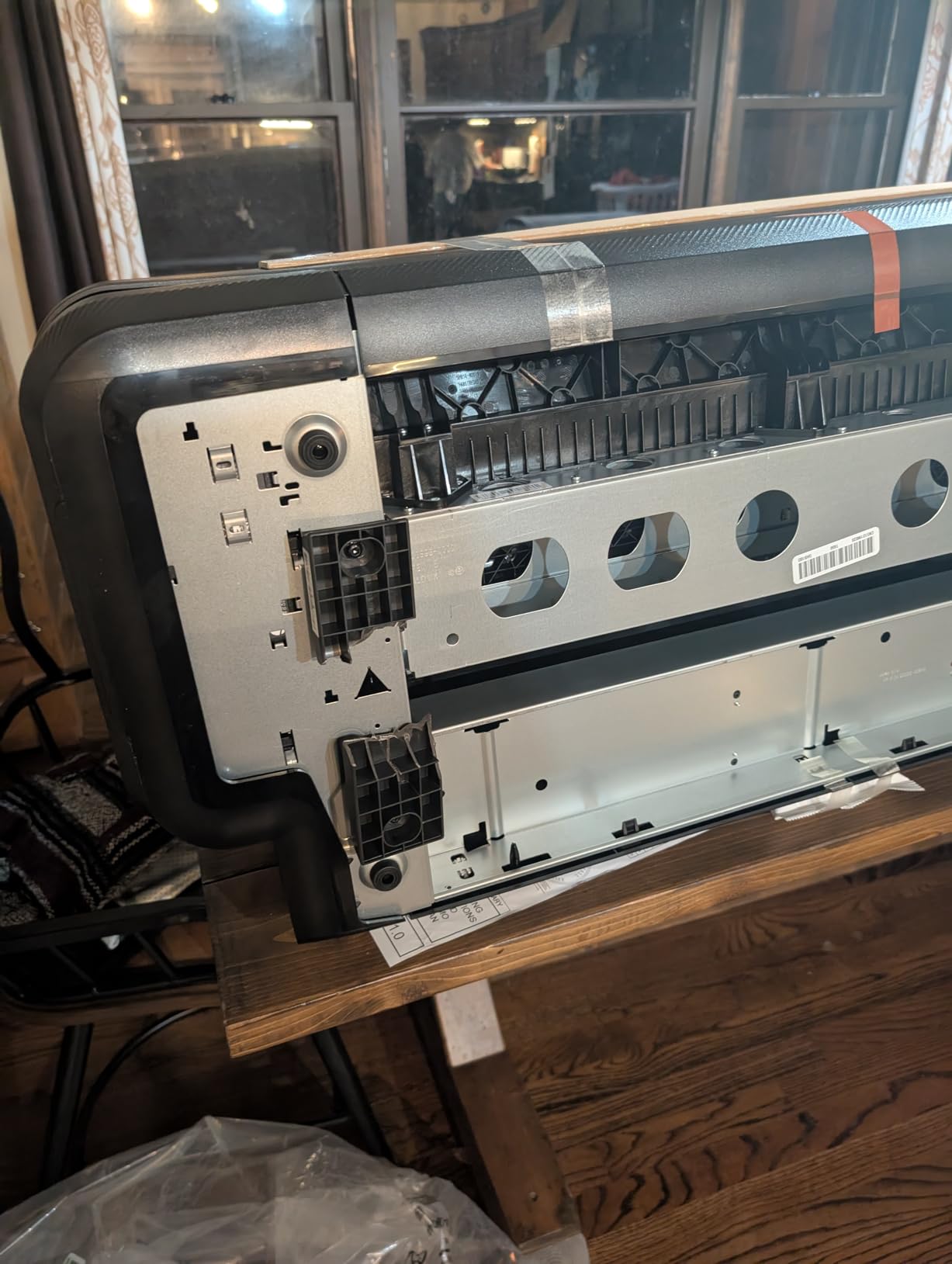
The complaints cluster around media and physicality. HP-only media is the rule, and one owner specifically reports 2-inch core rolls from other brands not fitting, so third-party media is not a genuine fallback. Another reports the plastic shipping brackets failing during unpacking and damaging the unit, which is worth inspecting immediately on delivery.
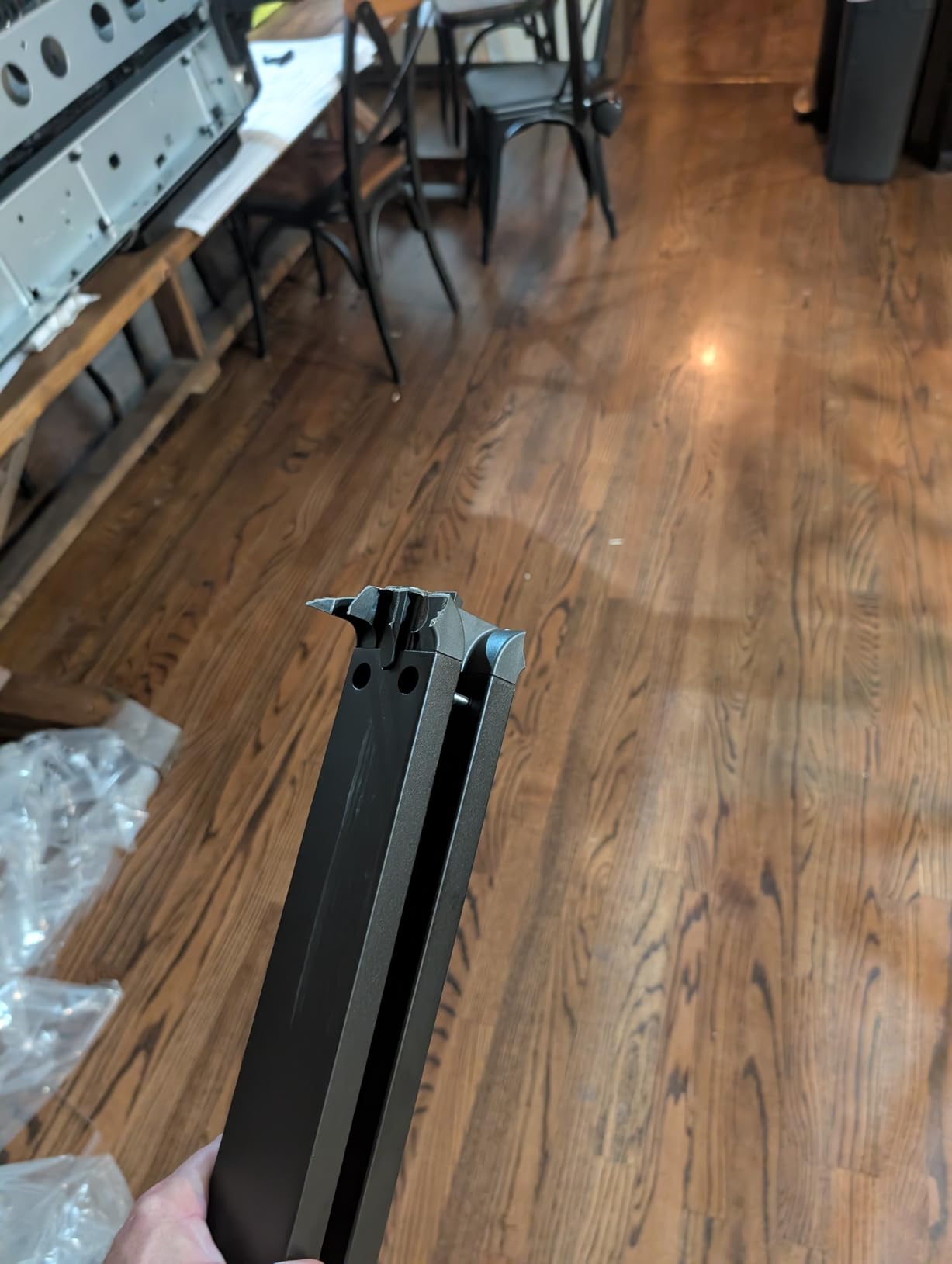
One long-term owner in construction reports fast ink consumption and a drop in print quality after several years of use. That is a single report against a 25-review base, so treat it as a prompt to monitor rather than a verdict, but it pairs naturally with the plan of buying a machine you expect to keep for a decade. At 24 inches deep by 52 inches wide by 37 inches high, it needs substantial floor space and a sturdy base.
When the two-year onsite cover earns its place
It fits a firm plotting construction document sets most days, where turnaround is the product you are selling. At 82 A1/D prints per hour a full set clears quickly enough that people stop batching jobs overnight, and the Care Pack removes the single biggest anxiety people express about in-house plotters, which is who shows up when it breaks.
The 1GB memory and 25-second first page also suit teams pushing large Revit exports and GIS output rather than single-line AutoCAD sheets, where the file size is the bottleneck rather than the page count.
Where the T650 falls short
It costs more than the T630 for throughput and cover you may not use. If your plotting is occasional, the extra speed changes nothing and the Care Pack is the only part of the premium doing real work.
The media lock-in is the tightest in this roundup. HP-only rolls and a reported core-size restriction mean your supply chain is a single point of failure, and third-party media marketed for other plotters is not a safety net here.
4. Canon imagePROGRAF TC-21M – Print, Scan and Copy With Tank Ink
Canon imagePROGRAF TC-21M – 24″ Large Format Multifunction Printer
24-inch A1 media
2400 x 1200 dpi
Tank-based ink bottles
Flatbed scan and copy
Pros
- Print scan and copy in one 24-inch unit
- Ink lasts a long time between refills
- Quality users rate highly for the tier
- Touchscreen
- USB port and cloud print and scan
Cons
- Flatbed scanner is letter-size only
- No save-roll memory so custom sizes reset
- Paper feed errors can appear with age
- Large and heavy; needs a drop basket
The TC-21M is the pick if your practice treats scanning as a first-class task rather than an occasional errand. It prints, scans and copies up to A1, and it does it in a 21-inch deep by 38-inch wide by 10-inch high body that is far less intrusive than a 36-inch plotter with a stand.
The ink system is the quiet headline. Where cartridge-based plotters in this list run on HP 712 or HP 728 cartridges, the TC-21M uses a tank-based system fed by ink bottles, and owners report ink lasting a long time even with daily use. For an office that plots every working day, refill frequency and running cost behave very differently from a cartridge machine.
It also has the most flexible everyday input. A 2.7-inch tiltable touchscreen LCD, a USB flash drive port for direct large-format printing without a computer, and cloud printing and scanning from the device itself. The auto sheet feeder holds up to 100 letter-size sheets or 50 sheets of 11 x 17 inch, and the flatbed supports an enlarge copy function from smaller originals.
Buyers switching from a much costlier Epson report comparable quality and speed, which is a reasonable signal about where this tier sits. The rating is 4.4 from 21 reviews with 75 percent at five stars, and Canon’s 1-year manufacturer warranty applies.
The disappointment that shows up most is the scanner size. The built-in flatbed is letter-size at 8.5 x 11 inches, not 24 inches wide, so you cannot scan a full-width plan back into digital form with this machine alone. It is a document and detail scanner, not a wide-format one. And with no save-roll memory, custom sheet sizes have to be set every time rather than recalled.
Two practical notes. Some owners report paper feed errors appearing after months of use that need roller cleaning, and the unit is large and heavy enough that output tends to land on the floor unless you add a drop basket.
Who this machine suits best
Small practices and one-person studios that plot, scan existing drawings and copy reference material in the same week. Tank ink makes high-frequency use less painful than the cartridge alternative, and the 24-inch width covers A1 and ANSI D work without taking on the footprint of a 36-inch machine.
It is also a good fit for offices still building out their process, because the USB port and cloud functions let someone send a PDF to the machine without involving the plot driver or the CAD seat at all.
Where the TC-21M falls short
The letter-size flatbed is the deal-breaker for anyone whose workflow includes marking up and archiving full-width plans. If scanned site plans are part of your record set, this is a print-first machine with a document scanner attached.
The absence of saved roll settings slows down anyone plotting non-standard sizes repeatedly, and the reported feed errors mean it is not a machine to place with no thought about maintenance access.
5. Canon imagePROGRAF iPF780 – 36-Inch With Dye Inks and Pigment Matte Black
Canon imagePROGRAF iPF780 36-inch large format printer 8967B002AA
36-inch roll media
2400 x 1200 dpi
21-second first page
300ml ink tanks
Pros
- Highest rating in this roundup at 4.6
- Sub-ink tank system with 300ml tanks
- 21-second first page
- Pigment matte black alongside dye inks
Cons
- Very heavy at 239 pounds
- Cartridges can be tricky to seat
- Printhead can clog if the machine sits idle
- Wired Ethernet only with no Wi-Fi
The iPF780 is the only machine here with an explicitly stated hybrid ink configuration, and for construction document output that matters. It runs dye inks in cyan, magenta, yellow and black alongside a pigment matte black, which is the ink type most associated with crisp, water-resistant line work and title block text. If your sets live in a trailer or a site hut, black that resists smudging is worth knowing about.
It is also the strongest-rated machine in this roundup at 4.6, with no one or two star reviews in its distribution and 77 percent at five stars. The sample is small at 15 reviews, but the consistency is notable, and buyers describe it as a dependable workhorse for construction companies printing full-size plans on the job.
Throughput is 21 seconds to a first page and up to 2.86 colour pages per minute, with 2 pages per minute in black and white, at 2400 x 1200 dpi. The sub-ink tank system with 300ml tanks reduces the cartridge changes that cause interruptions mid-set, and cartridges are available in 130ml and 90ml sizes in addition to the tank feed.
It is sold by CES Imaging, a Canon Platinum Reseller, with a 1-year on-site warranty, and owners call that support responsive. Output capacity is 20 sheets across 2 trays, and networking is wired Ethernet, which is a limitation in a modern wireless office but perfectly serviceable on a wired studio network.
The physical constraints are the main objection. At 239 pounds this is by far the heaviest machine here and needs a reinforced stand and careful setup. Owners also report cartridges that can be tricky to seat and may need pressure to fit correctly, and a printhead that can clog if the machine sits idle long enough that periodic test prints become necessary.
The most important operating note is the one about service planning: printhead replacement on a machine of this class can approach the cost of new equipment, so a service plan is not optional. That advice applies to any wide format plotter, but it bites hardest here.
Why construction offices like this machine
Pigment matte black is the reason. Permanent record drawings and construction document sets are reproduced, marked up and stored, and a black that holds its line on a damp plan is a practical advantage over a dye black that feathers.
The 300ml tank system means fewer interruptions during a long set, and 21 seconds to a first page keeps a same-day request from becoming tomorrow’s problem. On-site warranty service through a Canon Platinum Reseller is a genuine asset for a firm that cannot send a plotter off-site.
Where the iPF780 falls short
It has no wireless connectivity, so it cannot be printed to from a phone or a tablet, which is a real limitation for a practice that has moved to mobile review. Anyone who needs mobile plotting should look at the T830 or the T210 instead.
At 239 pounds it is a serious installation, and the reported cartridge seating difficulty and idle-clogging behaviour both point to a machine that rewards a maintenance routine. It is also a larger outlay than the 36-inch HP options for a first plotter.
6. HP DesignJet T830 – Compact 24-Inch Multifunction With Mobile Printing
HP DesignJet T830 Large Format Multifunction Wireless Plotter Printer – 24″, with Mobile Printing (F9A28D)
24-inch roll and sheet media
Print, scan and copy
81 A1/D prints per hour
1GB memory
Pros
- All-in-one 24-inch print scan and copy
- Mobile printing for iOS
- Android and Chrome OS
- 81 A1/D prints per hour with 1GB memory
- Stand and media bin included
Cons
- Reported cutter failures lockups and printhead problems
- Scanner cannot scan directly to a PC
- One-year warranty is short at this price
- Highest 1-star share in this roundup
The T830 is a 24-inch multifunction built for a compact studio, and its headline spec is speed. It plots up to 26 seconds per A1 or D page, which works out to 81 A1/D prints per hour, with 1GB of memory behind it. The T210 manages 59 per hour, so this machine covers considerably more work between coffee breaks.
It prints, scans and copies in one unit through an automatic document feeder, and its media handling covers sheet feed, roll feed, an input tray, a media bin and an automatic cutter. Roll media runs from 11 to 24 inches wide, with sheets from 8.3 to 24 inches. The stand and media bin are included, and the reinforced legs are designed for a machine people stand next to.
Connectivity is where it separates from the other 24-inch options. Wi-Fi and Gigabit Ethernet, plus direct mobile printing from iOS, Android and Chrome OS apps, email printing with HP ePrint and the HP Smart app. It takes HP 728 cartridges in 40ml, 69ml, 130ml and 300ml sizes, so cartridge size is a real choice rather than a fixed constraint, and HP Click plus HP DesignJet Utility ship for Mac and Windows.
Users like the all-in-one convenience, the scanning quality and the small footprint, with 21 percent of reviews at one star, the highest one-star share in this group. Reliability is the defining concern: reported cutter failures, mid-job lockups on the control panel and image rotation, plus printhead and ink system failures that added several hundred dollars in repair cost for at least one owner.
With only 12 reviews behind a 4.0 rating, the evidence here is thin in both directions, and reviewers themselves strongly recommend buying a service or extended warranty contract. The scanner also cannot scan directly to a PC, so scanning has to go to a shared file, which adds a step to a workflow that already has several.
Where the T830 earns its footprint
Small architecture studios and construction offices that want one machine instead of a plotter plus a separate scanner and copier. At 24 inches deep by 43 inches wide by 45 inches high and 112.4 pounds, it is large for a 24-inch unit but far smaller than a 36-inch plotter on a stand.
Mobile printing is the practical winner. Field staff and project leads can output from a phone or tablet, and the 1GB memory with 81 prints per hour suits larger project sets rather than single sheets.
Where the T830 falls short
The reliability reports are specific enough to take seriously: automatic cutter failures and printhead faults are exactly the components a CAD plotter cannot work without. A one-year warranty on a machine at this level is thin, and the repair figures reviewers mention turn an ownership question into a risk question.
Scanning to a shared file rather than directly to a computer, and 12 reviews overall, mean you are buying a machine with limited long-term evidence. For an office that plots rather than scans, the T210 does the same job with a larger review base behind it.
7. Canon imagePROGRAF TM-305 – 36-Inch Five-Color Engine With a Bundled Scanner
Canon imagePROGRAF TM-305 36-inch 5-Color Inkjet Printer Plotter
36-inch roll media
5-color ink engine
2.4 pages per minute mono
2400 x 1200 dpi
Pros
- 5-color engine aimed at technical and CAD output
- High print quality reported by a high-volume office
- Sturdy fold-out tray and flat stacking basket
- Wi-Fi for flexible placement
Cons
- Does not retain default settings across sleep
- Loud and slow roll trimming before each plot
- Many steps to output a standard Arch-D drawing
- Very large 35 inch deep footprint
The TM-305 is the odd one out in this list, and that is the point of including it. Its 5-color inkjet engine is built for technical documents, CAD drawings and GIS maps, with posters, signage and displays as secondary output, and it reaches 2400 x 1200 dpi at up to 2.4 pages per minute in monochrome. Among plotters that run a straightforward four-ink set, that extra colour channel is the differentiator.
The package is also unusual. The listed configuration bundles a Z36 scanner, a 15.6-inch all-in-one touchscreen computer, a computer stand and a flat stacking basket with the 36-inch printer, which gives an office a full capture-to-print setup rather than a plotter with a missing accessory. Printer-only variants exist, so verify what is actually in the box before you plan your workflow around a scanner that may not be there.
Despite the specification list, the strongest single user report comes from a high-volume architectural office describing print quality as excellent, with smooth consistent ink flow and speed that meets daily architectural plan output needs. The same owner praises the sturdy fold-out tray and reports seamless operation with reseller-supplied media. CES Imaging, a Canon Platinum Reseller, supplies the machine with a 1-year on-site warranty and phone-answering support that reviewers single out.
The usability criticisms are specific and worth taking seriously. The machine does not retain default settings, which are typically lost when it sleeps, so standard plot configurations have to be rebuilt. Roll trimming before each plot is reported as loud and slow. And outputting a standard 18 x 24 inch Arch-D manufacturing drawing reportedly takes navigating seven screens and fourteen clicks.
It is also very large for a 36-inch plotter at 35 inches deep by 42 inches wide by 42 inches high, which matters in a shared studio. With only four reviews behind a 4.3 rating, 84 percent of them at five stars, long-term reliability evidence is genuinely limited and we would treat this as a purchase to research with a dealer rather than buy blind.
Who should look at the TM-305
Offices producing GIS maps, technical documentation and colour-coded drawings where a five-colour engine gives cleaner tonal separation than four inks, and practices that want the scanner and touchscreen workstation included as a single purchase rather than assembled from parts.
It suits a high-output office that plots daily and values colour quality in technical output above having a large body of independent user reviews to draw on.
Where the TM-305 falls short
Workflow friction is the problem. A plotter that forgets its settings and needs fourteen clicks for a standard Arch-D drawing will slow down the person using it, and that cost shows up every single time rather than once.
The footprint, the loud trim cycle and a four-review evidence base make this a machine for a firm that has done its homework. Everyone else should start with the T630 or the iPF780 at the 36-inch tier.
How to Choose a Wide Format Plotter
Width is the first decision and it is harder to reverse than any other. Once a practice is plotting A0 sheets, going back to 24 inches means scaling every set, and the loss of detail in a scaled construction document is not something a client will forgive. Work out what your largest regular drawing actually is before you shop.
24 inches or 36 inches: what each width buys you
A 24-inch plotter covers ISO A1 and ANSI D at one-to-one. That handles the majority of residential plans, most single-sheet details, A3 landscape layouts and the kind of work a small studio produces daily. Three of our picks sit here, and they are the right starting point unless you know you plot bigger.
A 36-inch plotter covers ISO A0 and ANSI E. Four picks here reach this width, and the argument for it is carriage width rather than a bigger number on a spec sheet. Details at 13 x 19 inches, 24-inch sections and 36-inch title sheets all come off the same machine without a scale change, which is what a multi-discipline engineering set needs. One thread on r/Architects frames the practical decision the same way, asking whether 24 inches is genuinely enough or whether 36 is required.
The 44-inch and production tiers that appear in shopping results handle boards, posters and site signage that most practices rarely plot. Unless you are producing presentation boards or wayfinding as a service, that width is capacity you will not consume.
Ink system and cartridge size decide your running cost
Cartridge size is the variable buyers most often miss. The T210 and the 36-inch HP machines run HP 712 cartridges, while the T830 accepts HP 728 cartridges in 40ml, 69ml, 130ml and 300ml sizes. Small cartridges force frequent changes and raise the effective cost per plot; the same ink in a 300ml tank is a fraction of the cost per sheet, because the overhead of the swap is spread over far more pages.
The TC-21M goes further with a tank-based system fed by ink bottles, and owners report ink lasting a long time even with daily use. The iPF780 uses a sub-ink tank system with 300ml tanks. If your plot volume is high, the tank-based machines are the structurally cheaper way to run an office, and that difference shows up in the first year rather than the third.
Ink type matters for output rather than cost. The iPF780 is the only machine in this group with its ink types stated explicitly: dye inks in cyan, magenta, yellow and black plus a pigment matte black. For line work and text on plans that get handled, marked up and stored, a pigment black is the practical choice. For the HP machines, ink chemistry is not published in the data we worked from, so we are not going to characterise it.
Cutter and media handling are what your time depends on
All seven machines here include an automatic cutter, which is worth more than it sounds. A manual blade means walking to a bench with a straightedge for every sheet, and on a batch of plans that is the difference between a five-minute job and a half-hour one. It is the single most-cited workflow complaint in buyer feedback on entry-level plotters generally, and it is one you simply cannot design around once you own the machine.
Then look at what is included in the box. The T630 and T650 both include an automatic sheet feeder, a stand with media bin and the cutter. The T210 is compact and includes its cutter but the sheet feeder is optional. The T830 adds an input tray and media bin. Count the accessories, because the difference between a complete package and a bare machine is the difference between a working setup and a second purchase.
Check the sheet feeder limit on the HP 36-inch machines: the automatic feeder takes 13 x 19 inch sheets, not full 36-inch cut sheets. Full-size sheets come off the roll. The TC-21M feeder holds 100 letter-size sheets or 50 sheets of 11 x 17 inch. Know which one you are dealing with before you promise someone a cut sheet.
Software, drivers and what your stack needs
HP Click is the layer that matters on the DesignJet machines, and it does real work: PDF error checking before a job starts, alerts, auto-nesting to reduce waste, and direct printing from CAD applications. The T210 and T650 support HP-GL/2 alongside PDF, JPEG, TIFF, DWF and PNG. The T210 reports as compatible from Windows, macOS, ChromeOS, Android and Apple AirPrint, with control by app, remote or touchscreen.
Check the drivers for your actual software before anything else. AEC firms run Revit, Archicad and Bluebeam as well as AutoCAD, and a plotter that plots from AutoCAD perfectly but has no working Revit or Archicad driver is a frustrating purchase. Ask for a demonstration plot of your own file on the machine you intend to buy.
Memory is the quiet differentiator on bigger files. The T210 runs 500MB, the T650 and the T830 run 1GB. Large GIS maps and dense Revit exports are memory-bound rather than page-bound, and a machine that stalls or re-renders a complex file is a machine people stop trusting.
Architecture and engineering are not the same requirement
Architecture practices tend to plot presentation work alongside technical sets, so colour output quality, renderings and portfolio sheets sit alongside line work. That points toward a machine with more ink capacity and a good colour path, which is where the T830’s larger cartridge choices and the TC-21M’s tank system help.
Engineering practices skew monochrome and high volume, with structural and mechanical sets that are plotted repeatedly and revised often. That points toward throughput, memory and service coverage rather than colour, which is why the T650’s 82 prints per hour and two-year onsite Care Pack fit an engineering office better than a machine built for presentation boards.
One workflow genuinely worth planning for is monochrome drafting at volume, where a dedicated black-and-white drafting plotter holds two rolls and scans in colour. One r/Architects thread recommends exactly that, a KIP 7100-class machine taking 30-inch and 36-inch rolls. We did not include such a machine in this roundup because we could not verify one to the same standard, but the recommendation reflects a real pattern: offices that plot nothing but black-and-white construction sets are a distinct audience from everyone else on this page.
Two things that are not wide format plotters
The first is a consumer A3 or tabloid inkjet. The Brother MFC-J5340DW, the Canon PIXMA PRO-200 and the Epson WF-7310 all come up in wide format buying guides, and none of them is one. There is no roll spindle, no CAD-grade resolution, no HP-GL/2, no cutter and no way to print a D-size or A1 sheet. They print to 11 x 17 inches at best.
The second is a dye sublimation or solvent machine. If your interest in large format is fabric, signage or promotional items rather than plans and elevations, that is a different category, and our wide-format sublimation printer guide covers it separately.
Plotters and 3D printers are also entirely separate purchases, whatever the search results suggest. A large format 3D printer builds a physical model; a plotter prints the drawing of one. Practices usually need both, and they serve completely different parts of the workflow.
Noise, space and where the machine goes
Plotters are loud during a plot. Paper feed, carriage movement and the cutter are all mechanical, and in an open-plan studio the machine competes with conversation for roughly as long as a plot takes. Placement matters more than people expect; a plotter against an external wall, away from a seating area, keeps the disruption contained.
Size is the other constraint. The T210 at 47.4 pounds and 11 inches deep is a desk-height unit. The T630 and T650 are 123 pounds and around 24 by 52 by 37 inches, and they are sold with a stand because they need one. The iPF780 at 239 pounds needs a reinforced stand. The TM-305 is 35 inches deep. Measure the space and the floor loading before the machine arrives, not after.
Drop baskets and stacking baskets are worth budgeting for on the bigger machines. A 36-inch plotter with output landing on the floor is a workflow problem and a damage problem.
Outsourcing versus owning, honestly
Owning wins on turnaround, not on unit cost per sheet. A print shop may charge less for a single A1 than it costs you in ink and media, because the shop amortises everything. The case for ownership is speed and control, and the financial case appears only at volume.
The practical test is simple. Count your plots in a typical month, multiply by what your print shop charges, and compare that against ink, media and any service contract. If you are sending 20 or more A1 sheets a week to a print shop, ownership is comfortably in the money and the hardware cost is recovered inside a year. If you are plotting occasionally, a print shop is cheaper and a plotting failure costs you nothing but a phone call.
Buying also means accepting the tail risk. Printhead failure on a class of machine can approach the cost of new equipment, which is why the two-year onsite cover on the T650 and a service plan on a machine like the iPF780 are not optional extras for a firm that depends on its plotter.
Frequently Asked Questions
What is the best wide format printer?
The best wide format printer is a CAD plotter, not a photo printer. For most architecture and engineering offices the HP DesignJet T210 is the strongest all-rounder at 24 inches, while teams plotting full A0 and Arch-E sheets need a 36-inch machine such as the HP DesignJet T630, T650 or Canon imagePROGRAF iPF780. The right answer depends first on your largest regular sheet size and second on your monthly plot volume.
What is the best printer for architects?
For architects the HP DesignJet T210 is the best starting point because it plots 24-inch media at 2400 x 1200 dpi, includes an automatic horizontal cutter and holds a 4.4 rating across 112 reviews. Practices that also scan and copy reference material should look at the Canon imagePROGRAF TC-21M, and firms producing full A0 presentation boards and site plans should step up to a 36-inch machine.
What is the best printer for engineering drawings?
Engineering drawings favour throughput, memory and service cover over colour. The HP DesignJet T650 leads here with 82 A1/D prints per hour, 1GB of memory and a 2-year Care Pack with onsite support included as standard. The HP DesignJet T630 offers the same 36-inch width with cutter, feeder, bin and stand in the box at a lower tier, and the Canon imagePROGRAF iPF780 is the choice when pigment matte black and dye inks for permanent records matter.
Do I need a 24 inch or 36 inch plotter?
Choose 24 inches if your largest regular drawing is ISO A1 or ANSI D, which covers most residential plans and details. Choose 36 inches if you plot A0 or ANSI E sheets regularly, or if mixed-width engineering sets mean you would otherwise rescale or tile. The wider carriage is the real reason, not the sticker figure, because it absorbs overflow without a scale change.
Do I need PostScript for CAD printing?
For most architecture and engineering work you do not, because plotters in this class plot from PDF and HP-GL/2 directly out of AutoCAD, Revit and Archicad. PostScript matters when your workflow is Adobe-centric and you are sending PostScript files from desktop publishing software. Confirm your actual software stack and plot drivers before buying rather than paying for a RIP feature you will not use.
Is a large format printer better than a print shop?
It depends on volume. A print shop is usually cheaper for occasional plots because it amortises everything, while owning a plotter wins on turnaround and control. Firms sending 20 or more A1 sheets a week to a print shop recover the hardware cost within about a year once ink and media are counted, so volume is the number that decides it.
Conclusion
For most practices looking for the best wide format printers for architects and engineers in 2026, the answer splits cleanly by width and by whether you scan. The HP DesignJet T210 takes the overall spot because it covers 24-inch A1 and ANSI D work, includes an automatic cutter most rivals at this tier leave out, and has the largest body of user feedback in this roundup behind it.
A studio that scans and copies as well as plots should choose the Canon imagePROGRAF TC-21M for its tank ink and all-in-one function. Once you are plotting A0 and Arch-E sheets, the 36-inch tier takes over: the T630 for the complete package, the T650 when daily volume and a two-year onsite Care Pack justify the step up, and the Canon iPF780 when pigment matte black and dealer-backed on-site service matter most.
Whatever you pick, check the plot drivers for the software you actually run, plan for the ink and media you will need every month, and count your real plot volume before you decide. If the number is low, a print shop is the smarter buy and nothing on this list will change that.