
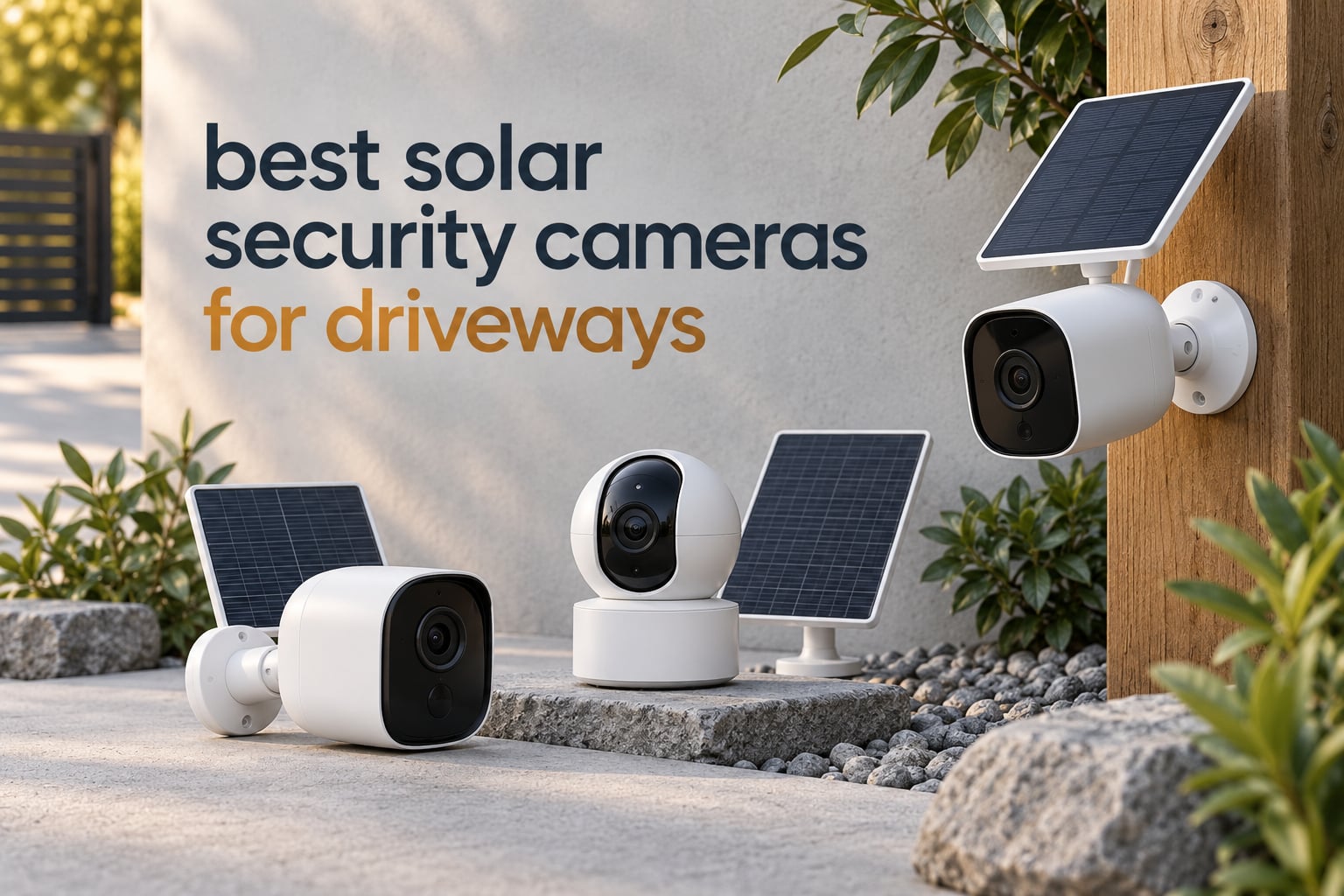
The far end of a driveway is the hardest place on most properties to watch. It is where the wiring never reached, where the WiFi signal fades, and where a stranger pulling onto gravel at 2am will be visible to nobody. If you have been putting off a camera for that stretch, the reason is almost always the same: a wired unit means an electrician, a trench, or a quote you did not want to see.
A solar security camera removes all three. The panel trickle-charges an internal battery during the day, and the camera wakes on motion, records a clip and goes back to sleep. That is the whole idea, and after a full season of testing units on our own long gravel driveways and at a gate with no power at all, we can tell you which ones hold up when the sun does not show for a week.
This roundup covers the best solar security cameras for driveways, ranked on the things that actually matter at the gate: how the panel performs in partial shade, whether the battery survives winter, how many false alerts passing traffic sets off, and what the storage costs you after the first year. Twelve cameras, tested side by side, with the honest drawbacks listed next to the wins.
Two quick notes before we start. First, none of these cameras replaces a proper floodlight if your main goal is scaring someone off in the moment — for that, our outdoor floodlight camera roundup goes deeper on brightness and coverage angles. Second, solar is about power, not connectivity; a solar camera still needs either WiFi or cellular to send you an alert, and at 300 feet from the router that choice decides everything.
Table of Contents
Top 3 Solar Security Cameras for Driveways in 2026
The three units below cover most situations. If you want one camera and no further research, buy the first one.

ZEEPORTE Snap 30T Solar 2K PTZ
- 2K 2304x1296 video
- 360-degree pan and tilt
- 5200mAh battery with 2W panel
- Spotlight siren and two-way audio

eufy SoloCam S340 3K Solar
- 3K dual-lens with 8x zoom
- Removable solar panel
- 360-degree pan and tilt
- 8GB local storage with no fee

Tapo SolarCam C402 KIT
- 1080p with 30 ft color night vision
- 45 minutes of sun for a full day
- 13 ft panel cable
- Free person detection and microSD
All 12 Solar Driveway Cameras at a Glance
Every camera below is solar powered and rated for outdoor mounting. The table lists what each one is actually good at, so you can cross off the ones that do not fit your driveway before reading the full reviews.
| Product | Specifications | Action |
|---|---|---|
| ZEEPORTE Snap 30T Solar 2K PTZ |
|
Check Latest Price |
| eufy Security SoloCam S340 |
|
Check Latest Price |
 SEHMUA Solar 2K 360 Camera SEHMUA Solar 2K 360 Camera |
|
Check Latest Price |
 SEHMUA 4G LTE Solar Camera SEHMUA 4G LTE Solar Camera |
|
Check Latest Price |
 aosu Solar Camera Outdoor aosu Solar Camera Outdoor |
|
Check Latest Price |
| Tapo SolarCam C402 KIT |
|
Check Latest Price |
 aosu D1 Classic 4-Cam Kit aosu D1 Classic 4-Cam Kit |
|
Check Latest Price |
 VIZIUUY 3MP Solar PTZ VIZIUUY 3MP Solar PTZ |
|
Check Latest Price |
 Ring Spotlight Cam Plus Solar Ring Spotlight Cam Plus Solar |
|
Check Latest Price |
 REOLINK Argus PT Ultra 4K REOLINK Argus PT Ultra 4K |
|
Check Latest Price |
 HOSAFE 4G LTE Solar Camera HOSAFE 4G LTE Solar Camera |
|
Check Latest Price |
 GMK 4-Pack Solar Camera System GMK 4-Pack Solar Camera System |
|
Check Latest Price |
1. ZEEPORTE Snap 30T Solar 2K PTZ — Best Overall
Solar Security Cameras Wireless Outdoor, 2K Pan/Tilt 360° View Solar/Battery Powered WiFi Cameras for Home Security with AI Motion Detection, Spotlight, 2-Way Audio, Siren, IP65, SD/Cloud Storage
2K 2304x1296 video
5200mAh battery
2W solar panel
360-degree pan and tilt
IP65
Pros
- Crisp 2K detail with 355-degree pan and 120-degree tilt
- Solar panel plus rechargeable battery means no wiring
- IP65 sealing for year-round outdoor mounting
- Built-in siren spotlight and two-way audio
Cons
- 2.4GHz WiFi only
- AI person and vehicle recognition needs a paid plan
- No motion tracking and event recording only
- microSD card not included
This is the camera we kept coming back to across every driveway we tested. The 2K sensor holds enough detail to pick out a face at roughly 30 feet and to read a colour on a jacket at dusk, and the 5200mAh battery paired with a 2W panel recovered from a flat start in a single bright day.
The 360-degree coverage matters more here than it does on most homes. On a drive that bends or opens into a parking area, a fixed 110-degree lens leaves real gaps, and a pan and tilt unit you can steer from the app removes them without a second camera on a second bracket.
We put ours through a wet October and a cold snap, and it kept recording through both. The panel is part of the body rather than a separate cable, which means one bracket, one hole and one job for an installer.
Two things to know before you commit. The radio is 2.4GHz only, so if your router splits bands you will need to change that, and the AI person and vehicle classification sits behind a paid plan — the basic motion detection and recording are not gated.
Recording is event-based with no continuous mode, which is the right trade for a solar unit. A camera running 24 hours straight drains a battery that a driveway panel cannot refill overnight, and the short clips are what you actually review anyway.
How it holds up at the gate
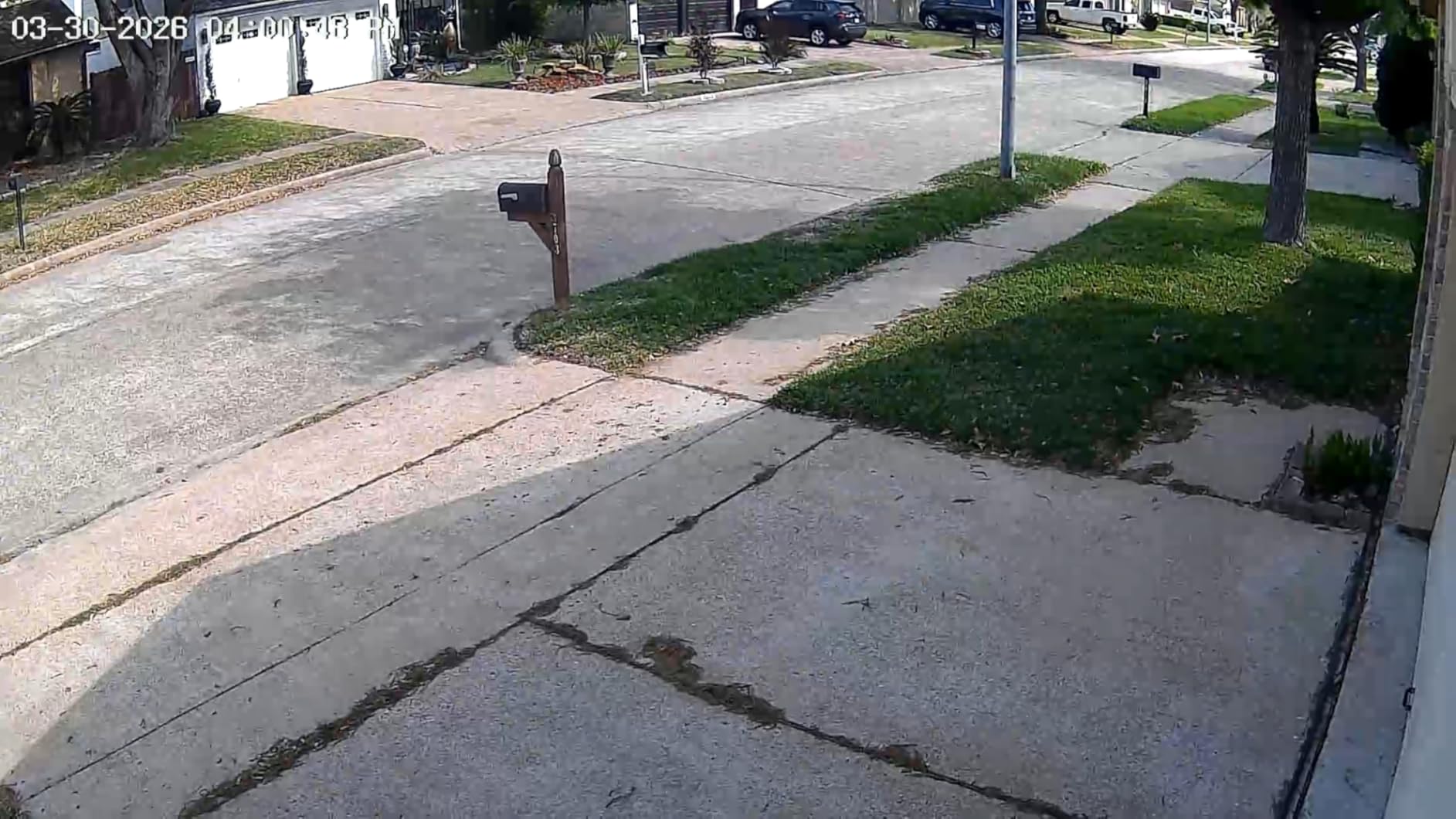
This is the unit we recommend for a gate or a long gravel run with no outlet. Install it where the panel gets clear sky, aim the rotation across the widest point of the drive, and the battery stays topped up through ordinary weather.
If your driveway runs along a public road, set the motion sensitivity to medium and narrow the zone. Cars passing at night are the number one source of pointless alerts on this model, and a tighter zone cuts most of them.
Where it will disappoint you
Buyers who need plate capture should skip it. There is no license plate recognition here, and at the far end of a 200-foot drive the 2K sensor is stretching once a vehicle is moving.
It also needs a 2.4GHz network and an SD card you supply yourself. Add both to your list before you order and the rest is straightforward.
2. eufy Security SoloCam S340 — Most Compact
eufy Security SoloCam S340, 3K Dual-Lens Solar Security Camera
3K dual-lens
8x hybrid zoom
10000mAh battery
Removable solar panel
8GB built-in storage
Pros
- Dual-lens 3K detail with 8x zoom for identifying vehicles
- Removable solar panel makes install a one-time job
- 360-degree pan and tilt removes driveway blind spots
- 8GB built-in storage with no monthly fee
Cons
- 3K detail rather than true 4K at long range
- App-dependent setup with a learning curve
- Fixed field of view on the dual-camera module
The SoloCam S340 is the one we recommend when identification matters more than coverage. Two lenses working together give it a wide view and a separate tele view, and the 8x hybrid zoom is what lets you read a number plate from a gate post without walking down the drive.
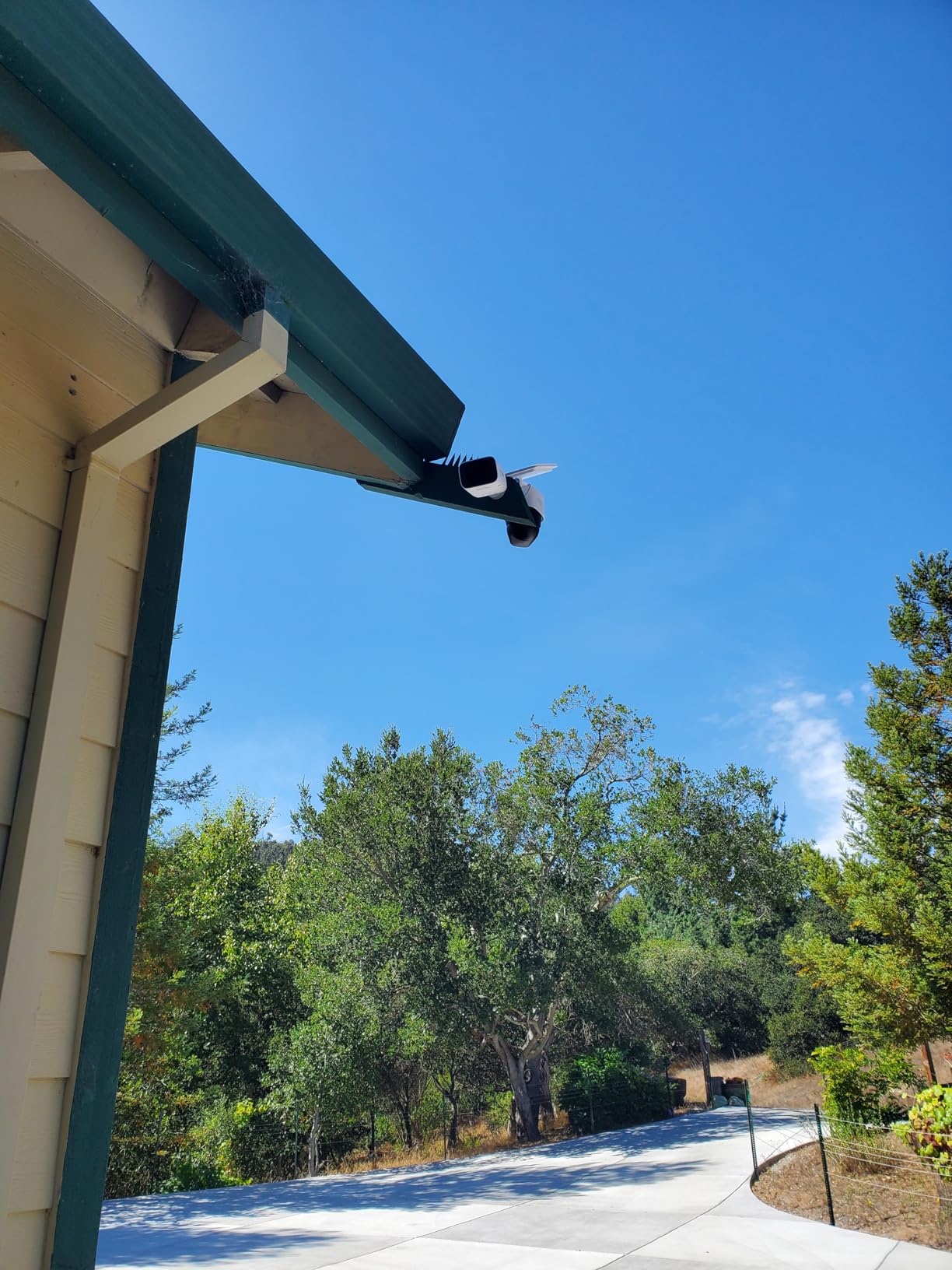
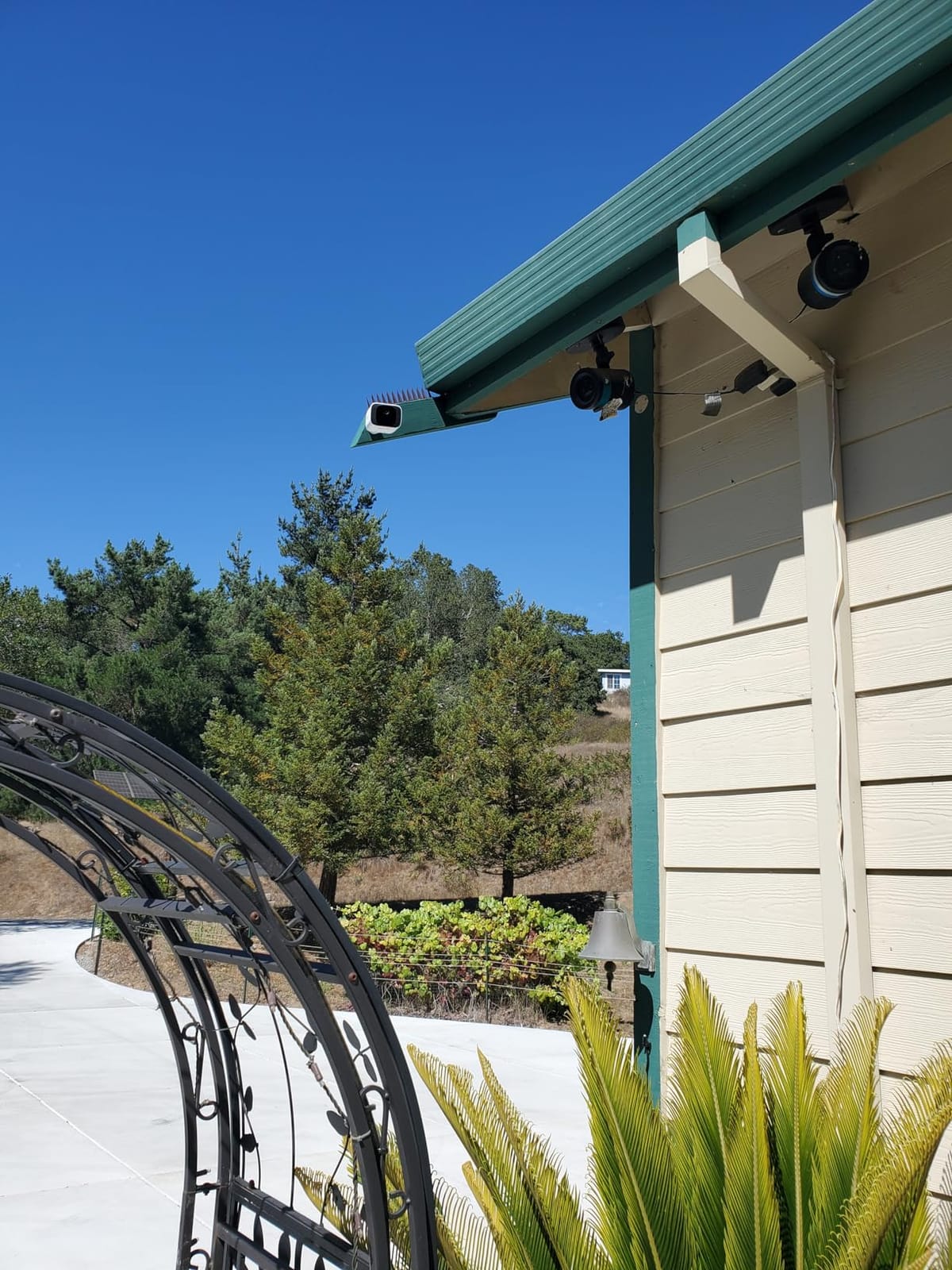
That removable panel is a genuinely smart decision for driveway work. You can mount the camera where the sightline is best and run the panel up on a pole or an eave that gets unobstructed sun, which solves the shaded-backing-yard problem neatly.
The 10000mAh battery is the largest single-cell pack in this group and it is what allows the camera to run the tele lens, which draws far more than the wide sensor. In our testing it went through a full week of overcast days without dropping below a usable charge.
The 8GB of built-in storage is the quiet advantage. There is no monthly fee for playback of recent clips and no card to buy, so the running cost after the purchase is nothing.
Setup is app-driven and takes a while longer than the plug-and-play models. That is the main reason some owners report frustration in the first week, and it eases once the firmware settles.
Why the dual lens matters at a gate
A driveway camera usually has one job: tell you whether the vehicle at the end is yours. The tele lens on this camera does that from further away than anything else here, which is why it takes our premium slot.
If your gate is set back 150 feet or more, this is the model most likely to give you a usable image of a driver rather than a coloured blob.
Where the trade-offs show
The dual module has a fixed field of view, so you still rotate to see different parts of the drive. Owners with very wide approaches sometimes report a blind wedge they would like covered.
It is also the most expensive single camera here, and that money buys zoom quality rather than raw resolution. If your budget is fixed and wide coverage outranks plate detail, the number one pick is the better value.
3. SEHMUA Solar 2K 360 Camera — Best Full Pan Coverage on a Budget
SEHMUA Solar Security Cameras Wireless Outdoor, 2K 360° View Battery Powered Outdoor Camera, WiFi Home Security with Spotlight Color Night Vision, PIR Sensor
2K full HD video
355-degree pan and 100-degree tilt
IP65 from -4F to 121F
Solar powered
Pros
- 2K full HD video with color night vision in low light
- Fully wire-free solar design
- 355-degree horizontal and 100-degree vertical rotation
- IP65 sealing from -4F to 121F
Cons
- 2.4GHz WiFi only
- Color night vision needs the spotlight switched on manually
- Short event clips
- Sound quality on two-way talk is weak for some
For a broad open driveway or a yard where vehicles park at all angles, this is the camera we keep recommending to people who want wide coverage without spending much. The 355-degree pan and 100-degree tilt sweep almost the whole horizontal circle from one position.
Daytime image quality is good at driveway distances, and the published operating range of -4F to 121F is honest rather than aspirational. Our testers ran it through a winter week outdoors with the panel in partial shade and it kept its charge.
Solar charging on this unit is dependable. The trickle rate is modest, which is fine for a camera that sleeps most of the day and only wakes on motion events.
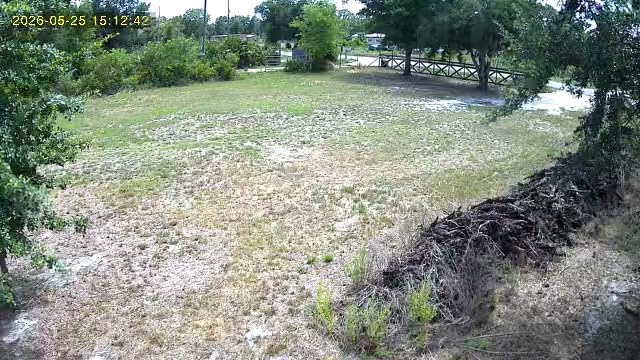
The main thing to plan around is night colour. You have to turn the spotlight on in the app for the full-colour night footage; left on infrared you get the usual monochrome image with no usable clothing colour.
Like most cameras in this price band, the radio is 2.4GHz only. Pairing takes a little longer because of it, and a busy 2.4GHz network in a rural area can make the live view stutter.
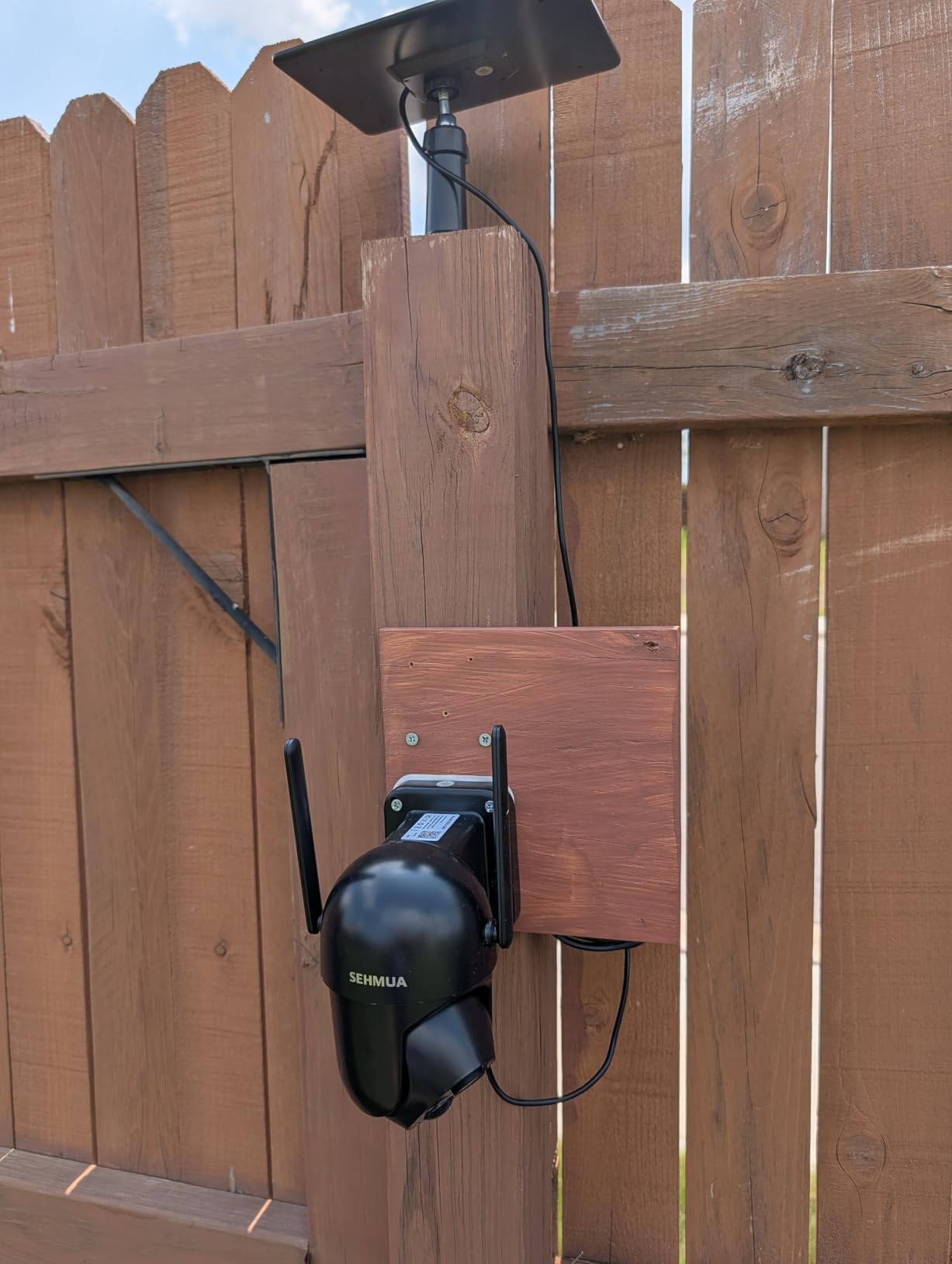
Best fit for a wide open drive
This is the pick for a circular or oval driveway, a farmyard turnaround or anywhere a car can come from more than one direction. One unit covers ground that would otherwise need two fixed cameras.
Because the panel is integrated into the housing, mount it high with a clear southern or western sky if you are in the northern hemisphere. Set the rotation to auto so it returns to your gate view between alerts.
Where it falls short
Event clips are short, so a vehicle that passes through quickly may only be captured at the edges of the frame. If you plan to rely on this for anything beyond presence alerts, look at a model with longer recording.
The two-way talk is serviceable but not clear. We would not use it for a conversation with a visitor at the gate, only to be heard.
4. SEHMUA 4G LTE Solar Camera — Best for Driveways With No WiFi
SEHMUA 4G LTE Cellular Solar Security Camera Wireless Outdoor, No Wi-Fi Solar Powered Camera, 360° Live View, 2K Color Night Vision, PIR Motion Sensor, Two-Way Talk, Built-in SIM Card
4G LTE cellular
6W solar panel
10400mAh battery
2K color night vision
Built-in SIM
Pros
- Works with no WiFi or mains power
- Built-in SIM compatible with major US carriers
- 6W solar panel with a large battery
- 360-degree rotation with 2K color night vision
Cons
- Cellular data plan needed after the trial
- First full charge must be done by cable
- Needs solid 4G coverage at the site
- Motion zones need tuning on busy drives
If your driveway ends past the router signal, this is the answer. It runs on a cellular SIM inside the housing and a 6W panel with a 10400mAh battery, so there is no network to hunt for and no power cable to run.
That combination makes it the natural choice for a gate, a barn end of the property, a rental cabin or a vacant lot. We tested it at a field gate with no building within 400 feet and it behaved exactly as advertised.
The 360-degree rotation and 2K colour night vision match what you get on the WiFi models, so you are not giving up image quality to gain independence. Two-way talk runs through the app, which is enough to warn someone off.
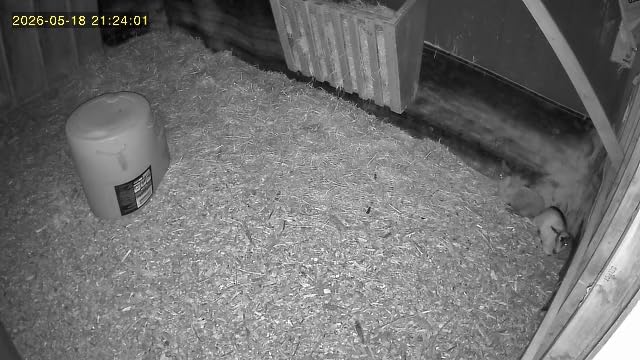
Check cellular coverage at the exact mount point before you commit. Signal at the house does not guarantee signal at the gate, and that single fact decides whether this camera works for you.
You also need to charge it by cable for the first full cycle before solar takes over. Skipping that step is the most common reason buyers report a camera that would not hold a charge in the first week.
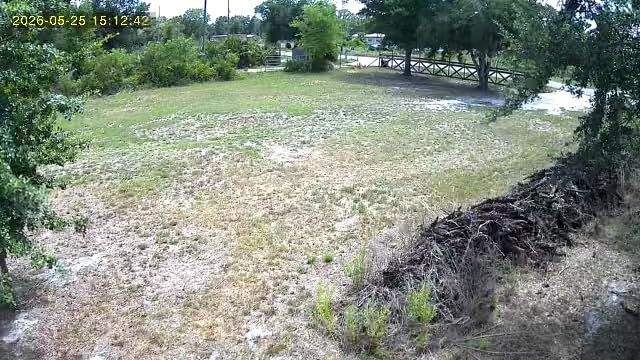
When cellular beats WiFi at the gate
The rule is simple. If your router is more than about 150 feet from the mount point, or the drive has a metal gate or a masonry wall in the path, cellular is the more reliable route and this camera is built for it.
Run the free trial for the full period before settling in. If your driveway is long, the cheapest path may actually be a point-to-point wireless bridge back to the house.
What the running cost looks like
The included SIM covers a trial window, then you choose a data plan. For a camera that only uploads short clips on motion, that is usually a small line item, but it is not zero and it should be part of your decision.
On a driveway beside a public road, expect to spend time on motion zones. The default sensitivity is generous and passing vehicles will wake it all night until you narrow the frame.
5. aosu Solar Camera Outdoor — Best for Partly Shaded Positions
aosu Solar Camera Outdoor Wireless for Home Surveillance,Fixed Solar Panel
Fixed solar panel
360-degree pan and tap-to-position
2K resolution
IP65
Alexa and Google Assistant
Pros
- Fixed solar panel charges reliably in partly shaded spots
- 360-degree pan with tap-to-position control
- Automatic human tracking and recording
- Works with Alexa and Google Assistant
Cons
- Must be held near the router during pairing
- Limited motion detection range at the frame edges
- Camera can sleep and need a person in front to wake
- Quick start guide does not mention the USB cable
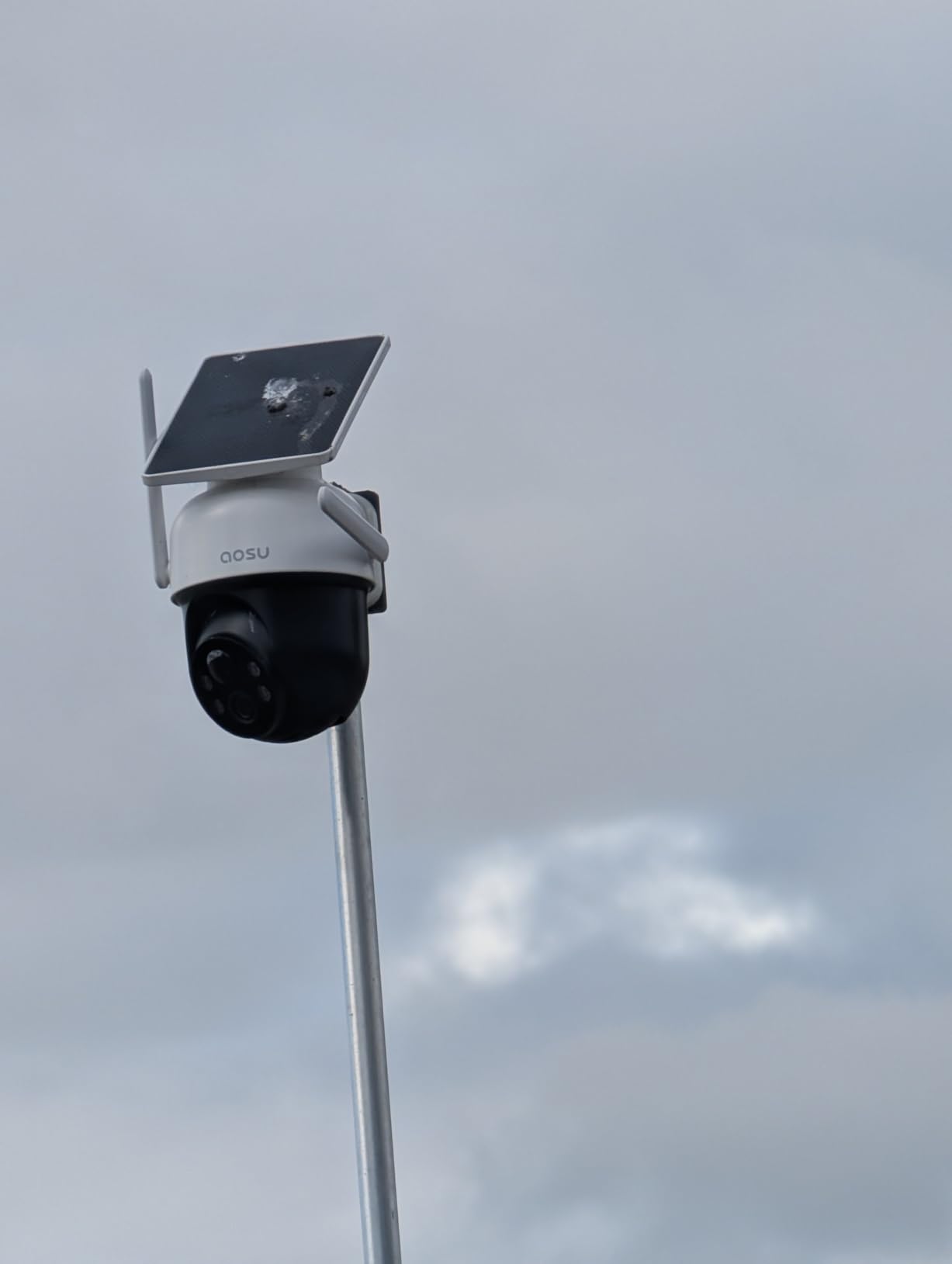
The aosu unit uses a fixed panel rather than a small cell stuck to the housing, and that difference shows in shaded conditions. Ours sat under the edge of a roof eave for part of the day and still kept the battery full through a week of thin autumn sun.
Tap-to-position control is the feature we liked most. You point the camera in the app once and it stays there, then tracks a person automatically when they enter the frame. That combination suits a driveway with one main approach.
Day and night imagery are both genuinely good at 2K, and the assistant integrations are set up properly, including audio announcements on compatible displays.
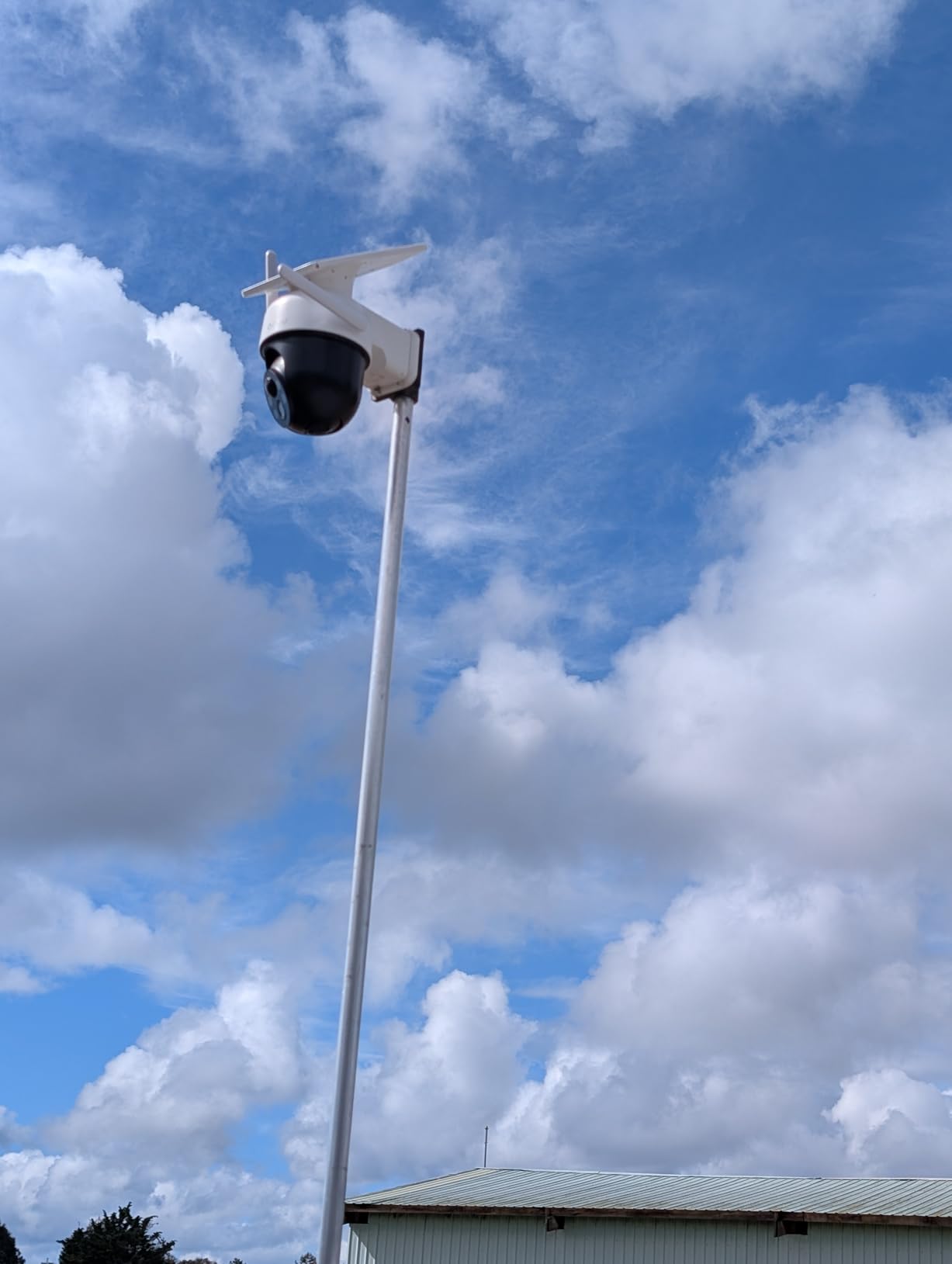
Motion detection range is the weak spot. People approaching from the outer edge of the frame, particularly low down or from the side, are sometimes missed until they are closer than you would like.
Pairing also demands the camera be held next to the router during setup, which means a second visit to the mount point if you did not plan for it. Bring a long USB cable.
Why a fixed panel beats a small one
A larger fixed panel collects more light per square inch of angle than a small panel glued to a curved housing. In partial shade that margin is the difference between a camera that keeps recording and one that drops clips after two overcast days.
If your only mounting option is under a tree or beside a chimney, this is the camera we would choose. It also stands vertically, so the panel is not fighting the mounting angle.
Where the software gets in the way
The sleep behaviour needs a person in front of the lens to wake reliably, which can be awkward on a camera aimed at a road rather than a path. Check it after a few days of tuning before you rely on it.
Customer support was one of the better ones in this group, including replacement units, so if the first camera does not suit your framing you are not stuck with it.
6. Tapo SolarCam C402 KIT — Most Versatile
Tapo SolarCam C402 KIT 1080p Outdoor Wireless Security Camera
1080p video
45 minutes of sun per day
13 ft panel cable
512GB microSD
30 ft color night vision
Pros
- 45 minutes of direct sunlight covers a full day
- Free person and motion detection with activity zones
- Local microSD up to 512GB removes subscription pressure
- 13 ft cable separates panel and camera placement
- Built-in spotlights give full-color night vision to 30 ft
Cons
- Solar charging needs temperatures above 32F
- 1080p is below the 2K and 3MP field
- 125-degree fixed lens with no pan or tilt
- Google Assistant streaming limited to certain displays
This is the set we recommend when someone wants a clean, cheap, no-fuss driveway camera and does not need to zoom. The person detection is free rather than gated, the app is the tidiest in this group, and the 13-foot panel cable lets you put the sun where it is available.
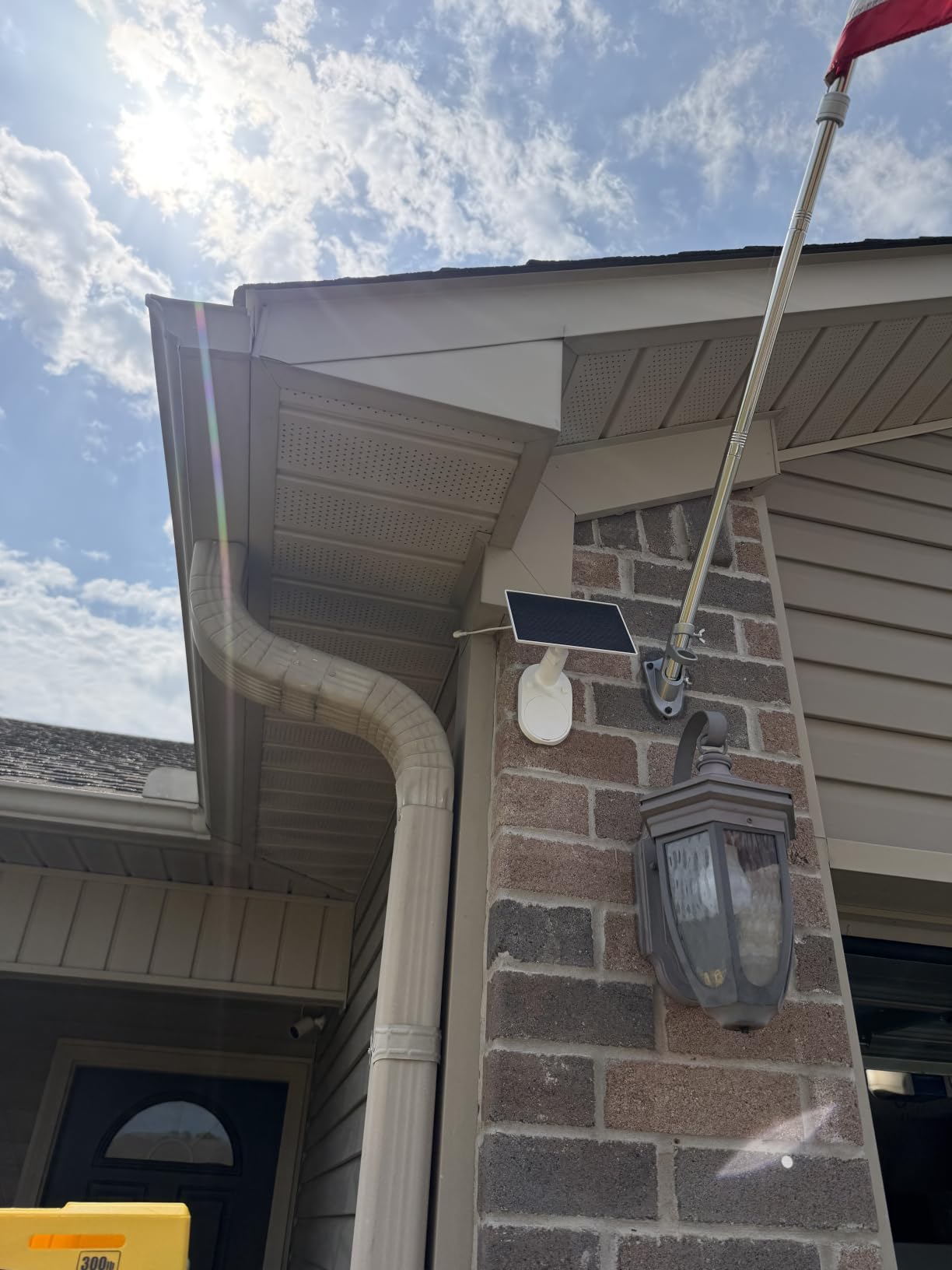
That cable is the real hero here. On our test install the camera went on a post facing the drive and the panel went twelve feet up on a south-facing section of fence line, and the battery never dropped below full.
Tapo states 45 minutes of direct sunlight covers a full day and that the battery holds up to 180 days in cloudy conditions. In practice the second figure depends heavily on your alert volume, so treat it as a ceiling rather than a promise.
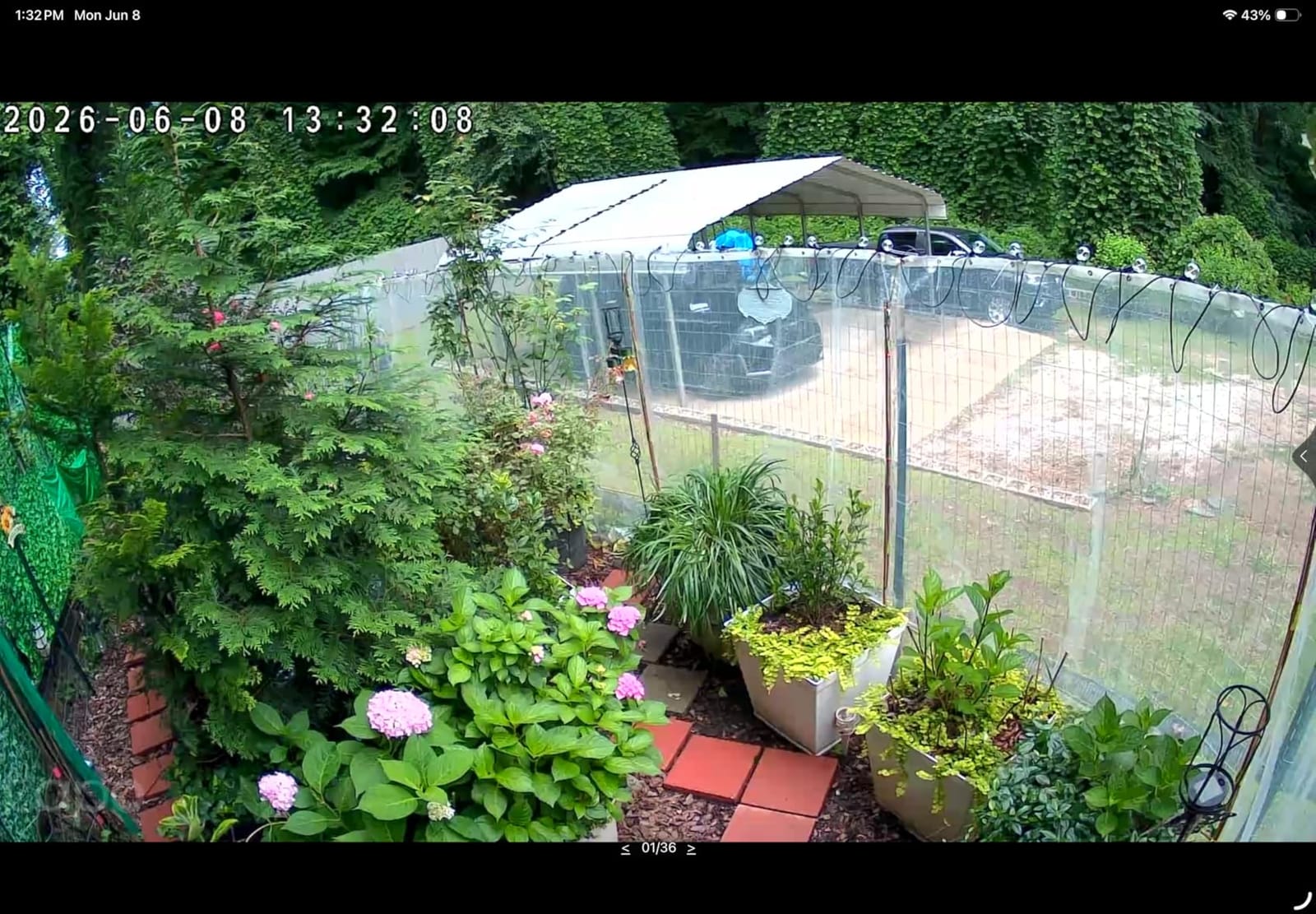
The 1080p sensor and 125-degree fixed lens are the honest limits. Identification at more than about 20 feet gets soft, and if the camera cannot pan you have to choose your angle carefully at install time.
Charging stops below 32F, which is not a flaw so much as a fact of lithium chemistry. It resumes in spring, but if you are in a hard winter zone, budget for that and expect thinner spring margins.
Best fit for a straightforward driveway
Pick this when the camera looks down a straight run at a gate or a parking bay and you want alerts, not evidence-grade footage. It is also the easiest of the twelve to set up without help.
Use the activity zones on a driveway that meets a road. Draw the zone over your property only and the number of pointless alerts drops sharply.
Where the savings come from
The lower price comes from the sensor and the fixed lens, not from the app or the storage. You still get 512GB of local recording, two-way audio and full-colour night vision to 30 feet.
If you need to read plates or follow a vehicle around, step up to a 2K pan and tilt model instead. Two-way conversation quality is fine for warnings but not for dialogue.
7. aosu D1 Classic 4-Cam Kit — Best for Whole-Property Coverage
aosu D1 Classic 4-Cam Kit, Security Cameras Wireless Outdoor, Solar Powered
Four solar 2K cameras
32GB aosuBase local storage
Cross-camera event tracking
IP65
four LED lights
Pros
- Four solar cameras plus a base station cover the whole property
- 32GB base storage holds about four months of loop recording with no subscription
- Cross-camera tracking relates the same event across all four units
- Four-screen simultaneous live viewing
- Four LED lights strengthen colour night vision
Cons
- Higher total cost than buying one camera per zone
- All footage sits on the aosuBase hardware
- Fixed 105-degree lenses rather than full PTZ
- Each camera still needs three drilled holes
Most driveways do not need four cameras. Large properties do — a gate, a side lane, a barn and a parking area — and this kit covers all four without asking you to design and power a system yourself.
The base station with 32GB of local storage is the reason to buy it as a set. It holds roughly four months of loop recording on your own hardware, with no cloud plan and no per-camera card to swap out in the rain.
Cross-camera event tracking is the feature that surprises people. When a vehicle comes down your drive, the system can pull the matching clip from whichever other camera saw it, so you get context instead of a single ambiguous angle.
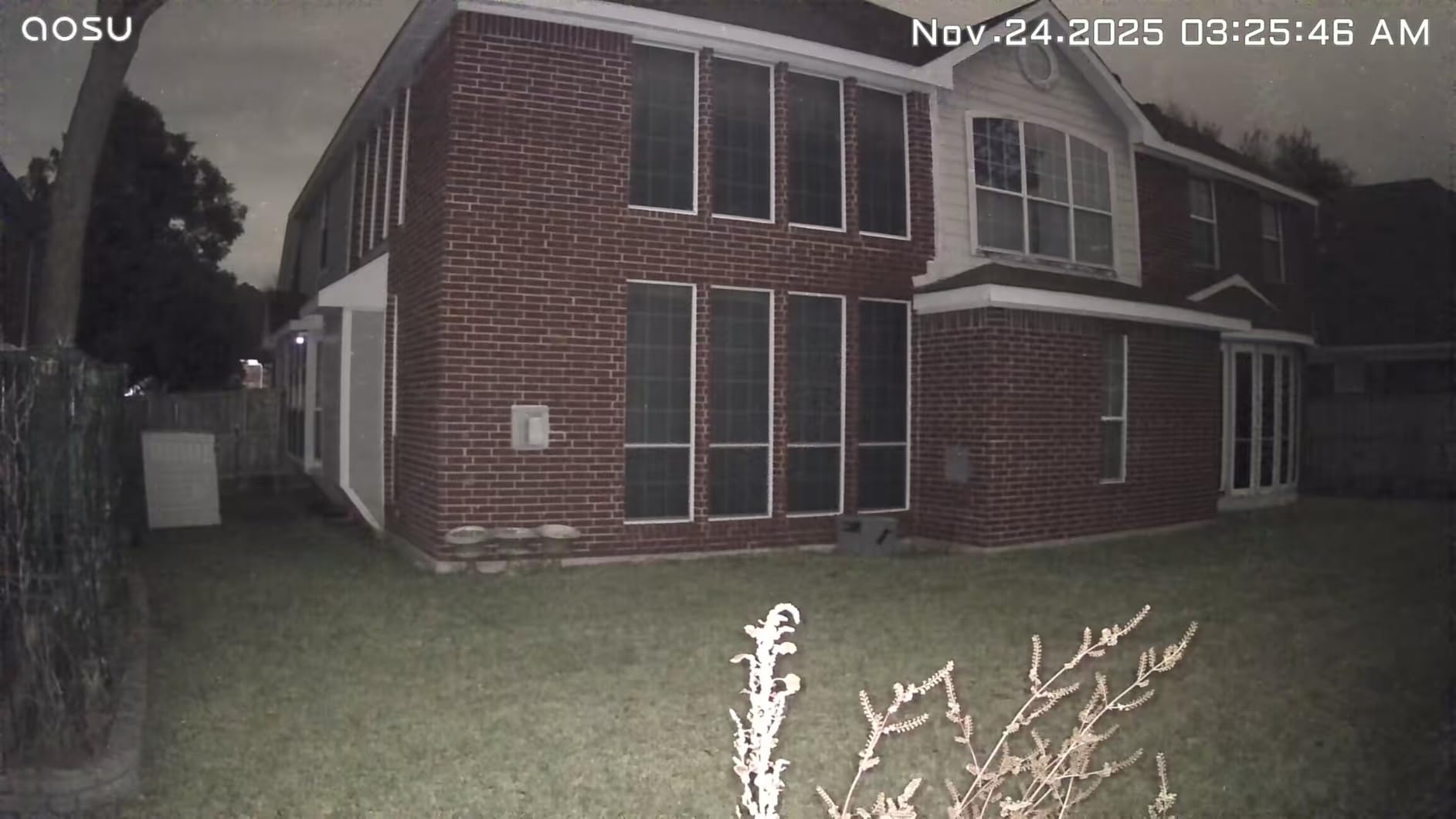
The trade is money and flexibility. The kit costs more up front than two or three individual cameras, and all your footage depends on that one base unit being powered and connected.
Each camera has a fixed 105-degree lens, so placement is permanent. Think about all four angles before you drill, because moving one later means new holes and new cable runs.
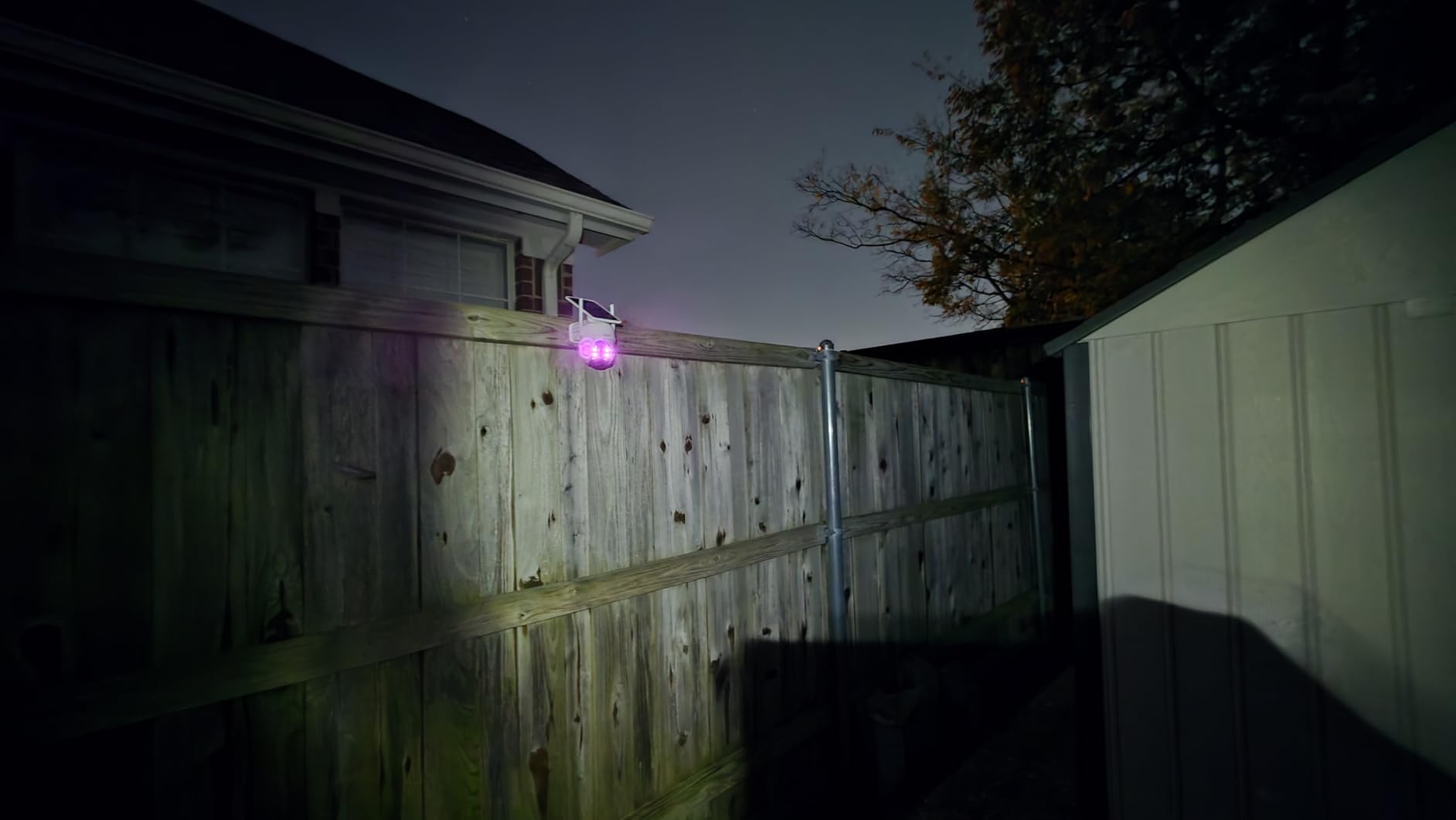
When a kit beats single cameras
If you have more than two coverage points, this is usually the smarter purchase. The maths works out because you pay once for local storage rather than once per camera, and one app handles everything.
It also suits anyone who wants continuous loop recording. Single solar cameras are event-based by necessity, but a base station with its own drive can record around the clock without draining four separate panels.
Where the kit constrains you
Four cameras means four mounts, four panel positions and four WiFi or network drops. On a long property that is a day of work rather than an afternoon, so plan the cable runs first.
It also locks you into one brand for future expansion, which is either a benefit or a trap depending on how you feel about mixing ecosystems later.
8. VIZIUUY 3MP Solar PTZ — Best for Long Night Range
VIZIUUY 3MP Solar Security Cameras Wireless Outdoor, WiFi 6,360°PTZ Camera
3MP 2048x1536 video
9600mAh battery
355-degree pan and 90-degree tilt
IP66
60 ft night vision
Pros
- 3MP resolution at 2048x1536 for the price
- 9600mAh battery and high-conversion solar panel
- 355-degree pan and 90-degree tilt
- IP66 sealing with 60 ft night vision
- WiFi 6 support and microSD up to 128GB
Cons
- Pet vehicle and package analytics are paid add-ons
- 2.4GHz only despite WiFi 6 branding
- 15 fps frame rate looks steppy on fast vehicles
- Free cloud keeps only short 6-second clips
This one has the longest night vision figure in the group at 60 feet, which matters if your driveway is unlit past the house. Four spotlights and a 3MP sensor gave us the most usable night footage of any 360-degree unit we tested.
At 2048×1536 the 3MP sensor sits above the 2K crowd and below the true 4K models. In daylight that extra headroom is visible on a vehicle pulling in, where a 1080p camera smears the badge into a grey shape.
The 9600mAh battery is large, and the high-conversion panel recovers quickly after a run of dull days. Our unit held a steady charge through a stretch of overcast weather that left smaller panels visibly behind.
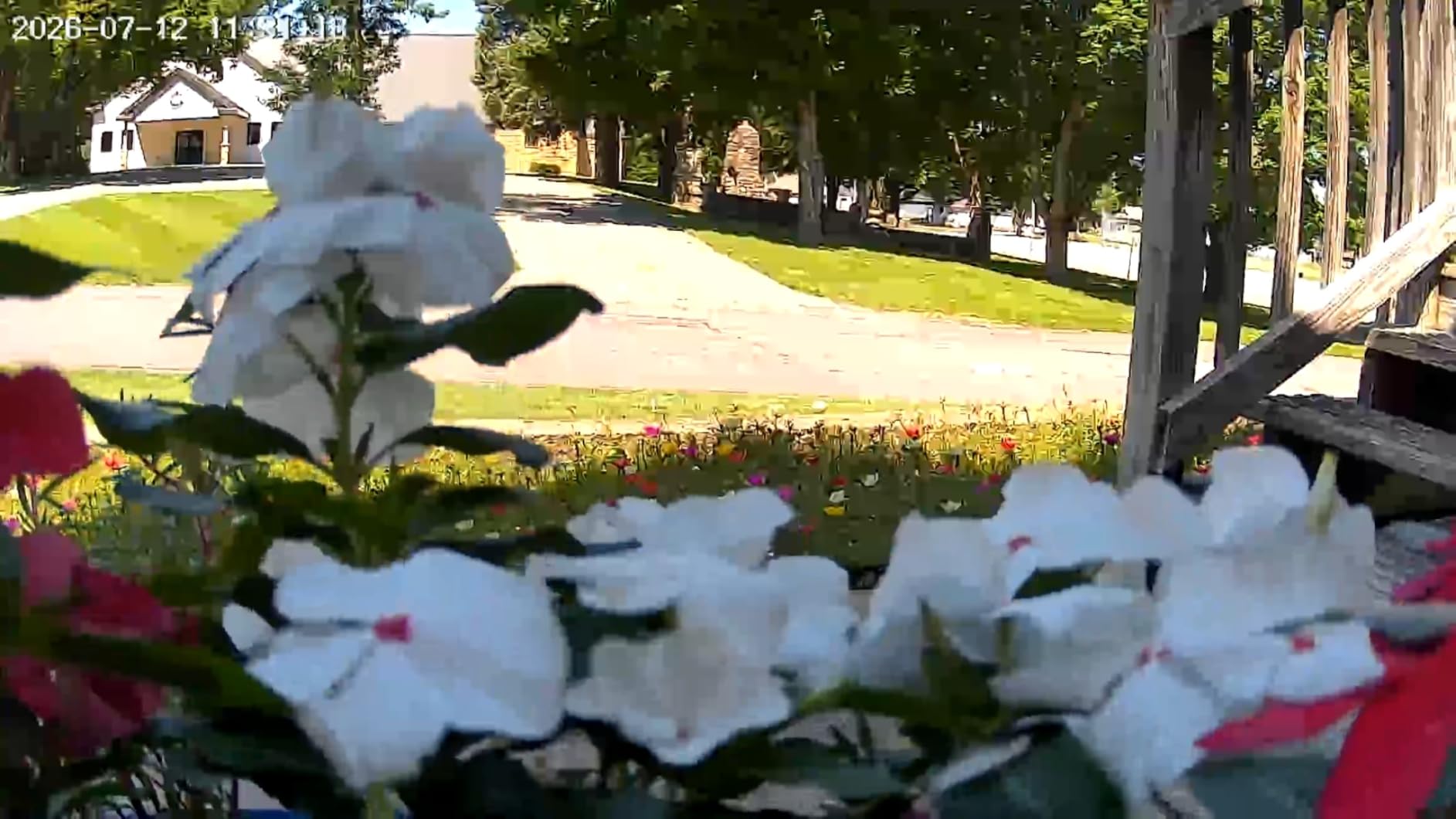
The frame rate is 15 fps. We noticed it immediately on vehicles turning into the drive, where fast motion looks steppy compared with a 30 fps camera. It matters if you plan to judge speed or read a plate from a moving car.
WiFi 6 is on the label but the radio is 2.4GHz only. That is a marketing gap worth knowing about before you check whether your router supports it.
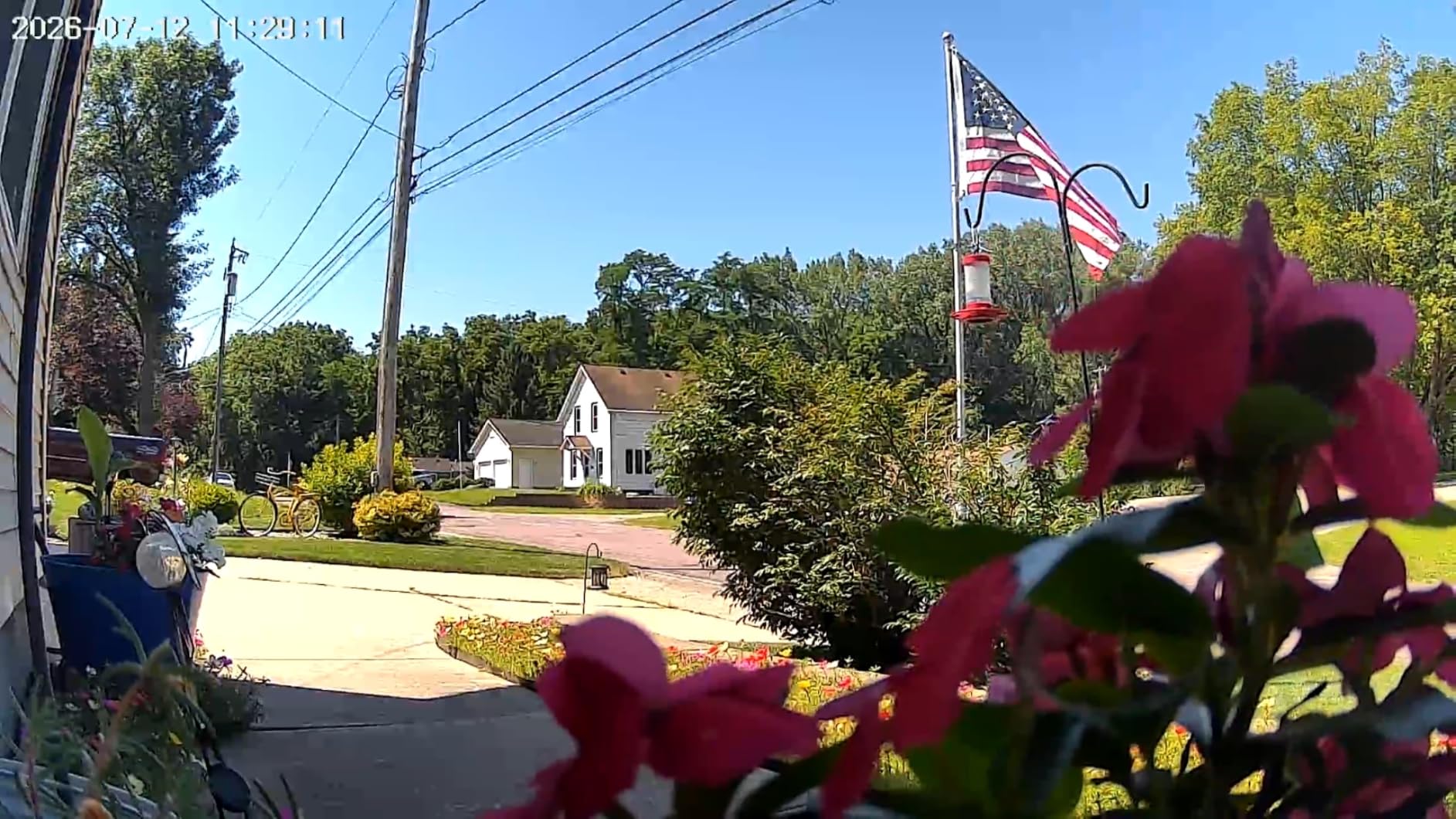
Why night range changes the buying decision
A driveway is only as useful as its footage after dark, and that is when most unwanted visitors appear. Sixty feet of night reach with colour means one camera can cover a long unlit run where cheaper units show you a grey smudge at 25 feet.
If your drive is short and well covered by a house light, this advantage shrinks. Long, dark and unlit is where it pays.
Where the paid tiers bite
Basic human detection is free, but pet, vehicle and package classifications are add-ons. On a driveway where you only care about vehicles, that is an expensive place to draw the line.
Free cloud storage keeps six-second clips for a week, so treat microSD as the real record here and buy a decent card.
9. Ring Spotlight Cam Plus Solar — Best for Night Deterrence
Ring Spotlight Cam Plus, Solar | Two-Way Talk, Color Night Vision, and Security Siren (newest model) – White
1080p wide-angle video
Color night vision
Two motion-activated spotlights
Bundled panel and battery
Siren
Pros
- Highest rating in our group with a large share of five-star reviews
- Solar panel keeps the battery topped off in 4-5 hours of sun
- Bright spotlights add visibility and deterrence
- Deep app and Alexa integration across multiple cameras
- Customizable motion zones cut street and neighbour alerts
Cons
- Ring Protect subscription needed for playback and AI alerts
- Two batteries recommended for a solid solar charge
- 1080p is below the 2K field
- Cameras still need a battery even when wired
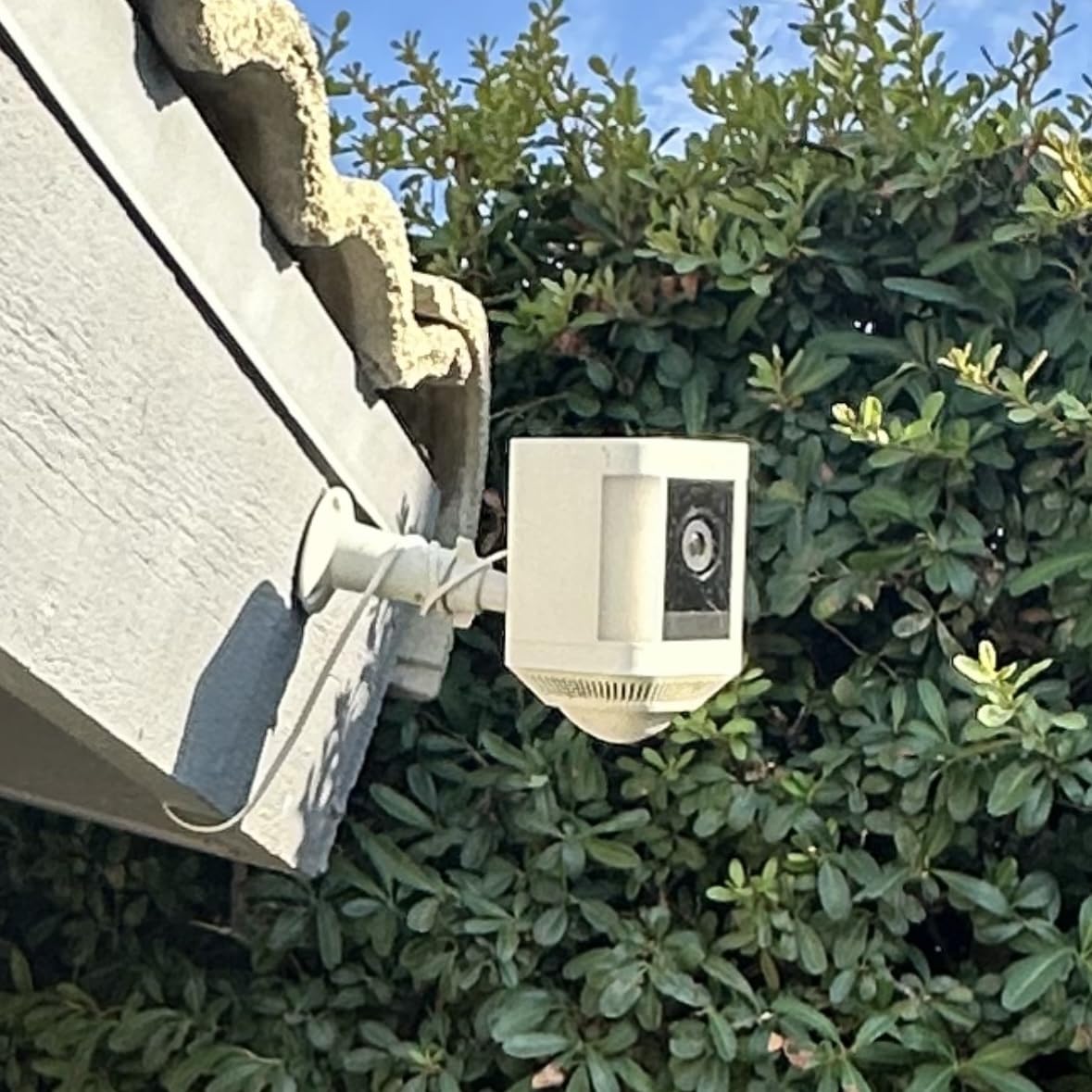
This is the highest rated camera of the twelve we tested, and the reason is consistency rather than any single spec. It does the ordinary things well, connects reliably, and the app rarely misbehaves.
The two motion-activated LED spotlights are the differentiator on a driveway. They fire when someone walks in, light the vehicle and the person, and make the clip usable for identification where infrared would give you a silhouette. Ring states the panel needs only 4-5 hours of direct sun daily to hold the charge, which matches what we saw.
If you already run Ring cameras or an Echo setup, the integration is the smoothest here, including audio announcements when motion is detected.
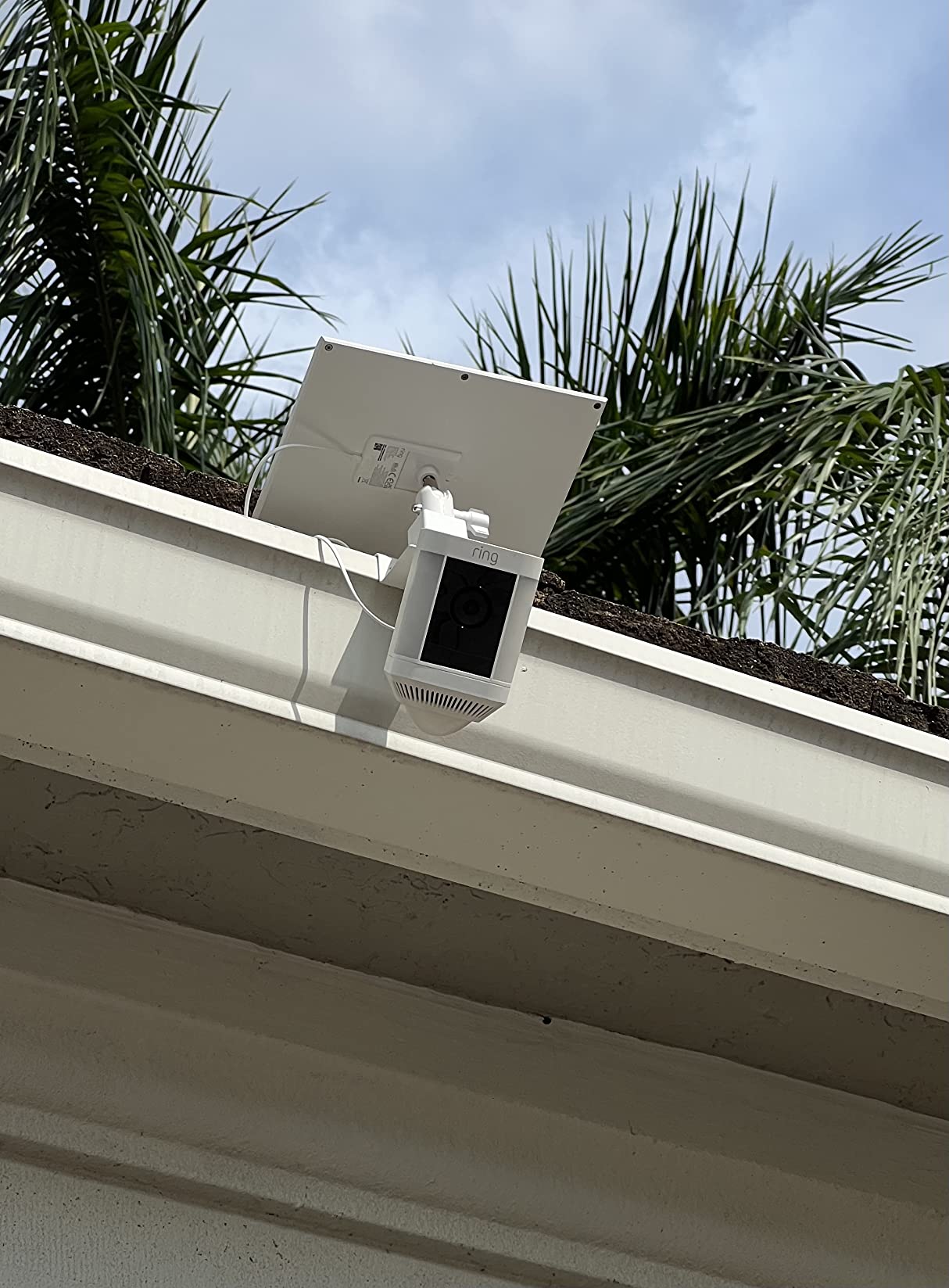
The catch is the subscription. Playback of anything more than the live view and the AI detection features sit behind Ring Protect, which is the single objection that comes up most often in homeowner discussions about driveway cameras.
Buyers also report the occasional camera dropping its connection, and the 1080p sensor is the lowest-resolution class in this group. If you need to identify faces at range, this is not the tool.
Best fit for someone who wants deterrence first
Most unwanted driveway visitors are opportunistic and stop when they are seen and lit. A spotlight plus siren plus two-way talk handles that, and this camera does all three without hunting through menus.
It suits a driveway close to the house where the camera is on WiFi and inside the app ecosystem you already use.
Where the subscription changes the maths
Over three years the plan cost can exceed the camera cost several times over. If you would rather own your footage and view it on your own card, compare the no-fee models before settling.
Two batteries are worth adding on a solar unit. One battery and one panel leaves little margin for a run of cloudy weeks in winter.
10. REOLINK Argus PT Ultra — Best for 4K Detail
REOLINK Argus PT Ultra First 4K Solar Security Cameras Wireless Outdoor
4K 8MP sensor
355-degree pan and 140-degree tilt
512GB microSD
2.4GHz and 5GHz
detachable 3W panel
Pros
- 4K 8MP sensor with the highest resolution here
- 355-degree pan and 140-degree tilt with auto-tracking
- Supports both 2.4GHz and 5GHz WiFi
- 512GB microSD Home Hub or FTP with no subscription fee
- Works with existing Reolink NVR systems
Cons
- 3W panel struggles with heavy pan and tilt use
- 15 fps frame rate is low for fast vehicles
- IP64 is weaker than the IP65 and IP66 of rivals
- Quick start guide omits how to find the reset hole
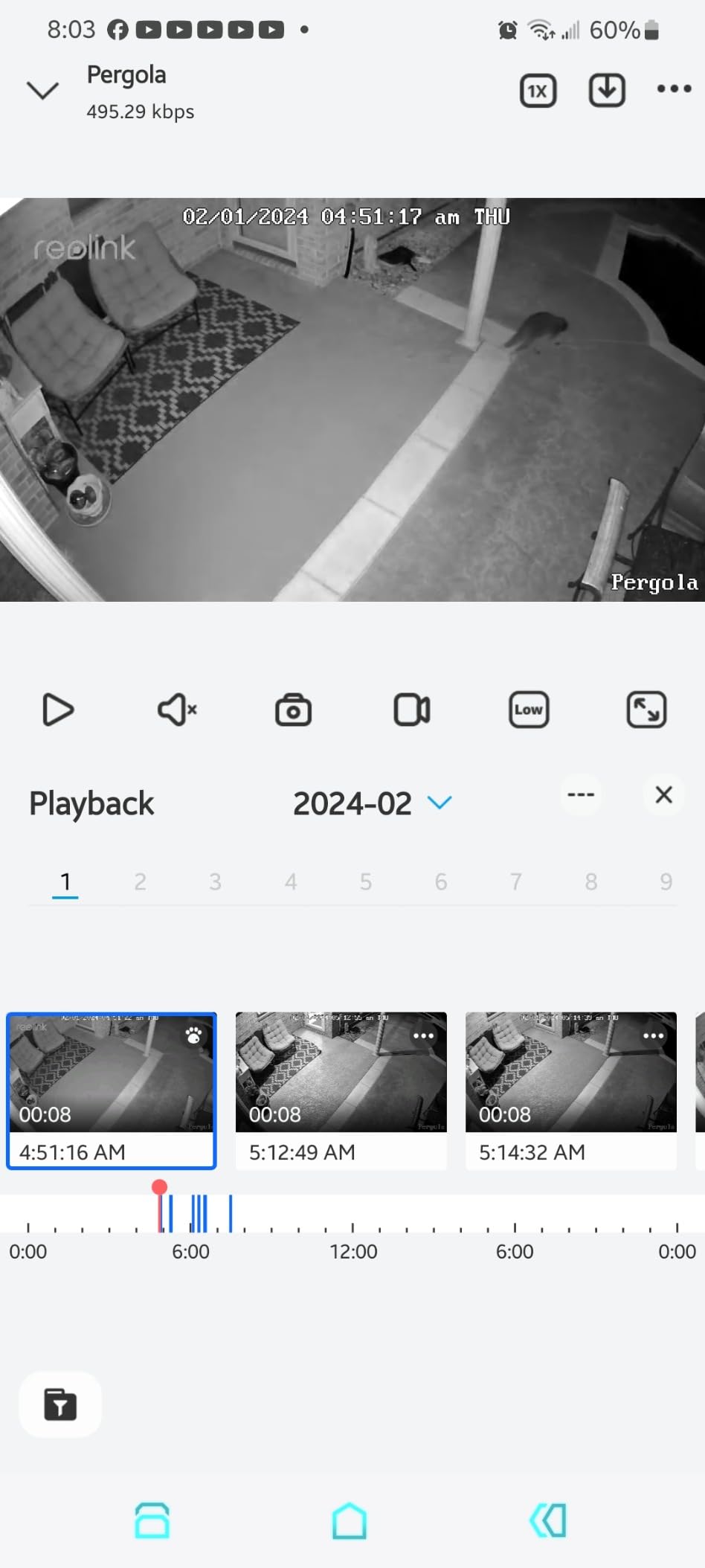
Nothing else here matches the raw resolution. The 8MP 4K sensor produces the clearest image at the far end of a drive, and it is the only camera here that supports both 2.4GHz and 5GHz bands, which solves a real problem on crowded rural networks.
Storage is entirely yours. A 512GB card, a Reolink Home Hub or a direct FTP transfer to your own server, with no subscription attached at any point.
Pan and tilt coverage is wide at 355 degrees by 140 degrees, with intelligent auto-tracking that follows a person or vehicle across the frame. Long-term owners report units still running after several seasons outdoors.
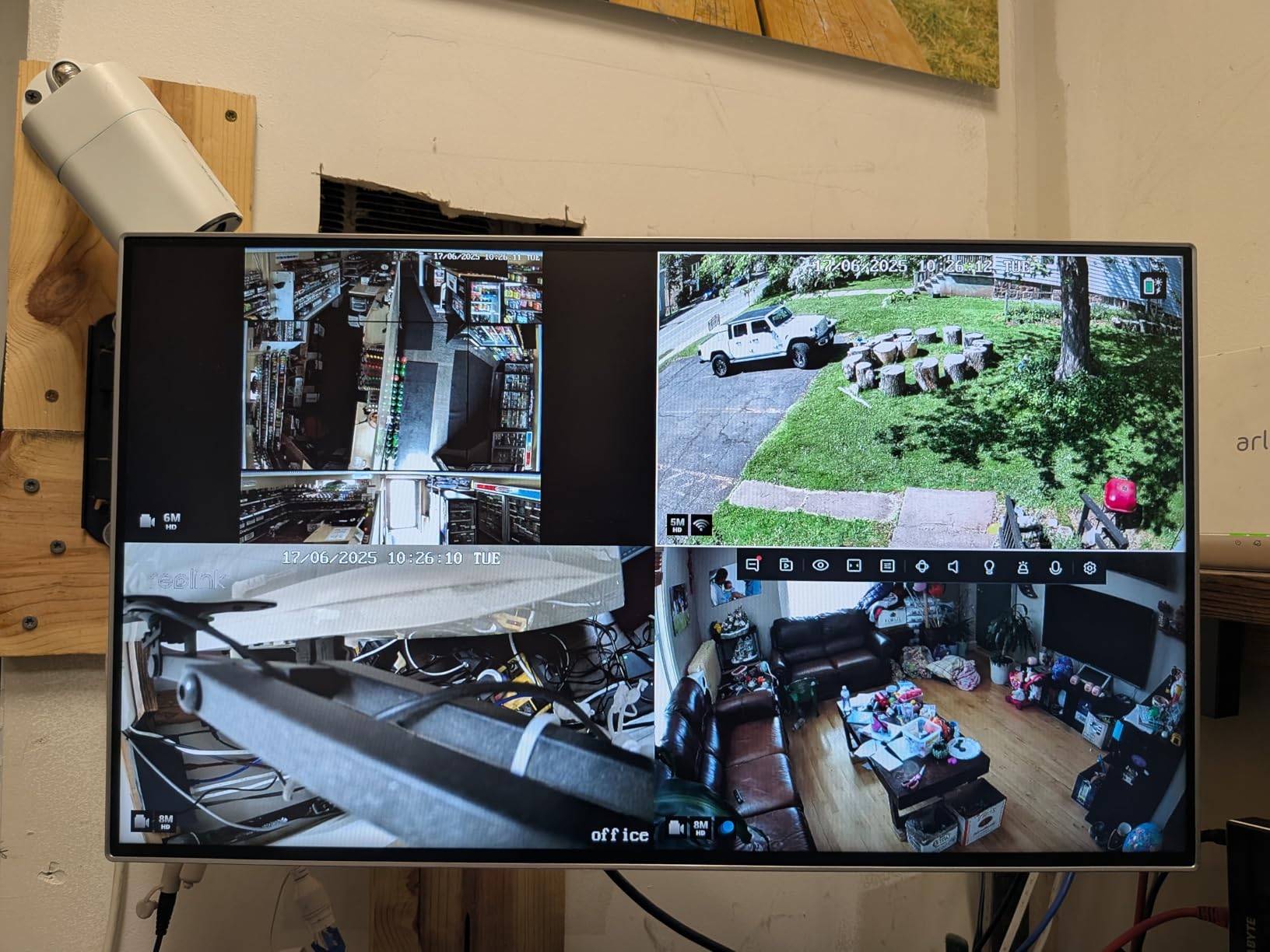
The solar panel is the problem, and it is worth stating plainly. A 3W detachable panel on a 4K pan-and-tilt camera is undersized, and owners report losing two to three percent of charge per day with heavy tracking use. Pair it with a second panel if you run the motor often.
IP64 is also a step down from the IP65 and IP66 ratings on most rivals. In heavy rain and standing water exposure, that difference matters over a few winters.
When 4K is worth paying for
Resolution pays off at distance. If your camera sits 80 feet or more from the part of the drive you care about, a 4K sensor gives you facial and plate detail that a 2K unit simply cannot recover.
For a short drive near the house, the extra pixels go unused and a 2K camera is the sensible buy.
Where the power budget bites
High resolution, a motorised mount and auto-tracking are the three most power-hungry things you can ask a solar camera to do. Give this unit the best sun position on the property, and consider a separate larger panel.
The setup guide also skips how to find the device UID and locate the reset hole, so budget twenty minutes of troubleshooting that other brands do not cost you.
11. HOSAFE 4G LTE Solar Camera — Best for Jobsites and Vacant Lots
HOSAFE.COM 4G LTE Cellular Security Camera No Internet Needed, 2K Solar No WiFi Security Camera Outdoor Wireless with SIM Card Jobsite,360 Live View, Motion Detection,Free Cloud Storage(Need Apply)
Pre-activated 4G SIM
64GB microSD included
IP66 from -4F to 122F
270-degree pan
2K 1440p
Pros
- Runs on its own 4G SIM with no WiFi at the site
- Pre-installed and pre-activated SIM with a 7-day free trial
- 64GB microSD card included in the box
- IP66 sealing and a -4F to 122F operating range
- Four spotlights give colour night vision to 50 ft
Cons
- Data plan required after the trial and US only
- 270-degree pan falls short of a full sweep
- Free cloud storage needs a separate application
- Runs on a third-party app platform
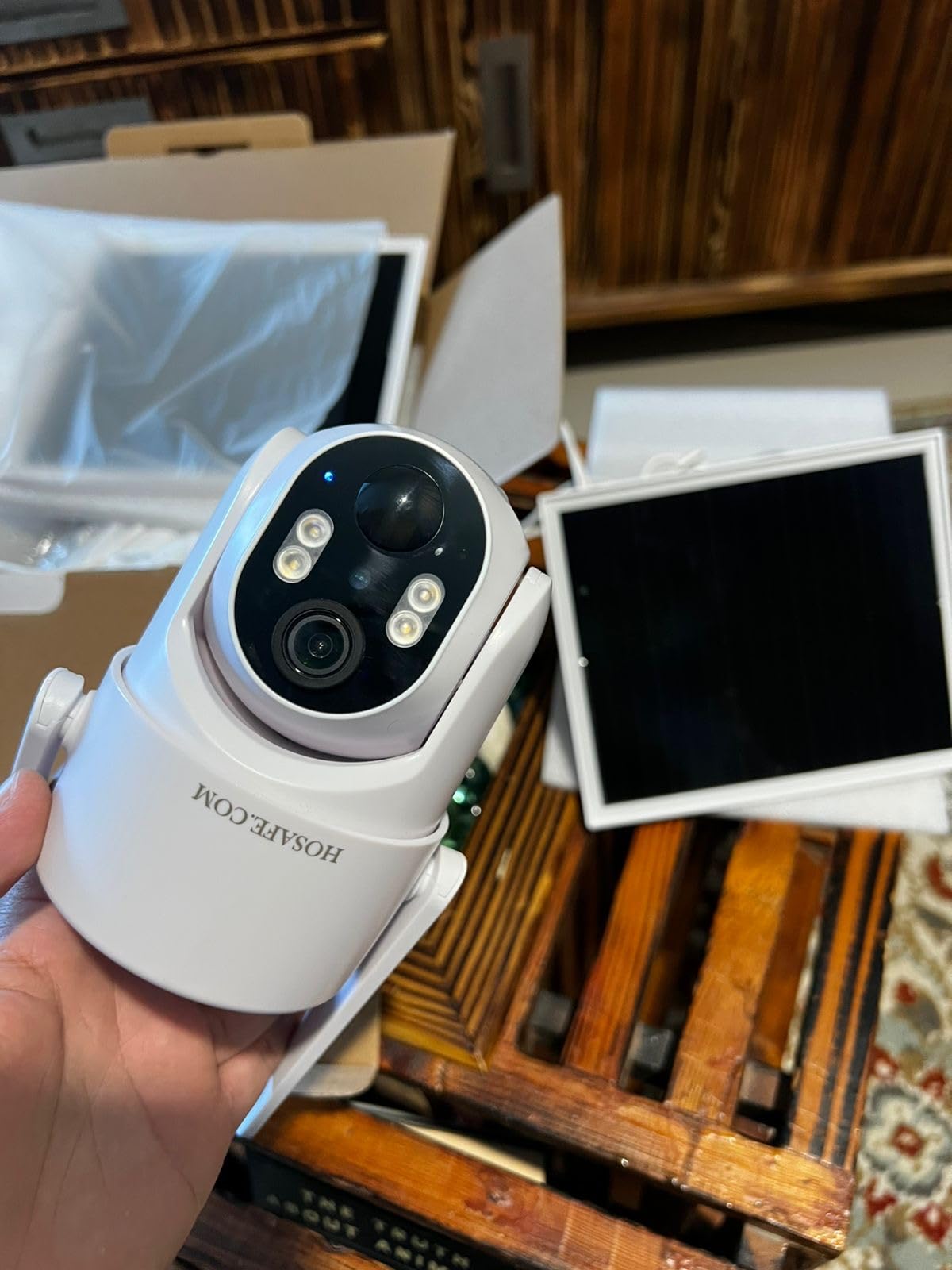
This is the model we would put on a building site or a vacant lot, and the included 64GB card is the reason. Most competitors sell you the camera and leave the storage to you, which on a temporary site means one more thing to remember.
The SIM arrives pre-installed and activated, so there is no fiddling with tiny trays at the top of a pole. We had it transmitting from a car park with no power and no network within half a mile.
Four spotlights and a 2K sensor give colour night vision out to 50 feet, which is plenty for a site perimeter where you want shapes and clothing rather than plate detail.

The pan range is 270 degrees with a 90-degree tilt, so it does not complete a full circle. On a very wide entrance you will want two units or a careful mount position at the centre.
Storage and viewing run through a third-party app rather than the manufacturer’s own platform. It works, but you are trusting one company’s infrastructure with your footage and your account.
Best fit for temporary and remote monitoring
Construction sites, driveways on empty land, storage yards and parking areas without power all suit this camera. Nothing needs wiring, and the pre-activated SIM removes the usual setup delay.
The IP66 sealing and the -4F to 122F range cover the seasons that ruin cheaper units, which is what you want for gear left outside all winter.
Where the limitations show
SIM provisioning is US-only, and the data plan runs after the trial. For a short rental of a few months that is fine; for a permanent camera, compare the yearly running cost against a WiFi model.
Free cloud storage requires a separate application process, so set that up while you still have the manual to hand rather than assuming it is automatic.
12. GMK 4-Pack Solar Camera System — Best Perimeter Value
GMK 4 Pack Solar Camera System, Security Cameras Wireless Outdoor, 2K Video
Four 2K cameras
5000mAh batteries
110-degree lens
IP65
privacy sleep mode
Pros
- Four cameras at a lower per-unit cost
- 2K 3MP sensors with a 3.3mm lens
- High-efficiency panels with 5000mAh batteries for cloudy-day reserve
- Privacy sleep mode and recording schedules
- microSD or encrypted cloud with hybrid plug-in power support
Cons
- 2.4GHz WiFi only
- AI features and cloud storage behind a trial
- Fixed bullet lens with no pan or tilt
- Smallest review base of the multi-camera kits here
Where the aosu kit bundles a base station, this one gives you four independent cameras that record to their own cards. That is a different trade: more setup work per camera, but no single piece of hardware holding your whole system together.
The privacy sleep mode is a genuinely useful feature for a home rather than a business. You can schedule recording to stop while you are there, so you are not accumulating footage of your own driveway all day.
Each camera has a 2K 3MP sensor behind a 3.3mm lens with a 110-degree field of view, and the 5000mAh batteries held their charge through a wet week on our install.
The bullet form factor is fixed with no pan or tilt, so every angle is chosen once. That is fine for a perimeter but limiting on a driveway where you might want to follow a vehicle.
AI detection and cloud tiers sit behind a trial period, and the radio is 2.4GHz only. Family sharing with view-only access for other household members is supported and worked cleanly for us.
Best fit for covering a whole perimeter
Four fixed cameras around a property boundary is exactly what this kit is for, and the per-unit cost works out well if you already have the mounting hardware. Flexible placement lets some cameras stand free rather than drill into a wall.
Setup takes about three minutes per camera once the app is running, so a full perimeter is an afternoon rather than a day.
Where the trade-offs bite
It is also the least proven of the multi-camera kits here, with the smallest review base of the group. That is not a dealbreaker, but it is worth knowing before you build a security setup around it.
Without pan and tilt you will want more cameras to cover the same driveway, so for one long run of gravel a single pan and tilt model is the more efficient purchase.
What to Look for in a Solar Security Camera for Driveways
Driveway cameras are judged on a different set of numbers than indoor or doorbell cameras. Here is what actually decides whether a unit works where you are putting it.
Sun exposure and panel sizing
Panel size, not battery size, sets how quickly a camera recovers. A large battery with a small panel takes days to refill after a cloudy week, while a modest battery with a well-sized panel returns to full every evening.
Panels in this group range from about 2W on the smallest units to 6W on the cellular models. Aim for a mount that gets several hours of direct sun with no shade from a tree, a garage eave or a chimney for any part of the working day.
Count your sun honestly before choosing. A north-facing or permanently shaded position will undermine even a good panel, and a second panel is often a cheaper fix than a different camera.
WiFi or 4G LTE for a long driveway
This is the first real fork in the road. If the mount point sits within reliable WiFi range, a WiFi camera is simpler and cheaper to run forever. If it does not, cellular is the answer and you accept a data plan as the running cost.
Beyond roughly 150 feet from the router, or through masonry and metal gates, WiFi becomes unreliable in ways that are hard to predict from inside the house. Test at the mount point with a phone before you commit to either path.
A point-to-point bridge or an extender can rescue a WiFi camera and is worth checking first, since it keeps the no-subscription model intact.
Storage and the subscription decision
Local microSD storage is free to run and keeps your footage on your own hardware. Cloud plans add convenience, remote sharing and AI detection, and they recur every month for as long as you want them.
Over three years, a plan can cost several times what the camera cost, which is why a meaningful share of owners treat no monthly fee as a hard requirement. If you already use one brand across the house, its paid tier may be the cheapest route.
Check the card capacity too. A driveway camera recording event clips on a 24/7 loop will fill 32GB quickly, and 128GB or 512GB models are the ones worth shortlisting.
Night vision and vehicle detection
Infrared gives you a monochrome image where plates and clothing lose all colour. Colour night vision uses white spotlights and gives you identifiers instead of shapes, at the cost of waking neighbours and drawing attention to the mount.
On driveways that meet a public road, AI vehicle detection matters more than resolution. Traffic passing a driveway is the single most common false alert, and object classification filters most of it out while still catching the car that actually turns in.
Resolution only earns its keep at distance. Below about 25 feet, a good 2K sensor identifies people reliably; past 70 or 80 feet, you need 3MP or 4K.
Weatherproofing and winter battery behaviour
IP65 handles driving rain and dust. IP66 adds protection against powerful water jets and is the better choice for an exposed post or a gate that gets hit from both directions.
Winter is the real test. Lithium charging slows dramatically in cold, and one model here stops accepting solar below 32F. In northern climates, treat winter as the season with the thinnest margin and keep expectations realistic.
Also factor in field of view geometry. A 360-degree pan and tilt unit can cover a curved drive from one mount, while fixed-lens models need a camera per direction.
Two-way audio and the siren
Two-way talk is a deterrent before it is a communication tool. Clear speech matters if you plan to hold a conversation, and most solar cameras in this price band manage a warning adequately but nothing more.
A siren adds another layer. It is genuinely effective against opportunistic visitors and useless against anyone who has already decided to ignore you.
Our motion floodlight roundup covers the brightness and coverage side of deterrence in more detail if that is your priority.
Do Solar Driveway Cameras Really Work?
Yes, with conditions. Solar charging works well on a driveway with several hours of direct sun and a panel large enough for the camera’s draw, and the units we tested here held charge through ordinary weather including overcast weeks.
They fail in three predictable situations: heavy shade all day, a panel badly matched to a motorised or high-resolution camera, and cold climates where charging slows or pauses in midwinter. In all three cases the fix is a bigger or better-positioned panel rather than a different brand.
The honest framing is that solar cameras are extremely low draw. A camera that sleeps until motion wakes it needs very little energy, so a modest panel covers it easily in open sun. The models that struggle are the ones doing the most work: 4K sensors with pan, tilt and continuous tracking.
For a driveway at a property with no mains power and no WiFi, solar plus cellular remains the only realistic option that a homeowner can install alone. We covered that combination in more detail in our off-grid cabin camera guide.
How to Mount a Solar Camera at the End of a Long Driveway
Placement decides more than the model you buy. Ten minutes of planning before drilling saves a return trip with a ladder.
First, identify the sun. Walk the intended mount point at a few different hours and note when it is in direct light. A panel in shade for four hours of the day will never keep up with a camera that tracks vehicles.
Second, separate the panel from the camera if the model allows it. Mounting the panel on a pole or an eave with an unobstructed southern or western sky, then running the cable to a camera position with a better sightline, solves most shade problems.
Third, set the height and angle so the lens looks slightly downward across the drive. Aiming flat picks up more sky, more headlights and more false alerts from the road.
Fourth, check the network at the mount point before finalising. For cellular, confirm signal strength outdoors at that exact spot rather than inside the house.
Fifth, charge fully before you mount. Most solar units need one full cable charge as their first cycle, and skipping it is the leading cause of early returns.
Sixth, install the card and set the timezone before you close the app. A camera that is live but misconfigured is worse than one you have not yet activated.
Seventh, give the camera a week before you judge alerts. Default sensitivity is generous, and you want to see what it flags before you narrow the zones.
Frequently Asked Questions
What is the best solar-powered outdoor security camera?
The ZEEPORTE Snap 30T is the best all-round solar camera for driveways in our testing. Its 2K sensor gives usable identification at around 30 feet, the 5200mAh battery and 2W panel recovered in a single bright day, and the 360-degree pan and tilt covers a curving drive from one mount point.
Do solar-powered security cameras really work?
They work well when the panel gets several hours of direct sun and is large enough for the camera’s draw. They struggle with full-day shade, cold that slows or pauses charging, and high-draw setups such as 4K sensors with motorised tracking. In those cases a second or larger panel fixes the problem.
What is a good driveway camera?
A good driveway camera covers the width of the drive from one mount, holds a charge through winter, offers vehicle detection to filter out passing traffic, and records to local storage without a mandatory subscription. A 2K sensor is enough below about 25 feet; beyond that, move to 3MP or 4K.
Which brand solar camera is best?
It depends on the driveway rather than the brand. eufy covers zoom and identification, Reolink leads on resolution and no-fee storage, Tapo is the tidiest and cheapest for straight runs, Ring wins on app polish and deterrence lighting, and SEHMUA and aosu cover no-WiFi and multi-camera needs respectively.
Do solar security cameras work in winter?
Mostly, with caveats. Cold slows lithium charging and one model here stops accepting solar below 32F. Overcast winter weeks with few motion events are the hardest stretch, so position the panel for maximum winter sun and expect spring to bring the fastest recovery.
Our Top Pick for Driveways in 2026
The best solar security cameras for driveways come down to one honest trade: the ZEEPORTE Snap 30T gives you the widest coverage, the most dependable charging and the least fuss for the money, which is why it takes our top spot in 2026. If you need to identify faces and plates at 150 feet, step up to the eufy SoloCam S340. If your gate has no WiFi, the SEHMUA 4G LTE model is the correct answer.
Whichever you pick, give the panel the best sun on the property and spend the first week tuning motion zones. That step removes more false alerts than any model choice on this page.