
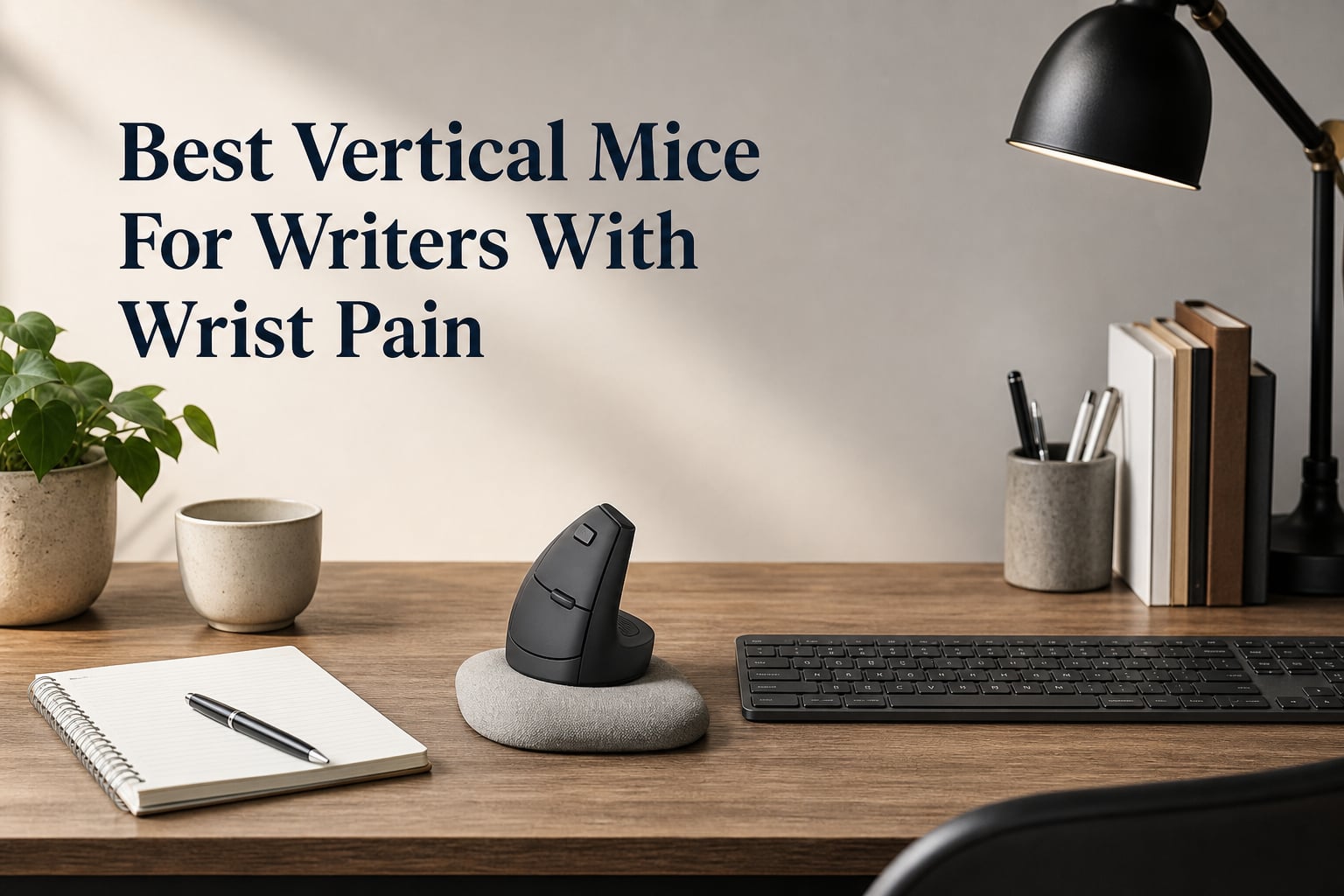
The best vertical mice for writers with wrist pain hold the hand in a more handshake-like position, so the forearm does not stay fully palm-down while you move a cursor. That change may reduce forearm strain and wrist fatigue during the small but repeated mouse movements that break up a long drafting or editing session.
A vertical mouse is not a diagnosis or a cure for carpal tunnel syndrome, tendon irritation, or RSI. I would treat it as one part of a better writing setup: if pain is persistent, worsening, or paired with numbness or weakness, a qualified clinician is the right person to consult.
I built this 2026 guide from the supplied product specifications, feature lists, and review data for all 12 models, not from invented hands-on claims. For writers who also want to reconsider their typing position, our guide to typewriter-style keyboards for authors who want to reduce wrist strain is a useful companion read.
My short answer is simple: choose the Logitech Lift if your right hand is small to medium and you want a refined everyday mouse, the TECKNET if you move between several devices, and the wired Perixx PERIMICE-513 if charging and wireless pairing are distractions you would rather remove. Hand fit, desk height, and a low enough cursor sensitivity matter as much as the logo on the mouse.
Table of Contents
The top 3 picks give most writers a clear starting point
The Logitech Lift has a 57-degree shape, a textured grip with thumb rest, quiet clicks, and Bluetooth or Logi Bolt receiver connectivity. Its supplied data also lists up to two years of battery life, making it the least complicated all-round recommendation for a right-handed writer with small or medium hands.
The TECKNET is the sensible pick when a manuscript moves between a desktop, laptop, and tablet setup because it can connect to three devices. The PERIMICE-513 is the opposite kind of practical: its 5.9-foot USB cable and plug-and-play setup leave no battery or receiver pairing to manage.
These 12 vertical mice cover the main writer needs in 2026
| Product | Specifications | Action |
|---|---|---|
 Logitech Lift Logitech Lift |
|
Check Latest Price |
 TECKNET TK-MS007 TECKNET TK-MS007 |
|
Check Latest Price |
 Perixx PERIMICE-513 Perixx PERIMICE-513 |
|
Check Latest Price |
 ProtoArc EM11 NL ProtoArc EM11 NL |
|
Check Latest Price |
 Luhaso 57 Degree Luhaso 57 Degree |
|
Check Latest Price |
 UGREEN Vertical Mouse UGREEN Vertical Mouse |
|
Check Latest Price |
 Perixx PERIMICE-713LR Perixx PERIMICE-713LR |
|
Check Latest Price |
 PHILIPS SPK7628 PHILIPS SPK7628 |
|
Check Latest Price |
 J-Tech Digital V638W J-Tech Digital V638W |
|
Check Latest Price |
 J-Tech Digital V638 J-Tech Digital V638 |
|
Check Latest Price |
 Perixx PERIMICE-713RX Perixx PERIMICE-713RX |
|
Check Latest Price |
 Razer Pro Click V2 Vertical Razer Pro Click V2 Vertical |
|
Check Latest Price |
The table is a first-pass filter, not a medical ranking. A mouse that is excellent for a large hand or a three-device desk can be a poor match for a writer whose hand is smaller, whose laptop only has USB-C ports, or whose thumb buttons aggravate an existing sore spot.
1. Logitech Lift is the best overall choice for small and medium right hands
Logitech Lift Vertical Ergonomic Wireless Mouse – Graphite
57 degree shape
Bluetooth or Logi Bolt
Quiet clicks
Pros
- 57 degree posture
- Quiet clicks
- Two connection options
- Two-year battery
Cons
- Small-medium hands only
- Adjustment period
The Logitech Lift makes the strongest everyday case because the supplied listing pairs a 57-degree vertical shape with a softly textured grip and a thumb rest. Those details speak directly to writers who want their mousing hand to rest in a neutral-looking posture between paragraphs instead of twisting back toward a flat mouse.
Its 13k+ supplied review count is far larger than most options here, though a 4.4 rating still means it will not fit every person. I would expect a short retraining period if you are used to sweeping a standard mouse from the wrist; start with a relaxed grip rather than squeezing the shell.
The connection choices suit a desk and laptop routine
Bluetooth works for a receiver-free laptop setup, while the Logi Bolt receiver gives another route for a compatible computer. The listed support includes Windows, macOS, iPadOS, and Chrome OS, so it is one of the more flexible choices for writers switching platforms.
The hand-size limit matters before the rating does
Logitech positions this right-hand model for small and medium hands. A larger hand can force the fingers into an awkward reach, which defeats the point of changing mouse shape, so measure comfort by whether your palm and thumb settle without stretching.
2. TECKNET TK-MS007 is the best choice for writers using three devices
TECKNET Ergonomic Mouse, 4800 DPI Wireless Bluetooth Vertical, 3-Device
Three-device switching
4800 DPI
Bluetooth and 2.4G
Pros
- Three device support
- High DPI range
- Quiet clicks
- Long battery listing
Cons
- AAA batteries required
- Mac side buttons limited
The TECKNET TK-MS007 answers a common writer problem: one mouse needs to work with a main computer, a laptop, and perhaps a tablet without a daily re-pairing ritual. Its supplied features list Bluetooth 5.0/3.0 and 2.4 GHz wireless, with switching among three devices.
It also has six DPI steps from 800 to 4800. I would begin near the lower end for prose work, then change one level at a time; a cursor that jumps too far invites hurried wrist corrections, while a setting that is too slow makes the shoulder work harder.
The battery arrangement favors people who prefer replaceable power
This model uses two AAA batteries and lists a low-battery indicator plus deep sleep mode. That is convenient for a stationary desk if you keep spares, but it is not the right fit for someone who specifically wants USB-C recharging.
The platform limitation is clear for Mac writers
Windows, Mac, Chrome, and Linux are listed as compatible, yet the supplied review notes say its side buttons are not compatible with macOS. Mac users can still use primary tracking and clicks, but should not choose it mainly for back and forward controls.
3. Perixx PERIMICE-513 is the best no-battery wired vertical mouse
Perixx PERIMICE-513 Wired Ergonomic Vertical Mouse – 6 Buttons with 1000/1600/3200/6400 DPI – Right-Handed Design – Wired USB 5.9ft Cable – Black
Wired USB
1000 to 6400 DPI
5.9 foot cable
Pros
- No battery
- Long cable
- Quiet primary clicks
- Four DPI levels
Cons
- Not programmable
- Mac side buttons limited
The Perixx PERIMICE-513 is the cleanest choice for a writer who wants an ergonomic mouse with none of the battery, Bluetooth, or charging variables. Its 5.9-foot USB cable is unusually generous for a fixed desk where the computer may sit farther from the writing surface.
The supplied data lists 1000, 1600, 3200, and 6400 DPI settings, six buttons, and a soft rubber-coated surface. It has a 4.6 rating from 175 supplied reviews, which is encouraging but a much smaller evidence pool than the Lift or TECKNET.
The wired connection removes one source of interruption
Plug-and-play operation and no battery requirement mean the mouse is ready whenever the computer is on. That is useful during long focused editing blocks, particularly for a desktop writer who does not need to carry the mouse between rooms.
The buttons suit basic navigation rather than custom workflows
Perixx says the buttons are not programmable, and the back and forward controls are not supported on macOS. The primary click buttons are quiet, while the scroll wheel and navigation buttons are not listed as silent.
4. ProtoArc EM11 NL is the best rechargeable option for three connected devices
ProtoArc EM11 NL Wireless Ergonomic Vertical Mouse, Rechargeable, Black
Three-device connection
Type-C rechargeable
2400 DPI
Pros
- Dual Bluetooth
- USB-A receiver
- Rechargeable
- Quiet primary clicks
Cons
- USB-A receiver only
- Mac side buttons limited
The ProtoArc EM11 NL combines two Bluetooth connections with a 2.4 GHz USB-A receiver, giving a writer three device slots. Its Type-C rechargeable 500mAh battery separates it from models that require disposable cells, and it lists 1000, 1600, and 2400 DPI steps.
Seven buttons give it more physical controls than several basic designs, while quiet left and right clicking can help in a shared office. The supplied data gives it a 4.4 rating from 5,520 reviews, a meaningful sample for a multi-device ergonomic mouse.
The receiver type decides whether it fits a modern laptop
The included wireless receiver is USB-A, not USB-C. A laptop with only USB-C ports needs an adapter for that connection route, although Bluetooth may let you leave the receiver unused.
The grip rewards a calm learning period
Its vertical shape can feel unfamiliar in the first days, especially when using forward and back buttons with the thumb. Keep the mouse near the keyboard and lower cursor sensitivity before judging the shape; the goal is smaller, calmer movements.
5. Luhaso 57 Degree is the best compact pick for small and medium hands
Luhaso Ergonomic Vertical Wireless Mouse, 57°, Small/Medium Hands, Black
57 degree grip
Small-medium hands
Type-C rechargeable
Pros
- Compact fit
- Quiet clicks
- Rechargeable
- 24-month warranty
Cons
- Too small for large hands
- 1600 DPI maximum
The Luhaso is explicitly shaped for small and medium hands and places the hand at a listed 57-degree handshake angle. At 86 grams, it is also light enough for writers who move between a home desk, library table, and office without wanting a heavy accessory.
It uses a Type-C rechargeable battery, 2.4 GHz wireless connection, three DPI settings from 800 to 1600, and quiet micro switches. The manufacturer claims more than 90 percent noise reduction, so this is one to consider for a quiet room where sharp clicks are distracting.
The compact dimensions need an honest hand-fit check
Small hands often get a better thumb reach and less finger extension from a compact vertical shell. Large hands may feel cramped, however, and a cramped grip can create new tension in the fingers or thumb instead of reducing it.
The simpler DPI range fits ordinary writing work
A 1600 DPI ceiling is modest beside high-sensitivity models, but document work does not require an extreme sensor setting. If you edit text, browse sources, and work across ordinary displays, the lower range may be plenty.
6. UGREEN Vertical Mouse is the best flexible dual-mode option for larger hands
UGREEN Ergonomic Wireless Mouse, Bluetooth & 2.4G Wireless, Quiet Clicks
Bluetooth 5.4 and 2.4G
4000 DPI
PTFE feet
Pros
- Dual wireless modes
- Four DPI levels
- Quiet clicks
- Wide OS support
Cons
- AA battery required
- Ambidextrous fit is personal
The UGREEN Vertical Mouse brings Bluetooth 5.4 and 2.4 GHz USB connectivity together with a four-level sensor reaching 4000 DPI. Its listing calls out a natural handshake position for larger hands, which makes it worth checking if smaller vertical models leave your fingers hanging off the front.
PTFE glide feet are a useful practical detail because a mouse that drags on the pad can encourage excess gripping. The supplied review data lists a 4.4 rating from 1,558 reviews and quiet click buttons, plus support across Windows, macOS, Linux, Android, iOS, and ChromeOS.
The AA battery setup favors simple replacement over charging
This mouse uses one AA battery that is not included and lists up to 12 months of battery life plus smart sleep. That can be low-maintenance, yet a rechargeable model is a better fit if you prefer one charging cable for desk gear.
The stated ambidextrous orientation needs a comfort trial
Vertical shells are highly personal, and an ambidextrous designation does not mean every left- or right-handed person will like the button placement. If left-handed use is non-negotiable, the purpose-built Perixx 713LR below is the clearer option.
7. Perixx PERIMICE-713LR is the best dedicated left-handed vertical mouse
Perixx PERIMICE-713LR – Cordless Rechargeable Vertical Mouse – Duo Wired and Wireless Charging Feature – 6 Buttons Design – Black – Left Handed
Left-handed shape
Wireless and USB-C charge
3200 DPI
Pros
- Left-hand design
- Quiet primary clicks
- Dual charging
- 30 foot range
Cons
- Buttons not programmable
- Mac side buttons limited
Left-handed writers should not have to adapt a right-handed shell just to get a vertical grip. The Perixx PERIMICE-713LR is made for the left hand, with six buttons, a soft rubber-coated build, 2.4 GHz wireless, and four DPI settings from 1000 to 3200.
It can charge by USB-C and is also listed as wireless-charging ready. Its supplied rating is 4.6 from 66 reviews, so it has less feedback volume than the right-hand models, but the left-specific form is its main reason to be here.
The charging flexibility helps keep a desk routine simple
USB-C charging gives a straightforward wired option, while wireless charging readiness suits a desk already set up for it. The mouse lists a 30-foot wireless range, more than a writer normally needs but useful when presenting from farther away.
The software expectations should stay modest
The buttons are not programmable, the DPI button is not silent, and back and forward functions are not supported on macOS. Choose this one for its handedness and ergonomic form rather than expecting a custom shortcut device.
8. PHILIPS SPK7628 is the best lightweight quiet option for small and medium hands
PHILIPS SPK7628 Ergonomic Mouse – Wireless Mouse with 3 Adjustable DPI
Small-medium hand fit
Six silent buttons
1600 DPI
Pros
- 57 degree design
- Lightweight
- Silent buttons
- Auto sleep
Cons
- USB-A receiver only
- No Bluetooth
The PHILIPS SPK7628 is specified for small and medium hands up to a seven-inch hand length, with a 57-degree vertical design and six silent buttons. It is a light 2.4 GHz wireless option for a writer who wants a straightforward, low-noise mouse without Bluetooth menus.
The three settings of 800, 1200, and 1600 DPI cover close document work and normal multi-window movement. It has a 4.2 rating from 369 supplied reviews, so I would place more weight on shape and connection fit than on its ranking position alone.
The USB receiver is both its simplicity and its limitation
Plug-and-play 2.4 GHz operation means no driver setup is listed, and the receiver stores in the mouse base. A USB-C-only computer needs an adapter, because this model does not offer Bluetooth.
The hand-length guidance is unusually useful
Most listings say only small or medium, while this one adds a hand-length reference. Measure from wrist crease to middle fingertip and use it as a starting point rather than a guarantee; finger length and grip preference still differ.
9. J-Tech Digital V638W is the best removable-palm-rest model with dual modes
J-Tech Digital Wireless Mouse, Vertical Ergonomic Mouse with Bluetooth Dual Modes + USB Dongle + Rechargeable w/ 2.4GHz Wireless + Adjustable DPI 3200 for Laptop, Desktop, PC, Mac [V638W], White
Removable palm rest
Bluetooth and 2.4G
3200 DPI
Pros
- Rechargeable
- Dual wireless modes
- Palm rest
- Medium-large fit
Cons
- Windows desktop shortcut
- Smaller review sample
The J-Tech Digital V638W pairs a right-handed handshake grip with a removable anti-skid palm rest. That support can be appealing if the heel of your hand tends to drag across the desk, but I would not assume more support is always better: some people prefer freer movement.
It has Bluetooth plus a 2.4 GHz USB dongle, a rechargeable lithium battery via USB-C, and four DPI steps to 3200. The supplied listing calls it a medium-to-large-hand design, so it has a more generous target fit than the Lift or PHILIPS.
The removable rest lets writers tune desk contact
Try the mouse with and without the rest for a few brief sessions instead of committing after ten minutes. If the rest keeps your wrist from resting on a hard desk edge, it may help comfort; if it catches on the surface, remove it.
The special button behavior matters on Mac
The Back to Desktop control triggers a Windows shortcut and needs remapping for Mac use. This does not prevent basic mousing on Mac, but it makes the mouse less attractive if you depend on every extra button working as labeled.
10. J-Tech Digital V638 is the best established palm-rest alternative
J-Tech Digital Ergonomic Mouse with Wireless Connection, Removable Palm Rest, Thumb Buttons, Rechargeable Battery, 800 DPI, Compatible with Windows and MAC OS
Removable palm rest
Rechargeable battery
3200 DPI
Pros
- Palm rest
- Four DPI levels
- Thumb buttons
- Three power modes
Cons
- Button remapping needs software
- 4.1 rating
The J-Tech Digital V638 is another vertical model with a removable non-skid, anti-sweat palm rest, but it uses a wireless USB connection rather than the V638W’s Bluetooth capability. It has four DPI settings from 800 to 3200, thumb back and forward buttons, and a rechargeable lithium battery.
With 3,156 supplied reviews, it has more feedback volume than its 4.1 rating may suggest. I would read that as a reason to be realistic about fit and button feel, not as a reason to dismiss it when the palm-rest design matches your desk needs.
The power-saving modes favor regular but not constant use
Three listed power-saving modes can stretch the rechargeable battery between charges. If you write daily and dislike even short wake-up delays, pay attention to how any wireless mouse responds after sleep during its return window.
The thumb buttons are helpful only if they stay comfortable
Back and forward shortcuts can save time while researching or moving through browser tabs. Writers with thumb-base pain should use them sparingly at first, because moving a task from the wrist to an irritated thumb is not a helpful trade.
11. Perixx PERIMICE-713RX is the best choice with an included charging pad
Perixx PERIMICE-713RX Wireless Rechargeable Vertical Mouse – Duo Wired and Wireless Charging Feature – Charging Pad Included – 6 Buttons Design – Black – Right-Handed Design
Charging pad included
USB-C or wireless charge
Quiet clicks
Pros
- Charging pad
- Two charging methods
- Quiet primary clicks
- Soft coating
Cons
- Two DPI settings
- Mac side buttons limited
The Perixx PERIMICE-713RX is built around charging convenience: it supports USB-C charging, wireless charging, and includes a charging pad. It also offers a vertical right-hand shape, a soft rubber coating, quiet left and right buttons, and a 2.4 GHz wireless connection with a listed 10-meter range.
The provided data lists only 1000 and 1600 DPI, which is enough for common writing work but not for someone who wants a broad sensitivity menu. Its 4.1 rating from 421 supplied reviews suggests checking the return terms and fit carefully, as with any comfort-focused device.
The charging pad can reduce another desk chore
Putting the mouse on a pad at the end of a writing day is easier than searching for a cable when a battery warning appears. The pad also supports other compatible accessories, according to the supplied technical details, though mouse charging is the relevant use here.
The standard Perixx caveats still apply
The scroll wheel and back and forward buttons are not silent, the buttons are not programmable, and macOS does not support the back and forward controls. First-time vertical mouse users may need one to two weeks to adjust, according to the supplied listing.
12. Razer Pro Click V2 Vertical is the best high-spec option for a complex desk
Razer Pro Click V2 Vertical Wireless Mouse, 6 Button Ergonomic Design
Five devices
30K sensor
USB-C wired mode
Pros
- Base support
- Five-device setup
- Works on glass
- Long battery listing
Cons
- Heavier design
- 4.0 rating
- Extra features may distract
The Razer Pro Click V2 Vertical is the most feature-heavy mouse in this group. Its vertical six-button form adds base support to lift the wrist, and it can connect to as many as five devices through 2.4 GHz wireless, Bluetooth hosts, or USB-C wired mode.
Its Focus Pro 30K sensor works on glass and it lists up to six months of battery life, with a five-minute charge claimed to deliver three working days. Those specifications suit a creator who combines writing with demanding screen work, though the stated 0.41-kilogram weight is far above many alternatives.
The base support changes the contact point on the desk
Razer says the base support elevates the wrist to minimize friction while moving. That may appeal to writers who dislike the heel of the hand scraping a desk, but its larger, heavier body is not automatically comfortable for every hand.
The extra controls make sense only for a busy workflow
The AI Prompt control, RGB underglow, and deep sensor specification are more than most drafting tasks require. I would select this mouse for its wired-plus-wireless flexibility and multi-device capacity, not because a writing workflow needs decorative lighting.
The right buying guide starts with fit and a neutral forearm
Start with the shape, not the feature count. A vertical mouse works by rotating the forearm away from a fully palm-down posture toward a thumb-up handshake position, but it only helps if your palm is supported and your fingers reach the buttons without extending or clawing.
Small and medium hands have clearer matches in the Logitech Lift, Luhaso, and PHILIPS SPK7628. Writers with larger hands should look more closely at the UGREEN and J-Tech V638W, while left-handed writers have the more direct Perixx PERIMICE-713LR option.
The desk position should keep the mouse close to the keyboard
Place the mouse at roughly the same height as the keyboard and close enough that your upper arm stays near your side. A vertical shell cannot offset a setup that makes you reach forward or outward for every cursor movement.
Use a mousepad with low friction, relax the shoulder, and avoid resting the wrist on a sharp desk edge. The movement should come mostly from the arm and shoulder in small ranges, not from bending the wrist repeatedly.
The DPI setting should feel controlled rather than fast
DPI describes cursor sensitivity: a higher number usually moves the pointer farther for the same hand movement. For writers, a moderate or low setting is often a sensible first choice because it encourages deliberate movement rather than tense flicks.
Change only one setting at a time and use it through a normal session of drafting, browsing, and editing. Forum discussions repeatedly mention lowering DPI during the switch; that is a practical starting experiment, not a universal prescription.
The transition normally takes days or weeks rather than minutes
Community reports cited in the research commonly put the adjustment period around two to three weeks, while Perixx says many first-time users adapt in one to two weeks. The exact timing varies, so begin with short sessions and rotate back only if needed rather than forcing an all-day switch on day one.
Expect thumb buttons, scrolling, and fine cursor placement to feel strange first. If discomfort rises rather than settles, stop treating adaptation as a challenge to win and reassess the hand fit, desk setup, or advice from a health professional.
The condition matters because wrist pain has different causes
Carpal tunnel symptoms can include numbness or tingling in the hand, while tendon-related irritation may respond to different movement changes; both deserve professional assessment when symptoms persist. A vertical mouse may reduce pronation for some people, but it cannot identify or treat the source of pain.
For severe carpal tunnel symptoms, forum participants also discuss trackballs because they can reduce arm movement. A trackball versus vertical mouse decision is personal: a vertical mouse changes forearm angle, while a trackball changes how much the whole mouse moves.
The keyboard and breaks complete the writer setup
A comfortable mouse is only one half of the task because writers still spend much more time typing than clicking. Consider the angle and reach of the keyboard, take brief movement breaks, and explore our typewriter-style keyboards for writers if changing key feel or keyboard layout is also on your list.
Do not use a new mouse as permission to work through worsening pain. Frequent short pauses, a lighter grip, and a desk that lets the shoulders relax can matter more than adding buttons or sensor sensitivity.
These frequently asked questions give the direct wrist-pain answers
Is a vertical mouse good for wrist pain?
A vertical mouse may help some people with wrist pain because it holds the hand closer to a handshake position and reduces palm-down forearm rotation. It is not a cure, and correct hand fit, low-tension movement, desk setup, and clinical advice for persistent symptoms still matter.
What is the best mouse for people with wrist problems?
For a small- or medium-hand right-handed writer, the Logitech Lift is the strongest overall choice in this list because it combines a 57-degree shape, thumb rest, quiet clicks, and Bluetooth or receiver connectivity. A left-handed writer should start with the Perixx PERIMICE-713LR, while a three-device workflow favors the TECKNET or ProtoArc.
What is the best vertical mouse for carpal tunnel?
A vertical mouse with a comfortable, correctly sized handshake grip can reduce forearm pronation, so the Logitech Lift is a sensible starting point for eligible right hands and the Perixx PERIMICE-713LR is the left-hand alternative. Carpal tunnel symptoms need medical assessment, especially numbness, weakness, or pain that continues despite setup changes.
What is the best mouse for RSI?
The best RSI mouse is the one that lets you work with a relaxed hand, neutral forearm, and minimal reaching. Start with a fitted vertical mouse such as the Lift, reduce cursor sensitivity if fast movements create tension, keep it close to the keyboard, and take regular movement breaks; a clinician can help when symptoms do not improve.
The Logitech Lift is the first vertical mouse most writers should compare in 2026
The Logitech Lift is my overall starting point for a small- or medium-hand right-handed writer because its 57-degree shape, thumb rest, quiet clicks, and flexible connection options match everyday drafting well. The TECKNET is the better call for a three-device desk, while the Perixx PERIMICE-513 is the simplest route for anyone who wants wired reliability.
The Best Vertical Mice For Writers With Wrist Pain are the ones that fit your hand, let your shoulder relax, and support calmer cursor movements over time. Pick the model whose handedness, size, connection method, and buttons match your actual desk, then give the transition enough time to judge it fairly.