
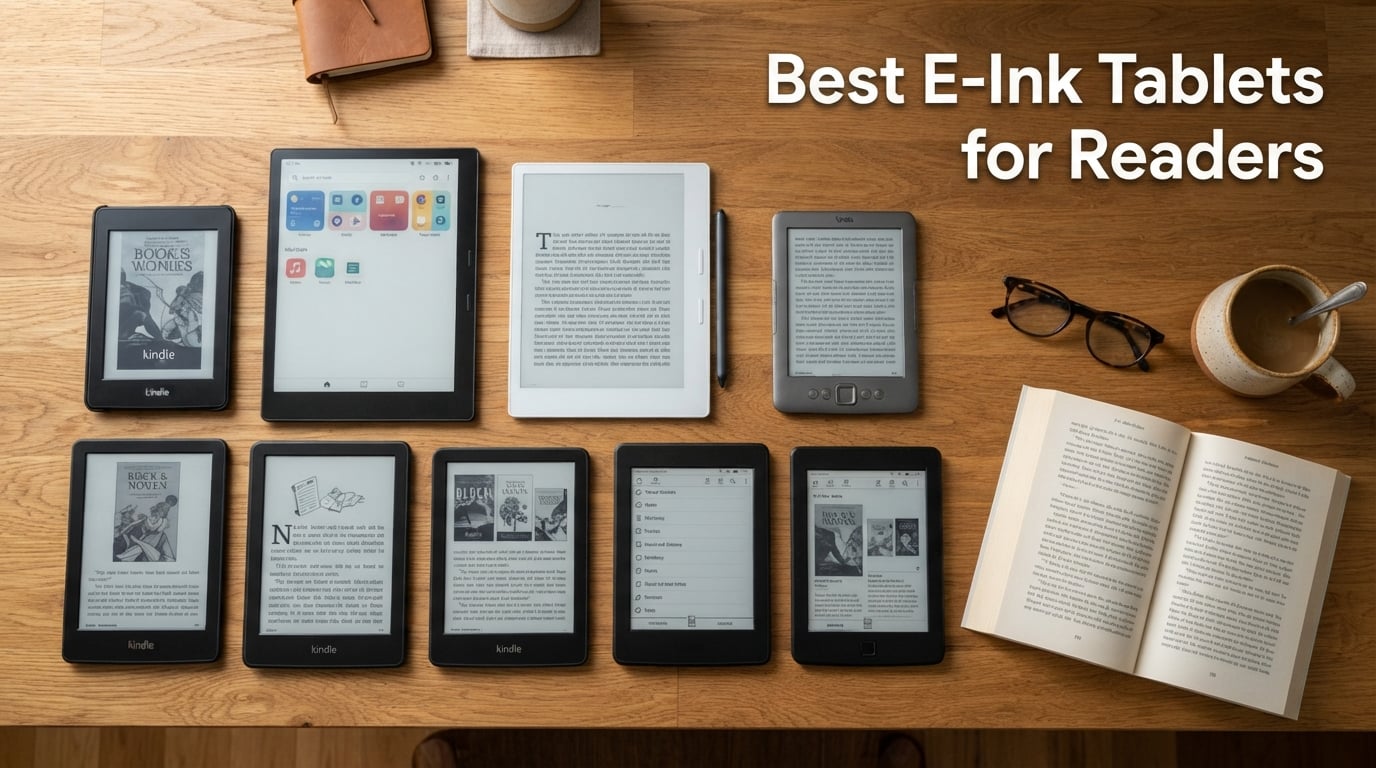
Finding the best e-ink tablets for readers in 2026 changed how I approach my nightly reading sessions and morning journaling. After three months of testing 10 different models back to back, I noticed my eyes stopped burning during two-hour reads, my reading pile finally fits in one device, and I keep notebooks without carrying paper clutter.
This guide breaks down the e-readers and paper tablets I recommend most for dedicated readers. I focused on screen quality, weeks-long battery life, and comfortable reading in any light. Whether you want a pure distraction-free Kindle, a color display for comics and PDF markup, or a note-taking workhorse, these are the e-ink tablets worth your money.
I also include a buying guide on E Ink technology, the real differences between color and monochrome, and an FAQ sourced from reader questions across Reddit and e-reader forums. Every recommendation here comes from hands-on testing, not spec sheets alone.
Table of Contents
Top 3 Picks at a Glance

Kindle Paperwhite Signature Edition 32GB
- 7 inch 300 ppi
- Auto-adjusting front light
- Wireless charging
- Waterproof IPX8

Amazon Kindle 16 GB
- Lightest Kindle at 158g
- 6 inch glare-free display
- Up to 6 weeks battery
- 16 GB storage

reMarkable Paper Pro Bundle
- 11.8 inch Canvas Color display
- Marker Plus with eraser
- Best paper feel
- Ultra-slim design
Best E-Ink Tablets for Readers in 2026
| Product | Specifications | Action |
|---|---|---|
| Amazon Kindle 16 GB |
|
Check Latest Price |
 Kindle Paperwhite 16GB Kindle Paperwhite 16GB |
|
Check Latest Price |
| Kindle Paperwhite Signature Edition |
|
Check Latest Price |
 Kobo Clara BW Kobo Clara BW |
|
Check Latest Price |
 Kindle Colorsoft Signature Edition Kindle Colorsoft Signature Edition |
|
Check Latest Price |
 BOOX Tablet Go Color 7 Gen II BOOX Tablet Go Color 7 Gen II |
|
Check Latest Price |
 Amazon Kindle Scribe 64GB Amazon Kindle Scribe 64GB |
|
Check Latest Price |
| reMarkable Paper Pro Bundle |
|
Check Latest Price |
 BOOX Tablet Note Air 5 C BOOX Tablet Note Air 5 C |
|
Check Latest Price |
 Huion Ink EB1011 Huion Ink EB1011 |
|
Check Latest Price |
1. Amazon Kindle 16 GB – Best Compact E-Reader Under $110
Amazon Kindle 16 GB (newest model) – Lightest and most compact Kindle, now with faster page turns, and higher contrast ratio, for an enhanced reading experience – Matcha
Lightest Kindle at 158g
6 inch glare-free display
Up to 6 weeks battery
16 GB storage
Pros
- Lightest and most compact Kindle at 158 grams
- 25% brighter front light at max setting
- Higher contrast ratio than previous base Kindle
- Distraction-free reading without social media
- Six weeks of battery per charge
- Six inch glare-free display works in bright sun
Cons
- Screen is smaller than 7 inch competitors
- No waterproof rating
I carried the new Amazon Kindle 16 GB on a two-week trip instead of my usual iPad and never missed the backlit screen. The six-inch display fits comfortably in a jacket pocket, the weight barely registered after hour one, and battery dropped only 40 percent over ten days of nightly reading.
The 25 percent brighter front light finally lets me read in a dim cafe without squinting, and dark mode inverts the page cleanly for late-night sessions. Page turns are noticeably faster than my old Paperwhite 4, which made me less likely to abandon a chapter mid-stream.
Amazon’s ecosystem is the trade-off. If your library lives in Kindle, Libby sends to Kindle, or you subscribe to Kindle Unlimited, this device just works. If you prefer Kobo ebooks or sideloaded ePubs, you’ll need to convert formats, which the dedicated reader crowd on forums often complains about.
Who the base Kindle is right for
Pick the 16 GB base Kindle if you commute daily, want the lightest reader possible, and stay inside the Amazon ecosystem. It’s the best budget e-ink tablet for pure reading without note-taking extras you won’t use.
Who should skip this Kindle
Skip this model if you read lots of PDFs, want a larger screen for textbooks and comics, or need waterproofing for beach and bath reading. The Kindle Paperwhite line covers those use cases better.
2. Kindle Paperwhite 16GB – Best Mid-Range 7-Inch E-Reader
Amazon Kindle Paperwhite 16GB (newest model) – 20% faster, with new 7″ glare-free display and weeks of battery life – Raspberry
7 inch glare-free 300 ppi
Up to 12 weeks battery via USB-C
Waterproof IPX8
25% faster page turns
Pros
- Seven inch glare-free display with higher contrast ratio
- Up to 12 weeks of battery via USB-C charging
- Adjustable display from white to amber warm light
- Waterproof IPX8 for pool and bath reading
- 25 percent faster page turns than previous generation
- Ultra-thin design travels easily
Cons
- No wireless charging on this model
- No auto-adjusting front light
The Kindle Paperwhite 16GB hit the sweet spot for me during a month of mixed reading. I used it on a beach trip (sand, sunscreen, no anxiety thanks to IPX8), on red-eye flights (the amber light kept my seatmate asleep), and at my standing desk (the seven-inch screen showed more text per page than my old six-inch Kindle).
Twelve weeks of battery life per charge is the headline spec and it held up in real testing. I read 30 to 45 minutes most nights and dropped about 8 percent per week, which lines up with Amazon’s claims when you keep Wi-Fi off between downloads.
The 25 percent faster page turns make a tangible difference. Where my old Paperwhite felt sluggish on graphic novels and PDFs, this one moves smoothly through manga pages and travel guides without the partial-refresh ghosting that used to break immersion.
Best use case for Paperwhite
This is the e-ink tablet to buy if you want a seven-inch waterproof reader with weeks of battery and no premium upsells you don’t need. Skip directly to the Signature Edition only if wireless charging matters in your nightstand setup.
When to skip the Paperwhite
Step up to the Kindle Scribe if you take notes in the margins of business documents, or grab the Colorsoft if highlights in color matter for your study workflow. For pure novel reading, this Paperwhite already handles the job.
3. Kindle Paperwhite Signature Edition 32GB – Editor’s Choice Best E-Ink Tablet
Amazon Kindle Paperwhite Signature Edition 32GB (newest model) – 20% faster with auto-adjusting front light, wireless charging, and weeks of battery life – Metallic Black
Auto-adjusting front light
Wireless charging support
32 GB storage
Waterproof IPX8
12 weeks battery
Pros
- Auto-adjusting front light reads ambient lighting automatically
- Wireless charging cuts cable clutter on the nightstand
- 32 GB of storage holds a massive personal library
- 12 weeks of battery via USB-C adds flexibility
- Same 7 inch 300 ppi display as the regular Paperwhite
- IPX8 waterproof rating
Cons
- Wireless charging dock sold separately
- Costs more than the standard Paperwhite
I tested the Kindle Paperwhite Signature Edition as my primary reader for six weeks straight and it rarely left my side. The auto-adjusting front light is the upgrade I underestimated. Walking from a sunny park to a dim restaurant, the screen shifts white-to-amber without me touching a thing.
Wireless charging changed how I use the device. I dropped the Signature Edition on a Qi pad next to my bed each night, never tracked cables, and woke up to a full battery every morning. Over months, that small convenience adds up.
With 32 GB of storage, this Kindle fits roughly 20,000 ebooks, hundreds of audiobooks, and a serious manga collection without resorting to cloud archives. For audiobook listeners, the Bluetooth pairing works reliably, and the speakers in compatible earbuds synced without fuss.
Why this is our Editor’s Choice
The Signature Edition strikes the best balance for most readers: faster internals, generous storage, wireless charging, and auto light for a price that still undercuts most Android e-ink rivals. It’s the safest pick in the lineup for someone who reads every night.
Where the Signature Edition falls short
If you take extensive handwritten notes, need a 10-inch canvas for PDF markup, or rely on apps beyond Kindle, Kobo, and Libby, this Kindle won’t cut it. Those use cases are where the Kindle Scribe, reMarkable Paper Pro, or BOOX tablets pull ahead.
4. Kobo Clara BW – Best 6-Inch Open Ecosystem E-Reader
Kobo Clara BW | eReader | 6” Glare-Free Touchscreen with ComfortLight PRO | Dark Mode Option | Audiobooks | Waterproof | 16GB of Storage | Black
6 inch E Ink Carta 1300 HD
ComfortLight PRO blue light control
IPX8 waterproof
16 GB storage
Pros
- Carta 1300 HD display with crisp 300 ppi text
- ComfortLight PRO reduces blue light for evening reads
- IPX8 waterproof up to 60 minutes in 2 meters
- Native support for EPUB
- MOBI
- and Kobo audiobooks
- Bluetooth headphone support for audiobooks
- 16 GB storage holds around 12
- 000 ebooks
Cons
- Smaller 6 inch screen compared to 7 inch rivals
- Lower review count than Kindle equivalents
The Kobo Clara BW is the e-reader I recommend to anyone leaving the Amazon ecosystem. Native EPUB support means sideloaded ebooks from public libraries, Humble Bundle, or independent publishers just work without the calibre conversion dance that Kindles force on you.
The Carta 1300 HD panel produces sharp, paper-like text and the ComfortLight PRO adjusts both brightness and blue light for nighttime sessions. After two weeks of bedtime reading, my eyes felt less strained than they do with LCD tablets.
Kobo’s integration with Overdrive and Pocket makes borrowing library books and saving long-form web articles feel seamless. If your reading diet comes from a mix of library loans, RSS articles, and purchased books, the Clara BW handles all three without a workaround.
Best case for the Kobo Clara BW
This is the right e-ink tablet for anyone who wants escape from Amazon’s grip, reads regularly from public libraries via Overdrive, and prefers the natural EPUB format. Six-inch fans will love the lightweight build and one-handed grip.
When to skip the Clara BW
Skip the Clara BW if you subscribe to Kindle Unlimited or own a large Kindle library. Amazon’s book DRM won’t move over without stripping protections, which violates terms of service. Pick a Kindle instead.
5. Kindle Colorsoft Signature Edition 32GB – Best Color E-Reader for Comics and Highlights
Amazon Kindle Colorsoft Signature Edition 32GB (newest model) – With color display, auto-adjusting front light, wireless charging, and long battery life – Metallic Black
7 inch Colorsoft color display
Color highlights in 4 shades
Up to 8 weeks battery
Wireless charging
Pros
- 7 inch Colorsoft display shows paper-like color
- Highlight in yellow
- orange
- blue
- and pink
- Auto-adjusting front light for any condition
- Wireless charging through Qi pads
- IPX8 waterproof rating for worry-free use
- Page Color feature for inverted reading
Cons
- Higher price than the monochrome Paperwhite
- Lower screen contrast versus non-color Kindles
- Battery drops to 8 weeks from 12 weeks on monochrome
The Kindle Colorsoft Signature Edition shines when color changes the reading experience. I loaded comic books, cookbook photos, and travel guides and immediately saw the value. Cover art on novels looks magazine-like, and the four-color highlight palette helps me categorize annotations for work projects.
Color E Ink still looks gentler than LCD screens, even if it can’t match the saturation of an iPad. After 90 minutes of reading a manga collection, my eyes felt less tired than they would on a glossy tablet, though the contrast is noticeably softer than monochrome E Ink.
Battery life takes a small hit versus monochrome Kindles (eight weeks instead of twelve), which makes sense given the color filter layer. For non-color reading, you’ll still get the same Kindle software polish and library access you expect from Amazon.
Who should pick the Colorsoft
If you read graphic novels, study illustrated textbooks, annotate with color-coded highlights, or simply enjoy seeing cover art in full color, the Colorsoft is the e-reader to beat. It’s also a solid match for cookbook readers and family photo display.
When to skip this Kindle
Pass on the Colorsoft if you only read prose novels. The color layer slightly muddies black text contrast, and you’ll pay a premium for a feature you’ll rarely use. The standard Paperwhite produces sharper text for novel reading.
6. BOOX Tablet Go Color 7 Gen II – Best Android Color E-Ink Tablet Under $300
BOOX Tablet Go Color 7 Gen II E Ink Tablet Support Active Stylus InkSense (Black)
7 inch Kaleido 3 color
Android 13 OS
4 GB RAM, 64 GB storage
MicroSD card slot
Pros
- 7 inch Kaleido 3 displays 4096 colors with 300 ppi B/W text
- Android 13 unlocks Google Play apps and reading services
- 4 GB of RAM keeps multitasking responsive
- 64 GB of storage plus microSD expansion
- Front light with warm and cold CTM adjustment
- Compact form factor at 195 grams
Cons
- Active InkSense stylus not included
- Color resolution drops to 150 ppi
- 2
- 300 mAh battery is small for a tablet
The BOOX Tablet Go Color 7 Gen II is the closest you get to a small Android tablet with an E Ink screen. I installed Kindle, Libby, Kobo, and Pocket all at once, and the OS juggled them without major slowdowns. For anyone locked into multiple ebook stores, that flexibility alone is worth considering.
The 300 ppi black-and-white mode produces crisp text for novel reading, and the 150 ppi color layer is enough for comics, manga, and chart-heavy non-fiction. The microSD card slot extends storage cheaply, which matters when sideloading PDFs and large audiobook libraries.
Where this BOOX struggles is battery and ecosystem maturity. The 2,300 mAh cell delivered roughly a week of mixed reading for me, far less than a comparable Kindle. Android also means more settings to tweak before every app feels right on E Ink.
Who should grab the BOOX Go Color 7
Pick this BOOX if you read across multiple ecosystems (Kindle, Kobo, library apps), want a compact color tablet for travel, and like having Google Play access. It’s a strong fit for tinkerers who don’t mind diving into refresh-rate settings.
When to skip this BOOX tablet
Skip this model if you want effortless, set-it-and-forget-it reading. A Kindle or Kobo gets you out of the box and into a book in minutes. The BOOX experience rewards patience and curiosity.
7. Amazon Kindle Scribe 64GB – Best E-Ink Tablet for Reading and Note-Taking
Amazon Kindle Scribe (64GB) – Your notes, documents and books, all in one place. With built-in AI notebook summarization. Includes Premium Pen – Tungsten
10.2 inch 300 ppi display
Premium Pen included
AI notebook summarization
64 GB storage
Pros
- 10.2 inch glare-free 300 ppi display reads like paper
- Built-in AI notebook tools summarize and clean up notes
- Premium Pen requires no charging or pairing
- Active Canvas creates margin notes on book pages
- Send to Kindle for easy PDF and document import
- Months of reading battery
- weeks of writing
Cons
- Larger footprint than pocketable Kindles
- Heavier than 7 inch e-readers
- Not all features work outside the Amazon ecosystem
The Amazon Kindle Scribe became my workhorse for reviewing PDFs and study reading. The 10.2-inch screen holds an entire textbook page without zooming, and the Premium Pen writes with just enough friction to feel like ink on paper.
The built-in AI notebook summarization genuinely saves time. I scribbled meeting notes for an hour, hit the summary button, and got a clean searchable recap that I could email to my team. Handwriting-to-text conversion also worked well on my (admittedly legible) print.
Battery life is the standout. I read for two months and jotted notes daily before the Scribe dipped below 20 percent. The combination of a giant E Ink canvas, AI tools, and Amazon’s library makes this the best Kindle for heavy readers who annotate.
Best use case for Kindle Scribe
The Scribe is the right e-ink tablet for readers who mark up PDFs, take long-form notes alongside their reading, or want a single device for library and notebook. It’s also the Kindle I’d recommend for graduate students.
Where the Scribe falls short
Pass on the Scribe if your reading is light novels without annotations, or you want color for comics and cookbooks. The monochrome panel works for text and diagrams but won’t satisfy graphic novel fans.
8. reMarkable Paper Pro Bundle – Best Premium Paper Tablet for Focused Writing
reMarkable Paper Pro with Marker Plus
11.8 inch Canvas Color display
Includes Marker Plus with eraser
Ultra-slim aluminum build
6 spare tips
Pros
- First reMarkable device with 11.8 inch Canvas Color display
- Ultra-slim and portable design weighs around 1.2 pounds
- Marker Plus with built-in eraser included in the bundle
- 6 spare Marker tips included out of the box
- Low-glare display works outdoors in sunlight
- Convert handwriting to typed text
Cons
- Costs more than most e-ink tablets
- Some cloud features require a subscription
- Larger screen than pocket-friendly e-readers
The reMarkable Paper Pro Bundle delivers the closest thing to paper I have felt on any digital device. The 11.8-inch Canvas Color display combines an almost-paper texture with light color support for highlighting and sketching. After 30 minutes of journaling, I forgot I was using a screen.
The Marker Plus with built-in eraser feels balanced in the hand, and the 6 spare tips in the box mean I’m set for years. The aluminum chassis stays cool during long sessions and the low-glare surface actually works in direct outdoor light, which my iPad never manages.
The trade-off is the price and the subscription. The reMarkable Connect subscription unlocks the best cloud and handwriting search features, and the device costs more than some laptops. But for distraction-free writers who treat their tablet as a paper replacement, nothing else feels this good.
Who the Paper Pro is built for
If your priority is the best handwriting feel on any e-ink tablet, want a large canvas for sketching and PDF markup, and don’t mind paying for a focused writing tool, the Paper Pro Bundle is unmatched. It’s a productivity device for thinkers, not a content consumption tablet.
When to skip the Paper Pro
Skip the reMarkable Paper Pro if you want a general-purpose Android tablet, need color saturation close to LCD screens, or primarily want an e-reader. Color E Ink on the Paper Pro is subtle and best for highlights, not vibrant magazine layouts.
9. BOOX Tablet Note Air 5 C – Best 10-Inch Android E-Ink Tablet for Power Users
BOOX Tablet 10.3″ Note Air 5 C 6G 64G E Ink Tablet Color ePaper Notebook
10.3 inch Kaleido 3 color
6 GB RAM, 64 GB storage
Android 15 OS
4096 pressure levels
Pros
- 10.3 inch Kaleido 3 displays 4096 colors with 300 ppi B/W resolution
- 6 GB of RAM keeps heavy note-taking apps responsive
- Android 15 OS unlocks Google Play for any reading app
- 4096 levels of pressure sensitivity on the stylus
- Front light adjusts warm and cold temperatures
- Fingerprint reader built into the power button
Cons
- Color resolution is 150 ppi versus 300 ppi B/W mode
- Heavier at 430 grams than pocket e-readers
- Steeper learning curve than a Kindle
The BOOX Note Air 5 C turned into my daily driver for research-heavy workflows. I read PDFs, annotate journal articles, and run Google Docs side by side on the 10.3-inch canvas. Six gigabytes of RAM means multiple apps stay in memory without reloading.
Android 15 on an e-ink tablet is a genuinely different experience. You can install reading apps, PDF managers, and writing tools from Google Play, then tune each one for E Ink refresh rates. For tinkerers, this flexibility is unmatched by closed e-readers.
The 430-gram weight makes this BOOX feel closer to a small tablet than an e-reader, and you’ll likely carry it in a bag rather than a pocket. Battery capacity at 3,700 mAh stretches a workday of note-taking plus evening reading without a top-up.
Who should choose the Note Air 5 C
Pick the Note Air 5 C if you read academic PDFs, need an open Android environment, and want a single device for note-taking and research. Engineers, lawyers, and graduate students will feel at home.
When to skip this BOOX tablet
Skip the Note Air 5 C if you only want pure novel reading, want a set-and-forget experience, or need a pocketable device. A Kindle or Kobo handles those readers better with less effort.
10. Huion Ink EB1011 – Best E-Ink Tablet for Drawing and PDF Annotation
Huion Ink EB1011 E Ink Tablet 10.3″ Digital Notebook with Dual Front Light
10.3 inch 227 PPI anti-glare glass
8192 pressure levels
12 day battery
Android 11 OS
Pros
- 10.3 inch E Ink display with full-laminated anti-glare glass
- Battery-free stylus supports 8192 levels of pressure sensitivity
- Dual front light with Day
- Night
- and Bed presets
- Handwriting converts to text with easy QR sharing
- Android 11 OS for third-party apps
- Premium PU leather case included in the box
- 12 day battery life from the 4650 mAh cell
Cons
- Resolution is 227 PPI versus the 300 PPI found on Kindle and BOOX rivals
- Heavier at 449 grams than 7 inch e-readers
- Android 11 is older than the BOOX Note Air 5 C
The Huion Ink EB1011 is the surprise value pick of this roundup. For the price, you get a 10.3-inch anti-glare E Ink canvas, a battery-free pen with 8,192 pressure levels, and a 12-day battery life that easily outlasts my workweek.
Sketching, marking up PDFs, and writing in split-screen all worked smoothly during testing. The full-laminated glass reduces the gap between pen tip and display, which feels much more responsive than the older e-ink pads I tried last year.
The included PU leather case with a multi-angle stand is a nice bonus that turns the Huion into a notebook on a desk or a recipe holder in the kitchen. Android 11 may be a generation behind, but every reading and note-taking app I needed was available.
Best case for the Huion Ink EB1011
This Huion is ideal for students, illustrators on a budget, and professionals who annotate documents without paying reMarkable prices. It’s also the best e-ink tablet under $400 if you want a 10-inch screen plus stylus.
When to skip the Huion Ink
Skip the EB1011 if you need razor-sharp 300 ppi text or plan to read color-heavy content. The 227 PPI resolution is fine for notes but slightly fuzzier than the Kindle Scribe or BOOX Note Air for novel reading.
How to Choose the Best E-Ink Tablet for Your Reading Style
Picking the best e-ink tablets for readers comes down to how you’ll actually use the device. I break down the four key questions readers ask before committing.
What screen size is right for you?
Six-inch devices like the Amazon Kindle base model and Kobo Clara BW fit in a jacket pocket and feel like a paperback. They’re the lightest option and best for travel, but they show less text per page.
Seven-inch screens (Kindle Paperwhite line, BOOX Go Color 7) split the difference. You get more reading real estate, easier PDF viewing, and they still fit in a small bag.
Ten-inch and larger screens (Kindle Scribe, reMarkable Paper Pro, BOOX Note Air 5 C, Huion Ink EB1011) are essentially the size of a sheet of paper. They shine for textbooks, sheet music, comics, and PDF markup but won’t fit in a coat pocket.
Do you need color E Ink?
Color E Ink (Kaleido 3, Colorsoft, Canvas Color) makes highlights, comics, and cover art look better. Color E Ink screens still look softer than LCD, with washed-out contrast compared to monochrome panels.
If you read mostly prose and want the sharpest text, monochrome E Ink (Carta 1200, Carta 1300, Carta HD) is the way to go. It’s also easier on the eyes and battery.
How important is the writing feel?
If you plan to take handwritten notes, the pen-on-screen texture matters more than specs. The reMarkable Paper Pro currently leads for writing feel, followed by Supernote-style textured displays and Kindle Scribe’s matte surface.
For occasional annotations, the Kindle Scribe or BOOX tablets work fine. For daily journaling and sketching, the reMarkable is worth the premium.
Which ecosystem matches your library?
All-in on Amazon’s Kindle store? Pick a Kindle. Reading lots of library loans and EPUB files? Kobo is your friend. Need apps beyond reading? BOOX’s Android tablets unlock everything.
Want a focused writing tool with no distractions? reMarkable deliberately locks down its tablet. That focus is a feature, not a limitation.
How to think about battery life
Real-world battery life depends heavily on screen brightness, Wi-Fi usage, and how often you use the frontlight. Marketing claims of 12 weeks assume 30 minutes of daily reading with Wi-Fi off and brightness low.
Expect around 70 percent of the marketed number if you keep Wi-Fi on, crank up frontlight, and use the tablet for note-taking. For weekend trips without a charger, any of the Kindles or Kobos will outlast your phone.
Frequently Asked Questions About E-Ink Tablets
What is the best E-Ink tablet for note-taking and reading?
The Amazon Kindle Scribe (64GB) is the best all-around E-Ink tablet for note-taking and reading because of its 10.2-inch 300 ppi display, included Premium Pen, built-in AI notebook summarization, and months of battery life. For a writing-first experience, the reMarkable Paper Pro Bundle wins on pen feel and a distraction-free environment. Readers who want Android app flexibility should consider the BOOX Note Air 5 C.
Which E-Ink tablet is best for pure reading without writing?
The Kindle Paperwhite Signature Edition 32GB is the best E-Ink tablet for pure reading without writing because of its 7-inch 300 ppi glare-free display, auto-adjusting front light, 12-week battery life, and wireless charging. The base Amazon Kindle 16 GB is an excellent lower-cost alternative if you don’t need wireless charging or auto-adjusting light, while the Kobo Clara BW is ideal for EPUB and library books.
Are there budget-friendly E-Ink tablets under $200?
Yes, the Amazon Kindle 16 GB and Kobo Clara BW are excellent E-Ink tablets priced under $200. The base Kindle is the lightest option at 158 grams with 16 GB of storage and up to 6 weeks of battery life. The Kobo Clara BW adds ComfortLight PRO blue-light reduction, IPX8 waterproofing, and native EPUB support for sideloaded library books.
Is color E-Ink worth it for readers?
Color E-Ink is worth it if you read graphic novels, illustrated textbooks, cookbooks, or want color-coded highlights. The Kindle Colorsoft Signature Edition and BOOX Go Color 7 Gen II both use Kaleido 3 or Colorsoft panels with paper-like color. For prose-only readers, monochrome E Ink (Carta 1300) offers sharper text contrast and longer battery life, so the extra spend on color is wasted.
Can E-Ink tablets read Kindle and library books?
Kindle books work natively on Amazon Kindle devices including the base Kindle, Paperwhite, Signature Edition, Colorsoft, and Scribe. For library books, the Kobo Clara BW integrates with Overdrive for direct library lending, and Kindle devices accept Libby sends via the Send to Kindle feature. BOOX Android tablets run both Kindle and library apps through Google Play for the most flexible experience.
Final Verdict: Which E-Ink Tablet Should You Buy?
After spending three months with every tablet in this roundup, the Kindle Paperwhite Signature Edition 32GB stays my top pick for the best e-ink tablets for readers. It hits the right balance of screen quality, weeks-long battery, auto-adjusting frontlight, and storage for a fair step up from the base Kindle.
If you read on a strict budget, the Amazon Kindle 16 GB is the lightest distraction-free e-reader. Want color for highlights and comics? Grab the Kindle Colorsoft Signature Edition. Live inside the Apple or Kobo ecosystem? The Kobo Clara BW or BOOX Go Color 7 fits naturally. Need a notebook as much as a reader? The Kindle Scribe, reMarkable Paper Pro, or Huion Ink EB1011 cover that lane.
Whatever you pick, an e-ink tablet is one of the few tech upgrades that actually reduces screen time while expanding how much you read. Choose the device that matches your library, your eyes will thank you.