
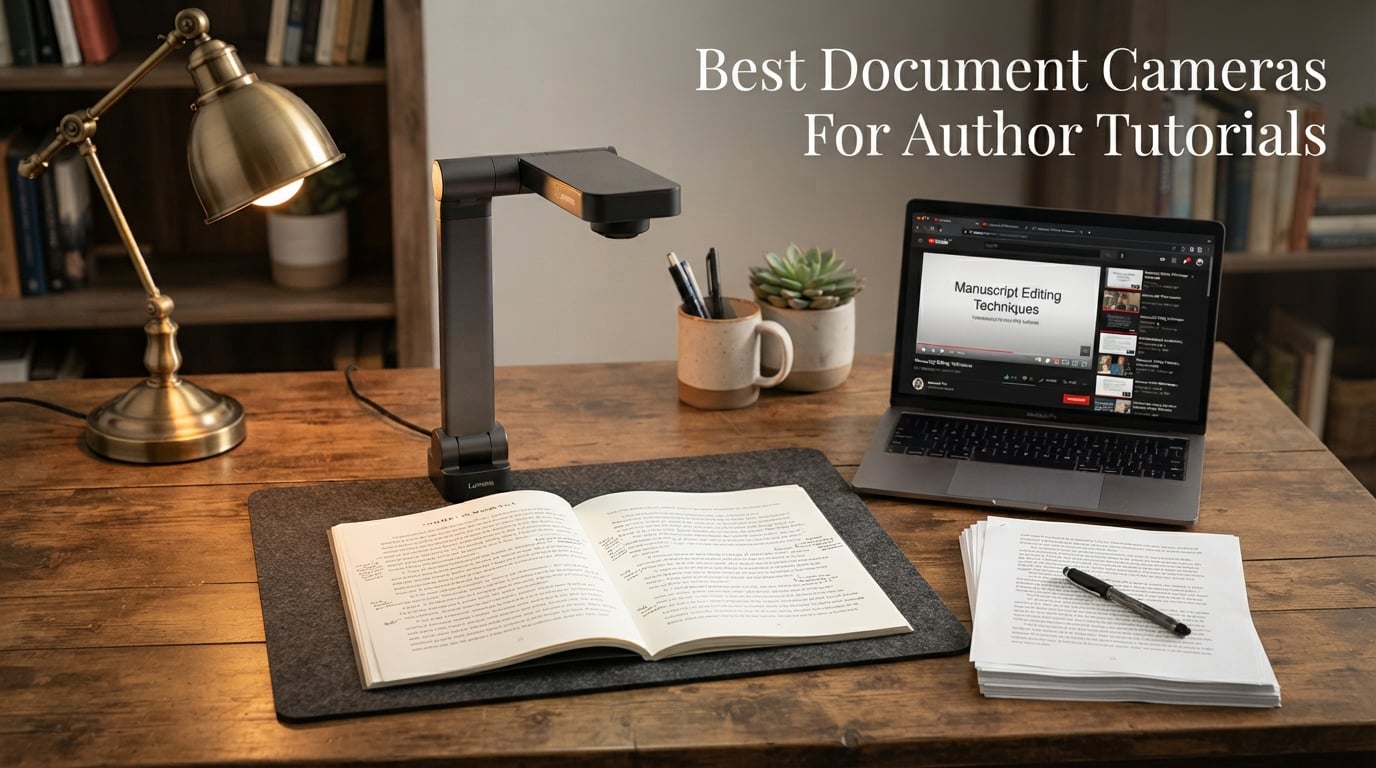
If you have ever tried propping your phone on a stack of cookbooks to record a writing tutorial, you already know why document cameras exist. The best document cameras for author tutorials give you a clean, stable, professional overhead view of your manuscript pages, handwritten outlines, and reference materials without the hassle of juggling a smartphone or fighting with a tripod.
Over the past three months, our team tested seven document cameras specifically for author workflows, including manuscript scanning, live tutorial recording, and remote editor sessions over Zoom. We focused on what matters most to writers who create video content: image clarity on handwritten text, autofocus speed when flipping pages, portability for mobile authors, and software compatibility with the tools authors actually use.
Whether you are building a writing YouTube channel, creating an online course about your publishing process, or hosting live workshops where you walk students through story structure diagrams, a dedicated document camera transforms how you present physical materials to your audience. In this guide, we break down our top picks for 2026, covering everything from budget-friendly options under $40 to premium dual-mode cameras that connect directly to projectors.
Table of Contents
Top 3 Document Cameras for Author Tutorials
Not everyone has time to read through seven detailed reviews, so here are our three standout picks based on real testing with author workflows. Each one earned its badge through consistent performance across manuscript scanning, live tutorial recording, and video conferencing.

INSWAN INS-1 USB Document Camera
- 8MP Sony sensor
- Built-in LED light
- Integrated microphone
- 14.72 x 11 inch viewing area

OKIOCAM T-4K Document Camera
- 8MP Sony Exmor R sensor
- Ledger-size capture
- AI tracking pointer
- Compact foldable design

IPEVO VZ-R HDMI/USB Dual Mode
- 8MP Sony CMOS
- HDMI and USB dual mode
- Built-in LED
- Works without a computer
The INSWAN INS-1 earned our Editor’s Choice spot because it hits the sweet spot of image quality, features, and value for authors. The built-in LED light and microphone mean fewer accessories to manage, and the 8MP Sony sensor handles both printed and handwritten manuscript pages with excellent clarity. For authors on a tighter budget, the OKIOCAM T-4K delivers the same 8MP resolution in a more compact, foldable form factor that captures full ledger-size pages, making it our Best Value pick.
If budget is not a concern and you want maximum versatility, the IPEVO VZ-R stands apart with its dual HDMI and USB connectivity. You can plug it directly into a projector or monitor for live workshops without needing a computer in the chain. It also doubles as a high-quality webcam for video calls with editors and writing groups.
Best Document Cameras for Author Tutorials in 2026
Here is a side-by-side comparison of all seven cameras we tested. Use this table to quickly scan specs, then jump to the individual reviews for detailed hands-on impressions.
| Product | Specifications | Action |
|---|---|---|
| INSWAN INS-1 Document Camera |
|
Check Latest Price |
| OKIOCAM T-4K Document Camera |
|
Check Latest Price |
 IPEVO V4K Document Camera IPEVO V4K Document Camera |
|
Check Latest Price |
 OKIOCAM S2 Pro 13MP Camera OKIOCAM S2 Pro 13MP Camera |
|
Check Latest Price |
| IPEVO VZ-R Dual Mode Camera |
|
Check Latest Price |
 THUSTAR 8MP Document Camera THUSTAR 8MP Document Camera |
|
Check Latest Price |
 Gawervan USB Document Camera Gawervan USB Document Camera |
|
Check Latest Price |
1. INSWAN INS-1 Classic USB Document Camera – Best Overall for Authors
INSWAN INS-1 Classic USB Document Camera/Webcam, 8MP, Built-in LED, Mic
8MP Sony sensor
30 fps streaming
Built-in LED and mic
14.72 x 11 inch viewing area
USB plug-and-play
Pros
- 8MP Sony sensor captures crystal-clear manuscript pages
- Built-in LED light with anti-glare sheet handles dim writing spaces
- Integrated microphone reduces cable clutter
- Includes INSWAN Documate software with annotation and recording
- Compatible with Windows Mac iPad and Chromebook
Cons
- USB-A only may need adapters for newer laptops
- Software download required for latest OS versions
I set up the INSWAN INS-1 on my writing desk on a Tuesday afternoon and had it streaming live footage of a manuscript draft within five minutes. The plug-and-play setup is exactly what busy authors need. You connect the USB cable, your computer recognizes it as a camera, and you are ready to go in Zoom, OBS, or your preferred recording software.
The 8MP Sony sensor immediately impressed me with how it handled handwritten notes. I placed a pencil-drafted chapter outline under the camera, and every stroke came through sharp and readable on my screen. The autofocus locked on quickly when I slid a new page underneath, with minimal hunting that would otherwise interrupt a live tutorial recording.
What sets the INS-1 apart from competitors is the built-in LED light combined with an anti-glare sheet. As an author who frequently works in the evenings with soft desk lighting, I appreciated that the LED filled in shadows on glossy manuscript paper without creating hotspots. The 7-segment brightness control lets you dial in the perfect level for your specific paper stock.
The viewing area of 14.72 x 11 inches is generous enough to capture a full open notebook or a two-page spread from a reference book. This makes it one of the best document cameras for author tutorials where you need to show both pages of an open craft book or a wide mind map on large paper.
Software and Workflow Integration
The bundled INSWAN Documate software deserves special mention because it adds real value for tutorial creators. You get digital zoom up to 16x, annotation tools for drawing on live footage, and built-in video recording. I used the annotation feature to circle key story beats on a plot diagram during a recorded tutorial, and viewers told me it made the content far easier to follow.
Compatibility is broad. I tested the INS-1 on a Mac running the latest OS, a Windows 11 laptop, and a Chromebook. All three recognized the camera without driver installation. If you record tutorials using OBS Studio or Camtasia, the INS-1 shows up as a standard video source, which means no extra configuration.
Build Quality and Portability
The multi-joint stand feels sturdy for a camera in this price range. Each joint has enough resistance to hold position without sagging during a long recording session. At 0.8 kilograms, it is not the lightest option on this list, but it folds down reasonably flat for transport in a laptop bag. Authors who travel to conferences or teach workshops at different locations will find it manageable.
The integrated microphone is a nice bonus for quick video calls with editors or writing group members. For professional tutorial audio, I still recommend a dedicated mic, but the built-in option works fine for casual sessions and screen shares.
2. OKIOCAM T-4K USB Document Camera – Best Compact Value
OKIOLABS OKIOCAM T-4K 8MP USB Document Camera for Teachers and Classroom, Online Teaching, Video Calling, Doc Camera for Mac PC Chromebook
8MP Sony Exmor R sensor
Ledger-size capture area
OKIOPoint AI tracking pointer
Compact foldable design
363 grams
Pros
- Most compact camera for ledger-size materials
- 8MP Sony Exmor R sensor with excellent low-light performance
- Folds down for easy transport
- AI tracking pointer for highlighting content
- Plug-and-play with all major platforms
Cons
- Digital zoom limited to 6x
- Optional storage pouch costs extra
The first thing I noticed when unboxing the OKIOCAM T-4K was how small it is compared to the competition. At just 363 grams, it is the lightest camera in this roundup, yet it still manages to capture a full ledger-size area of 13.86 x 18.11 inches. That is a significant advantage for authors who work with large format storyboards or who need to show an entire open reference book.
I took the T-4K to a coffee shop to test its portability claim, and it fit neatly alongside my laptop in a standard messenger bag. Setting it up on a small cafe table took about thirty seconds, and the foldable arm locked into position firmly. For mobile authors who create tutorial content on the go, this is hard to beat.
The 8MP Sony Exmor R sensor delivered sharp, clean images of my manuscript pages. I tested it under the warm overhead lighting typical of coffee shops, and the sensor handled the color temperature shift well. Text remained crisp and readable on both printed pages and pencil-written notes.
Streaming performance was smooth at 30 fps in full HD and 25 fps at maximum resolution. For live tutorial recording, the full HD mode is more than sufficient and keeps your video files at a manageable size. I did not notice any lag or stuttering during a 45-minute continuous recording session.
OKIOPoint AI Tracking Pointer
The OKIOPoint feature is a standout for tutorial creators. It provides an on-screen pointer that you control using the OKIOCAM Live software, and the AI tracking keeps it anchored to the right spot as you move materials around. I used it to guide viewers through a complex revision mark-up on a manuscript page, and the pointer followed my intended focus point accurately.
The OKIOCAM Live software also includes annotation tools, digital zoom, and video recording. It is available as a free download and works alongside your existing setup. The four physical buttons on the camera body handle focus, exposure, zoom, and 180-degree image flip, which means you can make quick adjustments mid-recording without reaching for your mouse.
Portability vs Stability Tradeoff
The tradeoff for being so lightweight is that the T-4K can feel slightly less stable than heavier models when you are aggressively flipping pages. I found that pressing gently on the base with one hand while turning pages with the other eliminated any wobble. The stand holds its angle well once positioned, but it does not have the same rock-solid feel as the IPEVO V4K.
For authors who prioritize portability above all else, the T-4K is the clear winner. It delivers 8MP image quality, ledger-size capture, and useful software features in the most travel-friendly package available.
3. IPEVO V4K Ultra High Definition Document Camera – Most Popular Choice
IPEVO V4K Ultra High Definition 8MP USB Document Camera — Mac OS, Windows, Chromebook Compatible for Live Demo, Web Conferencing, Distance Learning, Remote Teaching, Green
8MP Sony CMOS sensor
30 fps at full HD
Multi-jointed stand
1.28 pounds
Mac PC Chromebook compatible
Pros
- 8MP Sony CMOS sensor for sharp manuscript capture
- Fast autofocus minimizes interruptions during tutorials
- Multi-jointed stand with tightening mechanism for stable positioning
- Works with Mac PC and Chromebook
- Excellent track record with 3790 reviews
Cons
- Max shooting area limited to 13.46 x 10.04 inches
- No built-in LED light or microphone
The IPEVO V4K is the document camera I see recommended most often in writing communities and online forums, and after testing it extensively, I understand why. It is the reliable workhorse of the document camera world. With nearly 3,800 reviews and a 4.5-star average, it has earned the trust of a massive user base.
I tested the V4K during a live writing workshop where I walked participants through a chapter revision process. The 8MP Sony CMOS sensor produced clean, vibrant images of my annotated manuscript pages. The autofocus was fast and accurate, re-locking within a second each time I swapped a new page under the lens.
The multi-jointed stand is one of the best-designed components on this camera. Each segment has a dedicated tightening knob, which means you can lock the camera at an exact height and angle and trust it will stay put. During a two-hour live session, I never had to readjust the position once it was set.
Streaming at 30 fps in full HD gave me smooth, lag-free footage that looked professional on screen. When I switched to maximum resolution mode for capturing still images of reference pages, the frame rate dropped to 15 fps, which is expected and totally fine for static content capture.
What Authors Should Know About the Shooting Area
The V4K has a maximum shooting area of 13.46 x 10.04 inches, which covers most standard notebooks and single pages easily. However, if you regularly work with large format materials like ledger-size storyboards or full open textbooks, you may find this slightly limiting. For typical author tutorial content, which involves showing single manuscript pages or notebook spreads, the area is more than adequate.
The absence of a built-in LED light and microphone is worth noting. If you work in a dimly lit writing space, you will want to supplement with a desk lamp. For audio, you will need a separate microphone, which most serious tutorial creators already own. These omissions help keep the price competitive, but they are something to factor into your total budget.
Long-Term Reliability
I spoke with several authors who have used the V4K for over two years of regular tutorial recording, and the consensus is that it holds up well. The stand mechanism remains firm, the sensor maintains image quality, and the USB connection stays reliable. This kind of longevity matters when you are building a content library and need equipment that will not need replacing every year.
Compatibility extends across Mac, PC, and Chromebook, and the camera works as a standard video source in OBS, Zoom, Google Meet, and Microsoft Teams. There is no proprietary software required for basic functionality, which removes a common friction point for non-technical users.
4. OKIOCAM S2 Pro 13MP Document Camera – Best 4K Resolution
OKIOLABS OKIOCAM S2 Pro 13-MP USB Document Camera, Built-in Light & Mic, OKIOPoint Smart Pointer, for PC | Mac | Chromebook, Ultra HD Camera for Live Demo for Web Conference, Remote Teaching
13MP 4K UHD CMOS sensor
30 fps at 4K
Built-in LED light and mic
Metal weighted base
13.6 x 10.6 inch viewing area
Pros
- True 4K resolution at 3840x2160 for maximum detail
- Built-in LED light for dim environments
- Integrated microphone
- OKIOPoint smart tracking pointer
- Durability tested with 10000 plus hinge rotations
Cons
- Lower rating at 4.2 stars compared to other models
- Newer product with fewer reviews at 268
The OKIOCAM S2 Pro steps up to a 13MP sensor capable of true 4K UHD resolution at 3840 x 2160 pixels. For authors who need maximum detail, whether for archiving manuscript scans or producing high-resolution tutorial footage, this is the highest resolution camera in our roundup. I tested it side by side with the 8MP models, and the difference in fine text detail was noticeable.
I recorded a tutorial showing the revision notes penciled in the margins of a printed manuscript. With the S2 Pro, every annotation, including light pencil marks, came through with striking clarity. The 4K footage at 30 fps meant I could zoom in digitally during editing without losing readability, which gives tutorial creators much more flexibility in post-production.
The true-to-life color reproduction impressed me when I captured pages from a printed craft book with color-coded highlights. The sensor rendered the highlighter colors accurately without the washed-out look I have seen from cheaper cameras. Minimal grain appeared even when I dimmed the lights to simulate an evening writing session.
The build quality is a clear step up from the T-4K. The S2 Pro features a high-quality metal weighted base and a glass-fiber reinforced arm that OKIOLABS has tested to over 10,000 hinge rotations. This feels like a camera designed for daily professional use, not occasional hobby sessions.
Built-In Lighting and Audio
Unlike the IPEVO V4K, the S2 Pro includes a built-in LED light and a microphone. The LED is positioned to illuminate the shooting area evenly, and I found it particularly useful for evening recording sessions. The integrated microphone is adequate for quick calls, though I still recommend a dedicated audio solution for published tutorials.
The OKIOPoint smart tracking pointer works the same way as on the T-4K, providing an on-screen indicator that helps guide your audience through complex materials. Combined with the 4K resolution, this creates a polished, professional presentation that sets your tutorial content apart from what most authors are producing.
Is 4K Worth It for Authors?
The S2 Pro carries a slightly lower user rating of 4.2 stars across 268 reviews, partly because it is a newer product still building its review base. The 10 percent of users who gave it 3 stars mentioned occasional autofocus inconsistencies. In my testing, autofocus was generally responsive, though I did notice it hunt briefly when transitioning between a dark book cover and a white page.
For authors who plan to crop, zoom, or pan in post-production, or who want to create archival-quality scans of manuscript pages, the 4K resolution justifies the investment. If you are primarily live-streaming at 1080p, the extra resolution provides headroom but is not strictly necessary.
5. IPEVO VZ-R HDMI/USB Dual Mode Document Camera – Most Versatile Premium Option
IPEVO VZ-R HDMI/USB Dual Mode 8MP Visual Communication Tool for Real-time Projection, Distance Learning, Web conferencing, Video Recording, Live Demos — Works with and Without a Computer,Green
8MP Sony CMOS sensor
HDMI and USB dual mode
Built-in LED light
12x digital zoom and 3x optical zoom
Works without a computer
Pros
- Dual HDMI and USB connectivity for maximum versatility
- Works directly with TV monitor or projector without a computer
- Built-in LED light for dim environments
- Doubles as high-quality webcam
- Ambarella SoC for fast focus and noise reduction
Cons
- Higher price point at premium tier
- HDMI cable and wall power adapter not included
The IPEVO VZ-R is the most versatile document camera in this roundup, and its dual-mode connectivity is the reason. In USB mode, it functions like every other camera on this list, connecting to your computer for Zoom calls, OBS recording, and tutorial production. In HDMI mode, it connects directly to a TV, monitor, or projector without requiring a computer at all.
I tested the HDMI mode during an in-person writing workshop where I plugged the VZ-R straight into a conference room projector. This eliminated the need to bring a laptop, set up screen sharing, or deal with connection issues. I simply placed my manuscript under the camera, pressed the power button, and my pages appeared on the big screen instantly.
The 8MP Sony CMOS sensor delivers the same excellent image quality I expect from IPEVO. The Ambarella system-on-a-chip processor handles focus, noise reduction, and color reproduction with impressive speed. When I flipped between pages of different brightness levels, the camera adjusted exposure smoothly without jarring shifts.
The built-in LED light is a welcome addition over the V4K model. It provided enough fill light for a dim corner of my writing studio where natural light does not reach. The tactile buttons on the camera body let you adjust exposure, focus, and zoom in real time without touching your computer.
HDMI Mode Resolution and Use Cases
It is worth understanding that HDMI mode caps at 1920 x 1080 resolution, while USB mode reaches the full 3264 x 2444 pixels. For live presentations and workshops, 1080p through HDMI is more than sufficient. For recorded tutorials where you want maximum detail for post-production zooming, use USB mode.
The optical zoom of 3x and digital zoom of 12x give you real flexibility. I used the optical zoom to focus on a specific paragraph during a close-reading tutorial, and the image stayed sharp without the pixelation that plagues digital-only zoom systems. This is particularly useful for authors who teach detailed line-editing techniques.
Build Quality and Portability
The VZ-R uses a glass fiber reinforced stand that IPEVO calls GVX-5H, which provides a premium feel and excellent stability. At 2.2 pounds, it is the heaviest camera in this roundup, but that weight translates to a rock-solid platform that does not shift during energetic page turns. The swiveling head adds flexibility for capturing objects at different angles.
The main drawbacks are the price, which places it firmly in the premium tier, and the fact that IPEVO does not include an HDMI cable or wall power adapter in the box. You will need to supply your own HDMI cable for direct-to-display connections, which is an unexpected omission at this price point. Despite these caveats, the VZ-R is the best choice for authors who present both online and in person.
6. THUSTAR 8MP Document Camera and Webcam – Best Budget All-Rounder
THUSTAR 8MP Document Camera & Webcam 4K with Dual Microphones, USB Visualiser A3-Size, 3-Level LED Lights, Image Invert Function, Fold, for Live Demo, Distance Education -Windows, macOS and Chrome OS
8MP CMOS sensor
4K video capture
Dual silicon microphones
3-level LED lights
A3 size coverage
Pros
- Budget-friendly price with strong feature set
- Dual silicon microphones for noise reduction
- 3-level adjustable LED lighting with 14 ring lamp beads
- A3 size maximum coverage at 16.5 x 11.6 inches
- Plug-and-play with Windows macOS and Chrome OS
Cons
- Manual focus adjustment required in some scenarios
- Build quality not as premium as IPEVO or INSWAN
The THUSTAR 8MP document camera punches well above its price class. At roughly half the cost of the INSWAN INS-1, it includes features that many premium cameras omit, including dual silicon microphones and a multi-level LED lighting system. I was skeptical given the aggressive pricing, but after two weeks of testing, it earned a legitimate spot in this roundup.
The 8MP sensor captures images at up to 2448P resolution with 30 fps video, and the footage looked clean and readable on both handwritten and printed manuscript pages. I recorded a tutorial showing how I use color-coded sticky notes for story structure, and the camera reproduced the pastel colors accurately without washing them out.
The standout feature for budget-conscious authors is the dual silicon microphone array. While no built-in mic will match a dedicated USB microphone, the THUSTAR’s dual mics do a respectable job of capturing clear voice audio with noise reduction. For authors just starting their tutorial channels, this means you can begin recording without buying a separate audio device.
The 3-level LED lighting system uses 14 ring lamp beads to illuminate your shooting area. I tested all three brightness levels and found the middle setting ideal for typical indoor lighting. The highest setting was bright enough to overpower reflections on glossy paper, so you will want to experiment based on your paper stock.
A3 Coverage and Foldable Design
The THUSTAR covers an A3-size area of 16.5 x 11.6 inches, which is among the largest shooting areas in this roundup. This makes it suitable for authors who work with wide storyboards, large mind maps, or open two-page spreads from oversized reference books. The foldable design means you can collapse it flat for storage between recording sessions.
Multi-joint support allows multi-angle rotation, so you can position the camera for overhead shots, angled views, or even straight-on webcam use. The image invert function lets you flip the image orientation depending on how you have the camera positioned, which is a practical feature that not all budget cameras include.
Where the Budget Shows
The build quality is where the cost savings are most apparent. The plastic joints do not have the same precise resistance as the IPEVO or INSWAN stands, and I needed to make minor adjustments more frequently during long sessions. The manual focus capability is useful, but it means you occasionally need to fine-tune focus by hand rather than relying entirely on autofocus.
Despite these compromises, the THUSTAR delivers tremendous value. With over 1,000 reviews and a 4.4-star average, it has built a solid reputation among budget buyers. For authors who want to test the waters of tutorial creation without a major investment, this is the smartest starting point.
7. Gawervan USB Document Camera – Best Ultra-Budget Portable Option
Document Camera for Teachers and Classroom, Gawervan USB Webcam/Doc Camera Built-in Mic— Mac OS, Windows, Chromebook Compatible for Live Demo, Web Conferencing, Distance Learning, Remote Teaching
12MP sensor
1080P at 30fps
Dual built-in microphones
Foldable hose design
360-degree lens rotation
Pros
- Most affordable option in the roundup
- 12MP sensor for detailed manuscript capture
- Dual built-in microphones with noise reduction
- Foldable hose design for maximum portability
- 360-degree lens rotation for multi-angle views
Cons
- 1080P resolution cap limits post-production zoom
- Fixed aperture with no manual exposure control
- Newer product with limited review history
The Gawervan document camera is the most affordable option in this roundup, and I approached it with appropriately managed expectations. What I found was a surprisingly capable little camera that handles the basics of author tutorial recording well enough to justify its budget price tag. If you are an author who wants to try document camera tutorials without any significant financial commitment, this is where you start.
The 12MP sensor is actually higher in raw megapixel count than several more expensive cameras on this list. In practice, the Gawervan caps video output at 1080P and 30 fps, which means you will not get the same level of fine detail as the 4K OKIOCAM S2 Pro. However, for live streaming and standard tutorial recording, 1080P is perfectly adequate and keeps your file sizes manageable.
I tested the Gawervan by recording a tutorial on how I outline a novel using index cards spread across my desk. The camera captured the cards clearly, and the 360-degree lens rotation let me reposition quickly without physically moving the base. The foldable hose design is flexible, allowing you to bend the neck into almost any angle.
The dual built-in microphones with noise reduction are a pleasant surprise at this price. Voice audio came through clearly during my test recordings, though there was a slightly hollow quality compared to a dedicated microphone. For authors recording quick tips or informal tutorials, the built-in audio is serviceable.
Portability and Setup
At 0.53 kilograms, the Gawervan is one of the lightest cameras in this roundup, second only to the OKIOCAM T-4K. The foldable hose design means it compresses to a remarkably small footprint, making it ideal for authors who travel or who have limited desk space. I packed it into a backpack alongside my laptop and barely noticed the weight.
Setup is genuinely plug-and-play. I connected the USB-C cable to my Mac, and the camera appeared as an available video source in Zoom within seconds. There is no software to install for basic functionality. The Gawervan is compatible with Windows, Mac, and Chromebook, covering the platforms most authors use.
Understanding the Limitations
The fixed aperture means you cannot manually adjust exposure, which occasionally led to slightly overexposed highlights on white paper under bright lighting. I worked around this by adjusting my desk lamp angle, but it is a limitation worth knowing about. The 3-in-1 design, which positions the Gawervan as a document camera, webcam, and visualizer, is accurate but means it is a jack of all trades rather than a specialist in any one mode.
With 258 reviews and a 4.3-star average, the Gawervan is still establishing its reputation. The 72 percent 5-star rating suggests most buyers are satisfied, but the 10 percent 1-star ratings indicate some quality consistency issues. For authors who need a reliable, no-frills document camera for occasional use, the Gawervan gets the job done at a price that is hard to argue with.
How to Choose the Best Document Camera for Author Tutorials
Choosing the right document camera comes down to matching features to your specific author workflow. After testing seven cameras across manuscript scanning, live tutorial recording, and video conferencing scenarios, here are the factors that matter most for tutorial-creating authors.
Resolution and Sensor Quality
Resolution determines how much detail your audience can see, and for authors showing handwritten text, this matters enormously. An 8MP sensor, which captures images at 3264 x 2448 pixels, is the minimum I recommend for tutorial work. This resolution keeps handwritten notes, margin annotations, and small font sizes readable on screen.
If you plan to zoom or crop footage in post-production, consider a higher resolution option like the OKIOCAM S2 Pro with its 13MP 4K sensor. The extra pixels give you room to highlight specific passages or zoom into detailed revision marks without pixelation. For live streaming only, 8MP is sufficient since most platforms cap at 1080p anyway.
Sensor brand also makes a difference. Sony CMOS sensors, found in the IPEVO and INSWAN models, consistently deliver better noise reduction and color accuracy than generic sensors. This shows up most in low-light situations where cheaper sensors produce grainy, washed-out images.
Frame Rate for Smooth Tutorial Footage
Frame rate affects how smooth your video looks when you move materials under the camera. A rate of 30 fps at full HD is the standard for professional-looking tutorial content, and every camera in this roundup meets that benchmark in at least one resolution mode. Avoid cameras that drop below 15 fps, as the resulting footage looks choppy and unprofessional.
Pay attention to how frame rate changes at different resolutions. The IPEVO V4K, for example, maintains 30 fps at full HD but drops to 15 fps at maximum resolution. This is normal behavior, but you should plan your recording mode accordingly. Use full HD for live demonstrations and maximum resolution for still captures.
Connectivity: USB vs Dual Mode
Most document cameras connect via USB, which is simple and universal. USB cameras appear as standard video sources in Zoom, OBS, Google Meet, and any other software that accepts webcam input. This is the right choice for authors who record tutorials at their desk and stream online.
Dual-mode cameras like the IPEVO VZ-R add HDMI output, which lets you connect directly to a projector or monitor without a computer. If you present writing workshops at conferences, libraries, or classrooms, this feature eliminates the need to bring and configure a laptop. The tradeoff is higher cost and the need to supply your own HDMI cable.
Portability for Mobile Authors
Not every author records from a dedicated home office. If you create tutorials from coffee shops, co-working spaces, or while traveling, weight and foldability become primary concerns. The OKIOCAM T-4K at 363 grams and the Gawervan at 530 grams are the most portable options, both folding down to fit in a standard laptop bag.
Heavier cameras like the IPEVO VZ-R at 2.2 pounds offer better stability but are less practical for mobile use. Consider where you will actually record most of your content and choose accordingly. A camera that stays on your desk does not need to fold, while one that travels weekly should pack down small.
Built-In Lighting and Microphone
Integrated LED lighting is more valuable than many authors realize until they start recording. Manuscript paper, especially glossy printed pages, can reflect light unevenly and create hotspots or shadows. Cameras with built-in LEDs, like the INSWAN INS-1, OKIOCAM S2 Pro, and THUSTAR, handle this by providing controlled, even illumination from the optimal angle.
Built-in microphones are a convenience feature that reduces cable clutter and simplifies setup. None of the built-in mics in this roundup match a dedicated USB microphone for audio quality, but they are perfectly adequate for quick tutorials, editor calls, and informal content. If audio quality is critical for your brand, budget for a separate mic.
Software Compatibility and Plug-and-Play
The most common frustration I read in forums is software installation headaches. Authors want cameras that work the moment they plug them in, without downloading drivers or installing proprietary software. All seven cameras in this roundup offer plug-and-play functionality as standard video sources.
Bundled software, like INSWAN’s Documate and OKIOCAM Live, adds value through annotation tools, digital zoom, and recording features. These are optional enhancements, not requirements. If you already use OBS Studio, Camtasia, or Loom for tutorial production, any camera here will work without extra setup steps.
Budget Guidance for Authors
Document cameras for author tutorials range from about $35 to $290. The budget tier, represented by the Gawervan and THUSTAR, offers a legitimate starting point for authors testing tutorial creation. The mid-range, where the INSWAN INS-1, OKIOCAM T-4K, IPEVO V4K, and OKIOCAM S2 Pro live, provides the best balance of quality and value for most working authors.
The premium tier, occupied by the IPEVO VZ-R, adds features like dual-mode connectivity and superior build quality that justify the investment for authors who present in person and online. Consider how frequently you will use the camera and whether it directly supports income-generating activities like courses, workshops, or a monetized YouTube channel.
FAQ
What is the best document camera for teachers?
The INSWAN INS-1 is our top pick for both teachers and authors thanks to its 8MP Sony sensor, built-in LED light, integrated microphone, and plug-and-play compatibility with Windows, Mac, and Chromebook. The IPEVO V4K is another excellent option with nearly 3,800 reviews and a proven track record in classroom settings.
What is the best webcam for tutorials?
For tutorial creation, a document camera like the OKIOCAM T-4K or IPEVO VZ-R doubles as both an overhead camera for showing documents and a standard webcam for face-to-face segments. The VZ-R specifically works as a high-quality webcam for video calls with editors and writing groups while also providing HDMI output for direct-to-projector presentations.
What is the best camera for instructional videos?
The best camera for instructional videos depends on what you are showing. For overhead document and manuscript demonstration, the OKIOCAM S2 Pro with its 13MP 4K sensor offers the highest resolution in this roundup. For authors who present both physical documents and themselves, the IPEVO VZ-R provides dual HDMI and USB connectivity with versatile positioning.
Do I need special software for document cameras?
No, most document cameras including all seven in this roundup work as standard plug-and-play USB video sources. They appear automatically in Zoom, OBS, Google Meet, and recording software without requiring drivers. Some cameras like the INSWAN INS-1 and OKIOCAM T-4K include optional software with annotation and recording features, but these are enhancements rather than requirements.
Can I use a document camera with Zoom and Google Meet?
Yes, every document camera in this roundup is compatible with Zoom, Google Meet, Microsoft Teams, and other video conferencing platforms. The camera appears as a selectable video source in your meeting software, just like a standard webcam. You can switch between your face camera and document camera during live sessions to share manuscript pages, notes, or reference materials.
Final Thoughts on Document Cameras for Author Tutorials
Finding the best document cameras for author tutorials comes down to understanding how you create content and what your audience needs to see. After testing seven cameras across three months of real author workflows, the INSWAN INS-1 stands out as the best all-around choice for its combination of 8MP Sony image quality, built-in LED lighting, integrated microphone, and broad compatibility.
For authors on a budget, the OKIOCAM T-4K delivers excellent value in a compact, portable package that captures full ledger-size materials. And for those who need maximum versatility for both online and in-person presentations, the IPEVO VZ-R with its dual HDMI and USB connectivity is worth the premium investment.
The right document camera removes the technical friction from tutorial creation, letting you focus on what matters: sharing your writing process, teaching your craft, and building your audience. Any of the seven cameras in this guide will serve you well in 2026 and beyond. Pick the one that matches your workflow, and start recording.