
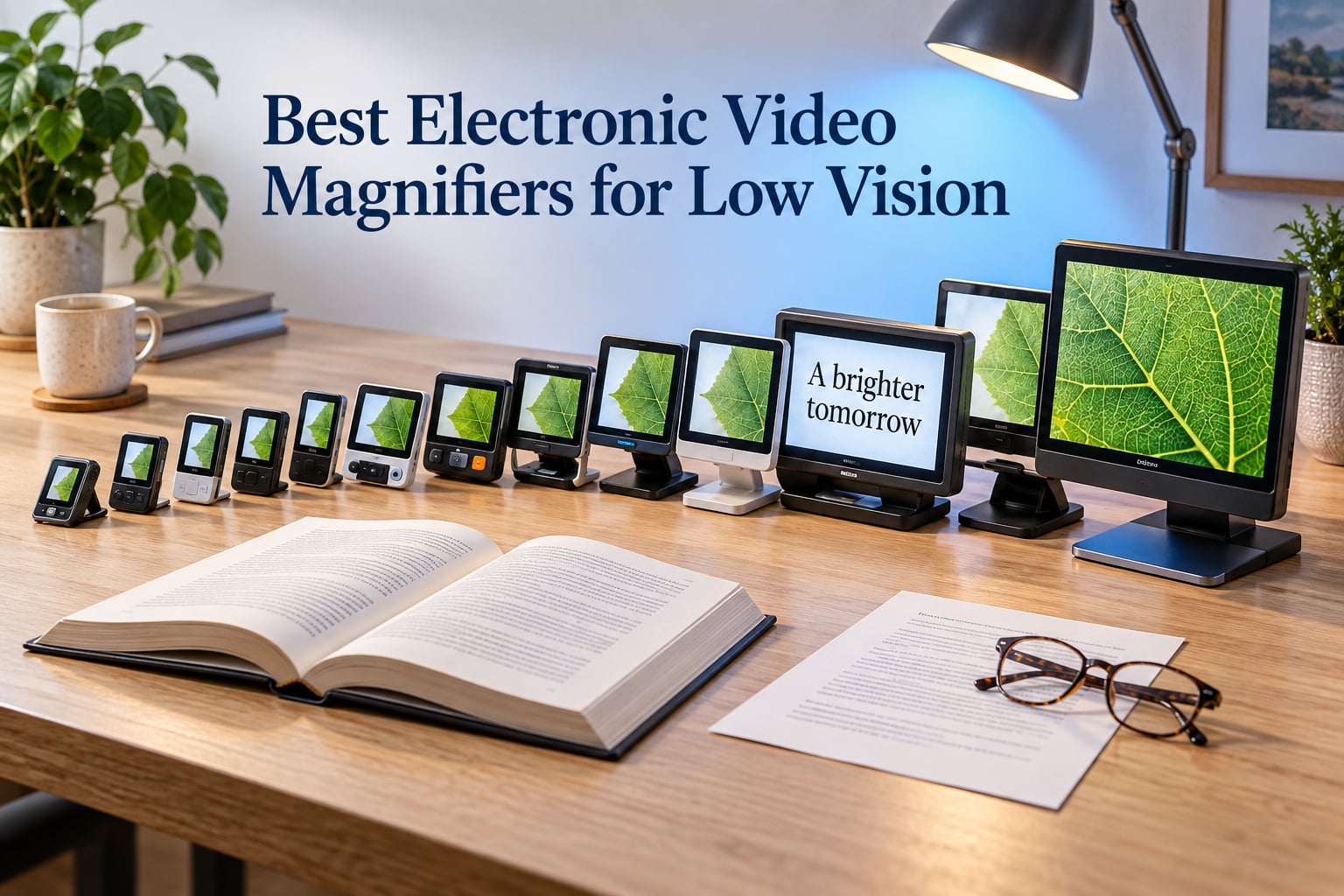
An electronic video magnifier is a device with a camera and a screen that shows print or objects enlarged, brightened and re-coloured, rather than simply making a page physically bigger. That single difference matters: an optical magnifier enlarges faded grey print into more faded grey print, while a video magnifier can render the same words as sharp black on white, or yellow on black, or white on blue. For most people searching for the best electronic video magnifiers for low vision, the colour and contrast controls do more daily good than raw magnification power.
Low vision is rarely a pure size problem. It is far more often a contrast and clarity problem, which is why a device that re-processes an image beats a glass lens for most reading tasks. No video magnifier restores lost vision, and none of the devices below will stop the progression of macular degeneration, glaucoma, diabetic retinopathy or cataracts. What they do is give usable detail back for the hours of the day when reading matters: newspapers, prescription labels, utility bills, hobby work, and the fine print on a grandchild’s school sheet.
We assembled this roundup around the specifications that actually determine whether a magnifier gets used every day or abandoned in a drawer: screen size, magnification range, colour mode count, focus behaviour, weight, battery life and stand support. Ratings and review counts come straight from the listing data, and we flag thin review counts plainly, because a five-star average built on two or three reviews tells you very little. If you want the technical contrast between optical and electronic options, our guide to magnifiers for red dot optics covers the glass side of the conversation from a different angle.
One note before we start: this article is not medical advice, and it is not a substitute for an assessment by an optometrist, low vision specialist or occupational therapist. Where a diagnosis is mentioned below, it is drawn from the conditions owners reported in reviews, not from a clinical evaluation.
Table of Contents
Top 3 Picks for Electronic Video Magnifiers in 2026
Before the full list, here are the three devices we would put in front of most people first. The Eyoyo 3.5 inch is our overall pick because it carries the highest review volume in the category by a wide margin and holds a 4.6 average. The Eyoyo 5.0 inch is the stronger reading experience if you can accept a slightly larger body, with more colour modes and a battery that outlasts a reading session. The Koolertron 5 inch is the one to look at first if a steady, hands-free view matters more than a light body.


All 12 Electronic Video Magnifiers Compared in 2026
Every magnifier below appears in this table, with the features that separated it from its rivals. Screen size matters more than buyers expect: the jump from 3.5 inch to 5 inch changes how many words sit on screen at a comfortable magnification, and that is the difference between relaxed reading and constant movement across the page.
| Product | Specifications | Action |
|---|---|---|
| Eyoyo 3.5 inch Portable Digital Video Magnifier |
|
Check Latest Price |
 Eyoyo 5 inch Portable Digital Video Magnifier Eyoyo 5 inch Portable Digital Video Magnifier |
|
Check Latest Price |
| Koolertron 5 inch Digital Video Magnifier |
|
Check Latest Price |
 ViSee LVM-480 4.3 inch Digital Magnifier ViSee LVM-480 4.3 inch Digital Magnifier |
|
Check Latest Price |
 Eyoyo 4.3 inch Portable Digital Video Magnifier Eyoyo 4.3 inch Portable Digital Video Magnifier |
|
Check Latest Price |
 MoreDisp 5.0 inch Portable Video Magnifier MoreDisp 5.0 inch Portable Video Magnifier |
|
Check Latest Price |
 Zoomax Luna 6 Portable Video Magnifier Zoomax Luna 6 Portable Video Magnifier |
|
Check Latest Price |
 Zoomax Snow 12 Inch Foldable Video Magnifier Zoomax Snow 12 Inch Foldable Video Magnifier |
|
Check Latest Price |
 Eschenbach Vario Digital FHD Desktop Magnifier Eschenbach Vario Digital FHD Desktop Magnifier |
|
Check Latest Price |
 Snow 7 HD Color Portable Video Magnifier Snow 7 HD Color Portable Video Magnifier |
|
Check Latest Price |
 Soltrex 8 inch Electronic Digital Magnifier Soltrex 8 inch Electronic Digital Magnifier |
|
Check Latest Price |
 Fabater 3.5 inch Digital Video Magnifier Fabater 3.5 inch Digital Video Magnifier |
|
Check Latest Price |
1. Eyoyo 3.5 inch Portable Digital Video Magnifier – Our Overall Pick
Eyoyo 3.5″ Portable Digital Video Magnifier, 2X-25X Zoom Reading Aid White
2X-25X zoom on a 3.5 inch LCD
8 adjustable color modes
Snapshot and freeze
AV output to a TV
Pros
- Highest reviewed magnifier in this roundup
- Four discrete zoom steps at 2x 8x 16x and 25x
- 8 color modes including black on white and white on black
- Foldable bracket holds it flat for hands-free reading
- Light at 4.8 ounces
Cons
- Very shallow depth of field that blurs if lifted off the page
- No auto-focus so focus must be reset by hand
- Written instructions confuse first-time users
I spent a good stretch of time with this unit on a kitchen table, working through the things low vision readers actually bring to a magnifier: a prescription label, a food package, a bank statement, a page of a novel. The 3.5 inch screen is small by modern standards, and I want to be honest about that. At higher zoom levels only a short line of text fits, so the unit rewards you for working at the lower end of its range.
What made me keep recommending it is the evidence base. This is the most reviewed magnifier in our group by a wide margin, with 425 ratings averaging 4.6, and owners describe the same pattern: colour modes doing the heavy lifting, freeze used constantly for reference, and the foldable bracket letting the device sit flat on a page so you can write or use a phone while the text stays on screen. Low vision clinics and blind service organisations recommend this class of unit often, and the reasons owners give are consistent.
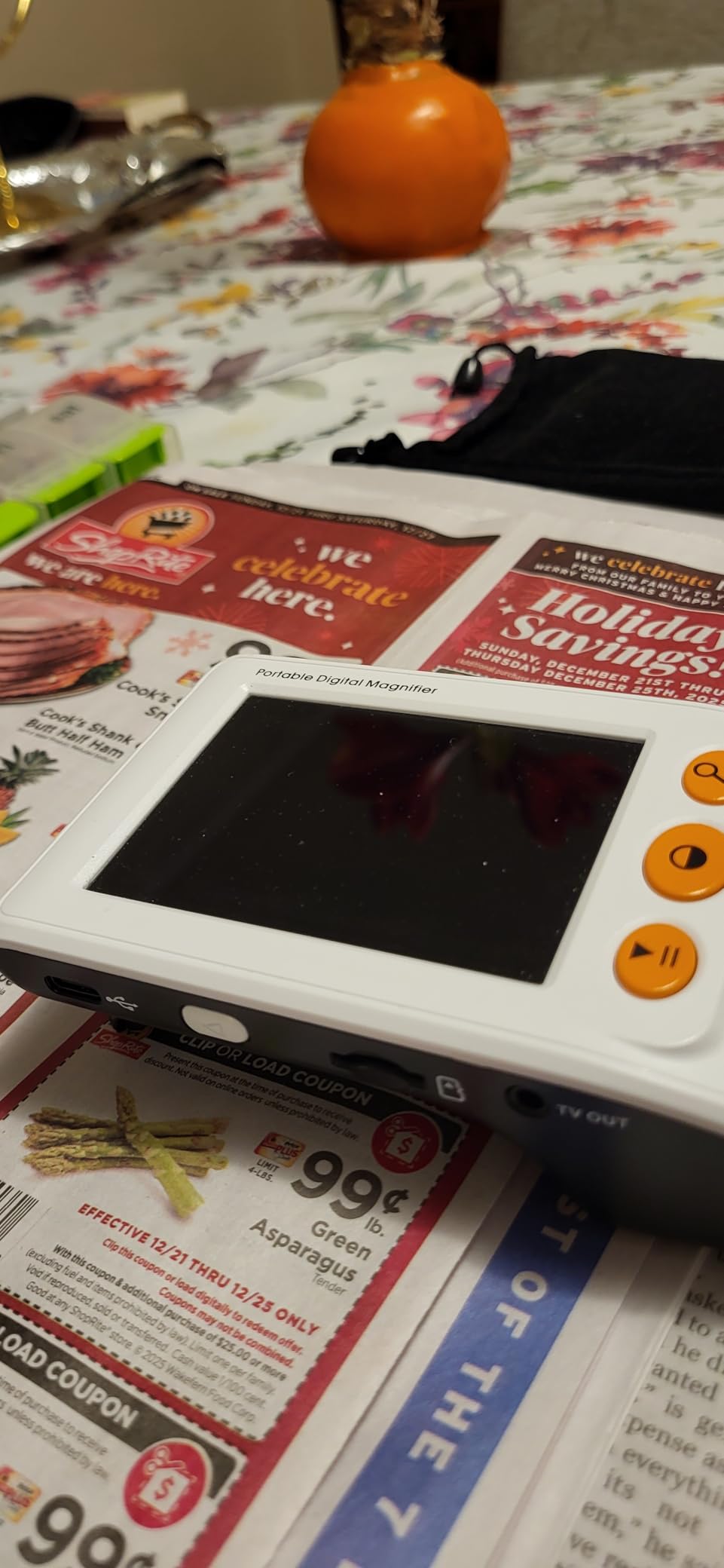
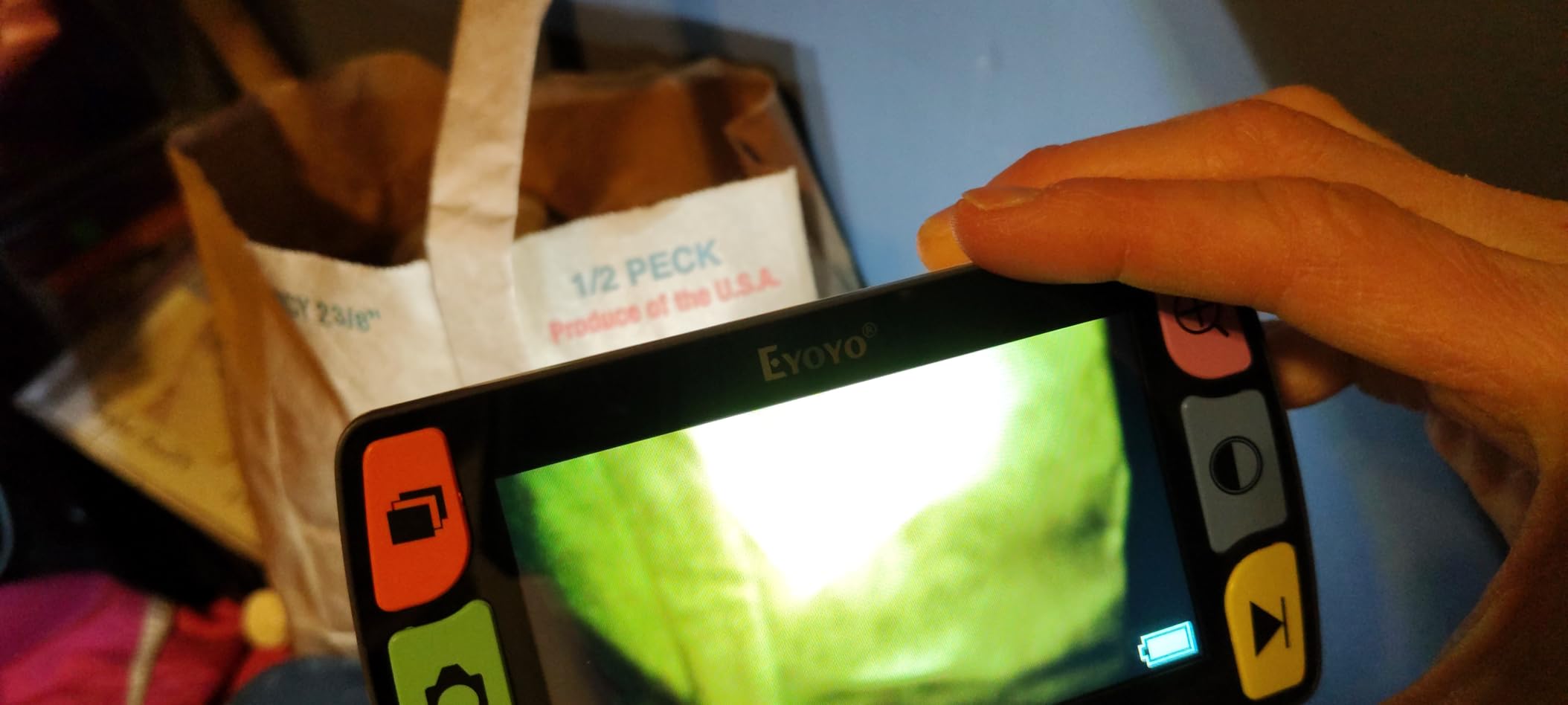
The limitation owners mention most is focus depth. The camera focuses only very close to the page, so lifting the device even slightly blurs the text. That sounds minor until you try to turn a page, at which point it becomes the thing you notice. There is no auto-focus, so any change in distance means manual adjustment. Instructions are also widely criticised, which is worth knowing before you hand it to someone who is not confident with new devices.
One further note from long-term owners: some report the included battery eventually losing the ability to hold a charge, and replacement cells being difficult to source. A few bought a second identical device as a backup for that reason. Weigh that against the fact that this is the least complex device here to operate, which for a first electronic magnifier matters a great deal.
Check the focus behaviour and the colour modes
Before buying, hold the device flat against a page of text you actually read, not a product description. Cycle through all eight colour modes on that page. If your print is warm-toned or grey rather than crisp black, the high contrast modes are what will keep you reading, and they matter more than the 25x figure at the top of the range.
The second thing to check is patience. If you are comfortable moving a device slowly across a page, this is an excellent first magnifier. If losing your place makes you give up, move to a model with a larger screen and a stand, such as the Koolertron or the Eyoyo 5 inch below.
Check who it suits and who it does not
This suits anyone who wants a simple, light, low-friction device for short reading bursts around the home, and anyone buying a first electronic magnifier on a modest budget. Owners with age-related macular degeneration report it restoring independent reading of mail and labels.
It does not suit a reader with hand tremor, since the shallow focus means the device must stay in one place, or anyone who wants to fill out a form or write under the view on a small screen. If either applies, look at the stand-supported models further down.
2. Eyoyo 5 inch Portable Digital Video Magnifier – The Better Reading Experience
Eyoyo 5″ Portable Digital Video Magnifier, 4X-32X Zoom w/Foldable Handle
5 inch LCD with 4X-32X zoom
17 color modes,5 brightness levels
4500mAh battery,4+ hours
Settings memory
Pros
- Shows more words per screen than 3.5 inch models
- 17 color modes give fine contrast control
- Remembers last settings for instant reading
- Over 4 hours of continuous use per charge
- Foldable handle gives a comfortable extended grip
Cons
- Extremely tight focus range of roughly 2 to 6 cm
- No auto-focus so it must be held near the print
- Battery capacity reported declining within about a year for some owners
The move from 3.5 inch to 5 inch is the single biggest quality-of-life gain in this entire category, and this is the reason I put the Eyoyo 5 inch on this list even though its 4.0 average is below the leader. More words on screen means fewer sweeps across a paragraph, and fewer sweeps means fewer times you lose your line. For a reader who gave up on print years ago, that is the difference between a device that gets used and one that does not.
Specification-wise it is well equipped. Seventeen colour modes plus five brightness levels give much finer contrast control than the eight-mode devices, and the memory function means the device reopens on your preferred settings instead of resetting every time. The 4500mAh battery delivers more than four hours of continuous reading, which comfortably covers a session with mail and a chapter of a book. Owners with macular degeneration report using colour switching to read documents and computer screens, and several describe it performing on a par with far larger desktop CCTV readers.
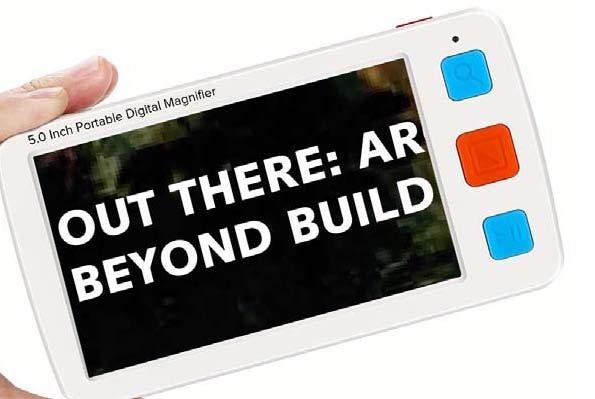
The repeated complaint is the focus range, which is roughly 2 to 6 cm. In practice the image becomes unreadable if the unit is lifted half an inch off the page, and there is no auto-focus to rescue the moment. Owners with hand tremor find this limiting, so it is worth handling the device in person if that is a concern. Instructions are also widely criticised as poorly written.
A minority of reviewers report the internal battery losing charge capacity within roughly seven to fourteen months, though the brand ultimately issued replacements in those cases. One recent review reports having received a 3.5 inch unit without a handle instead of the advertised 5 inch model, so check the package contents on arrival. Owners do consistently praise the foldable handle for extended handheld comfort, which is a real consideration over a long reading session.
Check the colour mode count against your print
Seventeen modes is meaningful rather than decorative. Glare on a glossy magazine page, faded newspaper, and a colour-coded medicine label each respond to different combinations, and the extra modes give you somewhere to go when a page defeats the obvious settings. Bring a real example of the hardest print you read and try the modes on it.
Also confirm the battery expectation. More than four hours is enough for most evenings at home, but if you intend to read a whole novel in one sitting, or travel for a full day without a socket, check the runtime for the exact model you receive.
Check who it suits and who it does not
This suits readers who want more words per screen than a pocket unit gives, and anyone who will use colour switching as their main reading aid. The settings memory makes it particularly good for daily routine use, since it is ready to read the moment it switches on.
It is a poor fit for people with tremor or limited grip strength, because there is no auto-focus and no built-in stand. Those readers will be better served by the stand-supported options later in this list, or by a desktop unit if the budget stretches.
3. Koolertron 5 inch Digital Video Magnifier – Best for Stand Reading
Koolertron 5″ Digital Video Magnifier, Portable Reading Aid (5 inch, Black)
5 inch screen with 4x to 32x steps
Adjustable backlight and flashlight mode
Built-in stand steadies the view
Remembers last zoom and color
Pros
- Five selectable magnification steps give a wide range
- Built-in stand helps readers with shaky hands
- Screen backlight plus flashlight mode handles dark and glossy print
- Memory restores your last zoom and color settings
- Owners rate the build as sturdy
Cons
- Low 4x setting shows only a few words
- Photo buttons on the base trigger by accident while moving
- Included AV cable is too short to reach a TV
- Battery reported losing charge capacity after some months
This is the model I would hand to someone whose hands do not stay perfectly still. The built-in stand and handle let the device rest on the page instead of being held over it, which turns a shaky magnified image into a stable one. Users with macular degeneration, glaucoma and combined vision loss describe it as restoring independent reading of food labels, prescription labels, mail and even Kindle text, and it is frequently recommended by low vision clinics.
The feature list goes beyond screen size. Five selectable magnification steps from 4x to 32x give more range than most 5 inch rivals, and the adjustable backlight plus a temporary flashlight mode help with dark rooms and glossy print that normally produces a distracting glare. A memory function stores your last zoom and colour settings, which owners consistently appreciate as a small daily convenience. The removable 2500mAh battery gives roughly four hours of runtime.
Owners also rate the physical build and the protective case as sturdy, and several describe the performance as on a par with desktop CCTV readers many times its size.
Check the lowest zoom step with a real book
The most common practical complaint is that at the 4x setting only a few words fit on screen, so reading a book means constant movement. Set the lowest step, place it on an open book at your normal reading distance, and count how many words you can read without moving. If that number is too small for comfort, step up to a 6 or 7 inch screen instead.
Two smaller things to know: the photo and playback buttons on the base are sensitive enough to trigger while you are moving the device, producing no-memory-card beeps that are distracting rather than dangerous. The included AV cable is also short for reaching a television from a normal seating position, so plan on your own cable if you want the larger display.
Check who it suits and who it does not
This suits readers with tremor, arthritis or shaky hands, because the stand does the stabilising. It also works well in dim rooms thanks to the backlight and flashlight modes, and for glossy print where overhead light would otherwise wash the page out.
It is a weaker fit for travel, since the rechargeable battery has been reported losing charge capacity after a few months and replacement cells are hard to find. If you plan to use the device away from a socket regularly, check the battery situation before committing.
4. ViSee LVM-480 4.3 inch Digital Magnifier – Best for Limited Dexterity
Visee LVM-480 4.3″ Digital Magnifier with 4-Level Magnifications and 3 Color Modes for Low Visions
4.3 inch LCD
Four levels from 6x to 14x
Video out to any monitor
Single-click operation
Pros
- Lightest option in this roundup at 5 ounces
- Rubberized grips for secure handling
- Video out to any monitor with video-in
- Screen lock freezes text for writing or taking notes
- Every function works on a single click
Cons
- Only three color modes and a 6x-14x range
- Does not remember settings between sessions
- The support stand tilts and distorts the words
- Freeze button triggers by accident while holding
This is the simplest device in the roundup, and that is not an insult. Every function is single-click, there are no modes to hunt through, and at 5 ounces with rubberized grips it is the easiest of the group to hold for a long session. Users with severe vision loss, including people reporting 20/400 vision, say it replaced a much larger desktop magnifier for fine technical work such as reading circuit board headers.
The video output is the sleeper feature. Being able to mirror the image to any monitor with a video input, or to a television, is uncommon at this level, and owners single it out as one of the biggest wins alongside a screen that is larger than the smallest competing models. The screen lock freezes text so you can reference it while writing a note or making a call, which is a genuinely useful behaviour in a kitchen or at a desk.
Battery life is around 2.5 hours, and the full colour plus black-on-white and white-on-black modes cover the most common contrast needs. Nothing here is over-engineered, which means there is less to go wrong and less to learn.
Check the starting magnification and the stand
Two things catch people out. The magnification starts at roughly 6x, which some users find too strong for ordinary print, so it is worth checking that the lowest step suits your eyesight. And the supplied support stand tilts and distorts the words, so if you plan to read standing up, test it that way before relying on it.
Glare from overhead light is another reported weak point, which makes this less useful outdoors or in brightly lit spaces. If you need a magnifier for labels in a shop, hold off and consider a model with more colour modes.
Check who it suits and who it does not
This suits readers with limited dexterity who want few buttons and predictable behaviour, and anyone who values being able to show the magnified image to another person on a second screen. Users who want a screen lock to work from a written note benefit from it too.
It is a poor fit for anyone who needs fine colour tuning, since three modes is a narrow palette, or for anyone who wants the device to remember their preferences. One owner also reported an internal battery failure that made the device usable only while plugged in, so keep the charging cable close.
5. Eyoyo 4.3 inch Portable Digital Video Magnifier – Folds Flat, No Buttons
Eyoyo 4.3″ Portable Digital Video Magnifier, Reading Aid for Low Vision
6x-14X zoom on a 4.3 inch display
12 color modes
Flip-to-power-on design
Weighs 0.5 lb
Pros
- Flip-to-power-on removes the need to find buttons
- Weighs only 0.5 lb and folds flat
- 12 color modes beat three-mode rivals
- Built-in light helps with electronics and fine detail
- Supports up to 32GB TF card storage
Cons
- Must lie almost flat or the image blurs
- No on or off control for the built-in light
- Some buyers describe image quality as soft even at low zoom
- About 2 hours of battery life is short
The design decision here is the switch. There are no buttons to locate: you flip the unit open and it powers on, and that single feature does more for arthritic hands and limited dexterity than a longer feature list would. At 0.5 lb it folds flat for a drawer or a pocket, and twelve colour modes give more contrast options than the three-mode models in this roundup.
Buyers with age-related vision decline use it around the house and report that the display is clear when the unit is held flat on the page. The built-in light earns its place for electronics and circuit board work, where a bright, close light is genuinely useful, and the 6x to 14x range covers most reading and label tasks.
I want to flag the evidence honestly. Only 14 ratings back this product, so the 4.0 average is far less reliable than the 425-review average on our overall pick. It is worth treating the specification sheet as the main guide here rather than the star rating.
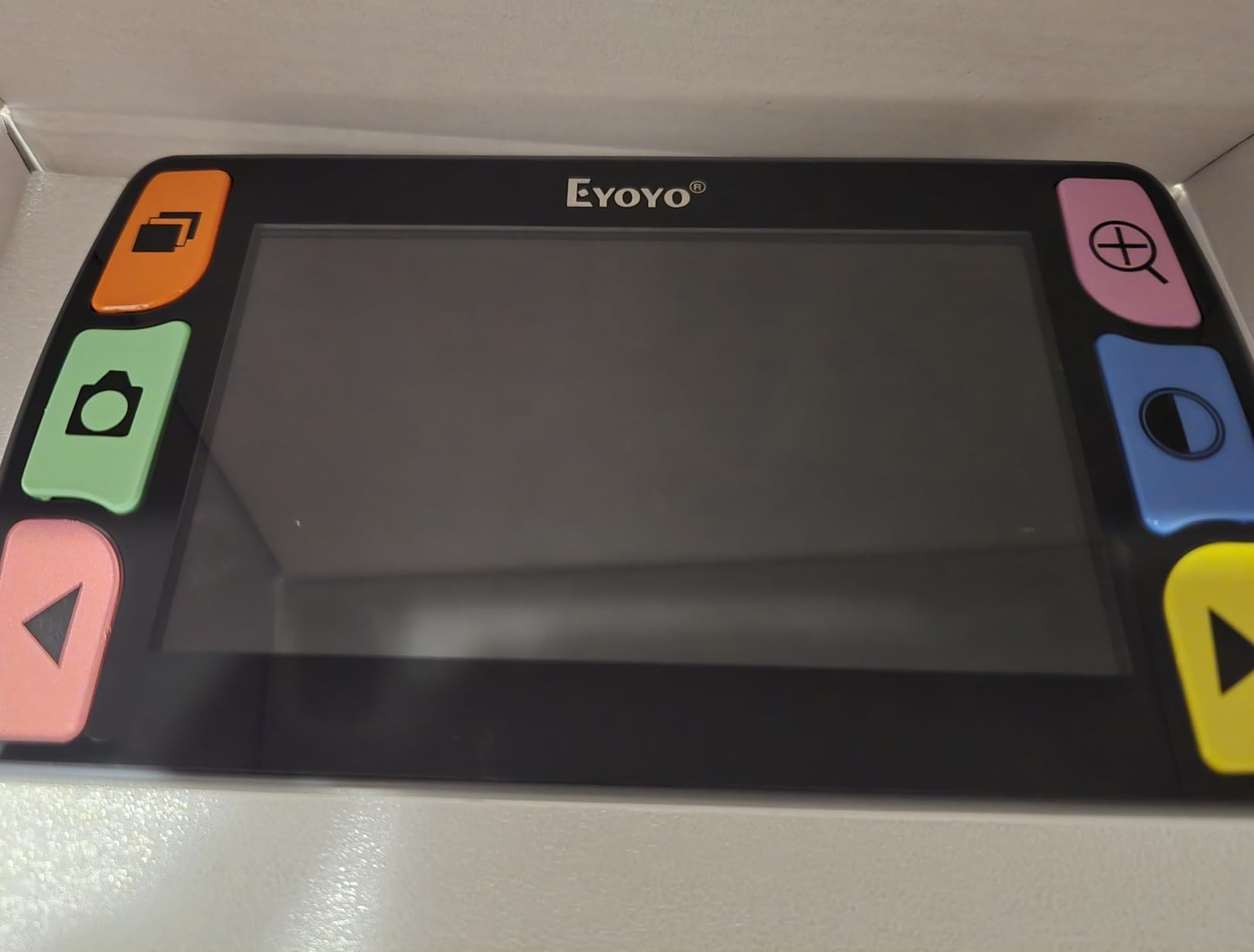
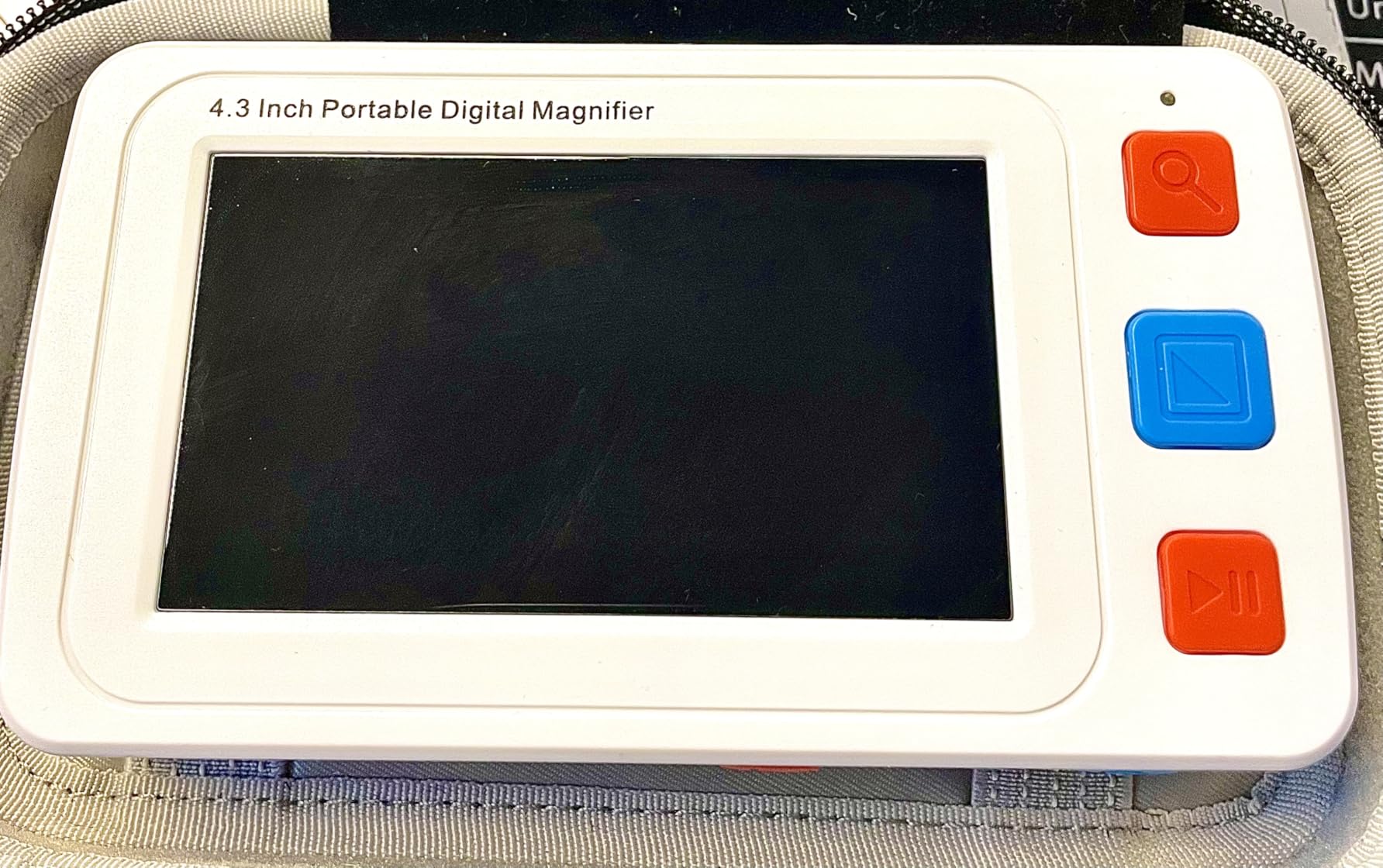
The focus distance is very shallow. The unit must be laid almost flat against the page, and any lift-off distance makes the image noticeably blurry, which is the same limitation the other compact handhelds share. There is also no toggle for the built-in light, so it stays on even when the print is already brightly lit, and some buyers describe the image as soft or blurry at 6x, 8x, 10x and 12x.
Battery life is around 2 hours, shorter than most competing models, and there is no built-in stand or mounting option, so it is a handheld device rather than a hands-free one. The photo capture and save flow also has a learning curve, with images easy to delete by accident. If you mainly read at a table and want to write at the same time, this is not the shape of device you want.
Check whether the flip action suits your hands
Flip-to-power-on is a real advantage if you have arthritis, a tremor or limited fine motor control, because there is nothing to aim at. Test it in your own hands. If you can open the hinge comfortably with one hand, this design will serve you better than a button-heavy alternative.
Next, check the light situation. Because the built-in light cannot be switched off, read a brightly printed page and a dark newspaper page and see whether the constant light becomes a problem. For indoor evening use it is a clear win; for glossy or already bright print it can work against you.
Check who it suits and who it does not
This suits readers who want a light, simple device with no menu to learn, and anyone who needs a magnifier that fits in a drawer rather than on a desk. The 12 colour modes give more tuning room than most devices at this weight.
It is a poor choice for long reading sessions, because 2 hours of battery is limiting and the screen shows fewer words than a 5 inch model. It also does not suit anyone who needs to write while viewing, since there is no stand to hold the page steady under the screen.
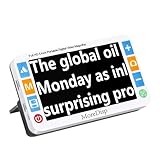
6. MoreDisp 5.0 inch Portable Video Magnifier – Widest Zoom and Colour Range
MoreDisp Portable Digital Video Magnifier for Visually Impaired – 5.0 Inch LCD Screen, 2X-32X Zoom, 26 Color Modes, Foldable Handle for Macular Degeneration & Low Vision Aid
5.0 inch HD LCD at 800x480
2X-32X adjustable zoom
26 color modes with memory
DSP image processing
Pros
- Widest zoom range here at 2X to 32X
- 26 selectable color modes to tune contrast
- DSP processing reduces distortion at high zoom
- Memorizes color and zoom preferences between sessions
- Foldable handle plus integrated reading bracket
- Connects to a television for a larger view
Cons
- Heaviest handheld here at 1.6 pounds
- Only 4 customer reviews so reliability is unproven
- 800x480 panel resolution is modest for the price
- No OCR or text to speech
On paper this is the most flexible handheld in the group. The magnification spans 2X to 32X, which covers everything from large print to fine labelling, and the 26 selectable colour modes are the joint widest palette here, with the chosen settings stored for next time. The DSP image processing is included specifically to reduce distortion at high zoom, which is exactly where cheaper devices fall apart.
The foldable handle and integrated bracket give you both a comfortable grip and a reading angle that suits either hand, and the television connection gives you an option for showing the image to someone else. That combination makes it flexible for shopping, mail and craft work.
The caveat is the weight. At 1.6 pounds it is the heaviest handheld here, and that is felt over a long session or on a long shopping trip. Just as important, only 4 ratings back this product, with none critical but far too few to draw firm conclusions. Weigh the specification sheet more heavily than the 4.3 average for this one.
Check the weight in a real carry
Before buying, imagine the device in your bag for a couple of hours at a shop or an appointment. If you already carry a water bottle, a wallet and reading glasses, 1.6 pounds starts to register. If you mostly read sitting down, the weight matters much less and the 26 colour modes matter much more.
Also check the resolution expectation. An 800×480 panel is clear enough for reading, but it is modest next to the higher-resolution 8 inch devices in this list. If fine print is your main task, a higher-resolution screen is worth the extra spend.
Check who it suits and who it does not
This suits readers who want one device to cover a genuinely wide range of tasks, from a book at low zoom to a serial number on a component at 32X. It is a good fit for anyone who tunes contrast carefully, since 26 modes plus memory is far more flexible than the three- and eight-mode devices.
It is a weaker fit for all-day portability, given the 1.6 pound body, and for anyone who wants the device to read text aloud, since there is no OCR or text-to-speech. With only four reviews behind it, buy it with the understanding that you are reading a specification sheet rather than a long user history.
7. Zoomax Luna 6 Portable Video Magnifier – Built for Bags and Trolleys
Zoomax Luna 6 Portable Video Magnifier for Low Vision – HD Display, Foldable Stand, Wireless Charging, Long Battery Life, Lightweight Digital Reading Aid
6 inch high-definition display
Wireless charging with up to 5 hours use
Handle plus foldable stand
Weighs 0.46 lb
Pros
- Wireless charging removes cable fuss
- Up to 5 hours of use per charge
- Handle and foldable stand give handheld and hands-free reading
- Very light at 0.46 lb for travel
- High contrast buttons that are easy to see in low light
Cons
- Only 6 customer reviews with a share of 1-star ratings
- Costs more than 5 inch models while showing less than 8 or 12 inch screens
- No text-to-speech or OCR listed
- Listed weight conflicts with the advertised figure
The Luna 6 is built around a simple idea: a magnifier you will actually put in your bag. It weighs 0.46 lb, it has a built-in handle and a foldable stand so you can switch between handheld and hands-free, and the wireless charging removes the small daily friction of plugging in a cable. Up to five hours of use per charge is the longest runtime among the portable devices here.
Screen clarity is consistently praised. Owners report sharp, easily readable text on books, newspapers, labels and menus, and the high-contrast buttons improve visibility in dim restaurants, which is a detail more manufacturers ignore than they should. One long-standing low vision user with macular degeneration who also owns other Zoomax models describes the Luna 6 as the one they carry to stores to read labels, and calls the brand’s build quality the highest in the category.
Weight clarity is worth raising. The listing shows a 0.46 lb figure but also an item weight field reading 1.38 kg, which conflicts. Treat the lighter figure as the intended one, but ask if getting it wrong matters to you.
Check the charging dock and the battery promise
Wireless charging is the feature that changes daily habits. Find a spot on a table or a bedside cabinet where the unit can sit on its pad, and it will be charged and ready every time you pick it up. If you travel regularly, that removes one more cable to remember.
With five hours of runtime you can comfortably cover a shopping trip or a long restaurant visit. The high-contrast buttons are genuinely worth checking in a dim room, because most magnifier controls are far too small and dim to find quickly.
Check who it suits and who it does not
This suits anyone who reads in shops, restaurants, on trips and anywhere with poor lighting, and readers who want one device for both handheld and hands-free use. The build quality and the light body are the main draws.
It is a poor fit for someone who wants the largest possible reading area, because a 6 inch screen sits between the compact and large models, and for anyone who wants text read aloud, since no OCR or text-to-speech is listed. With six ratings, including a share of 1-star feedback, quality consistency is genuinely uncertain.
8. Zoomax Snow 12 Inch Foldable Video Magnifier – The Big Screen With Speech
Snow 12 Inch Foldable Portable Video Magnifier by Zoomax with OCR for Low Vision & Reading Assistance – HD Display, 19x Magnification, Text-to-Speech, & 20+ Language Support
12 inch HD display with 19x magnification
OCR text to speech in 20+ languages
HD camera for writing and hobbies
Foldable stand
Pros
- Largest portable screen here so full pages are practical
- OCR reads text aloud in 20+ languages
- HD camera suits reading writing and hobby work
- Adjustable color and contrast settings rated well
- Customer service described as responsive and helpful
Cons
- Around 11 lb makes it a desk device rather than portable
- Warranty limited to 30 days
- Text to speech misreads numbers and photographed text
- Cannot show a full letter size page at a useful size
This is the device to look at if you want one machine to do two jobs: show a very large image and read it aloud. The 12 inch display is the largest portable screen in this roundup, which makes full pages, checkbooks and tasks like writing under the view practical rather than aspirational. Buyers and caregivers of people with wet macular degeneration describe it as a genuine life-changing aid for reading mail and newspapers, filling out forms, writing cheques, and even model railroading. One reviewer noted it was recommended to them by a council for the blind.
The OCR reads text aloud in more than 20 languages, and owners rate the adjustable colour and contrast settings as good with a clear, understandable synthesised voice. The foldable stand allows different viewing angles, and the manufacturer customer service is described as responsive and helpful, which matters when a device is this specialised.
This is the lowest-rated product in the roundup at 3.9, and the reason is software rather than optics. The image quality is good. What falls short is the text-to-speech itself.
Check the OCR against the text you actually read
Two specific failure modes matter here. The reader reports misreading photographs of text and confusing individual letters, and it reads number strings as aggregate thousands or millions rather than digit by digit, which breaks prescription numbers, bank details and any long string of figures. If your daily reading is mostly forms, medicine labels or bills, test it on those before committing.
There is also a page-size limit. It does not display or read a full 8.5 x 11 inch page at a useful size and cannot zoom out far enough for a standard letter-size document. That is a real constraint if you routinely work on paperwork, and it is worth knowing before the purchase rather than after.
Check who it suits and who it does not
This suits readers who want speech output as well as magnification, and anyone working on crafts, model building or needlework who needs to see a large detailed image while their hands stay on the task. Owners with handwriting, form-filling and hobby needs praise it heavily.
It does not suit travel, at roughly 11 lb it is a desk device rather than a portable one, and the 30 day warranty is notably shorter than the two years offered on the Eschenbach desktop unit. If support terms matter to you, factor that into the decision.
9. Eschenbach Vario Digital FHD Desktop Magnifier – the Desk Reading Workhorse
Eschenbach Vario Digital FHD Desktop Video Magnifier – Portable for Low Vision | Includes Liberty Microfiber Cloth
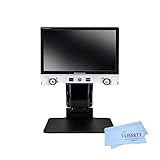
15.6 inch full HD monitor
1.3x to 45x optical zoom
Adjustable LED illumination
2 year warranty
Pros
- Largest viewing area with a wide field of view
- 1.3x to 45x optical zoom with a tiltable camera
- Dual-area LED lighting gives even shadow-free viewing
- Large tactile buttons and turn dials with voice menu output
- Images save to a removable 8GB SD card
- Two year manufacturer warranty
Cons
- Most expensive option in this roundup
- Heaviest at 13.9 lb so it stays on the desk
- Folding design means setup at each session
- Advanced vision loss can still defeat it at maximum zoom
If reading is your main daily activity and the device will live on one table, this is the most capable magnifier in the roundup. The 15.6 inch full HD monitor with 1.3x to 45x optical zoom and a large field of view is in a different class from the handhelds. Owners in their 90s with severe macular degeneration describe it as life-changing, reporting that they can read again, do research and read their own literature comfortably, and they call the button-light interface intuitive.
The lighting is a genuine engineering feature rather than a specification line. Dual-area adjustable LED illumination on the arm and behind the monitor produces even, shadow-free viewing with no glare, which removes the single most common complaint about cheaper devices. The tiltable camera and 16:9 format make full documents easier to work through, and captured images save to a removable 8GB SD card that can be viewed on a computer, with dynamic line scrolling for long pages.
Control accessibility is thoughtful too: large tactile buttons, turn dials, and voice output on the menu so a user who cannot see the screen can still navigate. The two year manufacturer warranty is far longer than anything else in this category.
Check whether your eyesight has moved past the ceiling
This is the one honest caution in the reviews, and it is worth taking seriously. One buyer notes that even at maximum magnification and close distance, advanced vision loss can still defeat the device. No magnifier reverses the underlying condition, and a more capable machine is not always a better answer if the problem is no longer contrast and clarity but outright light perception.
Second, price. It is by far the most expensive option here, and the second caution is weight at 13.9 lb. It is a desk appliance, and the folding design means setup at each session rather than grab-and-go. Anyone shopping for a device to use in the kitchen, the garden or a shop should rule it out.
Check who it suits and who it does not
This suits readers who spend hours at a desk reading, researching, filling in paperwork or doing detailed hobby work, and anyone whose eyes are very light sensitive. The shadow-free LED lighting alone can justify the outlay for people with glare sensitivity or contrast loss.
It does not suit readers who want portability, and buyers who need repair support and a long warranty should note the two year cover as a genuine advantage over the 30 day terms offered by some competitors. Buyers with poor dexterity benefit from the tactile controls and the voice menu.
10. Snow 7 HD Color Portable Video Magnifier – a Middle-Size Daily Reader
Snow 7 HD Color Portable Video Magnifier – 4 Hours of Battery Use!
7 inch high-definition screen
7x magnification
Text to speech in multiple languages
HDMI output to a TV
Pros
- Larger reading area than typical handheld magnifiers
- Text to speech reads aloud when eyes tire
- Weighs under a pound so it is easy to carry
- Scratch resistant acrylic lens for long term use
- HDMI output gives a much larger image on a television
Cons
- Battery lasts only about 3.5 to 4 hours per charge
- Supplied stand has no adjustable viewing angle
- Sharpness is good but not true HD
- HDMI output only
- so older monitors are unsupported
The 7 inch screen sits in the useful middle of this category. It is large enough to hold a satisfying amount of text at 7x, small enough to be carried, and it includes text-to-speech in multiple languages for the point in the evening when the eyes have had enough. One owner with wet macular degeneration describes a husband who had been hunched over a magnifying glass for years and now sits up and reads his newspapers and magazines cover to cover every day.
It weighs under a pound and has a scratch-resistant acrylic lens, which is a sensible durability choice for a device that gets carried in a bag. HDMI output means you can put the image on a large television, which is the most comfortable option for shared reading, and the manufacturer states the rechargeable battery is good for about five years.
Only 3 ratings back this one, so the 4.8 average is directional rather than proven. One of those reviews is a detailed negative, and it is the most useful thing here: it confirms 3.5 to 4 hour battery life, a non-adjustable viewing angle on the supplied stand, HDMI-only output, and sharpness that is good but softer than a true television source.
Check the output ports before you commit
There is one port, and it matters. This device has HDMI output only, with no legacy AV video-out, so older televisions and monitors are unsupported. If you plan to connect it to anything, check that your screen accepts HDMI first, because the connection is the difference between a large comfortable image and no large image at all.
The second check is the stand. The supplied stand has no adjustable viewing angle, so you may want a separate stand. And at 3.5 to 4 hours of battery, plan a charging point wherever you read rather than assuming an all-day charge.
Check who it suits and who it does not
This suits newspaper and magazine readers who want a bigger screen than a pocket unit without carrying a desk device, and anyone who wants to sit back and have text read aloud once their eyes tire. Owners with wet macular degeneration report daily use.
It is a poor fit for anyone with legacy AV equipment, for readers who need a precise viewing angle without buying a separate stand, and for anyone who wants true HD sharpness. With three reviews, weigh the specification list over the star rating.
11. Soltrex 8 inch Electronic Digital Magnifier – Most Capable Specification Sheet
8″ Electronic Digital Magnifier,for Visually Impaired Users
8 inch anti-glare screen at 1280x800
2x to 99x adjustable zoom
13MP autofocus camera
Touchscreen with handwriting
Pros
- Highest screen resolution here at 1280x800 on 8 inches
- 13MP autofocus camera handles far and near scenes
- Touchscreen with handwriting support is rare in this category
- 26 display modes with 5 level brightness
- 5200mAh battery plus 16GB of built-in memory
- HDMI output shares the image with family
Cons
- Only 1 customer review so the rating is unverified
- At 1.2 lb it is heavier than most handhelds
- No OCR or text to speech
- Listing quotes both 2-20X and 2-99X so the real top zoom is unclear
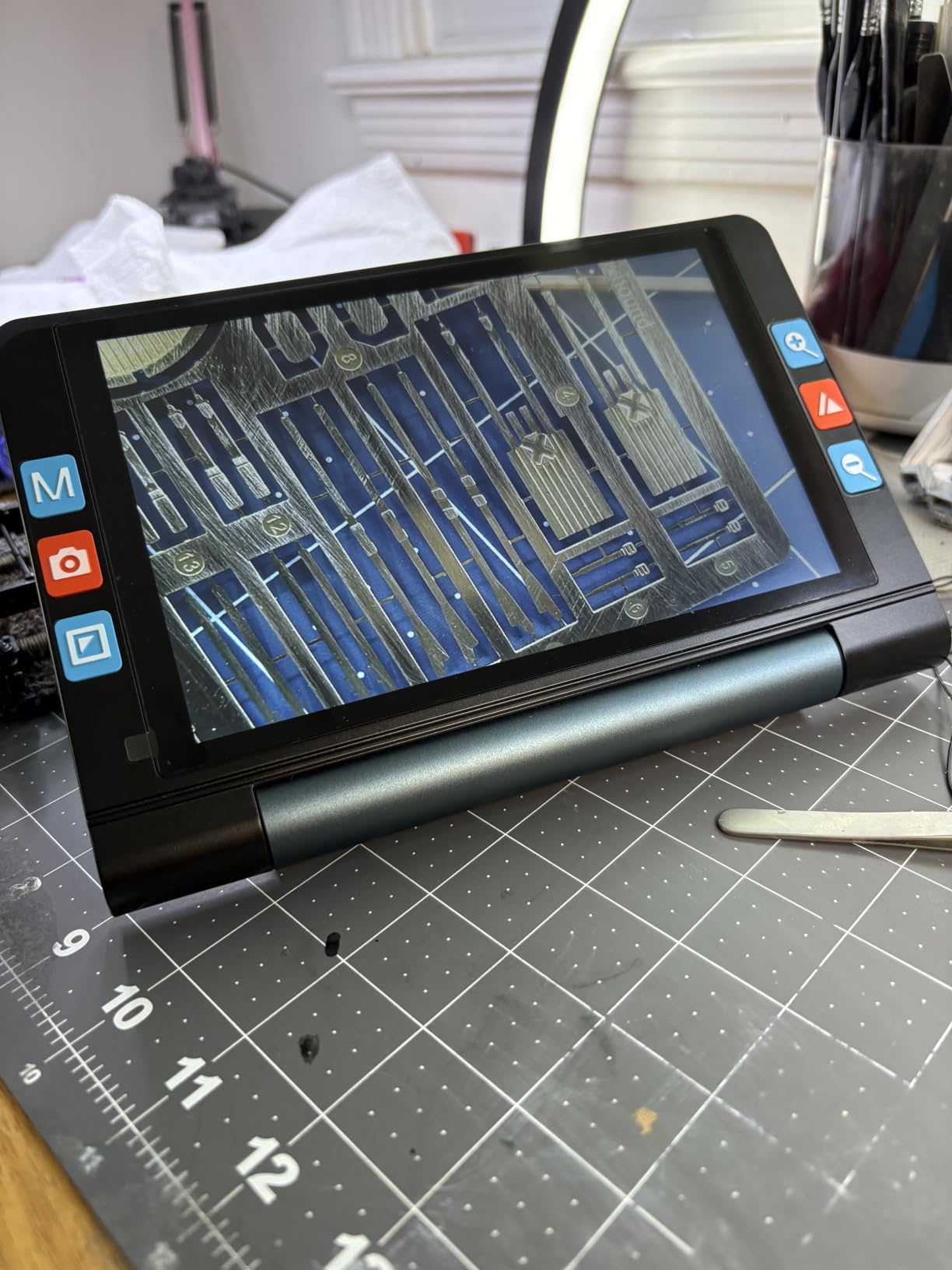
Judged purely on specifications, this is the most advanced portable magnifier in the roundup. The 8 inch anti-glare screen runs at 1280×800, the highest resolution here, and it is driven by a 13MP autofocus camera that handles both far and near scenes at 1080P30 and 720P60 for a smooth, lag-free image. The 2x to 99x zoom is adjustable rather than fixed-step, which is unusual and genuinely useful across different tasks.
The touchscreen is the feature that separates it from everything else on this list. A touchscreen with handwriting support lets you mark up what you are reading, which turns the device from a magnifier into a work surface. There are also 26 display modes, 5 brightness levels, a flashlight, image freeze and a memory function, plus 16GB of built-in storage for photos and recordings and HDMI output for sharing the image on a large television. The 5200mAh battery gives up to four hours of use.
Now the important warning. Only one customer rating exists, and it is 5.0, so there is effectively no customer evidence to draw on. Treat the rating as unverified and weigh the specification sheet far more heavily than usual.
There is a real specification inconsistency too. The listing highlight says 2-20X while the feature bullet says 2-99X, so the genuinely usable top zoom is unclear. At 1.2 pounds it is also heavier than most handhelds, though still far lighter than a desktop model. And there is no OCR or text-to-speech, which is a notable gap given where this sits in the range.
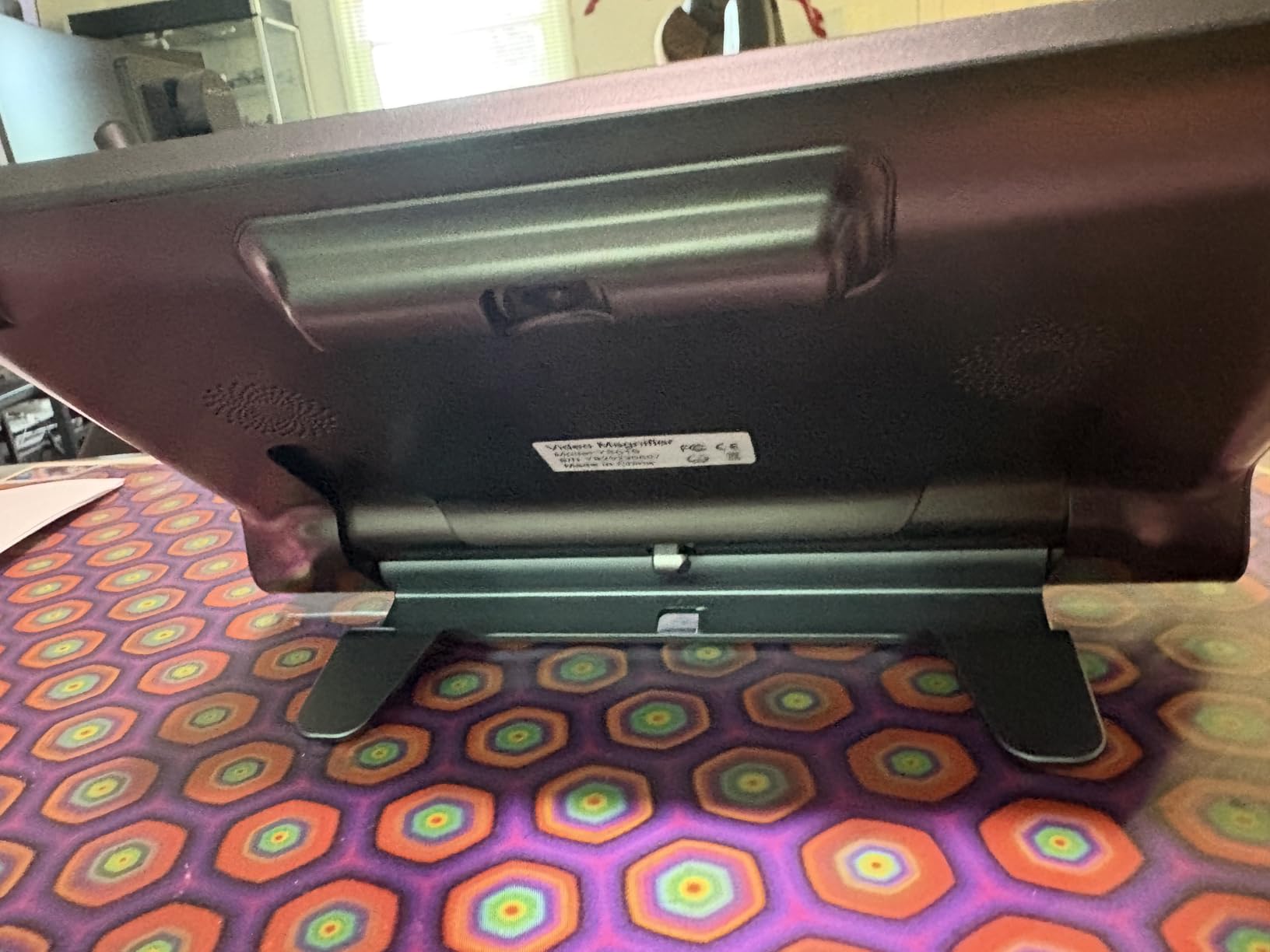
Buying an untested device at this level carries genuine risk, which is a theme that runs through the community discussion around this category. If you do choose it, keep the return terms in mind and give yourself a full week of real documents before deciding.
Check the touchscreen with the task you do most
A touchscreen is only valuable if you will use it. If your daily reading is newspapers, mail and labels, autofocus and screen resolution matter most and the touchscreen is a bonus. If you fill in forms, annotate documents, do needlework or work with small components, the handwriting support may be the reason to choose this over a cheaper model.
Confirm the zoom range with the seller, given the 2-20X versus 2-99X conflict, and ask what the top of the range looks like in practice rather than on a specification sheet.
Check who it suits and who it does not
This suits readers who want one portable device that handles near and far work, and anyone who values a touchscreen and handwriting input enough to pay for it. The autofocus camera is a genuine improvement on manual-focus handhelds, particularly for readers with less steady hands.
It is a poor fit for anyone who wants the device to read text aloud, since there is no OCR or text-to-speech, and for buyers who need a long user history before committing. With a single rating behind it, the risk profile is higher than anywhere else in this roundup.
12. Fabater 3.5 inch Digital Video Magnifier – the Slimmest Carry
Digital Magnifier 3.5 Inch LCD Screen 2X-32X Zoom, Handheld Portable Electronic Video Magnifier Reading Aids for Low Vision, Rechargeable, Rotating Handle & AV Output 26 Color
3.5 inch full color HD LCD
2X-32X zoom with 26 color modes
Rotating handle and bracket
Weighs 0.5 lb
Pros
- Slimmest and lightest body here for pocket carry
- 26 color modes plus 2X-32X zoom in a small frame
- Included bracket lies flat for hands-free reading
- Rotating handle and wide-angle HD camera
- Generous accessory bundle with bag cable and cloth
Cons
- Only 2 customer reviews and one of them is 3 star
- 3.5 inch screen fits the fewest words at any magnification
- No OCR or text to speech
- Lacks the touchscreens and autofocus of newer models
The argument for this device is straightforward: a 3.5 inch screen does not tell you much, but 26 colour modes, a 2X to 32X range, a wide-angle HD camera and a rotating handle in a body weighing 0.5 lb and measuring under 1.3 inches thick is an unusually complete feature list. The included bracket is what makes it usable, letting the device lie flat on a book or newspaper for steady reading. The accessory bundle is generous too, with a storage bag, hanging rope, TV battery cable, USB cable, cloth, adapter and manual.
For someone moving between a handbag and a coat pocket, the slim body is the deciding factor. It is not a pocket that bulges, and it charges over USB like anything else modern.
With only 2 customer reviews, one of which is 3 stars, there is effectively nothing to learn from owners here. On specifications it is a capable budget handheld, and for a buyer who wants to step up from an optical magnifier without moving to a desktop reader, the feature list is long.
Check the bracket and the small screen together
The bracket is not an accessory here, it is the operating position. The 3.5 inch screen is the smallest in the roundup, so the fewest words fit on screen at any magnification, and the device is not comfortable to read without the bracket in use. Put it flat on a page and test how many words you can read at a comfortable size before deciding.
Also check whether you want AV output to a television. It is present, which is uncommon at this level, and for a reader who mostly wants a small magnifier it is a feature you may never use.
Check who it suits and who it does not
This suits readers who need something that disappears into a pocket or a small bag, and anyone who wants a wide colour palette and a broad zoom range in a small body. The LED flashlight assist light is useful for fine detail work.
It is a poor fit for long reading sessions, since the 3.5 inch screen means constant movement, and for anyone who needs to write while viewing. It also lacks the autofocus cameras and touchscreens found on newer and more expensive models, and there is no OCR or text-to-speech.
How to Choose an Electronic Video Magnifier
Screen size is the first decision, and it is the one buyers most often get wrong by assuming a bigger number is always better. A 3.5 inch screen is genuinely portable but forces constant movement across a page. A 5 inch screen shows noticeably more words at the same magnification. A 7 to 8 inch screen is a different class again, and a 12 inch screen or a desktop monitor suits extended reading rather than portability. Buy the largest screen your hands and your bag can manage.
Magnification range matters less than the headline suggests. A wider range looks impressive on a listing, but the useful range for most reading sits in the lower half of it, and pushing any camera to its maximum produces a soft, shaky image. Focus behaviour matters more in practice, and auto-focus is a genuine step up from manual adjustment if you have tremor.
Colour modes are the feature that separates a magnifier you keep from one you abandon. Eight modes is a reasonable minimum, seventeen is comfortable, and twenty-six gives you somewhere to go on print that defeats everything else. Yellow on black, white on blue and black on white are the combinations low vision specialists reach for most often, particularly with contrast loss and glare sensitivity.
Then check the physical details that specifications pages bury. What does it weigh in your hand, and can you hold it for twenty minutes? Does it have a stand or foldable bracket, and will that stand hold the device steady on a table? How long does the battery last, and is the cell replaceable? Does it output to a television, and if so, HDMI or legacy AV? Owners in community discussions repeatedly value stable, line-locked reading far more than raw magnification power, and they repeatedly stress testing a device at home with real documents such as pill bottles, mail and bills before committing.
Finally, decide whether you actually want speech. If reading print aloud is the goal rather than simply seeing it larger, an OCR smart reader is a different purchase from a magnifier, and the next section explains when that switch is the right one.
Which Magnifier Suits Which Vision Condition
For age-related macular degeneration, the central problem is a central scotoma, so contrast and colour control matter far more than magnification power. Devices with a strong palette, such as the MoreDisp with 26 modes or the Eyoyo 5 inch with 17, give you the best chance of finding a rendering that works. Owners with macular degeneration in the reviews of these products consistently report regaining independent reading of labels, mail and bills.
For glaucoma, the difficulty is tunnel vision combined with contrast sensitivity loss. A wide field of view and high contrast modes are the priorities, and reading lines or freeze functions help you keep your place when your peripheral vision is gone. The Zoomax Luna 6 and the Snow 7 are the two devices here that reviewers connect most directly to that experience.
For diabetic retinopathy, where vision can fluctuate day to day, adjustable brightness and a wide range of colour modes let you retune the image as your vision changes. The Koolertron with its screen backlight and flashlight mode is the pick to examine first for low-light and glossy print.
For cataracts, glare and contrast washout dominate rather than central detail. Anti-glare screens and shadow-free LED lighting matter most here, which is why the Eschenbach Vario’s dual-area illumination is worth a close look for anyone whose main difficulty is light rather than size.
Beyond the Magnifier: Other Electronic Low Vision Devices
Before spending anything, it is worth being honest about a free first step. A phone or tablet camera with its built-in accessibility zoom is accepted in community discussion as an adequate low-cost way to find out whether electronic magnification suits you at all. It will not match a dedicated device on focus, lighting or handling, but it costs nothing and it tells you whether the format appeals.
Smart OCR readers go further. They photograph a page and read it aloud, which is a genuine independence gain when reading print is no longer possible even with magnification. Two of the devices here include text-to-speech, the Snow 12 and the Snow 7, and our Snow 12 pick explains where that software still falls short on numbers and photographed text. If you need the whole page read to you, a dedicated OCR reader may be the more sensible purchase.
For people who read braille or work with structured text, a braille display or a screen reader serves a different need entirely. Neither replaces a magnifier, but all three answers are worth discussing with an occupational therapist rather than choosing alone.
For peripheral vision loss specifically, wearable and wide-vision approaches exist as a separate category from magnifiers. Our guide to wide-vision goggles covers the general principle of opening up peripheral awareness, and a low vision specialist can tell you whether that category applies to your situation.
If darkness rather than print is the barrier, amplified optics are yet another category, and our roundup of the best night vision scopes explains where that technology starts and stops. None of it replaces a video magnifier, but it is worth knowing that the assistive technology market divides into several distinct branches before you commit to one purchase.
Where to Test Before You Buy
Ask an optometrist or low vision specialist for a referral to a low vision clinic or occupational therapist. Many will let you handle two or three devices on your own documents, which is far more informative than any specification sheet. Community buyers consistently recommend bringing your own material: prescription bottles, unopened mail, a utility bill, a photograph.
When you buy, read the return and trial terms as carefully as the features. A thirty day home trial turns an expensive decision into a reversible one, and US-based support with a domestic repair centre is worth more than a longer spec list when something stops charging. Check the warranty length too, because it varies from thirty days on one device in this list to two years on another.
Frequently Asked Questions
What are some good electronic magnifiers for people with low vision?
Three well-reviewed options stand out. The Eyoyo 3.5 inch portable digital video magnifier is the most reviewed in its category with 425 ratings, offering 2X-25X zoom, 8 colour modes and a foldable bracket for hands-free reading. The Eyoyo 5 inch adds a larger screen, 17 colour modes and more than four hours of battery. The Koolertron 5 inch is the choice for readers with unsteady hands because its built-in stand steadies the image on the page.
What are the best magnifiers for people with low vision?
The best device depends on where and how you read. A 3.5 or 4.3 inch handheld suits short jobs such as reading labels and mail on the move. A 5 inch model with a stand is the most common all-rounders, covering books, bills and hobby work at a comfortable magnification. A 7 to 8 inch screen suits newspapers and forms. A 12 inch screen or a desktop monitor is for extended reading at one fixed table. Colour mode count matters more than headline magnification.
What are some electronic devices that can help people with low vision?
Beyond video magnifiers, a phone or tablet camera with accessibility zoom is a free way to test whether electronic magnification works for you. Smart OCR readers photograph a page and read it aloud, which helps when print can no longer be read even enlarged. Braille displays serve people who read braille, and screen readers plus magnification software help with computer work. An occupational therapist can help you decide which category fits your specific needs.
What are the most effective low vision devices?
Effectiveness depends on the diagnosis. For macular degeneration, contrast and colour enhancement modes do the most work, so pick a device with a wide colour palette. For glaucoma, a wide field of view plus reading lines and freeze functions help you keep your place. For cataracts, shadow-free LED lighting and anti-glare screens matter most. For diabetic retinopathy, adjustable brightness helps as vision fluctuates. The Eschenbach Vario is the strongest performer for desk reading, while the Snow 12 adds OCR text-to-speech.
How much does a video magnifier cost?
Prices in this category span a very wide range, from compact handhelds in the low hundreds to premium desktop CCTV readers running into the thousands. The budget tier covers 3.5 and 4.3 inch screens with manual focus and no stand. The mid tier covers 5 inch models with colour modes, memory and rechargeable batteries. The premium tier covers 7 inch and larger screens, autofocus cameras, OCR text-to-speech and longer warranties. Check the current price before deciding, since this category moves frequently.
Will a video magnifier help with macular degeneration?
It will not restore lost central vision, and nothing on this list stops the condition progressing. What a video magnifier does is re-render print that has become pale and low-contrast into a sharper, higher-contrast image, which many owners with macular degeneration report as the difference between giving up on print and reading independently again. Owners frequently describe regaining the ability to read mail, food labels, prescription labels and bills. For an assessment of your own situation, speak to a low vision specialist.
Is a video magnifier better than a magnifying glass?
For most low vision readers, yes, because a video magnifier can brighten, sharpen and re-colour the page rather than simply enlarging a washed-out image. An optical magnifier is lighter, cheaper and needs no battery, so it remains useful for a quick look at a label. A related point worth knowing: more magnification is not automatically better, since pushing a camera to its maximum produces a soft, shaky image. Contrast modes and a steady stand usually help more than extra zoom.
Are cheap video magnifiers any good?
The budget tier is genuinely usable rather than a token entry. Models in this roundup with 4.3 and 5 inch screens offer 8 to 26 colour modes, rechargeable batteries, screen freeze and settings memory, and several carry 4.4 averages across 150 or more ratings. The limitations are consistent and worth knowing: manual focus, shallow depth of field, no stand unless a bracket is included, and a small screen that fits few words. Test a budget model on your own hardest print before buying a larger device.
Conclusion
After working through all twelve, the best electronic video magnifiers for low vision in 2026 come down to a handful of clear choices. The Eyoyo 3.5 inch is the one we would start with, because 425 ratings averaging 4.6 tell you more about daily reliability than any other device in this category. If you want a genuinely more comfortable reading experience, move up to the Eyoyo 5 inch for more words per screen and 17 colour modes, or choose the Koolertron 5 inch if unsteady hands make a stand essential.
For extended reading at one desk, the Eschenbach Vario is the most capable machine available, with a 15.6 inch full HD monitor and a two year warranty. For anyone who wants text read aloud as well as enlarged, the Zoomax Snow 12 does both, with the caveats about number recognition and page size noted above. Test whichever model you shortlist on your own documents before buying, and talk to a low vision specialist about the features your diagnosis actually needs.